Okwu mmalite
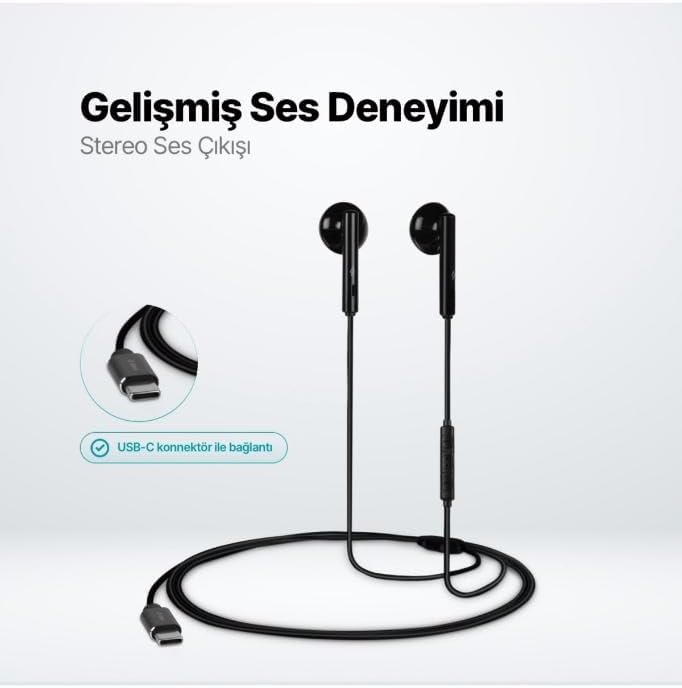
The TTEC Rio 2 Stereo USB-C Headset with Microphone is designed to provide a high-quality audio experience for music and calls. Its comfortable, lightweight design ensures a perfect fit and effective ambient noise isolation, allowing for hands-free communication and entertainment.
Akụkụ ndị bụ isi:
- Advanced stereo sound output for an immersive audio experience.
- Integrated microphone for clear phone calls.
- Smart inline controller for easy management of volume, calls, and music playback.
- Lightweight and ergonomic design for extended comfort.
- Universal USB-C connection.
Melite
To begin using your TTEC Rio 2 headset, follow these simple steps:
- Jikọọ ekweisi: Locate the USB-C port on your device (smartphone, tablet, laptop, etc.). Insert the USB-C connector of the TTEC Rio 2 headset firmly into the device's USB-C port.
- Nchọpụta ngwaọrụ: Your device should automatically recognize the headset. If prompted, select the TTEC Rio 2 as the audio output and input device.
- Hazie dabara: Place the earbuds comfortably in your ears. The ergonomic design ensures a snug fit for optimal sound quality and noise isolation.
Ntuziaka ọrụ
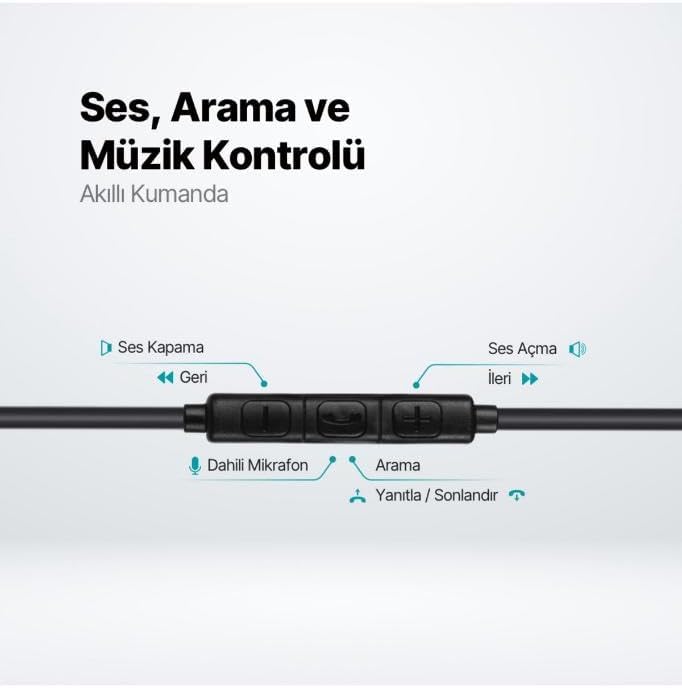
The TTEC Rio 2 headset features an inline smart controller for convenient management of your audio and calls.
Inline Controller Functions:
- Elu elu (+): Pịa iji mee ka olu ọdịyo dịkwuo elu.
- Mpịakọta ọnụ (-): Pịa iji belata olu ọdịyo.
- Play/Pause/Answer/End Call (Center Button):
- Pịa otu pịa iji kpọọ ma ọ bụ kwụsịtụ egwu.
- Single press to answer an incoming call.
- Single press to end an active call.
- Pịa ogologo ka ịjụ oku mbata.
- Next Track (Forward Button): Pịa ka ịgafe na egwu na-esote.
- Previous Track (Backward Button): Press to go back to the beginning of the current song or to the previous song.
- Igwe okwu arụnyere n'ime ya: Located on the inline controller, it captures your voice for calls and voice commands.
Nlekọta
Proper care will extend the life and performance of your TTEC Rio 2 headset.
- Nhicha: Gently wipe the earbuds and cable with a soft, dry cloth. Do not use harsh chemicals or abrasive materials.
- Nchekwa: When not in use, store the headset in a clean, dry place. Avoid extreme temperatures. The included cable organizer clip can help prevent tangling.
- Zere mmiri mmiri: Do not expose the headset to water or excessive moisture.
- Jiri Nlekọta Aka: Avoid pulling on the cable or applying excessive force to the connectors.

Nchọpụta nsogbu
If you encounter issues with your TTEC Rio 2 headset, refer to the following common solutions:
| Nsogbu | Ngwọta enwere ike |
|---|---|
| Enweghị ụda sitere na ekweisi. |
|
| Igwe okwu anaghị arụ ọrụ. |
|
| Ọdịmma ụda adịghị mma ma ọ bụ gbagọrọ agbagọ. |
|
| Hissing or static noise. |
|
Nkọwapụta
| Njirimara | Nkọwa |
|---|---|
| Ụdị | TTEC |
| Nọmba nlereanya | 2KMM14S |
| Njikọta | USB-C |
| Ụdị ekweisi | N'ime ntị |
| Ntinye ntị | N'ime ntị |
| Igwe okwu | Wuru n'ime |
| Akụkụ ngwugwu | 19.8 x 8.5 x 3.1 cm |
| Ibu Ibu | 40 grams |
| ASIN | B0D3XJ5SP7 |
Akwụkwọ ikike na nkwado
For warranty information and customer support, please refer to the documentation included with your purchase or visit the official TTEC websaịtị. Debe ihe akaebe nke ịzụrụ ihe maka akwụkwọ ikike ọ bụla.


