Okwu mmalite
Daalụ maka ịzụrụasing the Vieta Pro Party Bluetooth Speaker. This manual provides essential information for setting up, operating, and maintaining your device. Please read it carefully before use to ensure optimal performance and longevity.
Ozi nchekwa
- Ekpughela ọkà okwu ahụ n'ebe okpomọkụ dị oke elu ma ọ bụ anwụ kpọmkwem ruo ogologo oge.
- Zere idobe ma ọ bụ idobe ọkà okwu na mmetụta siri ike.
- Debe ọkà okwu ka ọ ghara ịbanye na ngwaọrụ ahụike.
- Agbalịla ịgbasa ma ọ bụ gbanwee igwe okwu ahụ. Nke a ga-eme ka akwụkwọ ikike ahụ ghara ịdị irè.
- Ensure all ports are securely closed when using the speaker near water to maintain its IPX7 water resistance.
- Jiri naanị eriri nchaji enyere ma ọ bụ ihe dabara adabara.
Ihe ngwugwu
The Vieta Pro Party Bluetooth Speaker package typically includes:
- Vieta Pro Party Bluetooth Speaker
- Igwe nchaji USB
- Auxiliary Audio Cable (if included, not explicitly stated but common)
- Akwụkwọ ntuziaka (akwụkwọ a)
Ngwaahịa gafereview
Mara onwe gị na akụkụ na njikwa ọkà okwu.
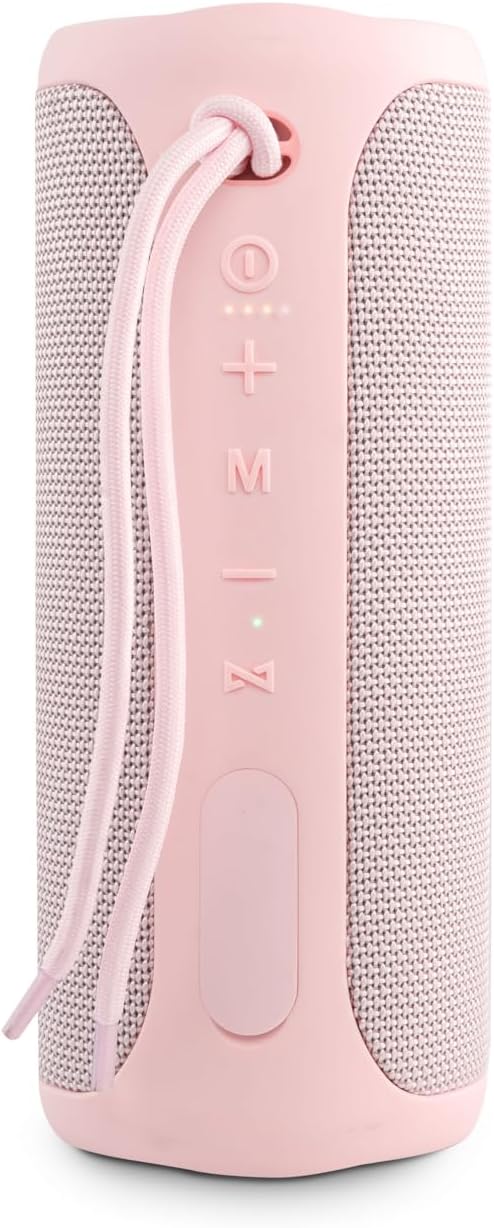
Foto 1: N'ihu View na njikwa
This image displays the front of the Vieta Pro Party speaker, highlighting the control panel. From top to bottom, you can see the power button, volume up (+), volume down (-), mode (M) button, play/pause/call button, and light system (Z) button. A carrying strap is also visible at the top.
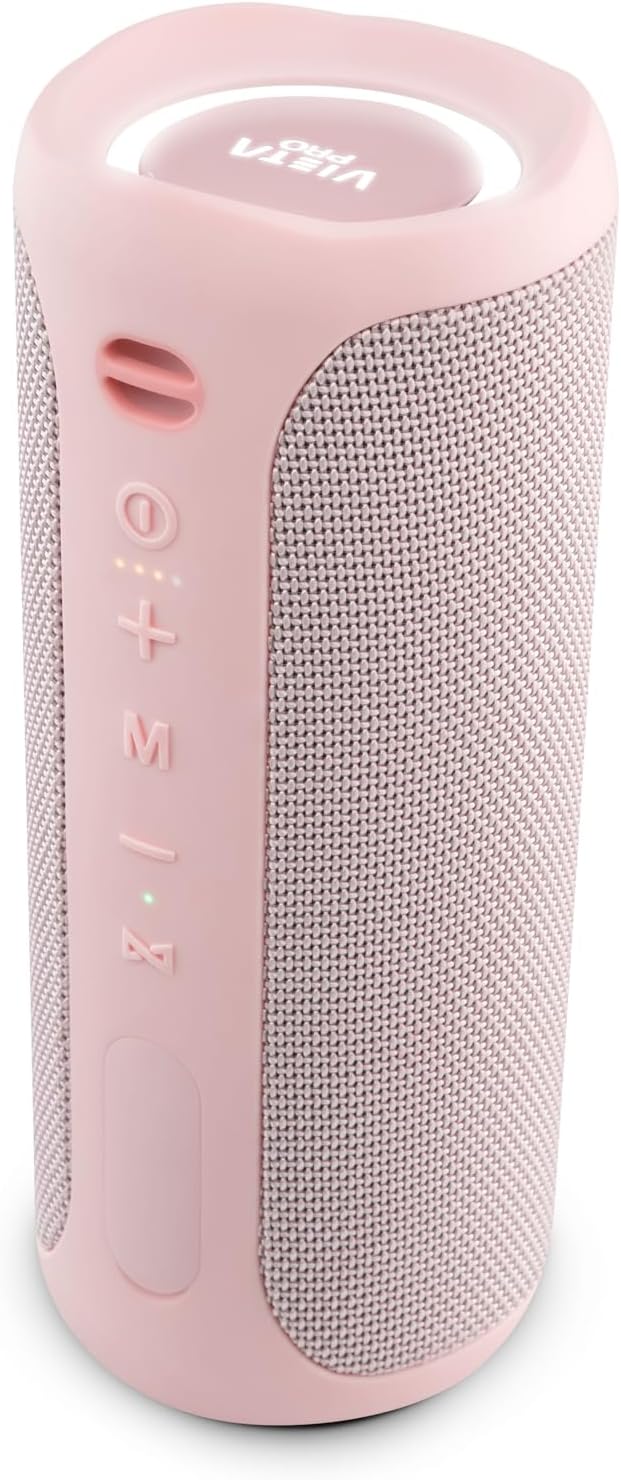
Onyonyo 2: Akuku View
Otu akụkụ view of the speaker, providing a clearer look at the control buttons on the side and the top panel featuring the Vieta Pro logo and an illuminated ring.
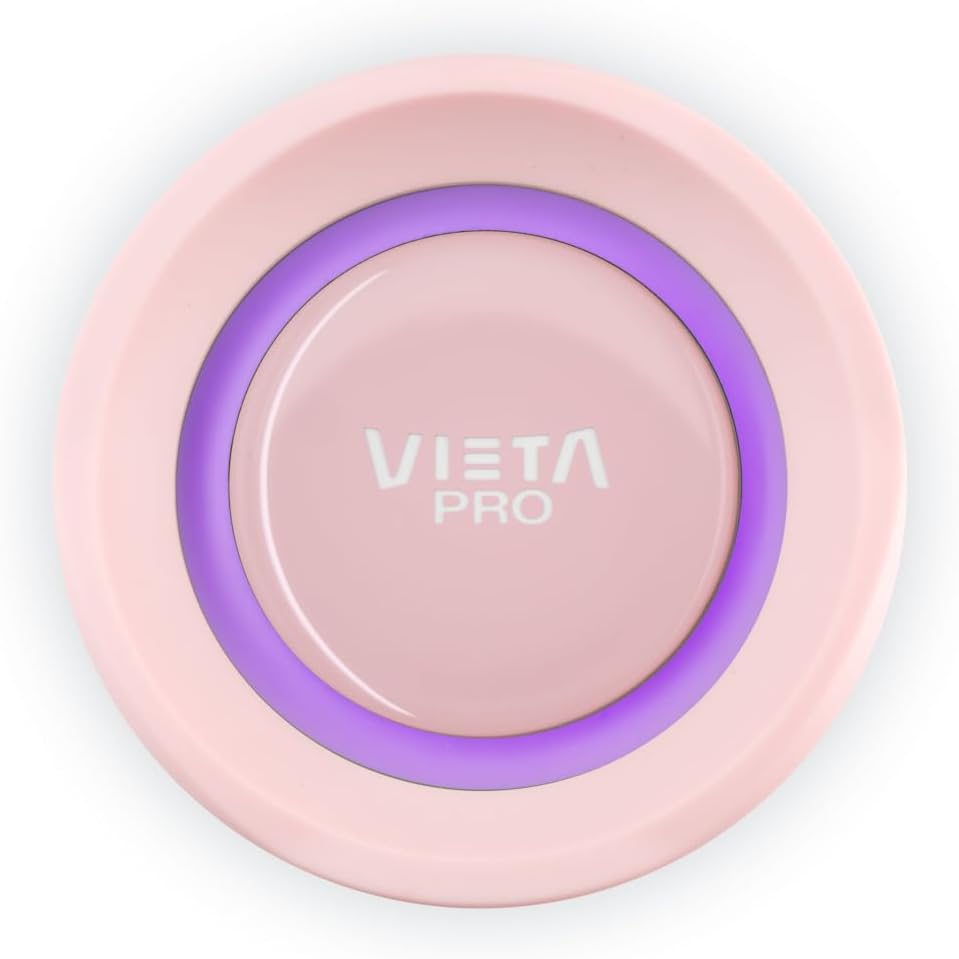
Image 3: Top Panel Detail
A nso-elu view of the speaker's top panel, featuring the Vieta Pro logo centrally placed within an illuminated ring, which indicates power and connection status.
bọtịnụ njikwa:
- bọtịnụ ike (⏻): Pịa ma jide ka ịgbanwuo/ gbanyụọ.
- Elu elu (+): Obere pịa ka iwelie olu.
- Mpịakọta ọnụ (-): Obere pịa ka ibelata olu.
- Ụdị (M): Press to switch between input modes (e.g., Bluetooth, Aux-In).
- Play/Pause/Call (⏸): Press to play/pause music. Press to answer/end calls. Press and hold to reject calls.
- Light System (Z): Press to cycle through light themes or turn lights off.
Melite
1. gingchaji Okwu Okwu
Before first use, fully charge the speaker. Connect the provided USB charging cable to the speaker's charging port and a compatible USB power adapter (not included). The charging indicator light will show the charging status and turn off when fully charged.
- Ndụ batrị: Up to 10 hours of playback on a full charge.
2. Gbanyụọ / gbanyụọ
- Iji gbanye: Pịa ma jide bọtịnụ ike (⏻) for approximately 3 seconds. You will hear an audible prompt, and the indicator lights will illuminate.
- Iji gbanyụọ: Pịa ma jide bọtịnụ ike (⏻) for approximately 3 seconds. You will hear an audible prompt, and the lights will turn off.
3. Njikọ Bluetooth
- Ensure the speaker is powered on and in Bluetooth pairing mode (the indicator light will flash).
- Na ekwentị ma ọ bụ mbadamba gị, gaa na ntọala Bluetooth.
- Chọọ maka available devices and select "Vieta Pro Party" from the list.
- Once connected, the speaker will provide an audible confirmation, and the indicator light will stop flashing and remain solid.
4. Ezi Ikuku Stereo (TWS) Pairing
To connect two Vieta Pro Party speakers for a stereo sound experience:
- Ensure both Vieta Pro Party speakers are powered on and not connected to any other Bluetooth device.
- On one speaker (this will be the primary speaker), press and hold the Mode (M) button for a few seconds until you hear a pairing tone.
- The two speakers will automatically search for and connect to each other. Once connected, you will hear a confirmation tone.
- Now, connect your smartphone or tablet to the primary speaker via Bluetooth as described in step 3. Both speakers will play audio in stereo.
Ntuziaka ọrụ
1. Basic Music Controls (Bluetooth Mode)
- Gwuo/kwụsịtụ: Press the Play/Pause/Call button (⏸).
- Olu elu: Pịa bọtịnụ olu elu (+).
- Olu ala: Mkpirisi pịa bọtịnụ olu ala (-).
- Track na-esote: Pịa ma jide bọtịnụ olu elu (+).
- Gara aga Track: Pịa ma jide bọtịnụ ụda ala (-).
2. Auxiliary Input (Aux-In) Mode
Connect an external audio device using a 3.5mm auxiliary cable (not included unless specified in package contents). The speaker will automatically switch to Aux-In mode or you may need to press the Mode (M) button to select it.
- In Aux-In mode, playback controls (play/pause, track skip) are typically managed directly from the connected device. Volume can be adjusted on both the speaker and the connected device.
3. Oku na-enweghị aka
With your smartphone connected via Bluetooth, the speaker's built-in microphone allows for hands-free calls.
- Oku azaa: Press the Play/Pause/Call button (⏸) otu ugboro.
- Oku ngwụcha: Press the Play/Pause/Call button (⏸) once during a call.
- Jụ oku: Press and hold the Play/Pause/Call button (⏸) maka 2 sekọnd.
4. Onye enyemaka olu
The speaker supports voice assistant functionality. Press the Play/Pause/Call button (⏸) twice quickly to activate your smartphone's voice assistant (e.g., Siri, Google Assistant).
5. Light System
The Vieta Pro Party speaker features an integrated light system with three different themes.
- Change Light Theme: Press the Light System (Z) button to cycle through the available light themes.
- Turn Lights Off: Continue pressing the Light System (Z) button until the lights turn off.
Nlekọta
1. Mgbochi mmiri (IPX7)
The speaker is IPX7 waterproof, meaning it can be submerged in water up to 1 meter for 30 minutes. To maintain water resistance:
- Gbaa mbọ hụ na emechiela eriri rọba na-ekpuchi chaja na ọdụ ụgbọ mmiri inyeaka tupu ikpughe ọkà okwu na mmiri.
- Do not charge the speaker if it is wet.
- After exposure to water, wipe the speaker dry with a soft cloth.
2. Nhicha
Jiri nwayọ hichaa ọkà okwu, damp ákwà. Ejila ihe nhicha na-eme ka ihe dị ọcha, mmanya na-aba n'anya, ma ọ bụ ihe mgbaze kemịkalụ, n'ihi na ihe ndị a nwere ike imebi elu ahụ.
3. Nlekọta batrị
- To preserve battery life, fully charge the speaker at least once every three months if not in regular use.
- Zere igbapu batrị kpamkpam ugboro ugboro.
Nchọpụta nsogbu
| Nsogbu | Ihe nwere ike ime | Ngwọta |
|---|---|---|
| Ọkà okwu anaghị agba ọkụ. | Batrị dị ala. | Chajie ọkà okwu zuru ezu. |
| Enweghị ike ijikọ site na Bluetooth. | Ọkà okwu adịghị n'ụdị njikọta; gbanyụọ ngwaọrụ Bluetooth; tere aka site n'ikwu okwu. | Ensure speaker is in pairing mode. Turn Bluetooth on your device. Move device closer to speaker. Forget "Vieta Pro Party" on your device and try pairing again. |
| Enweghị ụda. | Olu dị oke ala; ọnọdụ ntinye ezighi ezi; ejikọtaghị ngwaọrụ. | Increase speaker and device volume. Press 'M' button to select correct input mode. Re-establish Bluetooth connection. |
| Mgbagwoju anya ụda. | Olu dị oke elu; obere batrị; nnyonye anya. | Reduce volume. Charge the speaker. Move away from other electronic devices. |
| Njikota TWS ada ada. | Speakers already connected to other devices; too far apart. | Ensure both speakers are disconnected from other devices. Place speakers close to each other. Try TWS pairing again. |
Nkọwapụta
| Aha Nlereanya | Party |
| Ụdị | Vieta Pro |
| Agba | Pink |
| Akụkụ (L x W x H) | 9 x 9 x 22 cm |
| Ibu | 1.18 n'arọ |
| Mmiri Nguzogide | IPX7 (ihe mgbochi mmiri) |
| Teknụzụ Njikọta | Bluetooth 5.0 |
| Isi Iyi Ike | Batrị (Lithium-ion) |
| Ndụ batrị | Ruo awa iri abụọ |
| Ike Mmepụta Ọkà Okwu Kachasị Elu | 40 Watt |
| Ọnọdụ mmepụta ọdịyo | Stereo (Ọwa 2.0) |
| Usoro njikwa | Metụ aka |
| Ngwa dakọtara | Smartphones, mbadamba |
| Ụdị Ọkà Okwu | Ọkà okwu Bluetooth nwere ike ibugharị |
| Onye nrụpụta | FRAMASON AUDIO SA |
Akwụkwọ ikike na nkwado
The Vieta Pro Party Bluetooth Speaker comes with a Akwụkwọ ikike nwere oke. For specific warranty terms and conditions, please refer to the warranty card included in your package or contact Vieta Pro customer support.
Onye nrụpụta: FRAMASON AUDIO SA
For technical support or service inquiries, please visit the official Vieta Pro websaịtị ma ọ bụ kpọtụrụ ngalaba ọrụ ndị ahịa ha. Enwere ike ịchọta ozi kọntaktị na nkwakọ ngwaahịa ngwaahịa ma ọ bụ onye ọrụ nke ika ahụ websaịtị.


