1. Okwu mmalite
This manual provides detailed instructions for the setup, operation, and maintenance of your DANFI AUDIO DF TE-103 Vinyl Record Player. This versatile audio system features a 3-speed turntable, Bluetooth input, USB/SD card playback and recording, FM radio, and auxiliary input/output options. Please read this manual thoroughly before use to ensure proper function and longevity of your device.
2. Ozi nchekwa
- Ewepụla unit ahụ na mmiri ozuzo ma ọ bụ mmiri.
- Akwụsịla oghere ikuku ikuku ọ bụla.
- Gbaa mbọ hụ na ahapụghị eriri ọkụ ahụ ma ọ bụ gaa n'ihu.
- Kwupụ ngwaọrụ ahụ n'oge oke mmiri ozuzo ma ọ bụ mgbe ejighi ya ogologo oge.
- Tụtụ aka n'aka ndị ọrụ ruru eru.
- Debe ihe ahụ ka ọ ghara ịpụta ìhè n'anwụ, ebe okpomọkụ na-esi, na ebe magnet siri ike.
3. Ihe ngwugwu
Nyochaa na etinyere ihe niile edepụtara n'okpuru na ngwugwu gị:
- DANFI AUDIO DF TE-103 Vinyl Record Player
- Ngalaba Ike
- 45 RPM nkwụnye
- Slipmat
- Backup Needle
4. Ngwaahịa gafereview
Familiarize yourself with the main components and controls of your record player.

Foto 4.1: N'ihu view of the DANFI AUDIO DF TE-103 Vinyl Record Player.
4.1 Njikwa ihu ihu na njikọ

Ọgụgụ 4.2: Zuru ezu view of the front panel with USB, AUX IN, LED Display, and Mode Switch key.
- Ikanam Display: Na-egosi ụdị dị ugbu a, ozi egwu, ma ọ bụ ugboro FM.
- Igodo mgbanwe ọnọdụ: Toggles between Turntable, Bluetooth, USB/SD, FM Radio, and AUX modes.
- Ọdụ ụgbọ mmiri USB: For USB flash drives for playback and recording.
- Nkeji oge: Ntinye 3.5mm maka ijikọ ngwaọrụ ọdịyo mpụga.
- Njikwa olu: Na-edozi olu mmepụta.
- EQ bọtịnụ: Selects sound equalizer presets (Jazz, Pop, Classical, Rock, Vocal).
4.2 Njikọ azụ azụ

Figure 4.3: Rear panel with RCA Line Out connections.
- Mpụga RCA: Na-ejikọ na mpụga amplifiers ma ọ bụ ọkà okwu ike.
- Ntinye ike: Jikọọ na nkwụnye ọkụ enyere.
5. Nhazi
- Iwepu: Carefully remove the record player and all accessories from the packaging. Retain packaging for future transport or storage.
- Nkwanye: Place the unit on a stable, level surface away from direct sunlight, heat sources, and excessive dust.
- Mkpuchi uzuzu: Attach the dust cover to the hinges at the back of the unit.
- Njikọ ike: Connect the power unit to the DC input on the rear of the record player, then plug the power adapter into a wall outlet.
- Ike izizi: Press the power button to turn on the unit. The LED display will illuminate.
6. Ntuziaka ọrụ
6.1 Na-egwu ndekọ Vinyl

Figure 6.1: The turntable supports 3 speeds for various record types.
- Gbaa mbọ hụ na agbanyere unit ahụ.
- Welie ihe mkpuchi uzuzu.
- Place a vinyl record on the platter. If playing a 45 RPM single, use the included 45 RPM adaptor.
- Jiri ihe mgbanwe nhọrọ ọsọ họrọ ọsọ kwesịrị ekwesị (33, 45, ma ọ bụ 78 RPM).
- Gently move the tonearm to the desired position on the record. The platter will begin to spin automatically.
- Gbanwee olu ka ọ bụrụ mmasị gị.
- The AUTO STOP function will automatically stop the turntable when the record finishes playing.
6.2 Bluetooth Connection (Input Only)
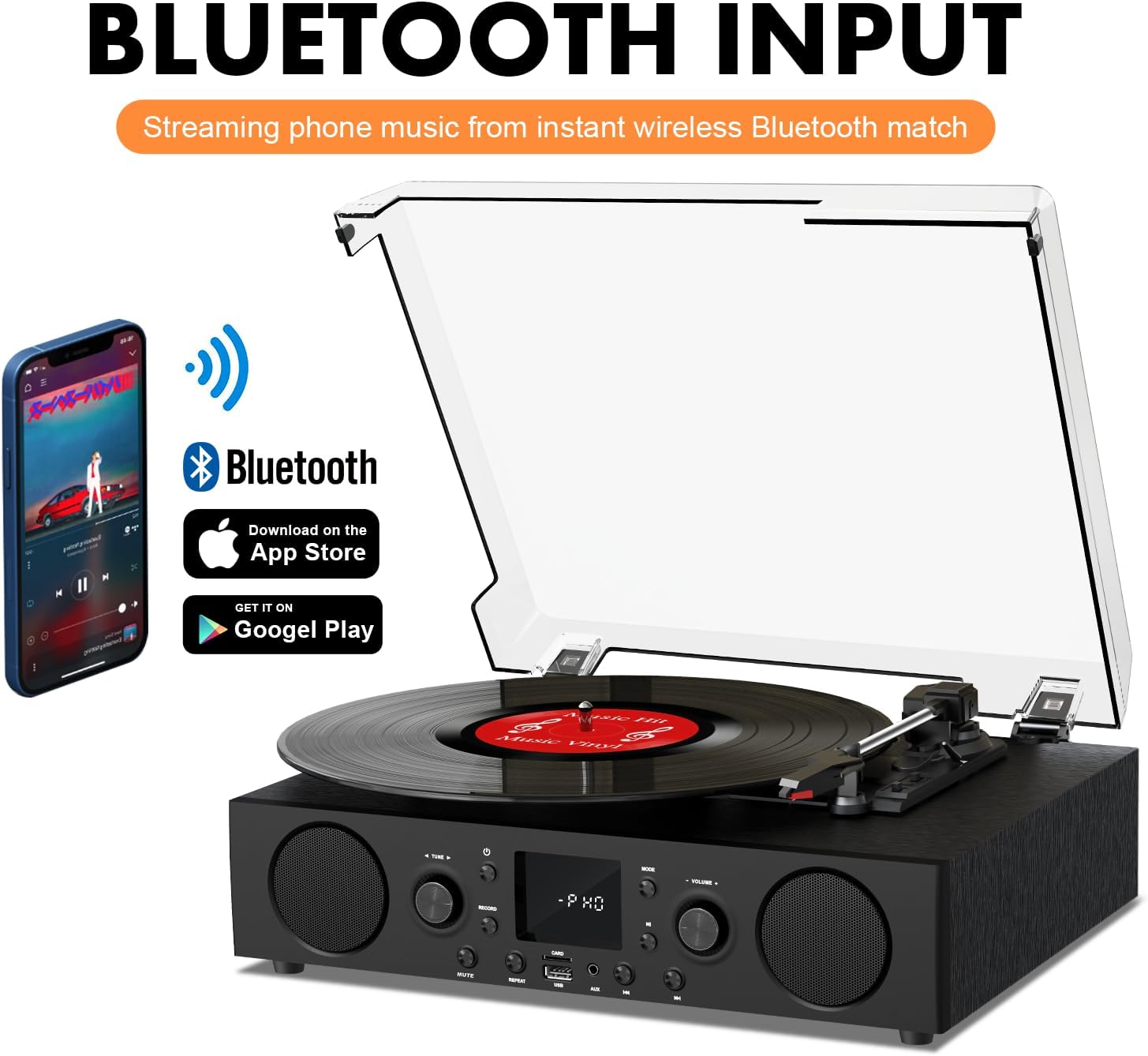
Figure 6.2: Connecting a smartphone via Bluetooth to the turntable.
- Pịa Ụdị button until "Bluetooth" or a similar indicator appears on the LED display. The unit will enter pairing mode.
- Na ekwentị gị, mbadamba, ma ọ bụ kọmputa, mee ka Bluetooth rụọ ọrụ ma chọọ ngwaọrụ dị.
- Select "DANFI AUDIO DF TE-103" (or similar name) from the list of devices to pair.
- Once paired, you can stream audio wirelessly from your device to the record player.
- Mara: This turntable supports Bluetooth input only and cannot transmit audio to Bluetooth headphones or speakers.
6.3 USB/SD Input and MP3 Encoding

Figure 6.3: Vinyl to MP3 encoding process using a USB flash drive.
- Ọkụ USB/SD: Insert a USB flash drive or SD card into the respective port. Press the Ụdị button to select USB/SD mode. The unit will automatically play compatible audio files.
- Vinyl to MP3 Encoding:
- Insert a USB flash drive or SD card into the port.
- Start playing a vinyl record.
- Pịa Dekọọ button. The LED display will indicate recording is in progress.
- Pịa Dekọọ button again to stop recording. The recorded audio will be saved as an MP3/WAV file on the USB drive/SD card.
Igwe redio FM 6.4
- Pịa Ụdị button to select FM Radio mode. The current frequency will appear on the LED display.
- Use the tuning controls (often the Skip/Search buttons) to scan for radio stations.
- The unit can store approximately 20 stations.
6.5 RCA Line Out and AUX Input

Figure 6.4: Connecting to external speakers using RCA Line Out.
- Mpụga RCA: Connect RCA cables from the rear of the record player to the audio input of an external amplifier or powered speakers. This allows for boosted volume and playback through a larger sound system. The turntable's internal speakers will not be muted automatically when using RCA output.
- Ntinye AUX: Connect an external audio source (e.g., MP3 player, smartphone) to the 3.5mm AUX IN port on the front panel using an audio cable. Press the Ụdị button to select AUX mode to play audio from the connected device.
6.6 ihe nhata (EQ)

Figure 6.5: Available equalizer presets for audio customization.
Pịa EQ button to cycle through the available sound equalizer presets: Jazz, Pop, Classical, Rock, and Vocal. Select the preset that best suits your audio preference.
7. Nlekọta
- Nhicha: Jiri ákwà dị nro ma kpọọ nkụ hichaa mpụta nke ihe ahụ. Maka mkpuchi uzuzu, jiri obere damp cloth and then dry thoroughly. Avoid abrasive cleaners.
- Nlekọta Stylus: Periodically check the stylus (needle) for wear or damage. A worn stylus can damage records and degrade sound quality. Replace the stylus with a compatible backup needle when necessary.
- Record Care: Keep your vinyl records clean and stored vertically in their sleeves to prevent dust accumulation and warping.
8. Nchọpụta nsogbu
| Nsogbu | Ihe nwere ike ime | Ngwọta |
|---|---|---|
| Enweghị ike | Ejikọghị eriri ọkụ eletrik; ebe a na-esi ike anaghị arụ ọrụ | Hụ na e tinyere eriri ọkụ eletrik n'ime ya nke ọma; Nwalee ebe a na-etinye ya na ngwaọrụ ọzọ. |
| Enweghị ụda | Volume too low; Incorrect mode selected; External speakers not connected/powered | Increase volume; Press Mode button to select correct source; Check RCA connections and external speaker power |
| Turntable anaghị agba agba | Unit not powered on; Tonearm not moved over record | Ensure power is on; Gently move tonearm over the record to activate platter |
| Bluetooth anaghị ejikọ | Ọ dịghị na ọnọdụ Bluetooth; Ngwaọrụ dị oke anya; Ejikọlarị ya na ngwaọrụ ọzọ | Select Bluetooth mode; Move device closer; Disconnect from other devices and try pairing again |
| Ụda adịghị mma sitere na vinyl | Ndekọ ruru unyi; Stịlọs emebiela; Ọsọ na-ezighi ezi ahọpụtara | Clean record; Replace stylus; Select correct RPM speed |
9. Nkọwapụta
| Njirimara | Nkọwa |
|---|---|
| Aha Nlereanya | NT-103 |
| Ụdị | DANFI AUDIO DF |
| Akụkụ ngwaahịa | 14.37 x 10.82 x 5.28 sentimita asatọ |
| Ibu Ibu | 6.2 pound |
| Ihe onwunwe | Acrylic, Engineered Wood |
| Ọsọ nke ntụgharị | 33 1/3, 45, 78 RPM |
| Ngwa gụnyere | Power unit, 45 rpm adaptor, Slipmat, Backup needle |
| Atụmatụ pụrụ iche | Equalizer (EQ), FM Radio, USB Input, USB/SD Card Recording, Bluetooth Input |
| Njikọta | Bluetooth (Input only), USB, SD Card, AUX Input, RCA Line Out |
| Ngwa dakọtara | Headphones, MP3 Players, Personal Computers, Smartphones, Speakers, Tablets |
| Oriri ike (Ọn'ụdị) | 5 watt |
10. Akwụkwọ ikike na nkwado
For warranty information or technical support, please refer to the documentation provided with your purchase or contact DANFI AUDIO DF customer service through their official channels. Keep your purchase receipt as proof of purchase for warranty claims.


