1. Okwu mmalite
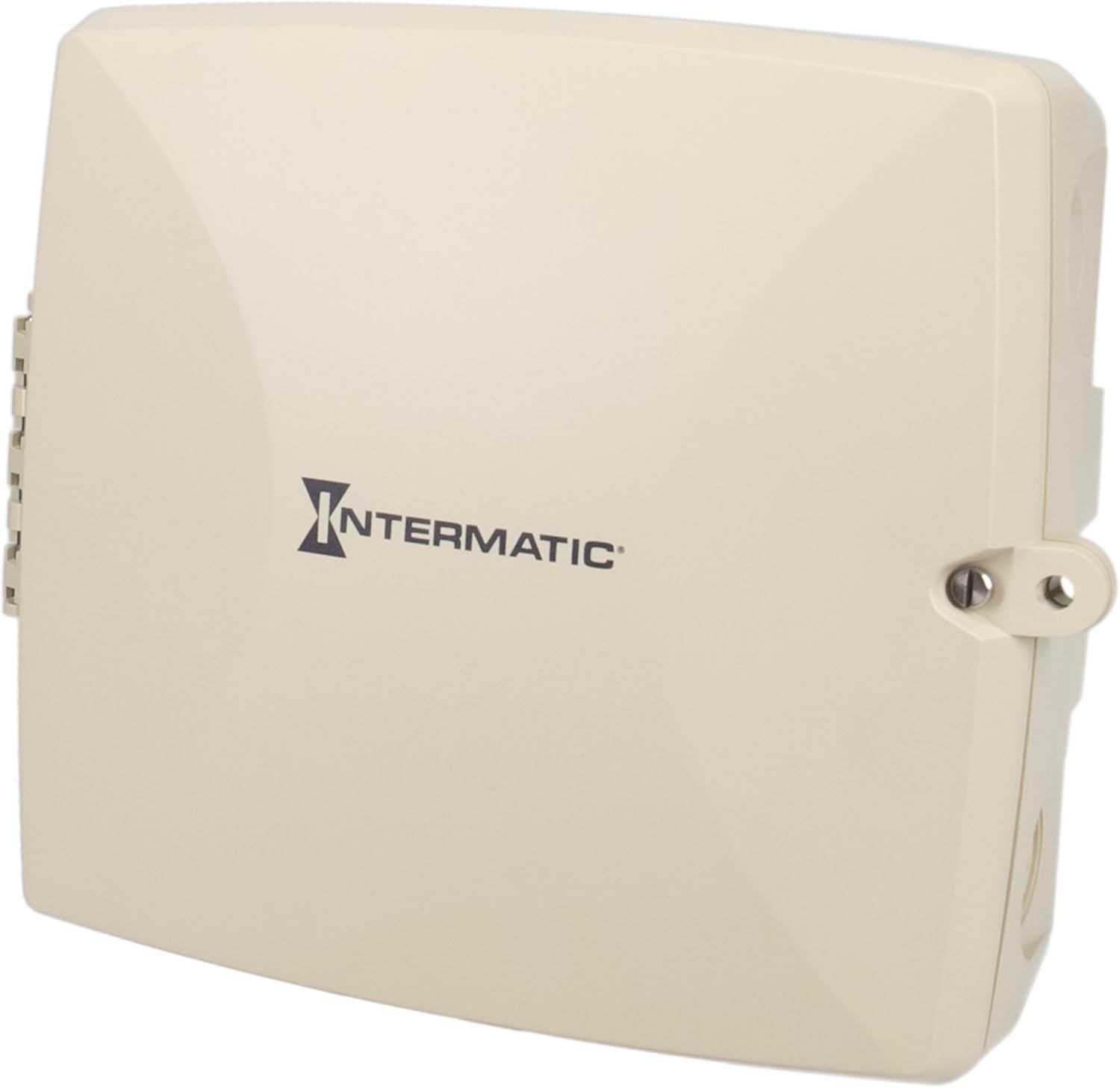
The Intermatic PE723P is a 7-day electronic Wi-Fi pool timer designed for automated control of pool and spa equipment. This device allows for precise scheduling of pumps, lighting, sanitizers, and auxiliary devices across two independent circuits. Remote management is available via the Intermatic Connect mobile application and voice control integration. The PE723P features a durable, weather-resistant enclosure and automatic voltage detection for versatile installation.
2. Ozi nchekwa dị mkpa
WARNING: Risk of Electric Shock. Disconnect power at the circuit breaker or disconnect switch before installing or servicing this device.
- A ga-arụrịrị nrụnye site n'aka onye ọrụ ọkụ eletrik ruru eru dịka koodu eletriki mpaghara na nke obodo siri dị.
- Gbaa mbọ hụ na etinyere ngwaọrụ ahụ nke ọma.
- Do not operate if the enclosure is damaged.
- Keep the enclosure door closed and secured when not servicing.
- This device is intended for outdoor use and is rated Type 3R for protection against rain, sleet, and external ice formation.
3. Ihe ngwugwu
Chọpụta na akụrụngwa niile dị tupu ịmalite nrụnye:
- Intermatic PE723P Wi-Fi Pool Timer Unit
- Akụrụngwa mgbago (skru, arịlịka)
- Akwụkwọ ntuziaka (akwụkwọ a)
4. Akụrụngwa Ngwaahịa
- 7-Day Digital Programming: Allows for up to 96 ON/OFF events per day.
- Njikọ Wi-Fi: Remote control and scheduling via the Intermatic Connect mobile app.
- Njikwa olu: Compatible with Amazon Alexa for convenient operation.
- 2-Circuit Control: Independently manage two 30A circuits for various pool/spa equipment.
- Akpa-Voltage Nchọpụta: Automatically adjusts to 120–277 VAC (50/60 Hz) input.
- Durable Enclosure: Type 3R plastic enclosure for outdoor environments, operating from -40°F to 158°F.
- Ebe nchekwa na-adịghị agbanwe agbanwe: Retains programmed schedules during power outages.
- Ngosipụta ọnọdụ LED: Provides real-time feedback on device status and network connectivity.
5. Nwụnye
5.1 Ịkwanye ogige ahụ
The PE723P is designed for wall mounting. Select a suitable location near the pool/spa equipment, ensuring it is accessible for wiring and operation, and protected from direct sunlight if possible to prolong component life.
- Mepee ọnụ ụzọ mkpuchi.
- Mark the desired mounting points on the wall using the pre-drilled holes on the back of the enclosure as a template.
- Drill pilot holes and insert appropriate anchors if mounting into masonry or drywall.
- Secure the enclosure to the wall using the provided mounting screws.

Ọgụgụ 1: N'azụ view of the PE723P enclosure, illustrating the mounting points for wall installation.
5.2 Wiring the Timer
WARNING: Ensure power is disconnected at the main breaker before proceeding with any wiring.
The PE723P features two independent circuits and auto-voltage detection. Refer to the internal wiring diagram and terminal block for correct connections.
- Route electrical conduits into the appropriate knockouts on the enclosure.
- Connect the incoming power supply (120-277 VAC) to the designated LINE terminals.
- Connect the load wires for Circuit 1 (e.g., pump) to the CIRCUIT 1 terminals.
- Connect the load wires for Circuit 2 (e.g., lights) to the CIRCUIT 2 terminals.
- Gbaa mbọ hụ na njikọ niile siri ike na nchekwa.
- Close and secure the enclosure door.

Ọgụgụ 2: Ime view of the PE723P, showing the terminal block for power and load connections, along with control buttons and LED indicators.
Ọgụgụ 3: A zuru ezu view of the PE723P's internal control panel, highlighting the MODE button, SERVICE, MANUAL, AUTO, and NETWORK LEDs, RESET button, and circuit control buttons.
6. Ntọala Mmalite na Njikọ Wi-Fi
6.1 Ike On
After completing all wiring, restore power to the timer at the circuit breaker. The timer will power on and the LED indicators will illuminate.
6.2 Intermatic Connect App Installation
- Budata ya Intermatic Connect ngwa sitere na ụlọ ahịa ngwa ekwentị gị (iOS ma ọ bụ gam akporo).
- Mepụta akaụntụ ma ọ bụ banye ma ọ bụrụ na ịnweelarị otu.
6.3 Jikọọ na Wi-Fi
Follow the in-app instructions to add your PE723P timer to your Wi-Fi network. This typically involves:
- Placing the timer in pairing mode (often by pressing and holding the MODE button or a combination of buttons).
- Selecting your Wi-Fi network and entering the password within the app.
- The NETWORK LED on the timer will indicate connection status (e.g., blinking during pairing, solid green when connected).
The PE723P supports long-range Wi-Fi connectivity up to 180 ft (line of sight).
7. Ọrụ
7.1 Usoro Mmemme
All scheduling and programming are managed through the Intermatic Connect mobile app. The app allows you to:
- Set up to 96 ON/OFF events daily for each of the two circuits.
- Create custom 7-day schedules.
- Adjust schedules remotely from anywhere with an internet connection.
7.2 Njikwa akwụkwọ ntuziaka
The PE723P offers manual control options directly on the unit:
- Bọtịnụ MODE: Press the MODE button to cycle through operating modes: SERVICE, MANUAL, and AUTO.
- Circuit Buttons (1 and 2): In MANUAL mode, press the corresponding circuit button to toggle the connected equipment ON or OFF.
7.3 LED egosi
The LEDs on the control panel provide status information:
- OZI: Indicates service mode.
- Akwụkwọ ntuziaka: Indicates manual operation mode.
- UTgbọala: Indicates automatic schedule operation mode.
- AKW :KWỌ: Indicates Wi-Fi connection status (e.g., solid for connected, blinking for pairing/disconnected).
8. Nlekọta
The Intermatic PE723P is designed for minimal maintenance. Regular checks can help ensure optimal performance:
- Nyocha oge: Annually inspect the enclosure for any signs of damage or wear.
- Ịdị ọcha: Keep the exterior of the enclosure clean and free of debris. Use a soft, damp cloth for cleaning; do not use abrasive cleaners or solvents.
- Njikọ ọnụ: Periodically check electrical terminal connections to ensure they remain tight. Always disconnect power before inspecting internal components.
9. Nchọpụta nsogbu
| Nsogbu | Ihe nwere ike ime | Ngwọta |
|---|---|---|
| Timer does not power on. | No power supply; tripped breaker; loose wiring. | Check circuit breaker. Verify power connections. Consult a qualified electrician. |
| Equipment does not turn ON/OFF as scheduled. | Incorrect programming; timer in MANUAL or SERVICE mode; Wi-Fi disconnected. | Verify schedules in the app. Ensure timer is in AUTO mode. Check Wi-Fi connection. |
| NETWORK LED is blinking or OFF. | No Wi-Fi connection; incorrect Wi-Fi credentials; router issue. | Re-attempt Wi-Fi pairing via the app. Check router status and signal strength. Ensure correct Wi-Fi password. |
| Cannot control via app. | No internet connection on phone or timer; app issue. | Check phone's internet connection. Verify timer's NETWORK LED is solid. Restart app or phone. |
| Timer loses settings after power outage. | This should not occur. The PE723P has non-volatile memory. | If settings are lost, contact Intermatic customer support. |
For further assistance, refer to the Intermatic Connect app's help section or contact customer support.
10. Nkọwapụta
| Njirimara | Uru |
|---|---|
| Nọmba nlereanya | PE723P |
| Ụdị | Intermatic |
| Voltage | 120-277 VAC, 50/60 Hz (Auto-Voltage) |
| Ibu Ibu | 30A kwa sekit |
| Ọnụọgụ nke sekit | 2 |
| Ụdị mkpuchi | Type 3R Outdoor Plastic |
| Okpomọkụ na-arụ ọrụ | -40°F ruo 158°F (-40°C ruo 70°C) |
| Akụkụ ngwaahịa | 11"D x 14"W x 10.75"H |
| Ibu Ibu | 4.59 pound |
| Ihe onwunwe | Plastic |
| Agba | Agba ntụ |
| Njikọta | Wi-Fi, Voice Control (Alexa) |
11. Akwụkwọ ikike na nkwado ndị ahịa
For warranty information, please refer to the documentation included with your product or visit the official Intermatic website. If you encounter any issues or require technical assistance, please contact Intermatic customer support:
- Intermatic Websaịtị: www.intermatic.com
- Ndị ọrụ nlekọta ndị ahịa: Tụtụ aka na website for current contact information (phone, email, or online support portal).


