Okwu mmalite
The TIMEMORE Basic 2.0 Coffee Scale is an electronic espresso scale designed for precise measurements in coffee preparation, baking, and cooking. It features high-precision sensors, a water flow rate function, and a timer. This manual provides detailed instructions for its setup, operation, and maintenance.

Figure 1: TIMEMORE Basic 2.0 Coffee Scale (White)
Melite
1. Nchaji mbụ
Before first use, ensure the scale is fully charged. Connect the provided USB-C cable to the charging port located on the side of the scale. The charging port features a closable design to prevent liquid ingress. A full charge provides up to 10 hours of battery life.

Ọgụgụ 2: ọdụ ụgbọ mmiri USB-C
2. Silicone Insulation Pad
Place the included silicone insulation waterproof pad on the weighing surface. This pad protects the scale from high temperatures and heat, and provides a non-slip surface for your brewing equipment.

Figure 3: Silicone Insulation Pad in place
Ntuziaka ọrụ
1. Gbanyụọ / gbanyụọ
Press the power button (usually indicated by a circle with a vertical line) to turn the scale on. The LCD screen will light up. The scale will automatically shut down after 3 minutes of inactivity (no change in measurement value) to conserve battery.
2. Ọrụ Tare
To weigh ingredients accurately, use the tare function. Place your container (e.g., coffee mug, bowl) on the scale, then quick press the tare button (often indicated by 'T' or a circle with a horizontal line) to reset the display to zero. This subtracts the weight of the container, allowing you to measure only the contents.
3. Ọrụ ngụ oge
The scale includes an automatic timer function, particularly useful for coffee brewing. To activate the automatic timer, press the timer button 5 times. The timer will start automatically when weight is added to the scale. To manually start or pause the timer, quick press the timer button. To reset the timer, press and hold the timer button for 2.5 seconds.

Figure 4: Scale displaying timer and weight during pour-over brewing.
4. Ịgbanwe nkeji
The scale supports free switching between grams (g) and ounces (oz). To change the unit, press the unit button (often indicated by 'UNIT' or 'g/oz').
5. Water Flow Rate Function
This scale features a water flow rate test function, which can assist in achieving consistent brewing. The flow rate is displayed on the screen during pouring.
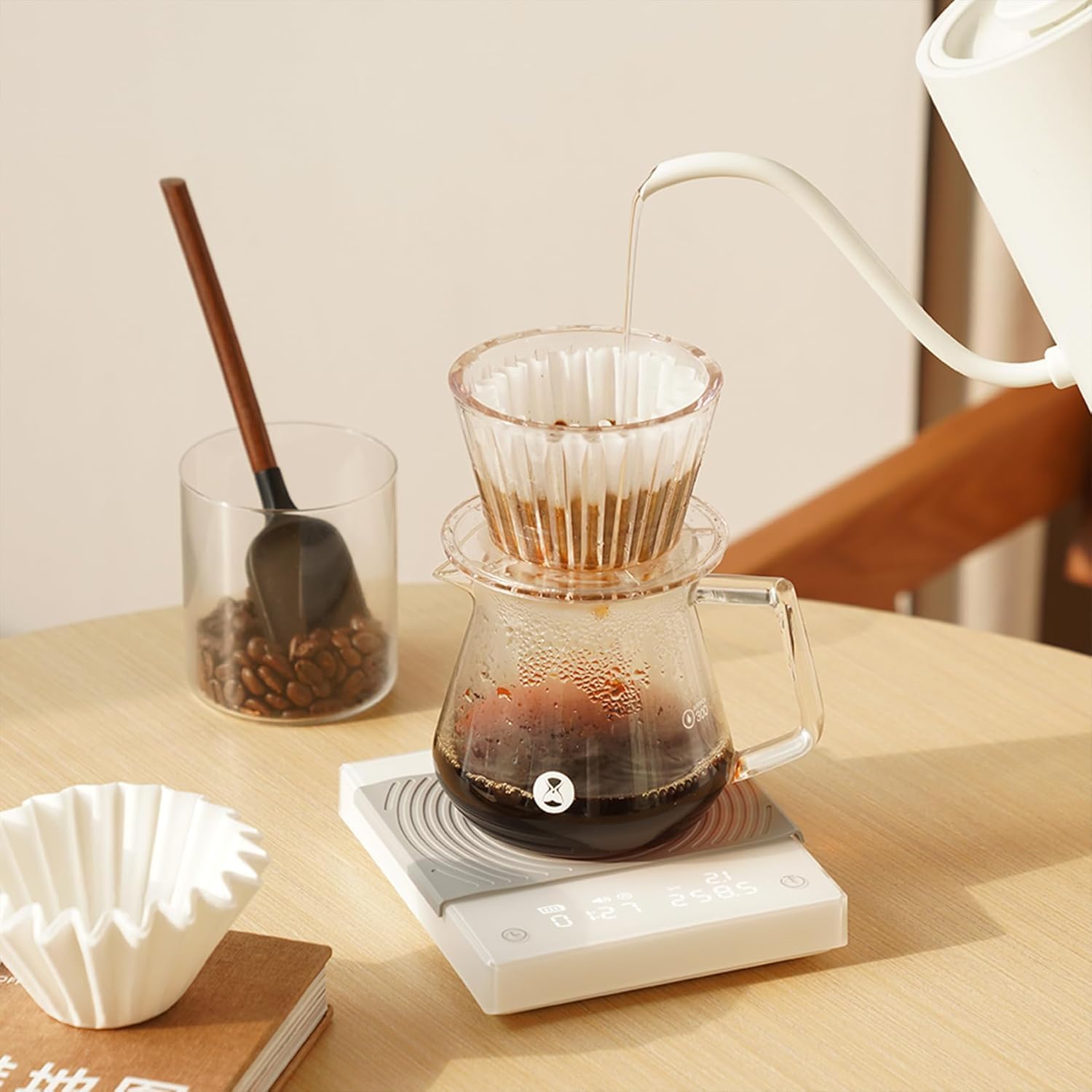
Figure 5: Scale displaying real-time water flow rate.
6. Tọgharia ọrụ
In case of a sudden failure or unexpected behavior, a RESET button is located at the bottom of the scale. Use a small pin or paperclip to press this button to restore the program.
Nlekọta
1. Nhicha
The dial surface of the scale is waterproof. For cleaning, wipe the surface with a damp cloth. Avoid submerging the entire scale in water. Ensure the charging port cover is securely closed to prevent liquid from entering.
2. Heat Protection
Always use the silicone insulation pad when placing hot items on the scale. Prolonged exposure to high temperatures may cause cracking of the acrylic surface.
Nchọpụta nsogbu
1. Inaccurate Readings or Drifting Weight
- Gbaa mbọ hụ na etinyere ọnụ ọgụgụ ahụ n'elu larịị ma kwụsie ike.
- Avoid placing the scale near vibrating equipment or in drafty areas.
- Make sure no objects are touching the scale or the weighing platform from the sides.
- Perform a reset using the button on the bottom of the scale.
2. Scale Not Turning On or Responding
- Check the battery level. Recharge the scale if the battery indicator is low.
- Ensure the power switch is in the 'on' position.
- Try performing a hard reset using the reset button on the bottom.
3. Touch Buttons Unresponsive
- Ensure the surface of the scale is dry and clean. Moisture or debris can affect touch sensitivity.
- If issues persist, try resetting the device.
Nkọwapụta
| Ụdị | Oge ọzọ |
| Nọmba nlereanya | Isi nke 2.0 |
| Agba | Ọcha |
| Ihe onwunwe | Plastic (Acrylic surface) |
| Ikike ibu ibu | 2 Kilogram (4.4 lbs) |
| Ịgụ izi ezi | 0.1g (Initial minimum weight 0.5g) |
| Ụdị ngosi | LCD nwere ọkụ azụ |
| Batrị | Batrị lithium 1600mAh nwere ike ịgbanye n'ime ya |
| Ndụ batrị | Ruo awa iri abụọ |
| Na-akpaaka-anya | After 3 minutes of standby (no measurement change) |
| Akụkụ ngwaahịa | 5.1 x 1 x 0.9 sentimita asatọ |
| Ibu Ibu | 1.12 pound |
Vidiyo ngwaahịa ngwaahịa
Vidiyo 1: Agafeeview of TIMEMORE Coffee Scale features, including pour-over, cooking, espresso use, waterproofing, and charging.
Akwụkwọ ikike na nkwado
For warranty information, technical support, or service inquiries, please refer to the contact details provided with your product packaging or visit the official TIMEMORE websaịtị. Debe akwụkwọ nnata ịzụrụ maka akwụkwọ ikike.


