Okwu mmalite
Welcome to the instruction manual for your Retevis EZTalk 62 Two-Way Radio. This manual provides essential information on how to set up, operate, and maintain your device. Please read it thoroughly before using the radio to ensure optimal performance and safety.
The Retevis EZTalk 62 is a high-performance two-way radio designed for reliable communication over long distances. Key features include a powerful 5W output, a long antenna for stable signal, a 2200mAh battery for extended use, IP67 waterproofing, and specialized functions like one-touch mute and integrated hunting calls. Its user-friendly navigation menu allows for convenient operation in various outdoor environments.

Figure 1: Retevis EZTalk 62 demonstrating long-range communication.
Ihe ngwugwu
Gbaa mbọ hụ na ihe niile dị na ngwugwu gị:
- EZTalk 62 Two-Way Radio x1
- 2200mAh Li-ion Battery x1
- USB Type-C Nchaji x1
- eriri nkwojiaka x1
- Mpempe eriri eriri x1
- Akwụkwọ ntuziaka onye ọrụ x1
- chaja x1
Melite
Batrị nwụnye na Nchaji
To prepare your radio for use, first install the battery and then charge it fully.
- Nwụnye batrị: Align the 2200mAh Li-ion battery with the battery compartment on the back of the radio. Gently push until it clicks into place. Ensure it is securely fastened.
- Ịchaji: The EZTalk 62 offers two charging methods: via the included charging base or directly via the Type-C port.
- Iji ntọala Nchaji: Place the radio into the charging base. The indicator light on the base will show the charging status.
- Using the Type-C Cable: Connect the Type-C charging cable to the radio's Type-C port and a compatible USB power adapter.
- Allow the battery to charge completely before initial use. A full charge provides up to 20 hours of work time and 68 hours of standby time.

Figure 2: Battery compartment and 2200mAh battery.
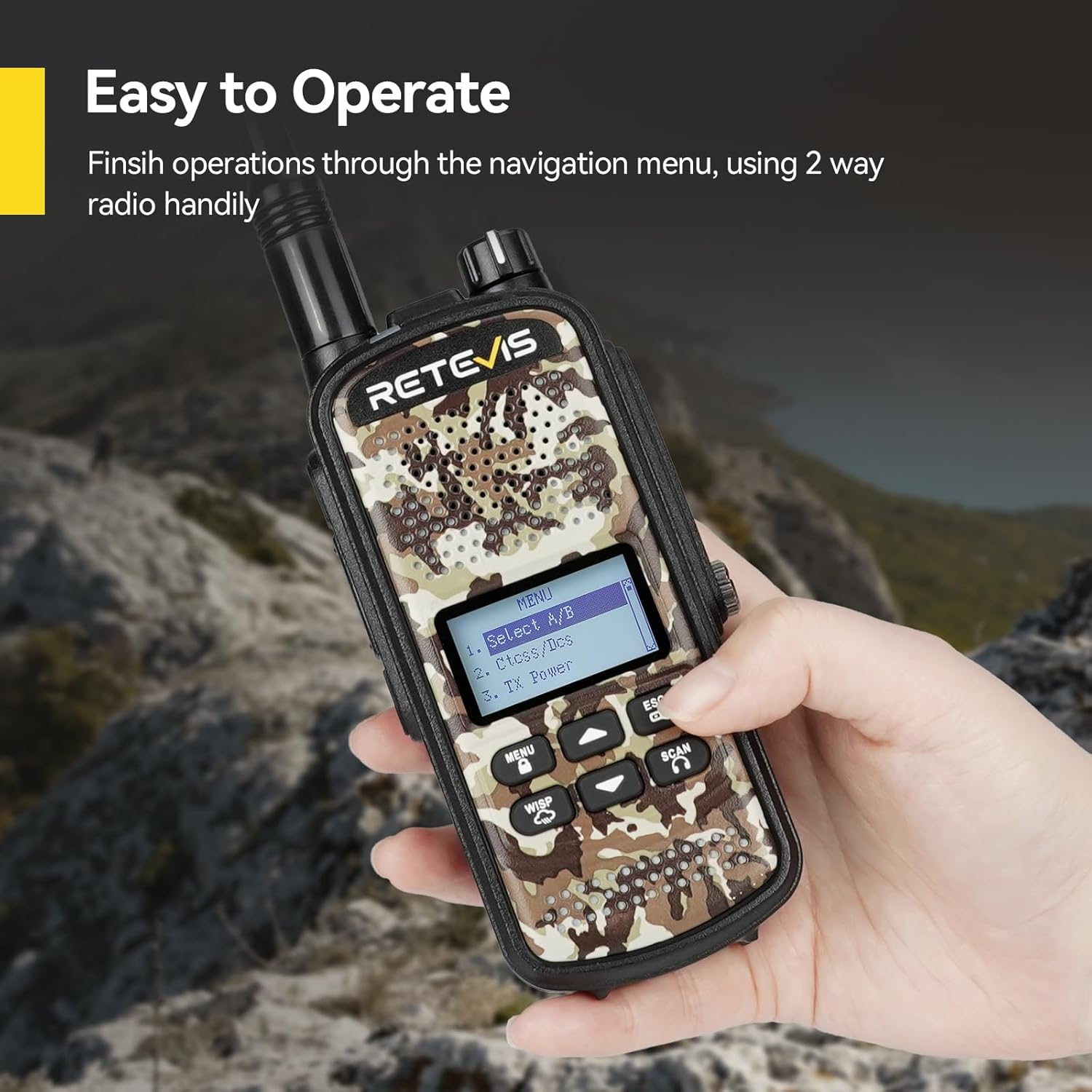
Figure 3: Type-C charging and charging base options.
Video 1: Demonstrates battery installation and charging methods for the Retevis EZTalk 62.
Ntuziaka ọrụ
Gbanyụọ/ Gbanyụọ
To power on the radio, rotate the power/volume knob clockwise until you hear a click. To power off, rotate it counter-clockwise until it clicks.
Basic Communication
To transmit, press and hold the Push-to-Talk (PTT) button on the side of the radio. Speak clearly into the microphone. Release the PTT button to receive.
Igodo NchNhr
The EZTalk 62 features a navigation menu for accessing various settings and functions directly on the device, eliminating the need for computer programming for basic operations.
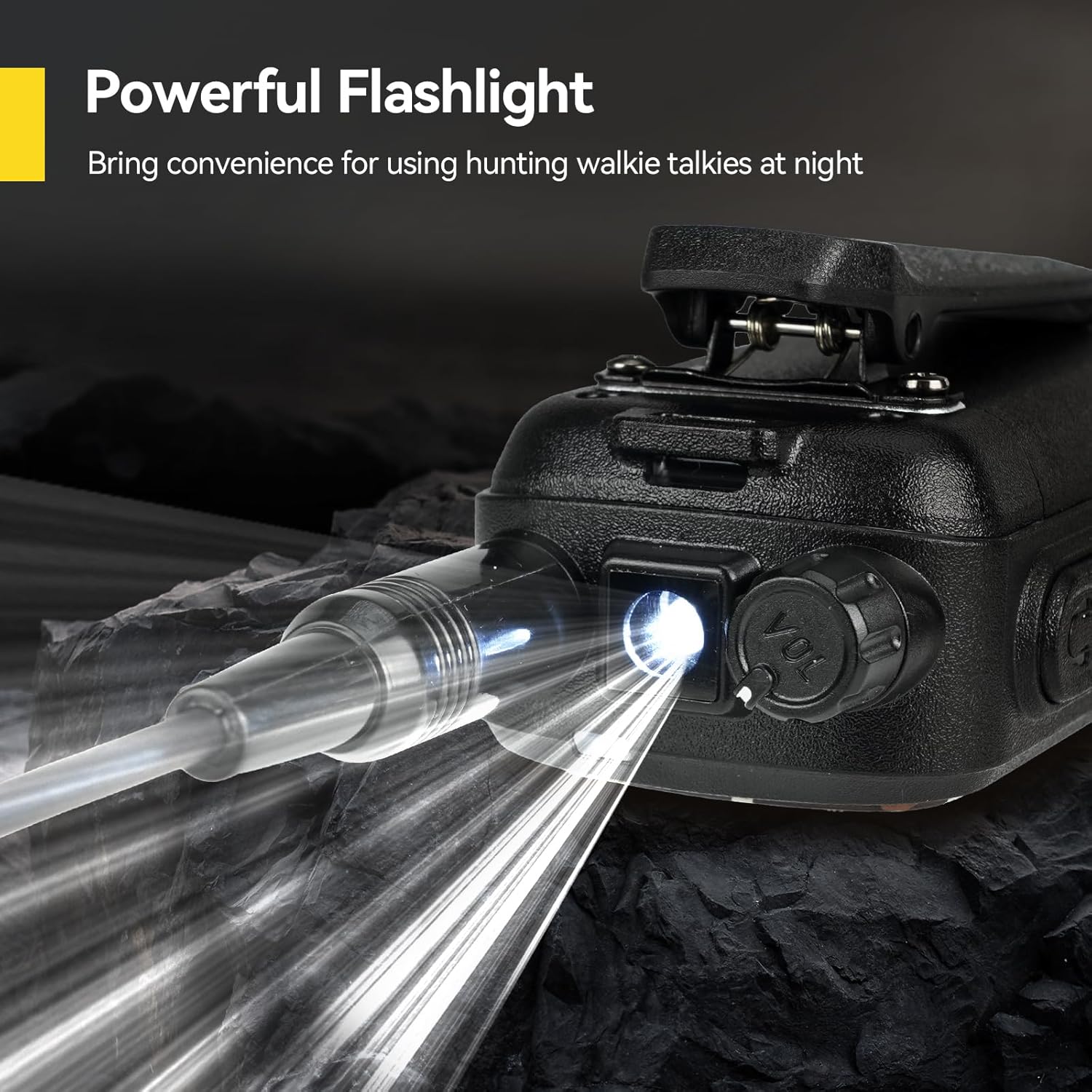
Figure 4: Navigating the menu on the Retevis EZTalk 62.
Atụmatụ pụrụ iche
- One-Touch Mute: Activate the mute function to silence messages and indicators, useful for discreet operation in environments where noise could be disruptive, such as hunting.
- Hunting Calls: The radio includes pre-programmed hunting calls for various animals (elk, deer, duck, hare, roe deer, wild boar, wolf). Select the appropriate call to attract target animals.
- NOAA ihu igwe: Stay informed about changing weather conditions with the integrated NOAA Weather Alert feature, helping to reduce risks during outdoor activities.
- Powerful Flashlight: A built-in flashlight provides convenience for using the radio in low-light conditions or at night.
- Igodo mkpọchi: Prevent accidental button presses by activating the key lock function.
- Ìhè azụ nwere ike imezi: Customize the display backlight intensity for comfortable viewing na ọnọdụ ọkụ dị iche iche.

Figure 5: One-touch mute function.

Figure 6: Hunting calls feature.
Video 2: Demonstrates menu navigation and various features of the Retevis EZTalk 62.
Video 3: Shows the hunting call feature in action, attracting animals.

Figure 7: NOAA Weather Alert feature.

Figure 8: Powerful flashlight feature.

Figure 9: Key Lock function.

Figure 10: Adjustable Backlight setting.
Nlekọta
Waterproofing (IP67)
The Retevis EZTalk 62 is IP67 rated, meaning it is protected against dust ingress and can withstand immersion in water up to 1 meter for 30 minutes. This makes it suitable for use in rainy conditions and humid environments. However, it is important to ensure all port covers are securely closed before exposing the radio to water.

Figure 11: IP67 Waterproof feature in action.
Video 4: Demonstrates the IP67 waterproof capability of the Retevis EZTalk 62 by submerging it in water.
Nlekọta izugbe
- Jiri nwayọ hichaa redio, damp akwa . Ejila kemịkalụ siri ike ma ọ bụ ihe mkpocha abrasive.
- Zere ikpughe redio na oke okpomọkụ ma ọ bụ ìhè anyanwụ kpọmkwem ruo ogologo oge.
- Store the radio in a dry, cool place when not in use.
Nchọpụta nsogbu
If you encounter issues with your Retevis EZTalk 62, please refer to the following common problems and solutions:
| Nsogbu | Ihe nwere ike ime | Ngwọta |
|---|---|---|
| Redio anaghị agbanye ọkụ. | Low or depleted battery. Battery not installed correctly. | Chajie batrị zuru oke. Tinyegharịa batrị ahụ, hụ na ọ pịrị n'ime ya. |
| Enweghị ike ịnyefe ma ọ bụ nata. | Incorrect channel or frequency. Out of range. Antenna not properly attached. | Verify channel and frequency settings. Move closer to the other radio. Ensure antenna is securely screwed on. |
| Ogo ọdịyo adịghị mma. | Low battery. Obstructions between radios. Volume too low. | Charge the battery. Move to an open area. Adjust volume. |
| Ahụigodo anaghị anabata. | Agbanyela mkpọchi igodo. | Gbanyụọ ọrụ mkpọchi igodo. |
If the problem persists, please contact Retevis customer support.
Nkọwapụta
Detailed technical specifications for the Retevis EZTalk 62:
| Njirimara | Nkọwa |
|---|---|
| Ụdị | Retevis |
| Nọmba nlereanya | EZTalk 62 |
| Agba | Camouflage |
| Ọnụọgụ nke ọwa | 16 |
| Njirimara Pụrụ Iche | Batrị Li-ion 2200mAh |
| Voltage | 7.4 volts (DC) |
| Ọkwa Nguzogide mmiri | IP67 (ihe mgbochi mmiri) |
| Ọnụọgụ nke batrị | 1 Lithium-ion (gụnyere) |
| Ibu Ibu | 285 grams |
| Ọkwa ụda | 60 decibel |
| Ngwa dakọtara | Igwe isi |
Akwụkwọ ikike na nkwado
Retevis offers a 2-year warranty for the radio body and a 1-year warranty for accessories, along with a 30-day no-reason return policy. For warranty claims or technical support, please contact Retevis through Amazon. We aim to respond within 12 hours. Beyond the warranty period, maintenance services are still available, with buyers responsible for associated costs.


