1. Okwu mmalite
Thank you for choosing Baseus Bowie MA10S and AirNora 2 Wireless Earbuds. These earbuds are designed to provide a superior audio experience with advanced features such as Hybrid Active Noise Cancellation, immersive Spatial Audio, and robust bass performance. The AirNora 2 model also features a lightweight design tailored for comfort and an integrated make-up mirror in its charging case.
This manual will guide you through the setup, operation, and maintenance of your new earbuds, ensuring you get the most out of their capabilities.

Image: Baseus Bowie MA10S (black) and AirNora 2 (orange) wireless earbuds with their respective charging cases. The Bowie MA10S case shows a digital battery display, while the AirNora 2 case features an integrated mirror.
2. Ọdịnaya na Ntọala Ngwugwu
2.1 Kedu ihe dị na igbe ahụ
- Baseus Bowie MA10S or AirNora 2 Wireless Earbuds (L/R)
- Nchaji case
- USB-C eriri USB
- Ọnụ ọgụgụ dị ukwuu nke ndụmọdụ ntị
- Akwụkwọ ntuziaka (akwụkwọ a)

Image: The AirNora 2 earbuds, their charging case with mirror, USB-C charging cable, and various sizes of ear tips, displayed within their decorative packaging.
2.2 Ịchaji ntị na akpa
- Tinye ekwe ntị n'ime akpa chaja, hụ na ha nọdụrụ nke ọma.
- Connect the USB-C charging cable to the charging port on the case and plug the other end into a USB power adapter (not included).
- The indicator lights on the case will show charging status. For Bowie MA10S, the digital display will show battery percentage.
- Fully charge the case and earbuds before first use.
2.3 Njikọ Bluetooth
- Mepee igbe nchaji. Igwe ntị ga-abanye na ọnọdụ njikọta na-akpaghị aka (ọkụ ọkụ ga-enwu).
- Na ngwaọrụ gị (smartphone, mbadamba, wdg), gbanye Bluetooth.
- Chọọ maka available Bluetooth devices and select "Baseus Bowie MA10S" or "Baseus AirNora 2" from the list.
- Once connected, the indicator lights on the earbuds will turn off or show a steady light, and your device will confirm the connection.
2.4 Yiri ekwe ntị
Choose the ear tips that provide the best seal and comfort. Gently insert each earbud into your ear canal and twist slightly to secure a snug fit. A proper fit is crucial for optimal sound quality and noise cancellation.
3. Ntuziaka ọrụ
3.1 Njikwa mmetụ
The earbuds feature touch-sensitive areas for control. Specific functions may vary slightly between models, but common controls include:
- Single Mgbata: Kpọọ/kwụsịtụ egwu, zaa/kwụsị oku.
- Double Tap (Left/Right): Next/Previous track (configurable).
- Mmaji Atọ: Mee onye enyemaka olu rụọ ọrụ.
- Ogologo Pịa: Switch between ANC/Transparency/Normal modes, Reject call.
3.2 Mkpọtụ Na-arụ Ọrụ (ANC) na Ọnọdụ Nghọta
The Bowie MA10S and AirNora 2 earbuds feature Hybrid Active Noise Cancellation, reducing external noise by up to -48dB (MA10S) or -42dB (AirNora 2). Transparency mode allows you to hear your surroundings without removing the earbuds.

Image: A man wearing Baseus Bowie MA10S earbuds, illustrating the Hybrid Active Noise Cancellation feature with a graphic indicating -48dB ANC.

Image: A close-up of an AirNora 2 earbud, highlighting its -42dB Active Noise Canceling capability with sound wave graphics.
3.3 Audio Modes (Bowie MA10S)
The Bowie MA10S offers tailored audio modes:
- Ụdị Bass: Enhanced bass for sports or energetic music.
- Ụdị egwu: Balanced audio for daily immersive listening.
- Ụdị egwuregwu: Low latency audio and video synchronization for gaming.

Foto: Ihe gbawara view diagram illustrating the Titanium-plated PU composite diaphragm, emphasizing 50% punchier bass and 100% clearer treble.
3.4 Immersive Spatial Audio
Both models feature 360° immersive spatial audio. A built-in gyroscope and spatial audio algorithm track your head movements, keeping you at the center of the sound experience.
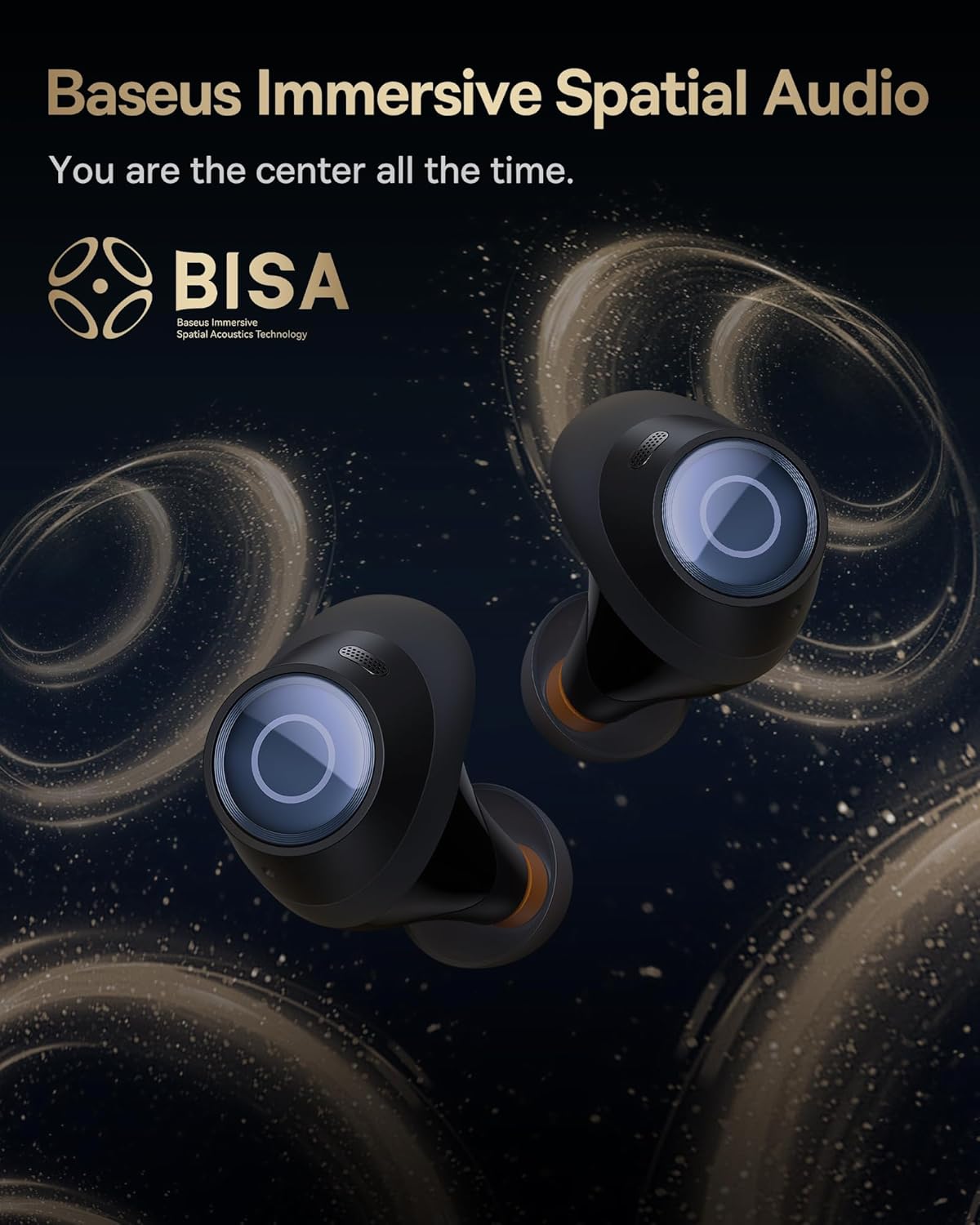
Image: A pair of Baseus Bowie MA10S earbuds with the 'BISA' (Baseus Immersive Spatial Acoustics) technology logo, indicating 360° immersive spatial audio.
4. Nlekọta na nlekọta
4.1 Nhicha
- Jiri ákwà dị nro, kpọrọ nkụ, na-enweghị lint hichaa ntị ntị mgbe niile, ọkachasị ntị ntị na ihe ndị na-eme ka ọ chajịa.
- Wepụ nsọtụ ntị gị ma jiri ncha na mmiri dị nro hichaa ha ma ọ bụrụ na ọ dị mkpa, hụ na ha kpọrọ nkụ kpamkpam tupu ị tinyeghachi ha.
- Clean the charging case with a soft, dry cloth. Avoid using abrasive materials or harsh chemicals.
4.2 Mgbochi mmiri (IPX4)
The earbuds are IPX4 water-resistant, meaning they are protected against splashing water from any direction. This makes them suitable for workouts and light rain. However, they are not designed for swimming or submersion in water.

Image: Baseus Bowie MA10S earbuds shown with water splashing around them, illustrating their IPX4 water resistance rating.
4.3 Nchekwa na Nlekọta Batrị
- Chekwaa ntị ntị n'akpa chaja ha mgbe anaghị eji ya iji chebe ha ma debe ya ebubo.
- Avoid exposing the earbuds or case to extreme temperatures, direct sunlight, or high humidity.
- For long-term storage, charge the case and earbuds to about 50% every few months to preserve battery health.
4.4 AirNora 2 Make-up Mirror
The AirNora 2 charging case includes an integrated make-up mirror. Keep the mirror clean with a soft, dry cloth. Avoid scratching the surface.

Image: The AirNora 2 charging case opened, showcasing the earbuds inside and the integrated vanity mirror on the lid.
5. Nchọpụta nsogbu
5.1 Ekwe ntị anaghị ejikọ/ejikọta
- Ensure earbuds are charged and in pairing mode (lights flashing).
- Gbanyụọ ma gbanye Bluetooth na ngwaọrụ gị.
- Chezọ ngwaọrụ dị na ntọala Bluetooth ekwentị gị wee nwaa ijikọ ọzọ.
- Place earbuds back in the case, close the lid, wait a few seconds, then open again.
5.2 Enweghị ụda ma ọ bụ olu dị ala
- Lelee ọkwa olu na ma ngwaọrụ gị yana ntị ntị.
- Gbaa mbọ hụ na ejikọrọ ekwe ntị nke ọma na ngwaọrụ gị.
- Clean any debris from the earbud speaker mesh.
5.3 Okwu nchaji
- Gbaa mbọ hụ na ejikọrọ eriri chajị na echekwabara na ma ikpe na isi iyi ike.
- Hụ na ihe nkwụnye ọkụ eletrik ahụ na-arụ ọrụ nke ọma.
- Hichaa kọntaktị ịchaji na ma ntị ntị yana n'ime akpa ahụ.
5.4 ANC anaghị arụ ọrụ nke ọma
- Ensure the earbuds are properly seated in your ears and you have chosen the correct size ear tips for a good seal.
- Verify that ANC mode is activated via touch controls.
6. Nkọwapụta
| Njirimara | Nkọwapụta |
|---|---|
| Aha Nlereanya | Baseus Bowie MA10S / AirNora 2 |
| Teknụzụ Njikọta | Ikuku (Bluetooth) |
| Ụdị Bluetooth | 5.0 |
| Njikwa mkpọtụ | Active Noise Cancellation (Hybrid ANC) |
| Ọkwa Nguzogide mmiri | IPX4 |
| Ihe onwunwe | Rọba, Silikọn |
| Oke ugboro ugboro | 20 Hz - 20,000 Hz |
| Usoro njikwa | Metụ aka |
| Ntinye ntị | Na Ntị |
| Ụdị Ihe | Na Ntị |
| Onye nrụpụta | Baseus |
| Ụbọchị mbụ dị | Maachị 25, 2024 |
7. Akwụkwọ ikike na nkwado
For warranty information and detailed support, please refer to the official Baseus website or the warranty card included with your product. You may also contact Baseus customer service directly for assistance with product issues or inquiries.
Onye ọrụ gọọmentị Baseus Websaịtị: www.baseus.com