Okwu mmalite
The Edifier D32 is a versatile tabletop wireless speaker designed to deliver high-quality audio with multiple connectivity options. This manual provides essential information for setting up, operating, and maintaining your speaker.
Ihe ngwugwu
Upon unboxing your Edifier D32 speaker, please verify that all the following items are included:
- Edifier D32 Wireless Speaker
- Ntuziaka mmalite ngwa ngwa
- USB-C to USB-C Audio Cable
- 3.5mm to 3.5mm Audio Jack Cable
- Igwe ọkụ ọkụ

Image: Edifier D32 speaker, quick start guide, USB-C cable, and 3.5mm audio cable neatly packed in the box.
Melite
1. Ịkụnye na Nchaji
- Connect the provided power cable to the speaker's power input port located on the rear panel.
- Tinye nsọtụ nke ọzọ nke eriri ọkụ n'ime oghere mgbidi.
- Press and hold the power button on the speaker's front panel to turn it on. The indicator light will illuminate.
- For initial use, it is recommended to fully charge the speaker. A full charge provides approximately 11 hours of playtime.
2. Njikọ Bluetooth
- Turn on the Edifier D32 speaker.
- Press the Bluetooth button on the speaker's front panel. The Bluetooth indicator light will flash, indicating pairing mode.
- On your audio source device (smartphone, tablet, laptop), enable Bluetooth and search for "EDIFIER D32".
- Select "EDIFIER D32" to pair. Once connected, the Bluetooth indicator light will remain solid.
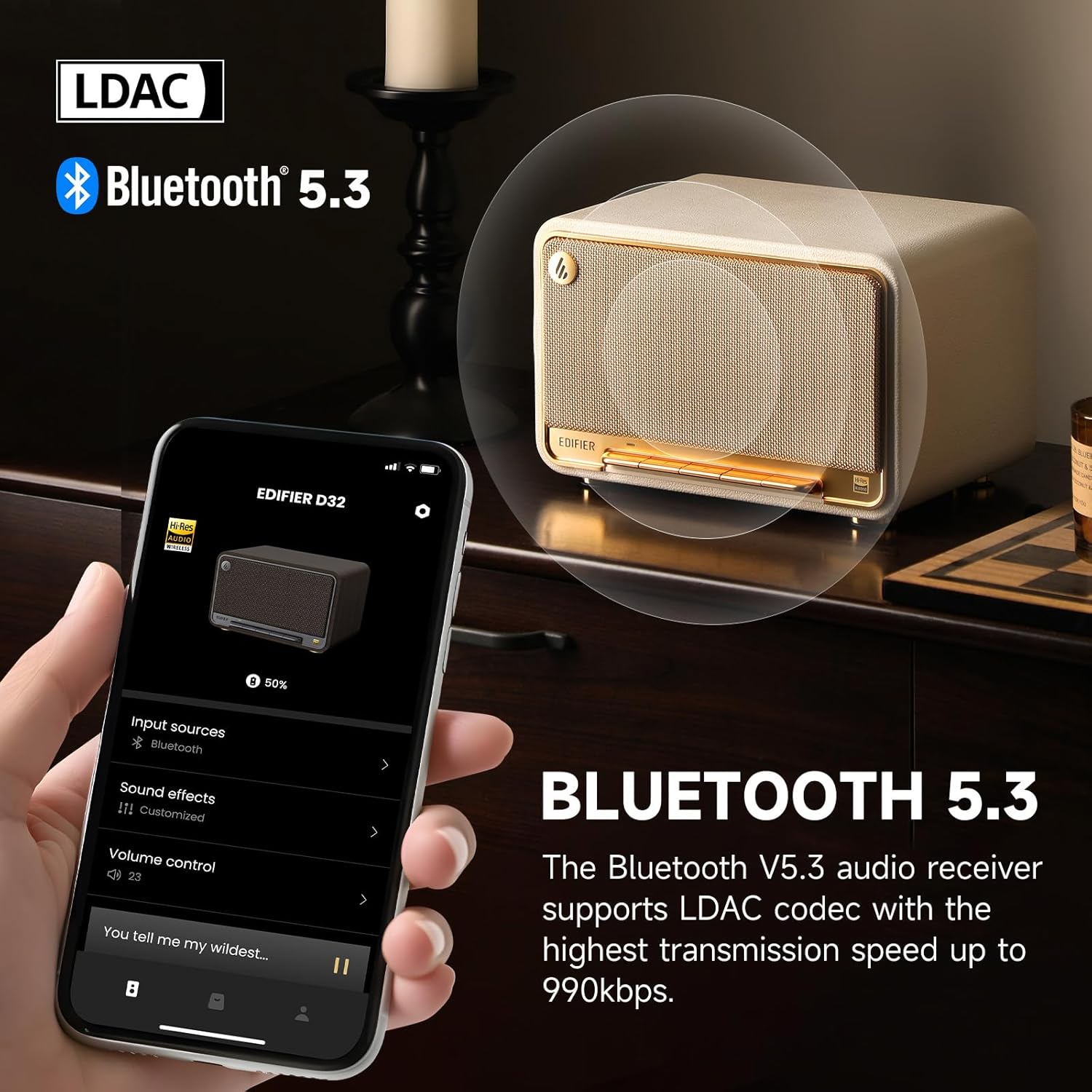
Image: The Edifier D32 speaker demonstrating Bluetooth 5.3 connectivity and LDAC codec support, controllable via the Edifier ConneX app on a smartphone.
3. Wi-Fi and AirPlay 2 Setup
For Wi-Fi connectivity and Apple AirPlay 2 functionality, download the Edifier ConneX mobile application from your device's app store. Follow the in-app instructions to connect your speaker to your Wi-Fi network and enable AirPlay 2.
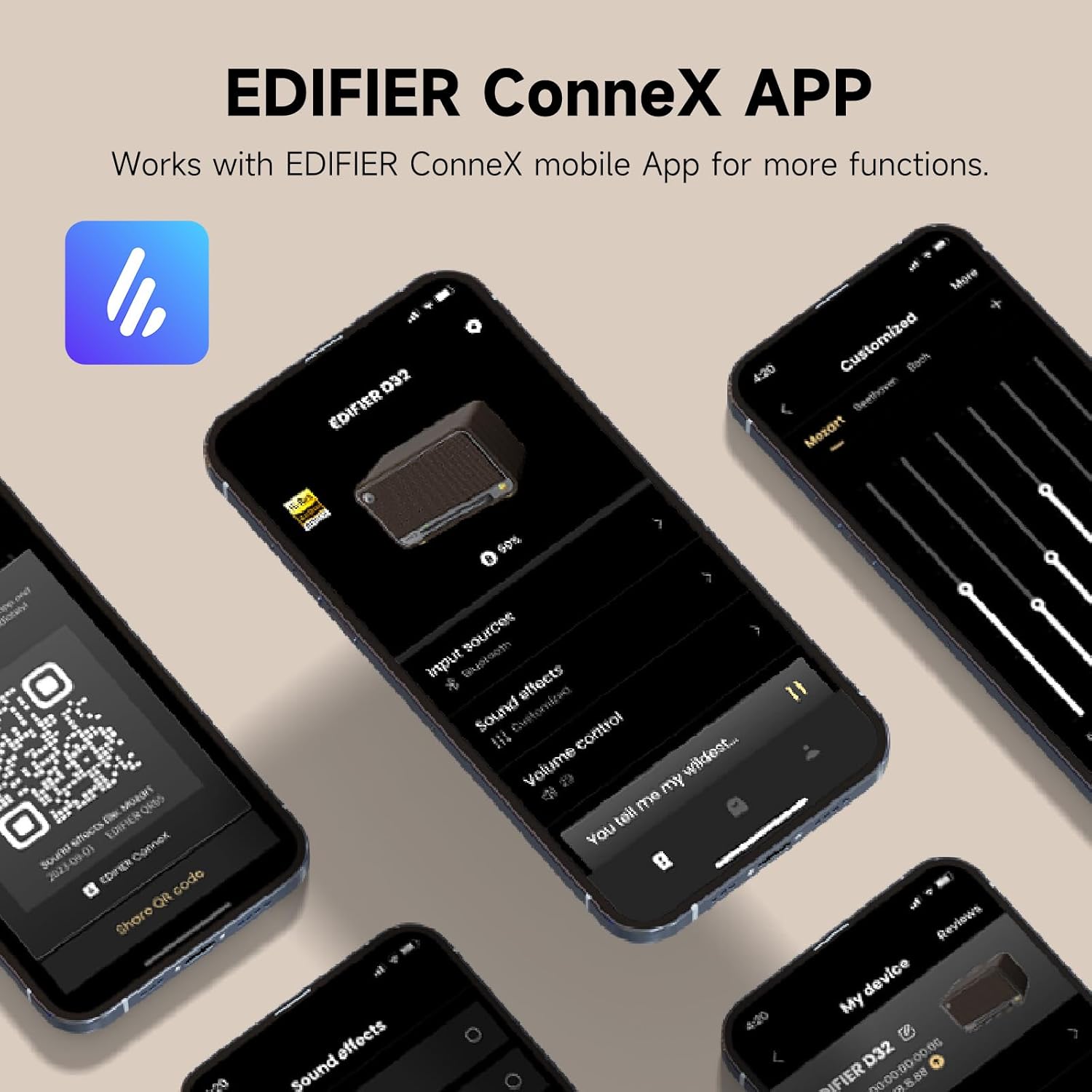
Image: The Edifier ConneX mobile application interface, illustrating control over input sources, sound effects, and volume for the D32 speaker.
4. Wired Connections (USB-C and AUX)
The Edifier D32 supports wired audio input via USB-C and AUX ports located on the rear panel. Use the provided cables to connect compatible devices.
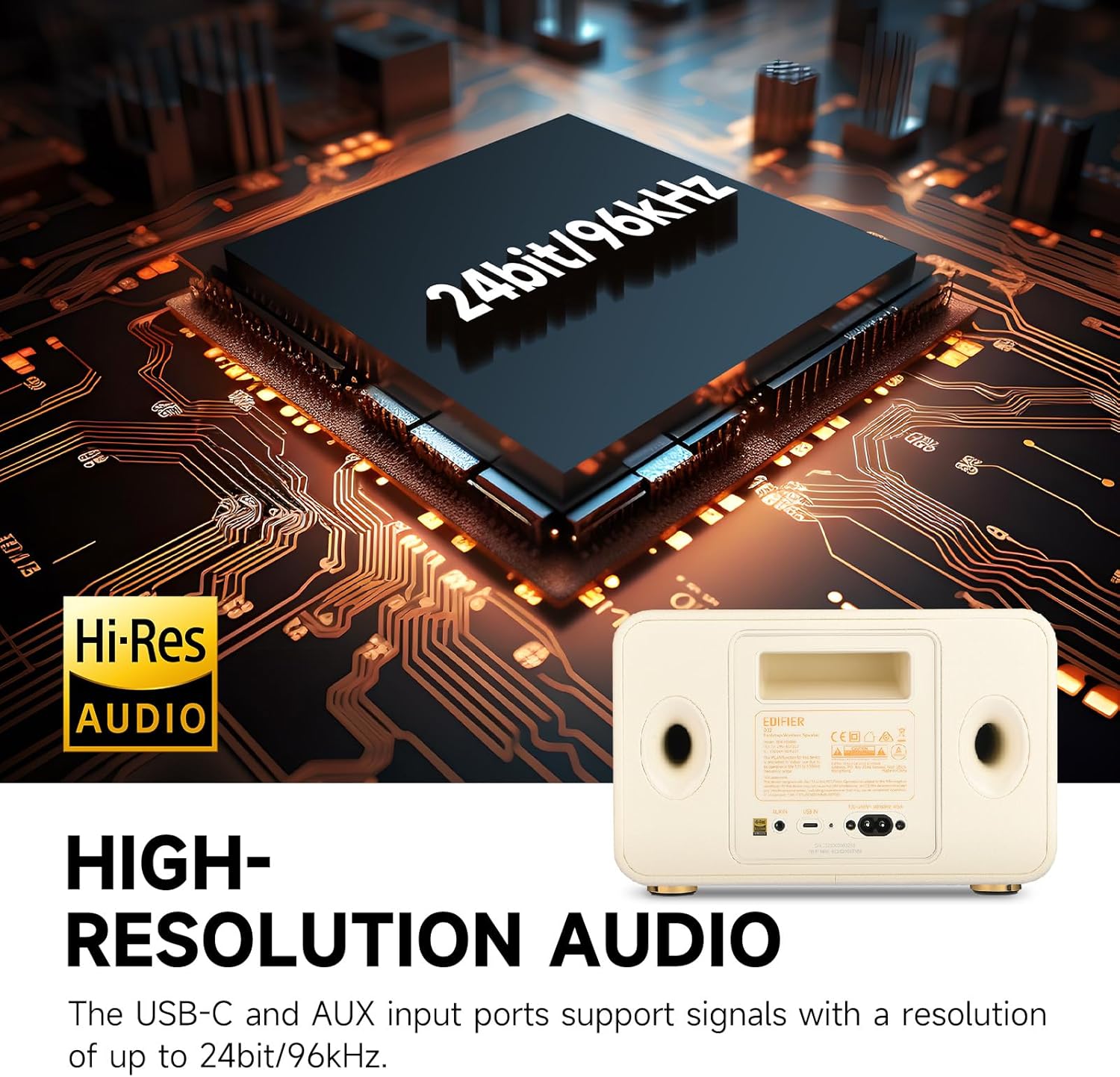
Image: Rear panel of the Edifier D32 speaker, showing the USB-C and AUX input ports, which support high-resolution audio up to 24-bit/96kHz.
Onye na-arụ ọrụ
Njikwa Ogwe ihu
The accordion keyboard on the front panel provides convenient control over playback:
- Power On/Off, Source Switch: Press to power on/off or switch between input sources.
- Bluetooth Connection Control: Press to enter Bluetooth pairing mode or disconnect.
- Play/Pause, Mute/Unmute, WAC Setup: Controls media playback and Wi-Fi Acoustic Calibration setup.
- Volume Down, Previous Track: Na-ebelata olu ma ọ bụ na-awụli elu gaa na egwu gara aga.
- Volume Up, Next Track: Na-eme ka olu dịkwuo elu ma ọ bụ na-awụlikwa elu gaa na egwu ọzọ.

Foto: Zuru ezu view of the Edifier D32's front panel, illustrating the functions of each button on the accordion keyboard for easy control.
Edifier ConneX App Control
The Edifier ConneX app offers extended control and customization options, including EQ settings, input source selection, and multi-room audio management.
Atụmatụ
- Ogo ụda kacha elu: 60 watts RMS total output power from dual silk dome tweeters and long-throw mid-low drivers, providing distortion-free stereo sound.
- Ọdịnyo dị elu: Supports up to 24-bit/96kHz audio through its end-to-end digital audio process and analog audio front end.
- Bluetooth 5.3 with LDAC: Equipped with Bluetooth 5.3 for stable wireless connection and LDAC codec support for high-bitrate audio transmission (up to 990kbps).
- Ogologo ndụ batrị: Built-in 7.4V/5200mAh battery offers up to 11 hours of continuous playback.
- Ọdịnụ Multi-room: Supports Wi-Fi (Apple AirPlay 2) for multi-room audio setups.
- Retro Wooden Design: Features a handmade wooden case with a stylish vintage aesthetic, complemented by a braided fabric grille and metal accents.
- Njikọta dị iche iche: Includes USB-C and AUX inputs for wired connections.
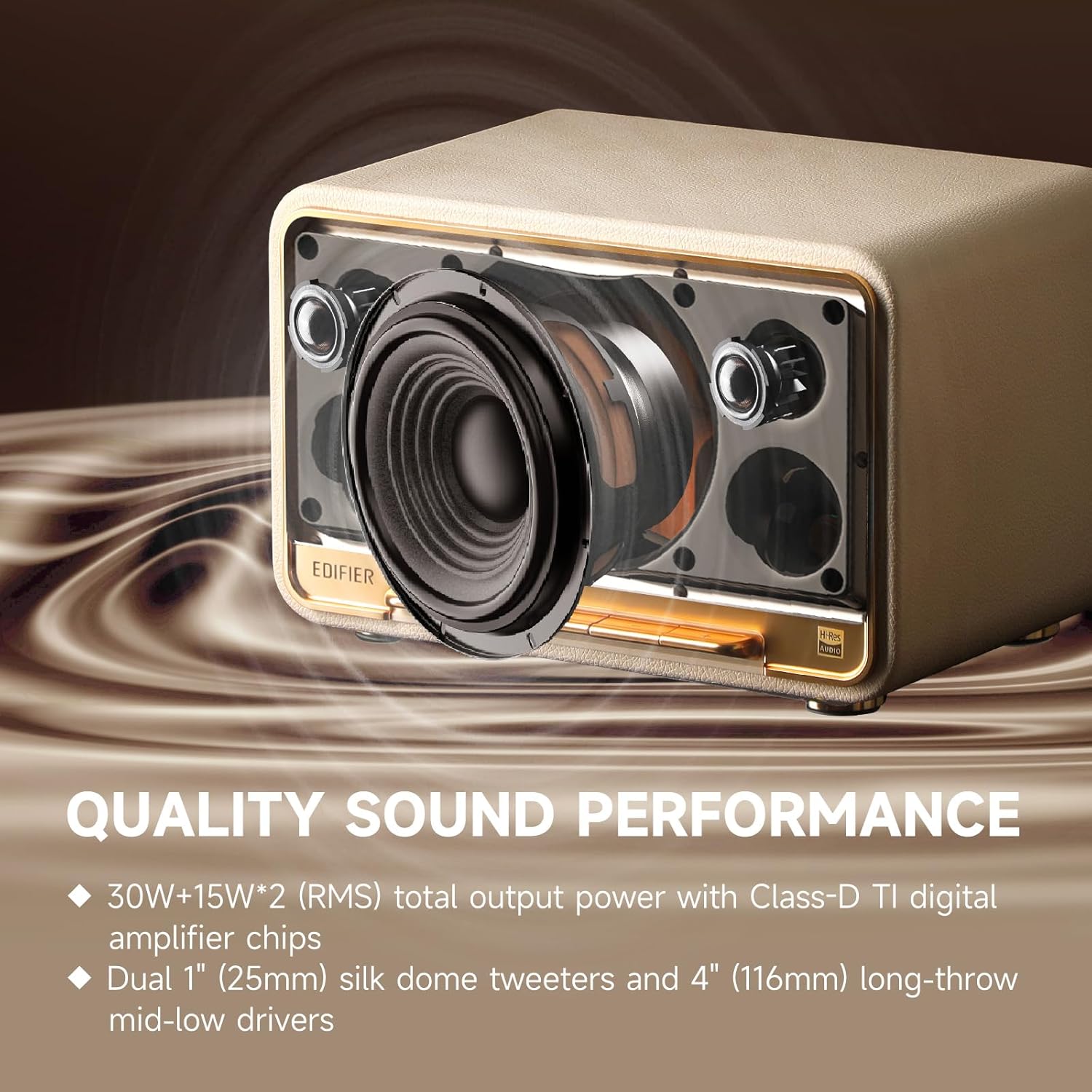
Foto: Ime view of the Edifier D32, highlighting its acoustic components for superior sound performance.
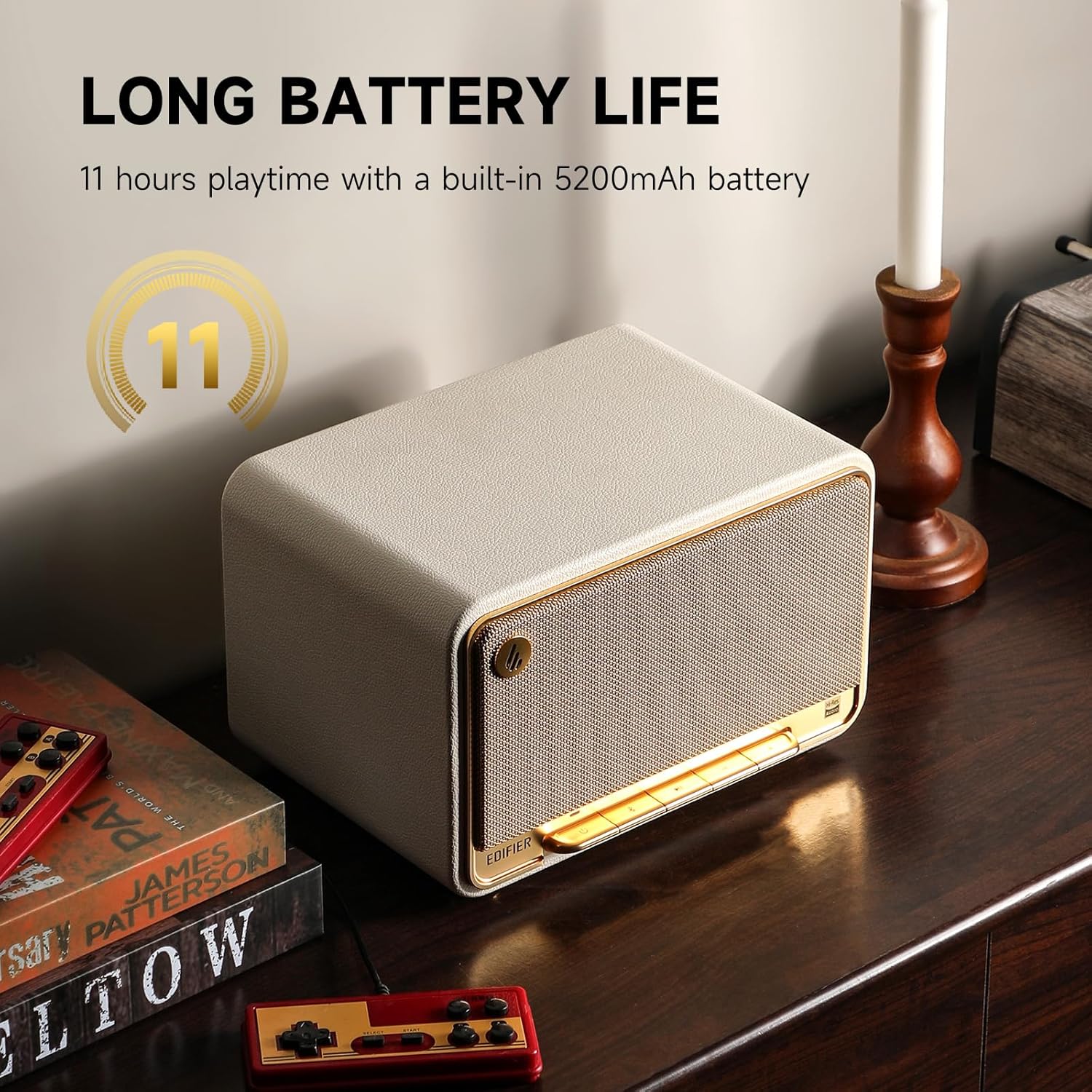
Image: The Edifier D32 speaker showcasing its 11-hour battery life, making it suitable for extended use.
Nkọwapụta
| Njirimara | Nkọwa |
|---|---|
| Ụdị | Edifier |
| Aha Nlereanya | D32 |
| Ụdị Ọkà Okwu | Bookshelf / Tabletop Wireless Speaker |
| Teknụzụ Njikọta | Bluetooth 5.3, Wi-Fi (Apple AirPlay 2), USB-C, AUX |
| Ọnọdụ mmepụta ọdịyo | Stereo |
| Ike Nwepu kacha elu | 60 Watts RMS |
| Nzaghachi ugboro ugboro | 50 Hz |
| Dayameta Tweeter | 1 inch |
| Ụdị ọkwọ ụgbọ ala ọdịyo | Dynamic Driver (Dual silk dome tweeters, long-throw mid-low drivers) |
| Isi Iyi Ike | Battery Powered (7.4V/5200mAh) |
| Ndụ batrị | Ruo awa iri abụọ |
| Usoro njikwa | Touch (Accordion Keyboard), Edifier ConneX App |
| Ihe onwunwe | Osisi |
| Agba | White (This specific variant) |
| Akụkụ ngwaahịa | 12.9"D x 9.7"W x 10.4"H |
| Ibu Ibu | 3.3 pound (1.5 Kilogram) |
| Ọkwa Nguzogide mmiri | Water Repellent (Not Waterproof) |
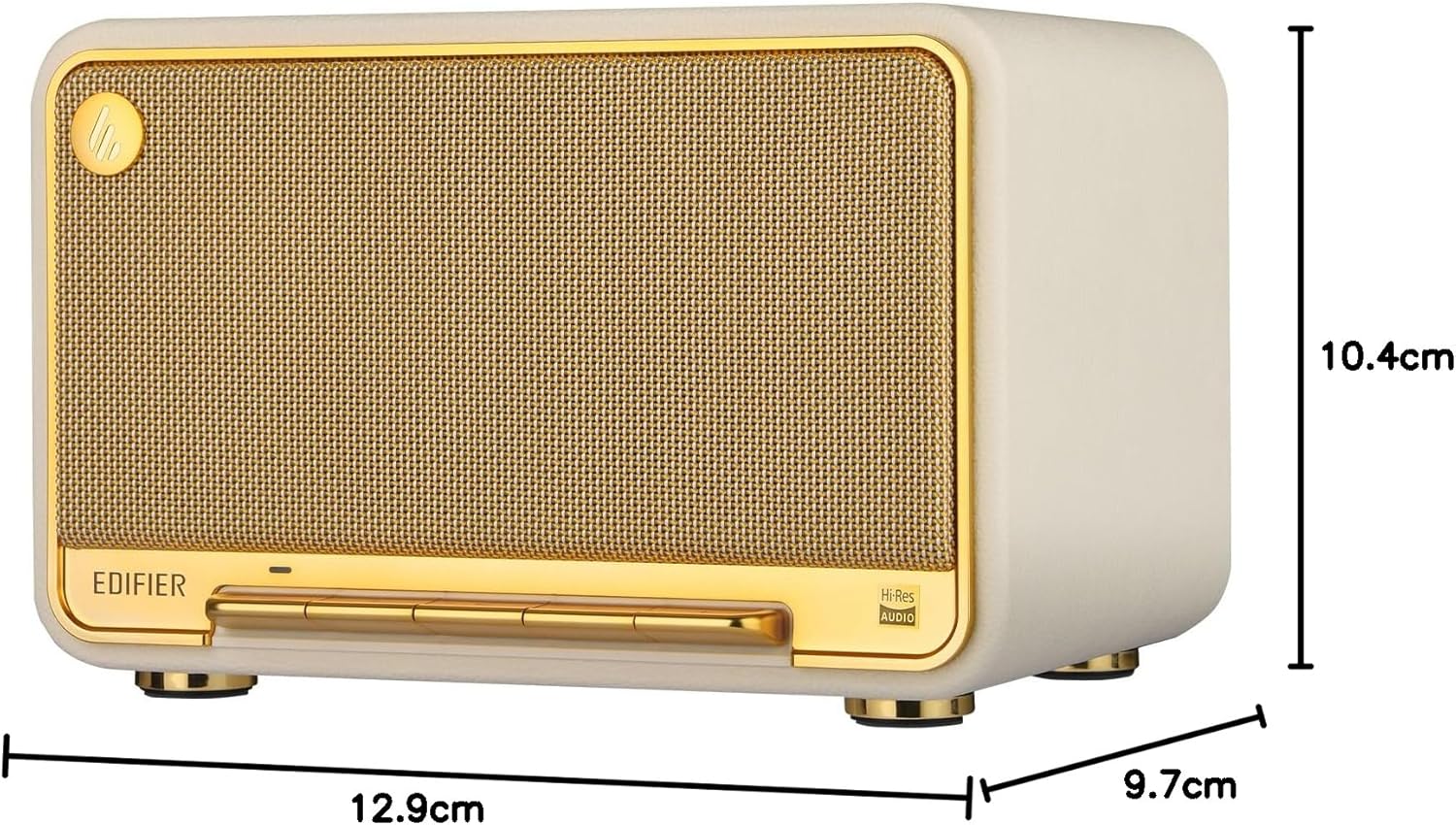
Image: Dimensions of the Edifier D32 speaker for placement reference.
Nlekọta
- Nhicha: Use a soft, dry cloth to clean the speaker's surfaces. Avoid abrasive cleaners or solvents.
- Nchekwa: Chekwaa ọkà okwu n'ebe dị jụụ, kpọrọ nkụ na-adịghị na ìhè anyanwụ kpọmkwem na oke okpomọkụ.
- Mkpughe mmiri: The speaker is water repellent, not waterproof. Avoid exposing it to excessive moisture or submerging it in water.
Nchọpụta nsogbu
- Enweghị ike:
- Ensure the power cable is securely connected to both the speaker and a working power outlet. Check if the battery is charged.
- Enweghị ụda:
- Verify the speaker is powered on and the volume is not muted or set too low. Check the audio source connection (Bluetooth, Wi-Fi, USB-C, AUX) and ensure the correct input source is selected on the speaker.
- Okwu njikọta Bluetooth:
- Ensure the speaker is in Bluetooth pairing mode (flashing indicator light). Move the speaker closer to your device and away from potential interference. Try unpairing and re-pairing the device.
- Wi-Fi/AirPlay 2 Connectivity Problems:
- Confirm your Wi-Fi network is active and the speaker is within range. Restart your router and the speaker. Reconfigure Wi-Fi settings using the Edifier ConneX app.
- Ụda agbagọ:
- Reduce the volume on both the speaker and the audio source. Check audio cables for damage if using a wired connection. Adjust EQ settings in the Edifier ConneX app if necessary.
Akwụkwọ ikike na nkwado
The Edifier D32 Tabletop Wireless Speaker comes with a Limited Warranty. For detailed warranty information, please refer to the warranty card included in your package or visit the official Edifier website. For technical support, troubleshooting assistance, or service inquiries, please contact Edifier customer support through their official channels.
Onye nrụpụta: Edifier


