1. Okwu mmalite
Thank you for choosing the Timex Unisex Digital 43mm Watch. This manual provides essential information for the proper setup, operation, and care of your new timepiece. Please read these instructions carefully to ensure optimal performance and longevity of your watch.
2. Na-eche ncheview
Familiarize yourself with the buttons and display of your Timex Digital 43mm Watch.

Foto 2.1: Akụkụ view of the watch, highlighting the function buttons. The top left button is typically for INDIGLO, and the top right button is for START/STOP functions.
Your watch features a clear digital display and multiple function buttons for easy access to time, date, stopwatch, and alarm features. The specific button functions are detailed in the operating instructions.
3. Mbido Mbido
Upon first use or after a battery change, you may need to set the time and date.
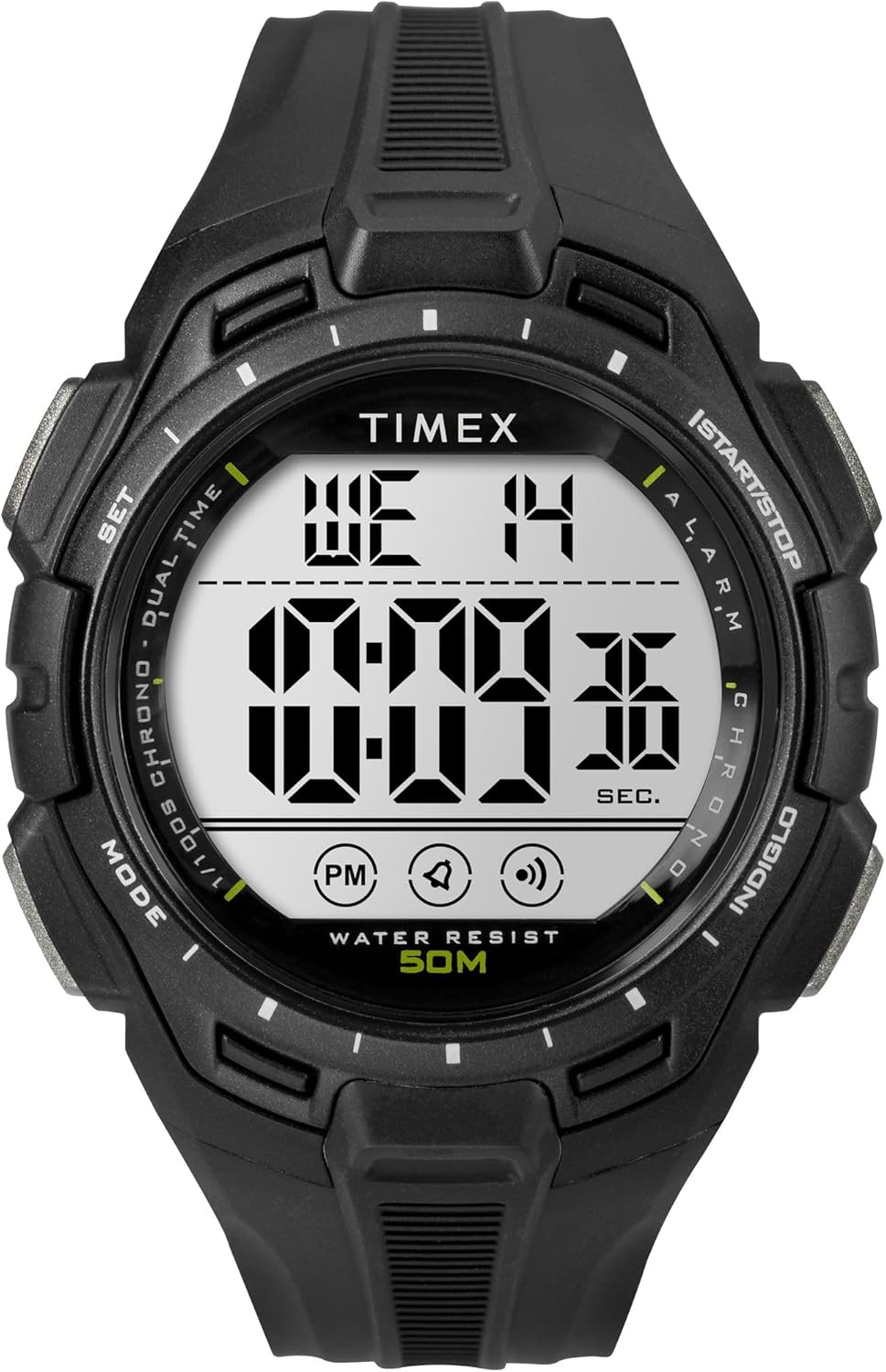
Foto 3.1: N'ihu view of the Timex Digital 43mm Watch, showing the digital display.
3.1 Ịtọ oge na ụbọchị
- Pịa MODE button (usually bottom left) repeatedly until the time setting mode is displayed (often indicated by flashing digits).
- Jiri ihe SET or Malite/Kwụsị button (usually top right) to adjust the flashing digit (hours, minutes, seconds).
- Pịa MODE button again to move to the next setting (e.g., minutes, then year, month, day).
- Ozugbo ntọala niile ziri ezi, pịa bọtịnụ MODE button or a dedicated ỤZỌ ỌPỤPỤ bọtịnụ iji laghachi na ngosipụta oge nkịtị.
3.2 Ịtọ ntọala mkpu
- Pịa MODE bọtịnụ ruo mgbe oge mkpu ahụ ga-apụta.
- Jiri ihe SET or Malite/Kwụsị button to adjust the alarm hours and minutes.
- Pịa MODE bọtịnụ iji kwado wee pụọ na ọnọdụ ntọala mkpu.
- Iji mee ka mkpu rụọ ọrụ/gbanyụọ ya, pịakarị bọtịnụ SET bọtịnụ mgbe ị nọ n'ọnọdụ ngosi mkpu. Akara ngosi mkpu ga-apụta/pụọ n'anya.
4. Ntuziaka ọrụ
4.1 Using INDIGLO Night-Light
Pịa INDIGLO button (usually top left) to illuminate the watch face for easy viewing in low-light conditions. The light will remain on for a few seconds.
4.2 Iji elekere nkwụsị
- Pịa MODE button until the stopwatch display appears (usually showing 00:00:00).
- Pịa Malite/Kwụsị button (top right) to start the stopwatch.
- Pịa Malite/Kwụsị ọzọ iji kwụsịtụ elekere nkwụsị.
- To reset the stopwatch, press the Tụgharịa button (often the bottom right button) while the stopwatch is paused.
4.3 Switching 12/24-Hour Format
While in time setting mode, when adjusting the hours, you can typically toggle between 12-hour (with AM/PM indicator) and 24-hour (military) format by pressing the SET or Malite/Kwụsị button past 12 PM or 24. Refer to the specific setting sequence for your model.
5. Nlekọta na nlekọta
Proper care will extend the life and appearance of your Timex watch.
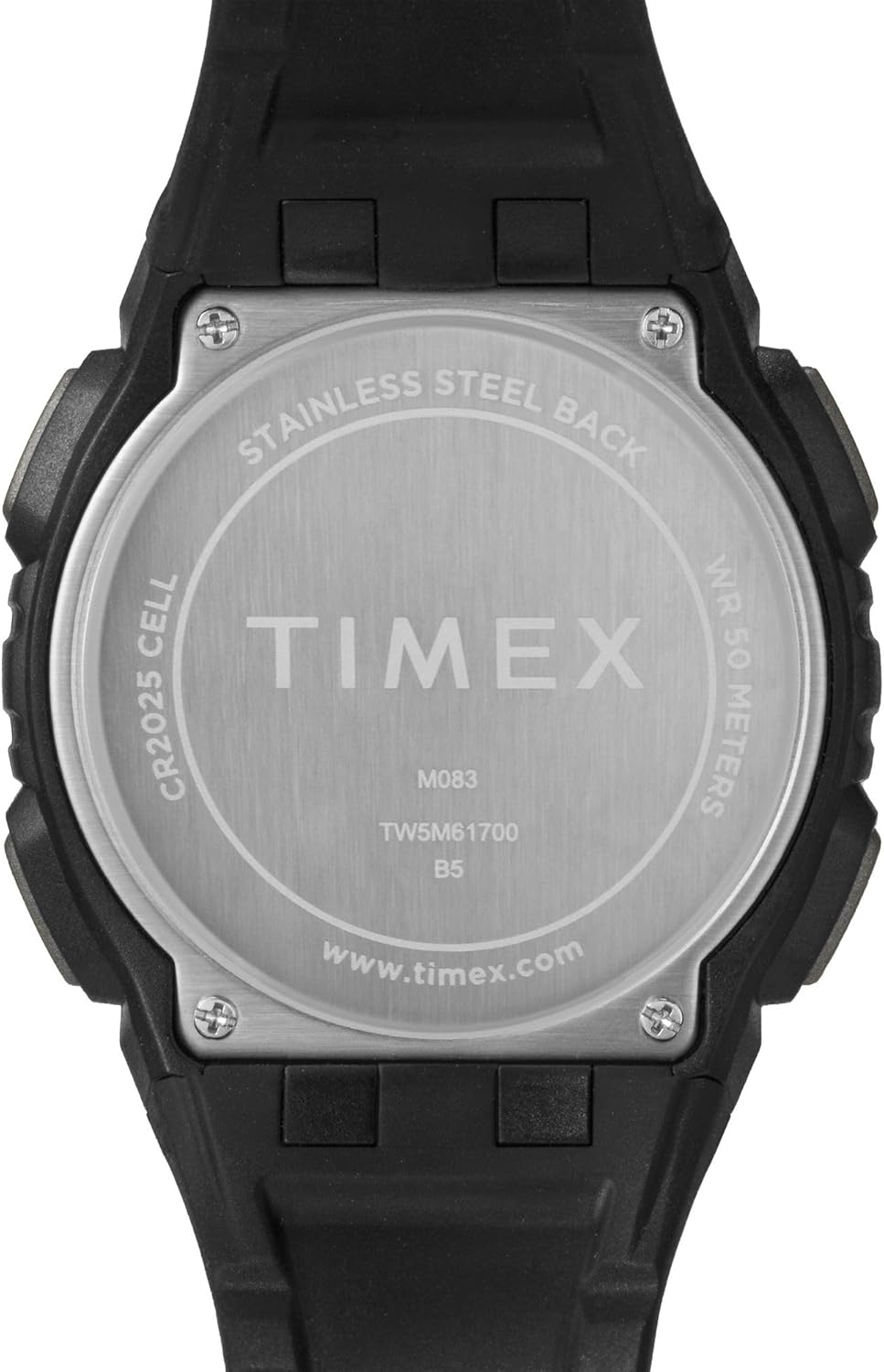
Foto 5.1: N'azụ view of the watch case, indicating water resistance and battery type.
5.1 Mmiri Nguzogide
- Your watch is water resistant to 50 mita (164 ụkwụ). This means it is suitable for short periods of recreational swimming, but not for diving or snorkeling.
- Ejila bọtịnụ dị n'okpuru mmiri.
- Avoid exposing the watch to hot water, steam, or extreme temperature changes, as this can compromise the water seals.
5.2 nnọchi batrị
- The watch uses one CR2025 Lithium Metal battery.
- Ọ kacha mma ka onye ọkachamara elekere ruru eru mee mgbanwe batrị iji hụ na ejiri ihe mkpuchi siri ike ma gbochie mmiri ịbanye.
- Improper battery replacement can damage the watch and void the warranty.
5.3 Nhicha
Na-ehicha elekere gị mgbe niile site na iji ihe dị nro, damp cloth. Avoid using harsh chemicals or abrasive materials, which can damage the case or strap.
5.4 Avoiding Scratches
The watch crystal is made of acrylic, which is susceptible to scratches. To minimize scratching, avoid contact with abrasive surfaces and store the watch carefully when not in use.
6. Nchọpụta nsogbu
If you encounter issues with your watch, refer to the following common solutions:
- Watch Not Displaying Correctly / Frozen Display: A soft reset may resolve this. Press and hold all four buttons simultaneously for a few seconds, then release. If the issue persists, the battery may need replacement.
- Display is Dim or Faint: This typically indicates a low battery. Replace the battery as soon as possible.
- Bọtịnụ anaghị aza: Ensure the watch is not in a locked mode (if applicable). If buttons remain unresponsive, try a soft reset. If the problem continues, professional service may be required.
- Nche Mmiri Dị n'ime: If moisture appears inside the watch, stop using it immediately and have it inspected by a qualified technician. Water damage is often not covered under warranty.
7. Nkọwapụta
| Njirimara | Nkọwa |
|---|---|
| Nọmba nlereanya | TW5M617009J |
| Ụdị ngosi | Dijitalụ |
| Dayameta ikpe | 43 millimeters |
| Ọkpụrụkpụ ikpe | 13.8 millimeters |
| Obosara band | 15 millimeters |
| Ụdị ihe Band | Resin |
| Ụdị Ihe Omume | Resin |
| Ụdị kristal | Acrylic |
| Mmiri Nguzogide Omimi | Mita 50 (ụkwụ 164) |
| Ụdị mmegharị | Quartz |
| Ụdị batrị | CR2025 Lithium Metal (gụnyere) |
| Ibu Ibu | 0.08 kilogram |
8. Akwụkwọ ikike dị oke
Your Timex watch is warranted against manufacturing defects for a period of otu afọ (1). from the original date of purchase. This warranty does not cover:
- Ndụ batrị.
- Mmebi sitere na njikwa na-ekwesịghị ekwesị, enweghị nlekọta, ihe ọghọm, ma ọ bụ akwa na akwa nkịtị.
- Water damage unless marked as water-resistant and damage occurs within the specified depth rating and proper care instructions were followed.
- Scratches to the crystal, case, or band.
For warranty service, please retain your proof of purchase and contact Timex customer support.
9. Nkwado ndị ahịa
For further assistance, frequently asked questions, or to locate an authorized service center, please visit the official Timex websaịtị:
You may also refer to the product page on Amazon for additional details and customer reviews: Timex Unisex Digital 43mm Watch on Amazon


