1. Okwu mmalite
Thank you for choosing the Hoco HC17 Mini Portable Speaker. This manual provides essential information for the safe and efficient operation of your device. Please read it carefully before use and retain it for future reference.
2. Ozi nchekwa
- Ewepụla ọkà okwu na oke okpomọkụ, ìhè anyanwụ kpọmkwem, ma ọ bụ oke iru mmiri.
- Zere idobe ma ọ bụ idobe ọkà okwu na mmetụta siri ike.
- Ewepụla, rụkwaa ma ọ bụ gbanwee ngwaọrụ n'onwe gị. Kpọtụrụ ndị ọrụ ruru eru maka enyemaka.
- Debe ọkà okwu na mmiri na mmiri mmiri ndị ọzọ.
- Jiri naanị eriri nchaji enyere ma ọ bụ ihe dabara adabara.
3. Ihe ngwugwu
Gbaa mbọ hụ na ihe niile dị na ngwugwu:
- Hoco HC17 Mini Portable Speaker
- Igwe nchaji USB
- Akwụkwọ ntuziaka (akwụkwọ a)

Image: The Hoco HC17 Mini Portable Speaker shown in its retail packaging, highlighting its compact size and clip design.
4. Ngwaahịa gafereview
The Hoco HC17 is a compact and versatile portable speaker designed for on-the-go audio. It features Bluetooth 5.3 connectivity, a built-in microphone for hands-free calls, and multiple playback options including FM radio, TF card, and USB flash drive support. Its clip design enhances portability.

Foto: nkọwa zuru ezu view of the grey Hoco HC17 speaker, showcasing its textured grille, control buttons, and integrated carabiner clip.

Image: A display of the Hoco HC17 speaker available in multiple vibrant color options, each with a metallic carabiner clip.
5. Nhazi
5.1 Ịchaji ọkà okwu
- Jikọọ eriri USB chaja enyere na ọdụ chaja nke ọkà okwu.
- Jikọọ nsọtụ nke ọzọ nke eriri USB na ihe nkwụnye ọkụ USB (anaghị etinye ya) ma ọ bụ ọdụ ụgbọ USB nke kọmputa.
- Ọkụ na-egosi ịchaji ga-enwu. Ozugbo chajịchara zuru oke, ọkụ ahụ nwere ike ịgbanwe agba ma ọ bụ gbanyụọ.
- Ụgwọ zuru ezu na-enye ihe ruru awa 2 nke oge egwuregwu.
5.2 Gbanyụọ/ gbanyụọ
- To power on: Press and hold the Power button for a few seconds until you hear an audible prompt or see an indicator light.
- To power off: Press and hold the Power button again for a few seconds until the speaker powers down.
5.3 Njikọ Bluetooth
- Hụ na ekwerela igwe okwu ahụ ma nwee njikọ Bluetooth (ọ na-egosikarị site na LED na-enwu enwu).
- Na ngwaọrụ gị (smartphone, tabletị, wdg), gbanye Bluetooth wee chọọ ngwaọrụ dịnụ.
- Select "HC17" from the list of found devices.
- Once paired, the speaker will confirm with an audible prompt, and the LED indicator will stop flashing.
- Ọkà okwu ahụ ga-ejikọghachi na ngwaọrụ ejikọtara ikpeazụ ozugbo mgbe agbanyere ya, ọ bụrụ na ọ dị n'ime oke.
5.4 TF Card / USB Flash Drive Playback
- Insert a TF card or USB flash drive (with supported audio files) into the corresponding slot on the speaker.
- The speaker will automatically detect the storage device and begin playing music.
- Use the speaker's control buttons to navigate tracks and adjust volume.
5.5 FM Redio arụ ọrụ
- Switch the speaker to FM radio mode (this might be a dedicated button or a mode cycle button).
- Press the Play/Pause button to initiate an automatic station scan. The speaker will save available stations.
- Use the Next/Previous track buttons to switch between saved FM stations.
6. Na-arụ ọrụ Ọkà Okwu
6.1 Njikwa ịkpọghachi egwu
- Gwuo/kwụsịtụ: Pịa bọtịnụ Play/kwụsịtụ otu ugboro.
- Track na-esote: Pịa bọtịnụ "+".
- Gara aga Track: Pịa bọtịnụ "-".
- Olu elu: Pịa ma jide bọtịnụ "+".
- Olu ala: Pịa ma jide bọtịnụ "-".
6.2 Oku na-enweghị aka
Mgbe ejikọrọ site na Bluetooth na ama:
- Oku azaa: Press the Play/Pause button once when an incoming call rings.
- Oku ngwụcha: Pịa bọtịnụ Play/kwụsịtụ otu ugboro n'oge oku.
- Jụ oku: Pịa ma jide bọtịnụ Play/Pause maka sekọnd abụọ mgbe oku na-abata kụrụ.
- Igwe okwu dị n'ime ya na-enye ohere maka nkwurịta okwu doro anya.
7. Nlekọta
- Nhicha: Jiri ákwà dị nro ma kpọọ nkụ hichaa elu okwu ahụ. Ejila ihe nhicha ma ọ bụ ihe mgbaze.
- Nchekwa: Chekwaa ọkà okwu n'ebe dị jụụ, kpọrọ nkụ pụọ na ìhè anyanwụ kpọmkwem na oke okpomọkụ mgbe ọ naghị eji ya ogologo oge.
- Nlekọta batrị: Ka ịgbatị ndụ batrị ogologo, zere ịchaji batrị ugboro ugboro. Na-anya ọkà okwu oge niile, ọ bụrụgodị na ejighị ya.
8. Nchọpụta nsogbu
| Nsogbu | Ihe nwere ike ime | Ngwọta |
|---|---|---|
| Ọkà okwu anaghị agba ọkụ. | Batrị dị ala. | Chajie ọkà okwu zuru ezu. |
| Enweghị ike ijikọ site na Bluetooth. | Ọkà okwu adịghị n'ụdị njikọta; Bluetooth agbanyụrụ ngwaọrụ; ọ dị anya nke ukwuu. | Ensure speaker is in pairing mode. Turn on Bluetooth on your device. Move speaker closer to device (within 10 meters). |
| Enweghị ụda mgbe a na-akpọghachi ya. | Volume too low; speaker not connected; incorrect source. | Increase volume on both speaker and connected device. Re-pair Bluetooth. Ensure correct input source (Bluetooth, TF, USB, FM) is selected. |
| Nnabata redio FM na-adịghị mma. | Mgbaàmà na-adịghị ike; nnyonye anya gburugburu ebe obibi. | Move to an open area. Try rescanning for stations. |
9. Nkọwapụta
- Ụdị: HC17
- Ụdị Bluetooth: 5.3
- Ngalaba Ọkà Okwu: 45mm
- Ike batrị: 500mAh
- Oge egwuregwu: Ruo awa iri abụọ
- Njikọta: Bluetooth, FM, TF Card, USB Flash Drive
- Igwe okwu arụnyere n'ime ya: Yes (for hands-free calling)
- Akụkụ: Approximately 13.3D x 8.5W x 4.9H centimetres
- Ngwa gụnyere: USB Charger (cable)
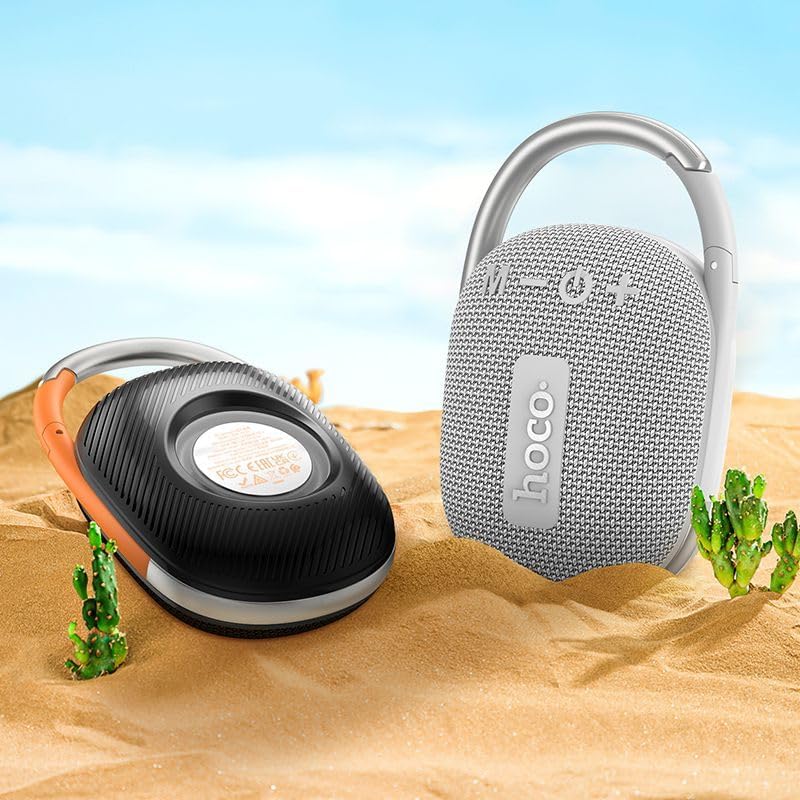
Image: The Hoco HC17 speaker positioned on sand with small cacti, illustrating its portability and suitability for outdoor use.
10. Akwụkwọ ikike na nkwado
This product comes with a standard manufacturer's warranty. For detailed warranty terms and conditions, please refer to the warranty card included with your purchase or contact your retailer. For technical support or service inquiries, please contact the point of purchase or the official Hoco support channels.


