Okwu mmalite
This manual provides comprehensive instructions for the ASWEE P4 Smart Watch, a versatile fitness tracker with call capabilities, a 1.85" TFT display, and various health monitoring features. Please read this manual thoroughly before using your device.
Kedu ihe dị na Igbe ahụ
- ASWEE P4 Smart Watch
- Ịchaji eriri
- Akwụkwọ ntuziaka onye ọrụ
Ngwaahịa gafereview
The ASWEE P4 Smart Watch features a rectangular 1.85-inch TFT-LCD display with a 240x280 resolution. It includes a physical button on the side for navigation and interaction. The watch is designed for comfortable wear and easy access to its functions.
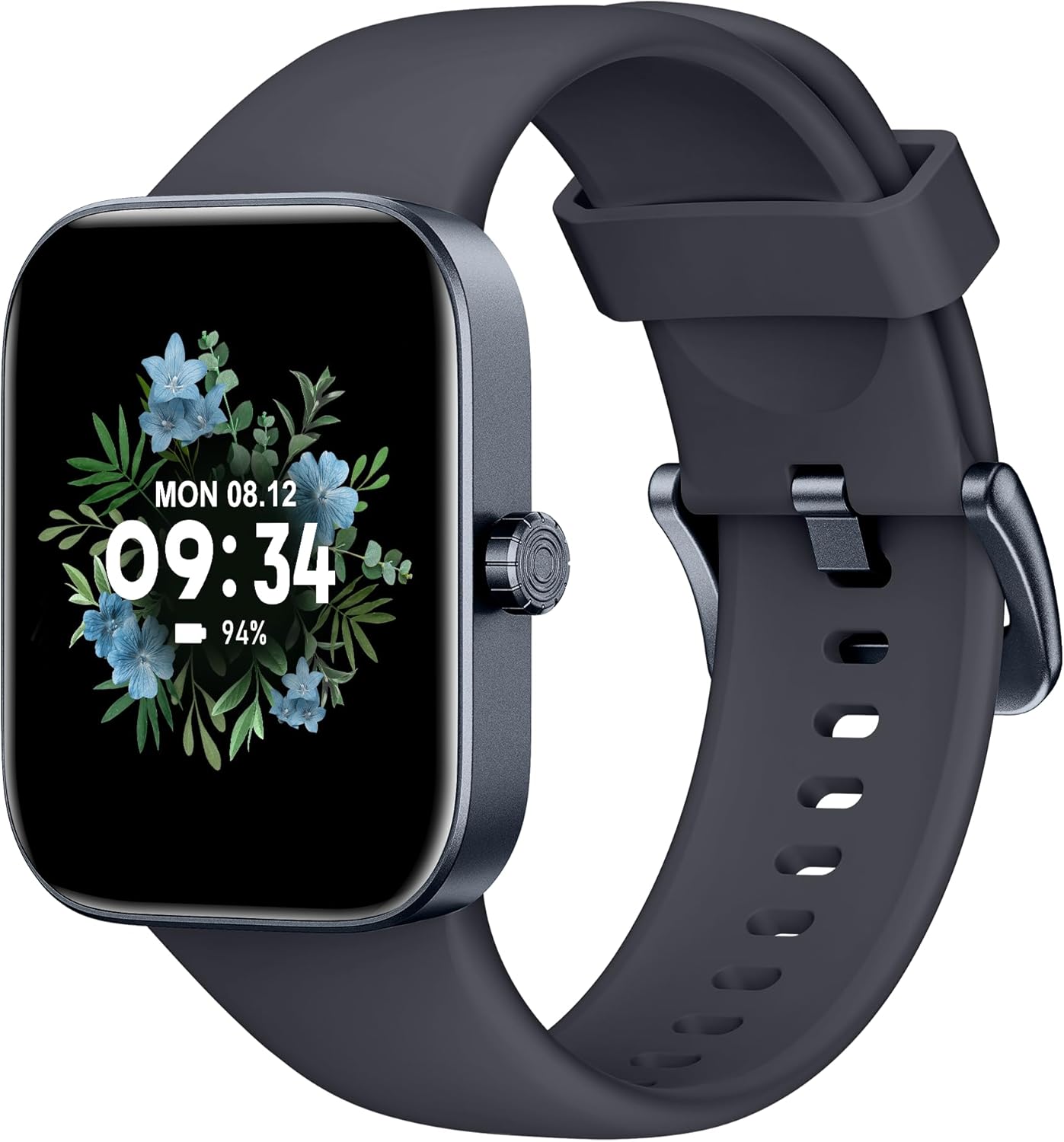
N'ihu view of the ASWEE P4 Smart Watch, displaying time and date with a floral background.
Melite
Ịchaji ngwaọrụ
The ASWEE P4 Smart Watch comes with a magnetic charging cable. Align the magnetic end of the cable with the charging contacts on the back of the watch. The watch will indicate when it is charging. A full charge typically takes approximately 2 hours and provides up to 7 days of active use or 15 days on standby.

Illustration showing the magnetic charging cable connected to the back of the ASWEE P4 Smart Watch, highlighting battery life indicators.
Nwụnye ngwa na ijikọ
To utilize all features of your ASWEE P4 Smart Watch, you need to download and install the "FitPro" application on your smartphone. Scan the QR code provided in the watch's packaging or search for "FitPro" in your device's app store.
Jikọọ na iPhone
Follow these steps to pair your watch with an iPhone:
- Gbaa mbọ hụ na agbanyere Bluetooth na iPhone gị.
- Open the "FitPro" app.
- Navigate to "Setting" and then "Bind device".
- Select your watch (e.g., KM13Pro) from the scan results.
- Confirm the pairing request by clicking "Pair" and then "Allow" for notifications.
- Go to your iPhone's Bluetooth settings and connect to "KM13Pro Audio" for call functionality.
Video tutorial demonstrating how to bind the ASWEE P4 Smart Watch to an iPhone and how to unbind it.
Pairing with Android Phone
Follow these steps to pair your watch with an Android phone:
- Gbaa mbọ hụ na agbanyere Bluetooth na ekwentị gam akporo gị.
- Open the "FitPro" app.
- Navigate to "Set" and then "Bind device".
- Select your watch (e.g., KM13Pro) from the scan results.
- Confirm the pairing request by clicking "Pair".
Video tutorial demonstrating how to bind the ASWEE P4 Smart Watch to an Android phone and how to unbind it.
Ntuziaka ọrụ
Nsoro ụzọ
The watch features a touch-sensitive screen for navigation. Swipe left/right or up/down to access different functions and menus. The side button typically serves as a home or back button.
Call and Text Functionality
With its built-in speaker and microphone, the ASWEE P4 allows you to answer/dial calls directly from your wrist when connected via Bluetooth. You can also receive SMS text and SNS messages (Facebook, Twitter, WhatsApp, etc.) with vibration alerts.

Image showing the ASWEE P4 Smart Watch on a wrist, with notification icons for various messaging apps, indicating Bluetooth 5.0 connectivity for calls and texts.
Nyocha ahụike
The watch provides comprehensive health monitoring:
- Ọnụọgụgụ obi: 24-hour tracking with a high-precision PPG sensor. Stores 7 days of resting heart rate data.
- Oxygen ọbara: Measures SpO2 levels using a reflective-light based sensor.
- Nleba anya ụra: Tracks sleep quality through Awake, Light, and Deep sleep stages, helping to improve sleep duration and quality.
- Nleba anya nrụgide: Provides insights into stress levels.

Image illustrating the ASWEE P4 Smart Watch's 24-hour data tracking capabilities, including heart rate, stress level, and blood oxygen monitoring.

Image depicting the ASWEE P4 Smart Watch's sleep health assistant feature, showing sleep duration and patterns.
Fitness Modes
The ASWEE P4 supports multiple workout modes, including running, bike riding, basketball, and tennis. It accurately monitors data points like heart rate, time, and calories burned to enhance workout efficiency.

Ihe ngosi onyonyoasing the ASWEE P4 Smart Watch's various sports modes, including running, bike riding, basketball, and jumping jack, with activity data like steps, distance, and calories.
Nhazi
Choose from over 100 stylish watch faces or create your own using photos from your phone gallery.
Nlekọta
Nhicha
Na-ehicha elekere gị na eriri gị mgbe niile site na iji ihe dị nro, damp akwa . Zere iji kemịkalụ siri ike ma ọ bụ ihe na-emebi emebi.
Nchekwa
Chekwaa elekere n'ebe dị jụụ, kpọrọ nkụ mgbe anaghị eji ya.
Nchọpụta nsogbu
Elekere Anaghị Agbanye
- Hụ na elekere ahụ chajịchara nke ọma. Jikọọ ya na eriri chajị na isi iyi ọkụ ruo opekata mpe nkeji iri atọ.
Okwu ijikọ
- Make sure Bluetooth is enabled on your phone and the watch is within range.
- Malitegharịa ekwentị gị ma elekere.
- If previously paired, try "forgetting" the device in your phone's Bluetooth settings and re-pairing through the FitPro app.
- Ensure the FitPro app has necessary permissions (Bluetooth, location).
Data ahụike ezighi ezi
- Gbaa mbọ hụ na etinyere elekere nke ọma na nkwojiaka gị, ọ bụghị nke siri ike ma ọ bụ nke tọgbọrọ chakoo.
- Hichaa ihe mmetụta dị n'azụ elekere.
- Ihe gbasara gburugburu ebe obibi na physiology onye ọ bụla nwere ike imetụta ịgụ akwụkwọ.
Amamọkwa anaghị apụta
- Check app permissions for FitPro to ensure it can access notifications.
- Verify that notification push settings are enabled within the FitPro app for desired applications.
- Ensure the watch is connected to your phone via Bluetooth.
Nkọwapụta
| Njirimara | Nkọwa |
|---|---|
| Aha Nlereanya | P4 |
| Ụdị | ASWEE |
| Nha ihuenyo | 1.85 sentimita asatọ |
| Ngosipụta teknụzụ | Ngosipụta TFT-LCD |
| Mkpebi | 240 x 280 PPI |
| Sistemụ nrụọrụ | Yiri OS |
| Njikọta | Bluetooth 5.3 |
| Mmiri Nguzogide | IP68, 5 ATM |
| Ndụ batrị (Ọkachamara ojiji) | Ruo ụbọchị 7 |
| Oge Njikere | Ruo ụbọchị 15 |
| Oge Nchaji | Ihe ruru. awa 2 |
| Atụmatụ pụrụ iche | Fitness Tracker, Sleep Monitor, Reminders, Multimedia control, Answer/Dial Call, Heart Rate Monitor, Blood Oxygen Monitor, Stress Monitor |
| Ibu Ibu | 2.89 ounces |
Mara: Nkọwapụta nwere ike ịgbanwe na-enweghị ọkwa mbụ.
Akwụkwọ ikike na nkwado
For warranty information and technical support, please refer to the official ASWEE websaịtị ma ọ bụ kpọtụrụ ndị ahịa ha ọrụ. Debe nnata nzụta gị ka ihe akaebe nke ịzụrụ.


