1. Okwu mmalite
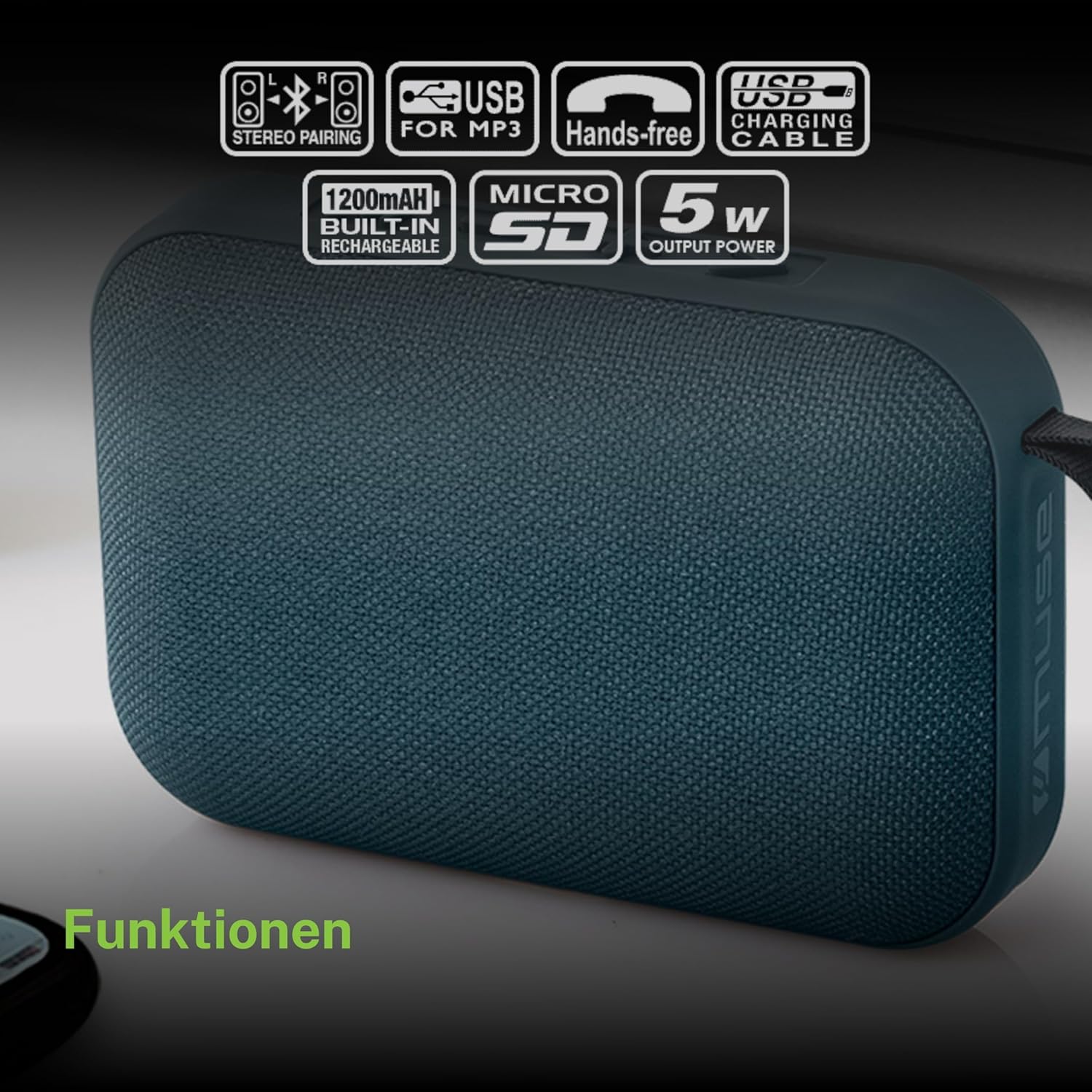
Daalụ maka ịzụrụasing the MUSE M307BT Portable Bluetooth Speaker. This compact and versatile speaker is designed to provide high-quality audio from your laptop, tablet, or smartphone. It features Bluetooth connectivity, a 5W output, a built-in rechargeable battery, and support for USB and Micro SD card playback. This manual provides essential information for setting up, operating, and maintaining your device.
2. Ozi nchekwa
- Ewepụla ngwaọrụ ahụ na oke okpomọkụ, ìhè anyanwụ kpọmkwem, ma ọ bụ oke iru mmiri.
- Zere idobe ma ọ bụ idobe ọkà okwu na mmetụta siri ike.
- Emela ka ngwaọrụ ahụ gbawaa ma ọ bụ gbalịa ịrụzi ya n'onwe gị. Nye ndị ọrụ ruru eru ọrụ niile.
- Keep the speaker away from water and other liquids. This device is not waterproof.
- Jiri naanị eriri USB chaja enyere ma ọ bụ nke e nyere asambodo.
- Dispose of the battery and device responsibly according to local regulations.
3. Ihe ngwugwu
Gbaa mbọ hụ na ihe niile dị na ngwugwu:
- MUSE M307BT Portable Bluetooth Speaker
- Igwe nchaji USB
4. Ngwaahịa gafereview
Mara onwe gị na akụkụ na njikwa ọkà okwu.


Njikwa na ọdụ ụgbọ mmiri:
- Bọtịnụ ike: Na-agbanyụ/gbanyụọ ọkà okwu.
- Bọtịnụ Ụdị (M): Na-agbanwe n'etiti ụdị Bluetooth, USB, na Micro SD.
- Mbelata olu / Egwu gara aga (-): Pịa obere oge maka mbelata olu, pịa ogologo oge maka egwu gara aga.
- Play/Pause / Call Button (>): Plays/pauses music, answers/ends calls.
- Mbuli Elu / Egwu Na-esote (+): Pịa mkpirisi maka ibuli olu, ogologo pịa maka egwu ọzọ.
- Ọdụ ụgbọ mmiri Micro-USB: Maka ịchaji ọkà okwu.
- Ọdụ ụgbọ mmiri USB: For playing music from a USB flash drive.
- Micro SD (TF) Slot: Maka ịkpọ egwu site na kaadị Micro SD.
- Ihe ngosi LED: Shows charging status and Bluetooth pairing status.
5. Nhazi
5.1 Ịchaji ọkà okwu
- Connect the Micro-USB end of the charging cable to the speaker's Micro-USB port.
- Jikọọ njedebe USB-A nke eriri nchaji na ihe nkwụnye ọkụ USB (anaghị etinye ya) ma ọ bụ ọdụ ụgbọ USB nke kọmputa.
- The LED indicator will illuminate to show charging status. It will typically turn off or change color once fully charged.
- Ụgwọ zuru ezu na-ewe ihe dịka awa 2-3.
5.2 Gbanyụọ/ gbanyụọ
- Iji gbanye: Press and hold the Power button for a few seconds until you hear an audible prompt and the LED indicator flashes.
- Iji gbanyụọ: Press and hold the Power button for a few seconds until you hear an audible prompt and the LED indicator turns off.
6. Ntuziaka ọrụ
6.1 Njikọ Bluetooth
Pair your speaker with a Bluetooth-enabled device (smartphone, tablet, laptop).

- Ensure the speaker is powered on and in Bluetooth mode. The LED indicator will flash rapidly, indicating it's ready for pairing.
- Na ngwaọrụ gị, gbanye Bluetooth ma chọọ ngwaọrụ dịnụ.
- Select "MUSE M307BT" from the list of devices.
- Ozugbo ejikọtara ya, ihe ngosi LED ga-akwụsị ịgbawa ma nọgide na-adị ike, ị ga-anụkwa ụda nkwenye.
- Ị nwere ike ugbu a kpọọ ụda site na ngwaọrụ gị site na ọkà okwu.
6.2 USB playback
- Fanye draịva USB nwere ọdịyo MP3 files n'ọdụ ụgbọ mmiri USB.
- Pịa Ụdị (M) button to switch to USB mode. The speaker will automatically begin playing music from the USB drive.
- Jiri ihe + na - bọtịnụ maka igodo egwu na njikwa olu.
6.3 Micro SD (TF) Card Playback
- Insert a Micro SD (TF) card containing MP3 audio files n'ime oghere Micro SD.
- Pịa Ụdị (M) button to switch to Micro SD mode. The speaker will automatically begin playing music from the Micro SD card.
- Jiri ihe + na - bọtịnụ maka igodo egwu na njikwa olu.
6.4 Stereo Pairing (TWS Function)
To achieve a more immersive stereo sound experience, you can pair two MUSE M307BT speakers together.
- Ensure both MUSE M307BT speakers are powered on and in Bluetooth pairing mode (LED flashing).
- N'otu n'ime ndị ọkà okwu (nke a ga-abụ ọkà okwu mbụ gị), pịa ma jide Ụdị (M) button for a few seconds. You will hear a sound indicating that the speakers are attempting to pair with each other.
- Once successfully paired, you will hear a confirmation sound, and the LED indicator on the primary speaker will flash slowly, while the secondary speaker's LED will remain solid.
- Now, connect your Bluetooth device to the primary speaker as described in section 6.1. Audio will play in stereo through both speakers.
6.5 Oku a na-enweghị aka
When connected via Bluetooth to your smartphone, the speaker can be used for hands-free calls.
- Oku azaa: Pịa Play/Pause (>) bọtịnụ otu ugboro.
- Oku ngwụcha: Pịa Play/Pause (>) button once during a call.
- Jụ oku: Pịa ma jide Play/Pause (>) bọtịnụ maka 2 sekọnd.
7. Nlekọta
- Jiri akwa dị nro hichaa ọkà okwu. Ejila ihe nchacha abrasive ma ọ bụ ihe mgbaze.
- Chekwaa ọkà okwu n'ebe dị jụụ ma kpọọ nkụ mgbe ọ naghị eji ya ogologo oge.
- Avoid blocking the speaker grille to ensure optimal sound quality.
8. Nchọpụta nsogbu
| Nsogbu | Ihe nwere ike ime | Ngwọta |
|---|---|---|
| Ọkà okwu anaghị agba ọkụ. | Batrị dị ala. | Chajie ọkà okwu zuru ezu. |
| Enweghị ike ijikọ site na Bluetooth. | Speaker not in pairing mode; Bluetooth disabled on device; device too far. | Ensure speaker LED is flashing; enable Bluetooth on your device; move device closer to speaker (within 10 meters). |
| Enweghị ụda. | Olu dị obere; ọnọdụ ezighi ezi; ngwaọrụ adịghị egwu. | Increase speaker and device volume; press Mode button to select correct input; ensure audio is playing on your device. |
| USB/Micro SD playback not working. | ezighi ezi file usoro; e tinyeghị kaadị/draịva nke ọma; mebiri emebi files. | Gbaa mbọ hụ files are MP3 format; reinsert card/drive; try different files ma ọ bụ ngwaọrụ nchekwa. |
| Stereo pairing fails. | Speakers too far apart; one speaker already paired to a device. | Ensure speakers are close; disconnect any existing Bluetooth connections before attempting stereo pairing. |
9. Nkọwapụta

| Njirimara | Nkọwapụta |
|---|---|
| Aha Nlereanya | M307BT |
| Ụdị | MUSE |
| Ike mmepụta | 5 Watt |
| Batrị | 1200 mAh / 3.7V Lithium-ion (Rechargeable) |
| Njikọta | Bluetooth, USB, Micro SD (TF) |
| Ọnọdụ mmepụta ọdịyo | Stereo (with TWS pairing) |
| Akụkụ (L x W x H) | 118 x 30 x 76 mm |
| Ibu | 200 grams |
| Agba | Acha anụnụ anụnụ |
| Ngwa gụnyere | Igwe nchaji USB |
| Waterproof | Mba |
| Eji akwadoro | For computer, smartphone, or tablet |
| Ngwa dakọtara | Laptọọpụ, Mbadamba ụrọ, Smartphone |
10. Akwụkwọ ikike na nkwado
10.1 Akwụkwọ ikike nke onye nrụpụta
This MUSE M307BT Portable Bluetooth Speaker comes with a Akwụkwọ ikike onye nrụpụta afọ 2 site na ụbọchị azụrụ ya. Akwụkwọ ikike a na-ekpuchi ntụpọ nrụpụta na ọrụ aka n'oge ojiji nkịtị. Ọ naghị ekpuchi mmebi sitere na ojiji na-ezighị ezi, ihe mberede, mgbanwe na-akwadoghị, ma ọ bụ mmebi nkịtị.
10.2 Nkwado ndị ahịa
For technical assistance, warranty claims, or further inquiries, please contact your retailer or the official MUSE customer support channel. Please have your proof of purchase and product model number (M307BT) ready when contacting support.


