Okwu mmalite
Welcome to the user manual for your new Reflex Active Amoled Series 30 Smart Watch. This guide provides essential information on setting up, operating, maintaining, and troubleshooting your device to ensure you get the most out of its advanced features. The Series 30 Smart Watch combines cutting-edge technology with a sleek design, offering an exceptional user experience with its vibrant AMOLED display and comprehensive health and connectivity features.

Figure 1: Reflex Active Amoled Series 30 Smart Watch
This image displays the front of the Reflex Active Amoled Series 30 Smart Watch, highlighting its always-on display and the "CALLING BUILT IN" feature, set against a vibrant, colorful background.
Kedu ihe dị na Igbe ahụ
Upon unboxing your Reflex Active Amoled Series 30 Smart Watch, please verify that all the following items are included:
- Reflex Active Amoled Series 30 Smart Watch
- Akwụkwọ ntuziaka
- Igwe nchaji USB
- Igbe onyinye

Ọgụgụ 2: Ọdịnaya Igbe
This image shows the Reflex Active Smart Watch packaging, including the watch box, the instruction manual, and the USB charging cable, laid out next to the watch itself.
Melite
1. Ịchaji elekere smart gị
Before initial use, fully charge your Reflex Active Series 30 Smart Watch. Connect the provided USB charging cable to the charging port on the back of the watch and plug the other end into a USB power adapter (not included) or a computer's USB port. A full charge typically takes approximately 2 hours.

Figure 3: Watch Back and Sensors
Ihe onyonyo a na-enye nso nso view of the back of the Reflex Active Smart Watch, clearly showing the charging contacts and the optical heart rate sensor.
2. Downloading the Reflex Active Red App
To unlock the full functionality of your smart watch, download the free Reflex Active Red App from your smartphone's app store. The app is compatible with Android 9.0+ and iOS 12.0+ devices.
- Chọọ maka "Reflex Active Red" in the Google Play Store (for Android) or Apple App Store (for iOS).
- Budata ma wụnye ngwa ahụ.
- Soro ntuziaka na ihuenyo ka ịmepụta akaụntụ ma ọ bụ banye.
3. Ijikọta elekere smart gị
Once the app is installed and your watch is charged, proceed with pairing:
- Gbaa mbọ hụ na agbanyere Bluetooth na ekwentị gị.
- Open the Reflex Active Red App.
- Navigate to the device pairing section within the app.
- Select your "Reflex Active Series 30" from the list of available devices.
- Kwenye arịrịọ maka njikọta na ma elekere gị na ama ama gị.
Ntuziaka ọrụ
Ngosipụta na igodo
The Reflex Active Series 30 features a 1.78'' AMOLED display, offering exceptional clarity and vibrant colors. You can interact with the watch using its full touch screen or the rotating crown for smooth navigation.
- Ihuenyo mmetụ aka: Mịgharịa aka ekpe, aka nri, elu, ma ọ bụ ala iji lelee menu na ọkwa. Pịa iji họrọ ihe.
- Okpueze Na-agbagharị: Rotate the crown to scroll through lists and options. Press the crown to return to the home screen or confirm selections.
- Ngosipụta mgbe niile: This feature allows the time and essential information to remain visible on the screen without needing to activate the display by touch or wrist lift.

Onyonyo 4: Isi njiri maraview
This infographic highlights the main functionalities of the Reflex Active Smart Watch, including communication, display interaction, time management, durability, display modes, navigation, and battery life.
Atụmatụ nzikọrịta ozi
- Make & Receive Calls: Connect your watch to your smartphone to make and receive calls directly from your wrist.
- Messages & Social Notifications: Receive alerts for incoming messages, emails, and social media notifications directly on your watch display.
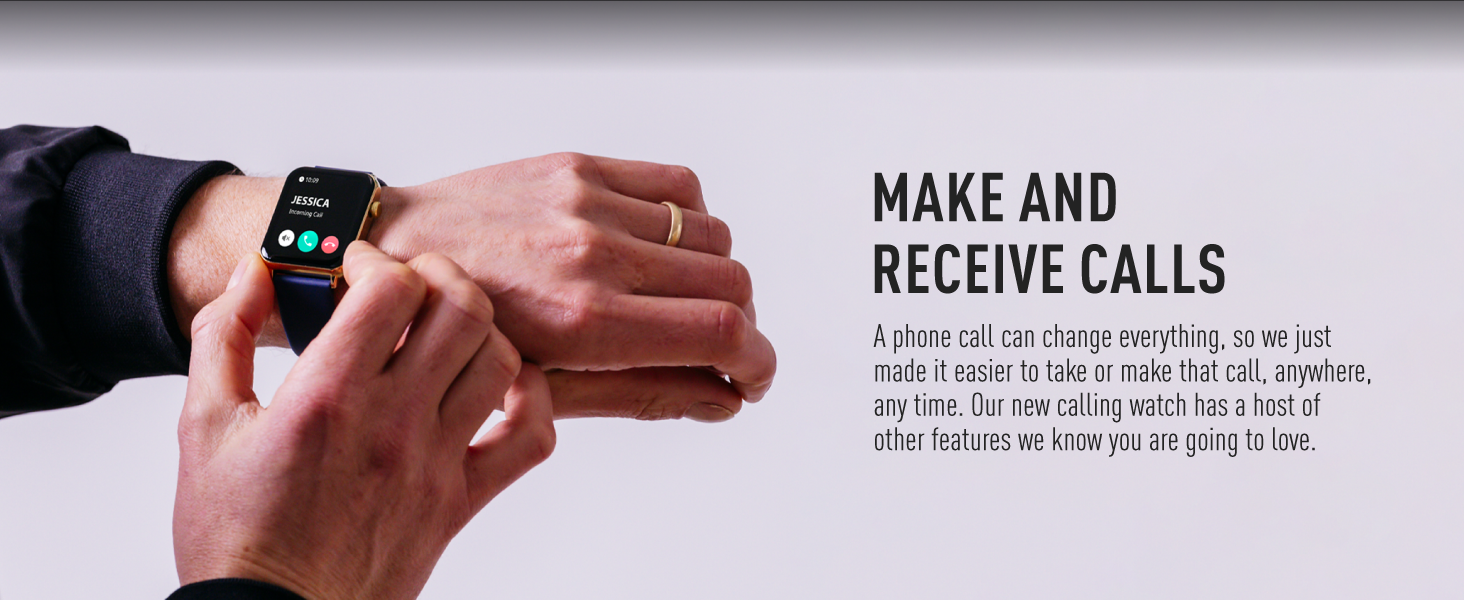
Figure 5: Make and Receive Calls
This image shows the Reflex Active Smart Watch on a person's wrist, displaying an incoming call, illustrating the watch's capability to handle phone calls directly.
Health & Wellness Tracking
The Series 30 Smart Watch offers comprehensive tracking for your health and fitness goals:
- Ntụgharị nzọụkwụ: Tracks your daily steps and distance covered.
- Nlekota obi obi: Continuously monitors your heart rate throughout the day.
- Oxygen ọbara (SpO2): Na-enyocha ọkwa oxygen dị n'ọbara gị.
- Nnyocha Ụra: Monitors your sleep patterns, including deep, light, and REM sleep.
- Nchọgharị kalori: Estimates calories burned based on your activity levels.
- Ụdị egwuregwu: Multiple activity modes (e.g., walking, running, swimming) to track specific workouts.
- Ihe omume iku ume: Guided breathing sessions to help you relax and de-stress.
- Hydration Reminders: Set reminders to drink water throughout the day.
- Ncheta ịnọdụ ala: Na-agwa gị mgbe ị nọghị n'ọrụ ruo ogologo oge.
- Women's Health: Provides tracking and insights for menstrual cycles.
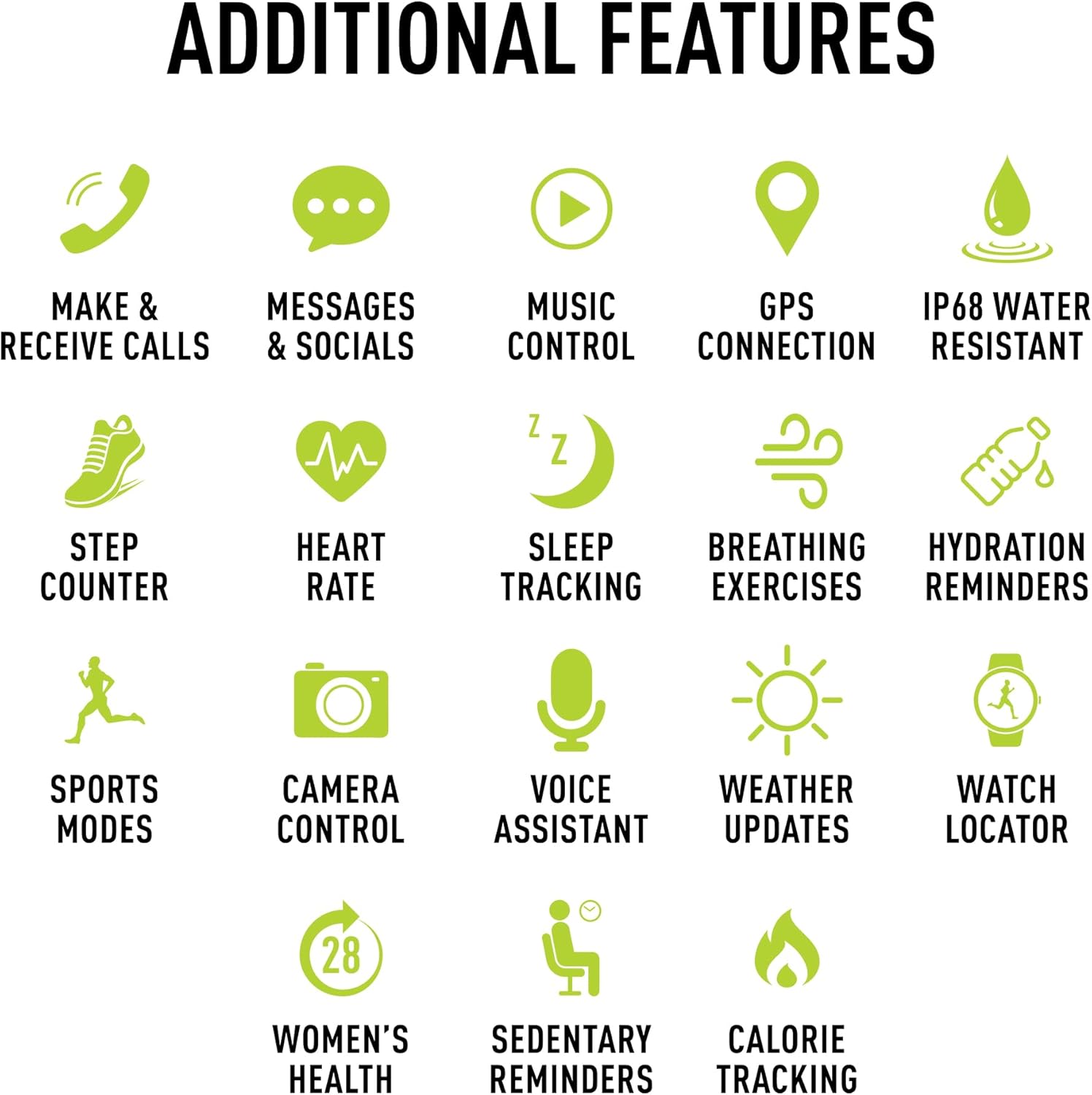
Foto 6: Atụmatụ Ndị Ọzọ
This image presents a comprehensive list of additional features available on the Reflex Active Smart Watch, categorized by function with corresponding icons for easy understanding.
Atụmatụ ndị ọzọ
- Njikwa egwu: Jikwaa egwu egwu na ekwentị gị ozugbo site na elekere gị.
- Njikọ GPS: Connects to your phone's GPS for accurate activity tracking and route mapping.
- Njikwa igwefoto: Jiri elekere gị dị ka ihe mkpuchi anya maka igwefoto ekwentị gị.
- Enyemaka Olu: Access your smartphone's voice assistant through the watch.
- Mmelite ihu igwe: Get real-time weather information on your wrist.
- Watch Locator: Helps you find your watch if it's misplaced nearby.
- Dual-Time Feature: Displays time for two different time zones, useful for travel.
Nhazi
Personalize your watch to match your style and preferences:
- Ọkpọ oku pụrụiche: Choose from an incredible selection of exclusive Reflex Active dials, including animated displays.
- Personalized Photo Dials: Use a photo from your phone gallery to create a unique watch face.

Figure 7: Watch Face Customization
This image showcases the wide array of high-definition AMOLED watch faces available for the Reflex Active Smart Watch, with the watch itself displaying a colorful dial and a smartphone screen showing numerous other design options.
Nlekọta
Na-ehicha elekere gị
To maintain the appearance and functionality of your smart watch, clean it regularly:
- Wipe the screen and strap with a soft, lint-free cloth.
- Maka akara isi ike, ntakịrị dampen akwa na mmiri. Zere iji kemịkalụ siri ike ma ọ bụ ihe na-emebi emebi.
- Ensure the charging contacts on the back of the watch are clean and dry before charging.
Mgbochi mmiri (IP68)
Your Reflex Active Series 30 Smart Watch has an IP68 water resistance rating, making it suitable for surface swimming and various activities. However, it is not recommended for diving or high-pressure water activities. Always dry the watch thoroughly after exposure to water.
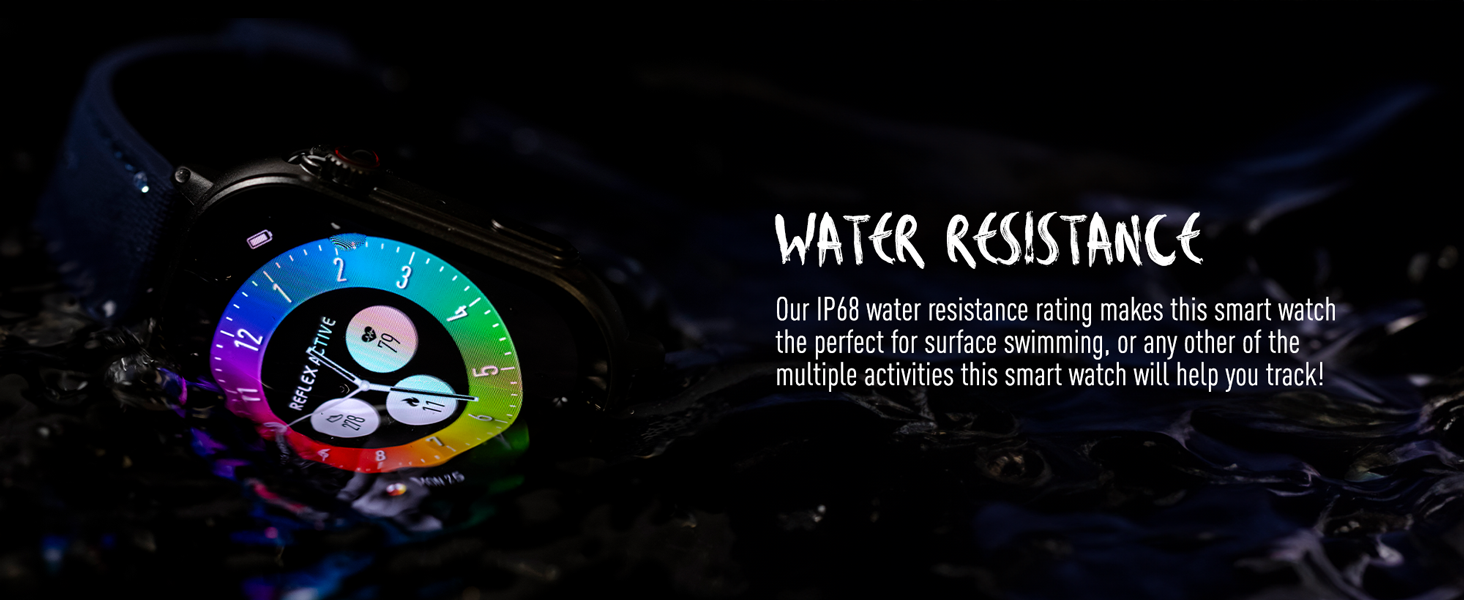
Foto 8: Mgbochi Mmiri
This image depicts the Reflex Active Smart Watch partially submerged in water, visually representing its IP68 water resistance capability.
Ndụ batrị
The watch offers up to 14 days of battery life, depending on usage. Features like Always-On Display, frequent notifications, and continuous health monitoring will consume more power. Charge your watch regularly to ensure uninterrupted use.
Nchọpụta nsogbu
If you encounter issues with your Reflex Active Series 30 Smart Watch, try the following solutions:
| Nsogbu | Ngwọta |
|---|---|
| Lelee anaghị agbanwuo | Gbaa mbọ hụ na chajịrị elekere ahụ nke ọma. Jikọọ ya na chaja opekata mpe nkeji iri atọ. |
| Enweghị ike ijikọ na smartphone |
|
| Amamọkwa anaghị apụta |
|
| Data ahụike ezighi ezi |
|
| Ndụ batrị dị mkpụmkpụ |
|
Nkọwapụta
| Njirimara | Nkọwa |
|---|---|
| Nọmba nlereanya | Usoro 30 |
| Ụdị ngosi | AMOLED |
| Nha ihuenyo | 1.78 sentimita asatọ |
| Ogo Nguzogide Mmiri | IP68 |
| Njikọta | Bluetooth, USB (maka ịchaji) |
| Ụdị batrị | Lithium Metal (1 included) |
| Ndụ batrị | Up to 14 days (usage dependent) |
| Ndakọrịta sistemụ arụmọrụ | Android 9.0+, iOS 12.0+ |
| Akụkụ ngwaahịa | 16.1 x 8.5 x 19.5 cm; 60 g |
| Onye nrụpụta | Peers Hardy |
| Mba onye si | China |
Akwụkwọ ikike na nkwado
Your Reflex Active Amoled Series 30 Smart Watch comes with a 2-afọ nkwa, ensuring peace of mind regarding its quality and performance. For any support inquiries, technical assistance, or warranty claims, please refer to the official Reflex Active support channels.
For additional support, FAQs, and detailed guides, please visit the official Reflex Active websaịtị:


