Okwu mmalite
Daalụ maka ịzụrụasing the Edifier MG300 Computer Speakers PC SoundBar. This manual provides essential information for setting up, operating, and maintaining your new soundbar. Please read this manual thoroughly before use to ensure proper functionality and to maximize your listening experience.
Ozi nchekwa
To reduce the risk of electric shock, fire, or damage to your device, please observe the following safety precautions:
- Ewepụla ngwaọrụ ahụ na mmiri ozuzo ma ọ bụ mmiri.
- Edokwala ihe jupụtara na mmiri mmiri, dị ka vases, na ngwaọrụ.
- Awụnyela n'akụkụ ebe okpomọkụ ọ bụla dị ka radiators, ndekọ okpomọkụ, stovu, ma ọ bụ ngwa ndị ọzọ (gụnyere amplifiers) nke na-emepụta okpomọkụ.
- Jiri naanị mgbakwunye / ngwa ndị nrụpụta akọwapụtara.
- Tụtụ aka n'aka ndị ọrụ ruru eru.
Ihe ngwugwu
Biko lelee igbe maka ihe ndị a:
- Edifier MG300 Soundbar
- USB-A ka eriri USB-C
- Akwụkwọ ntuziaka onye ọrụ
Ngwaahịa gafereview
The Edifier MG300 Soundbar features dual 52mm full-range speakers and dual inverter tubes for balanced audio. It includes dynamic RGB lighting effects and a hidden microphone for clear voice communication. Control buttons are located on the top panel for easy access.
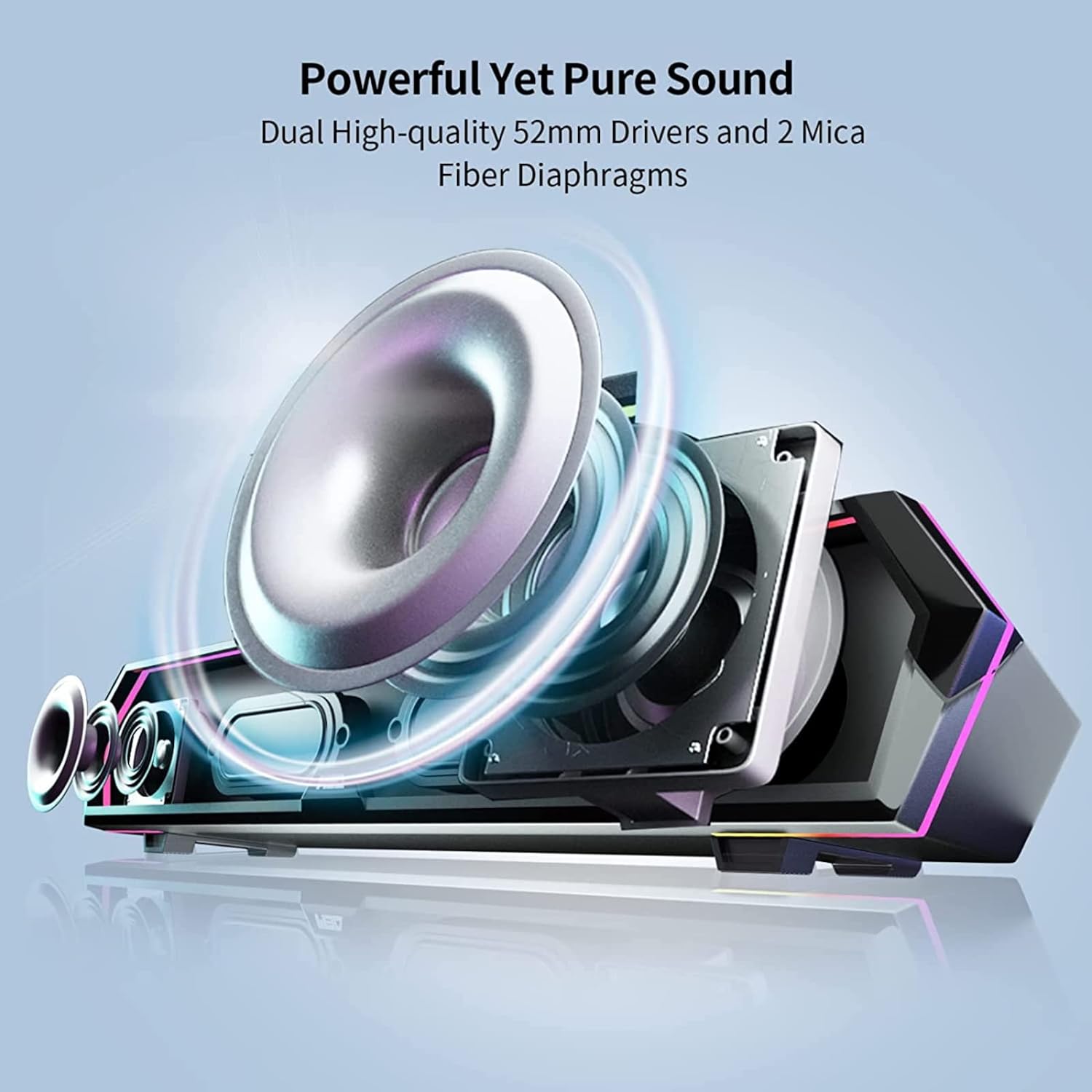
Image: Internal Speaker Components
This image illustrates the internal structure of the soundbar, showcasing the dual 52mm drivers and mica fiber diaphragms designed for powerful and pure sound reproduction.
Melite
1. Ntinye
Position the Edifier MG300 soundbar on a stable, flat surface, ideally directly under your computer monitor. Its compact design (485mm x 70mm x 80mm) is optimized to save desktop space.

Image: Soundbar Placement
The soundbar is shown positioned beneath a computer monitor, demonstrating its space-saving design and ideal placement for desktop use.
2. Power and Connection Options
The MG300 offers two primary connection methods: USB-A and Bluetooth 5.3.
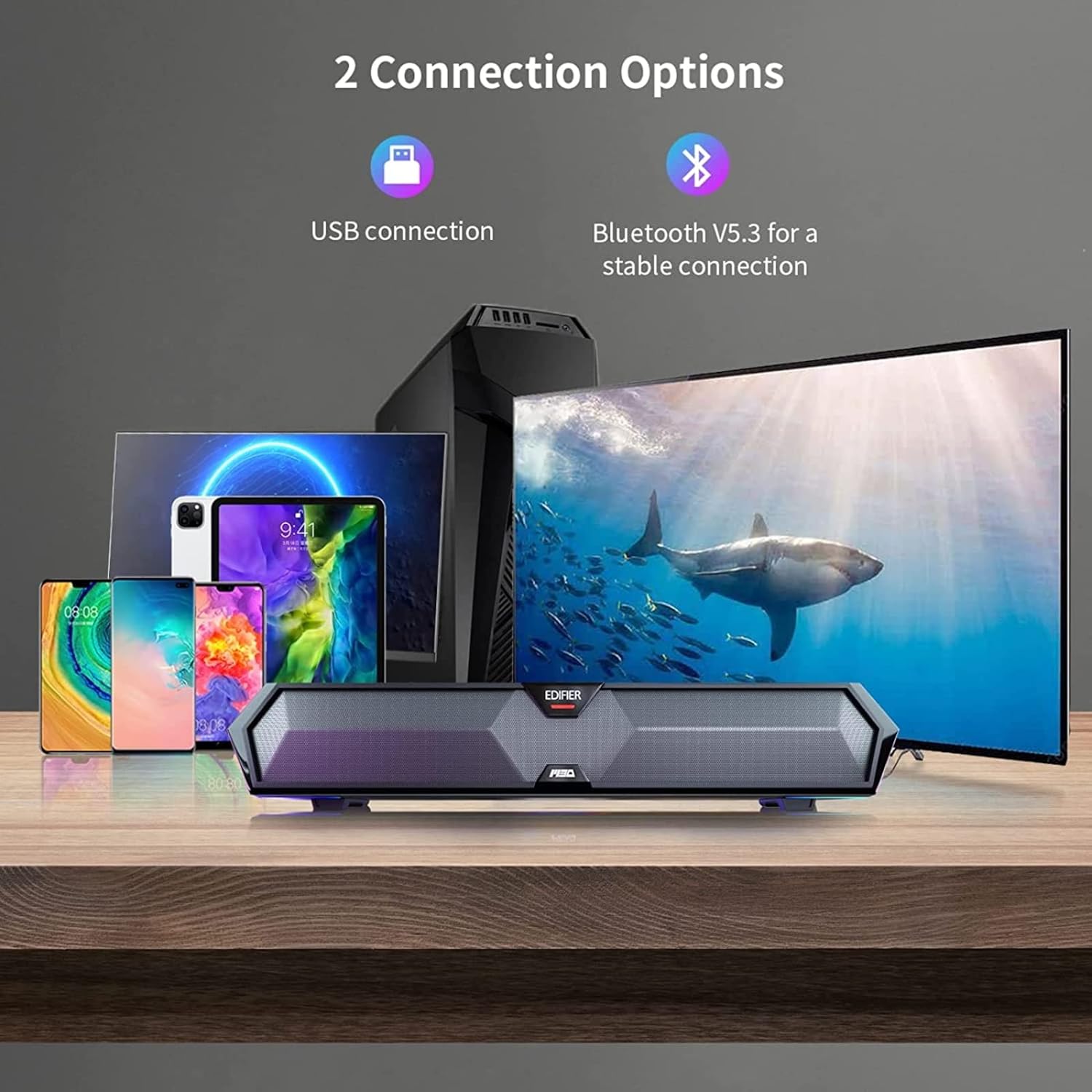
Image: Connection Options
This image illustrates the two main ways to connect the soundbar: via USB to a computer or wirelessly via Bluetooth to mobile devices.
USB Connection (for PC)
- Connect the provided USB-A to USB-C cable to the USB-C port on the back of the soundbar.
- Plug the USB-A end into an available USB port on your computer.
- The soundbar will power on automatically and be recognized as an audio output device by your computer.
Bluetooth Connection (for Mobile Devices)
- Press the Bluetooth button on the top panel of the soundbar to enter Bluetooth pairing mode. The RGB lights will flash to indicate pairing mode.
- Na ekwentị mkpanaaka gị (ama, mbadamba), mee ka Bluetooth rụọ ọrụ ma chọọ ngwaọrụ dị.
- Select "Edifier MG300" from the list of devices to pair.
- Once connected, the RGB lights will stop flashing and remain solid.
Ntuziaka ọrụ
1. Gbanyụọ / gbanyụọ
Pịa ma jide bọtịnụ ike (U) on the top panel to turn the soundbar on or off.
2. Njikwa olu
Use the volume up (+) na mbelata olu (-) buttons on the top panel to adjust the audio level.
3. Njikwa ọkụ RGB
The soundbar features dynamic RGB lighting effects. Press the light control button (O:) on the top panel to cycle through different lighting modes or to turn the lights off.
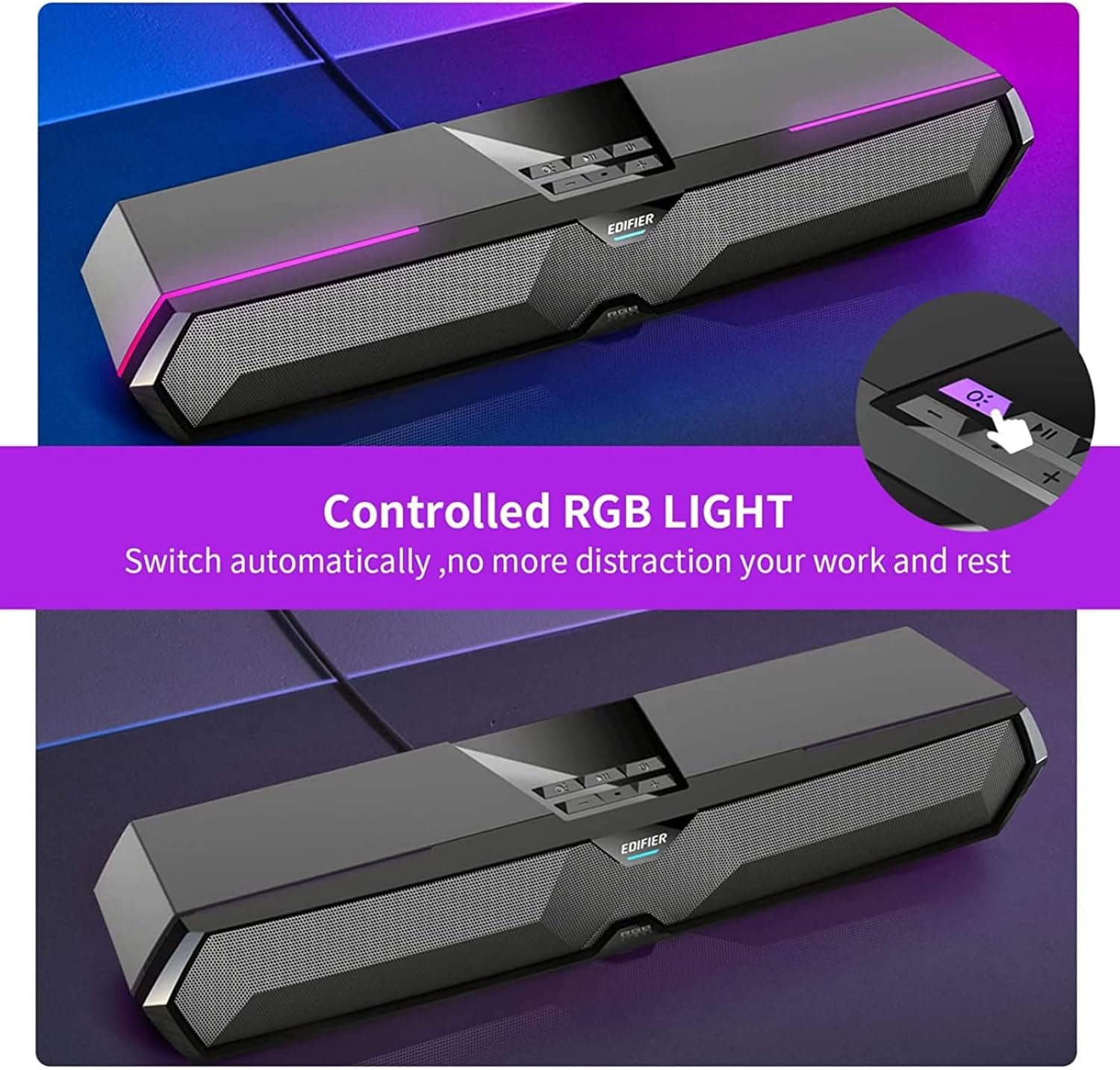
Image: RGB Light Control
This image shows the control panel on the soundbar, indicating the button used to manage the RGB lighting effects.
4. Music and Game Sound Modes
The MG300 offers optimized sound effects for both music and gaming. Press the mode button (often integrated with play/pause or a dedicated button) to switch between these modes. In music mode, vocals are amplified for a richer listening experience. In game mode, environmental details are enhanced for immersive realism.

Image: Game and Music Modes
This image demonstrates the soundbar's adaptability, showing it in use for both gaming and music listening, each with optimized sound profiles.
5. Using the Hidden Microphone
The soundbar features a hidden microphone, cleverly integrated under a silicone protective sleeve on the top panel. This design helps isolate external vibrations, ensuring crystal clear voice calls and communication during gaming or online meetings.

Image: Hidden Microphone in Use
This image depicts the soundbar's hidden microphone being utilized during a gaming session, emphasizing its clarity for in-game communication.
Nlekọta
To ensure the longevity and optimal performance of your Edifier MG300 soundbar, follow these maintenance guidelines:
- Nhicha: Use a soft, dry cloth to wipe the surface of the soundbar. Do not use liquid cleaners or aerosol sprays, as they may damage the finish or internal components.
- Nchekwa: When not in use for extended periods, store the soundbar in a cool, dry place away from direct sunlight and extreme temperatures.
- Zenarị ihe mgbochi: Ensure that the speaker grilles are not obstructed to maintain proper sound dispersion and prevent overheating.
Nchọpụta nsogbu
If you encounter any issues with your Edifier MG300 soundbar, please refer to the following common problems and solutions:
- Enweghị ụda:
- Ensure the soundbar is powered on and connected correctly (USB or Bluetooth).
- Check the volume levels on both the soundbar and your connected device.
- If using USB, verify that the soundbar is selected as the default audio output device in your computer's sound settings.
- If using Bluetooth, ensure the device is paired and within range. - Ogo ụda adịghị mma:
- Ensure the soundbar is placed on a stable surface and not obstructed.
- Try adjusting the volume and switching between music/game modes.
- If connected via Bluetooth, try moving closer to the soundbar to improve signal strength. - Igwe ọkụ RGB anaghị arụ ọrụ:
- Press the light control button (O:) to cycle through modes or turn them on.
- Ensure the soundbar is powered on. - Igwe okwu anaghị arụ ọrụ:
- Ensure the soundbar is connected via USB to your PC.
- Check your computer's sound settings to ensure the soundbar's microphone is selected as the input device.
Nkọwapụta
| Aha Nlereanya | MG300 |
| Ụdị Ọkà Okwu | Multi Room |
| Njirimara Pụrụ Iche | Enwere ike ibugharị |
| Eji akwadoro | Maka kọmpụta |
| Ngwa dakọtara | Computer, Laptop, Smartphone, Tablet |
| Nhazi ọwa ụda gburugburu | 2.0 |
| Ike Mmepụta Nile (RMS) | 2.5W + 2.5W (5 Watts total) |
| Ụdị Bluetooth | V5.3 |
| Nzaghachi ugboro ugboro | 80Hz - 20kHz |
| Akụkụ (W x H x D) | 485mm x 70mm x 80mm (15.67"D x 3.33"W x 2.89"H) |
| Nha ịbụ | 0.9kg (2.6 pound) |
| Ntinye ọdịyo | Bluetooth, USB-A Soundcard |
| Usoro njikwa | Metụ aka |
| Nha ọkwọ ụgbọ ala ọdịyo | 52 millimeters |
Vidiyo ngwaahịa ngwaahịa
Video: Edifier MG300 Overview
Vidiyo a na-enye nkọwa zuru ezuview of the Edifier MG300 soundbar, showcasing its features and design. It highlights the multi-driver PC soundbar and subwoofer, Bluetooth 5.3 connectivity, seamless PC and mobile connection, game sound effects, dynamic RGB lighting, USB connection, hidden mic, and immersive sound capabilities.
Akwụkwọ ikike na nkwado
The Edifier MG300 SoundBar comes with a Limited Warranty. For detailed warranty information or technical support, please refer to the official Edifier websaịtị ma ọ bụ kpọtụrụ ndị ọrụ nlekọta ndị ahịa ha. Atụmatụ nchekwa dịkwa maka mkpuchi ogologo oge.