1. Okwu mmalite
Daalụ maka ịzụrụasing the MUSE M-295 ANC Bluetooth Stereo Headphones. This manual provides detailed instructions for the proper use, setup, and maintenance of your headphones. Please read this manual carefully before use and retain it for future reference.
2. Ozi nchekwa
- Ekwela ka ekweisi gị hụ oke okpomọkụ, iru mmiri, ma ọ bụ ihe ndị na-emebi emebi.
- Zere idobe ma ọ bụ idobe ekweisi na mmetụta siri ike.
- Akwụsịla ma ọ bụ nwaa ịrụkwa ekweisi n'onwe gị. Nke a ga-emebi akwụkwọ ikike.
- Jiri ákwà dị nro ma kpọọ nkụ hichaa ekweisi. Ejila ihe nhicha mmiri.
- Gee ntị n'ogo olu na-agafeghị oke iji gbochie mmebi ntị.
- Debe ebe ụmụaka na-apụghị iru.
3. Ihe ngwugwu
Biko lelee na ihe niile dị na ngwugwu gị:
- MUSE M-295 ANC Bluetooth Stereo Headphones
- Igwe okwu enwere ike iwepu
- USB-C eriri USB
- 3.5mm Audio Cable (for wired use)
- Akpa na-ebu nchekwa
- Akwụkwọ ntuziaka (akwụkwọ a)
4. Ngwaahịa gafereview
Familiarize yourself with the various parts and controls of your MUSE M-295 ANC headphones.
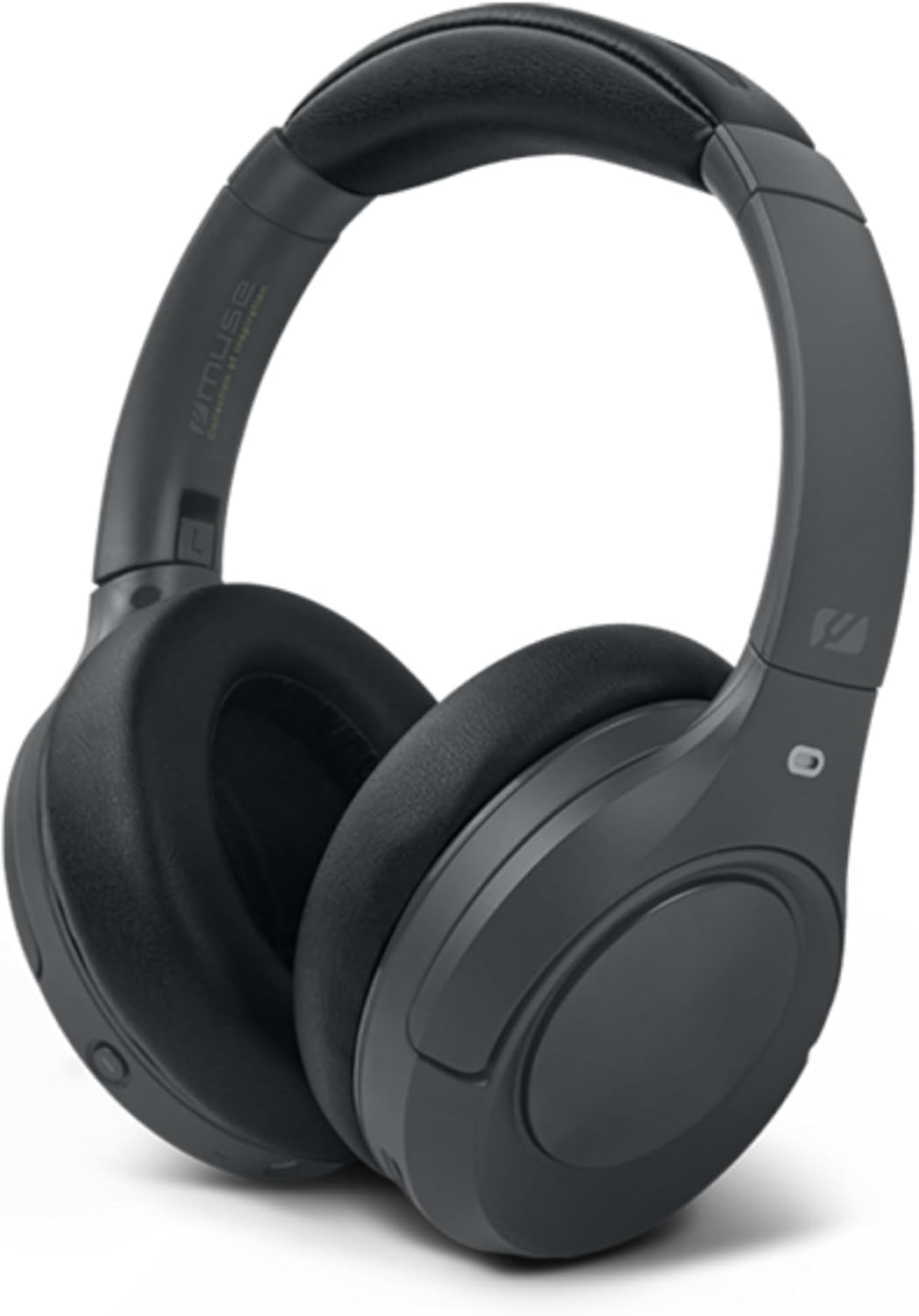
Foto 4.1: N'ihu view of the MUSE M-295 ANC Bluetooth Stereo Headphones.

Nyocha 4.2: N'eluview of headphone features including ANC, hands-free calling, USB-C charging, detachable microphone, up to 60 hours music time, AUX input, and adjustable design.
4.1 Ihe Ndị E Ji Ekwe Ntị Mee
- Ihe mkpuchi isi nwere ike idozi: Maka ihe dabara adaba.
- Earcups: Soft, circum-aural earcups for comfort and passive noise isolation.
- bọtịnụ njikwa: Power, Volume Up/Next Track, Volume Down/Previous Track, Multi-function Button (Play/Pause, Call Answer/End), ANC/Transparent Mode Button.
- Ọdụ USB-C: Maka ịchaji ekweisi.
- Jack Audio: 3.5mm Maka njikọ waya.
- Port igwe okwu: For attaching the detachable boom microphone.
- Ihe ngosi LED: Na-egosi ike, chaja, na ọnọdụ njikọta.
5. Nhazi
5.1 Ịchaji ekweisi
- Connect the supplied USB-C charging cable to the USB-C port on the headphones.
- Jikọọ nsọtụ nke ọzọ nke eriri na ihe nkwụnye ọkụ USB (anaghị etinye ya) ma ọ bụ ọdụ ụgbọ USB nke kọmputa.
- Ihe ngosi LED ga-egosi ọkwa nchaji (dịka ọmụmaatụ, ọbara ọbara maka ịchaji, acha anụnụ anụnụ maka chaja zuru oke).
- A full charge takes approximately 2 hours and provides up to 60 hours of playback.

Figure 5.1: Key features including Bluetooth 5.3, lightweight design (0.26 kg), up to 60 hours of battery life, and fast charging (2 hours).
5.2 Njikọ Bluetooth
- Gbaa mbọ hụ na ebubo ekweisi.
- Press and hold the Power button for 3-5 seconds until the LED indicator flashes blue and red, indicating pairing mode.
- Na ngwaọrụ gị (smartphone, tabletị, kọmpụta), mee ka Bluetooth nwee ike wee chọọ ngwaọrụ dị.
- Select "MUSE M-295 ANC" from the list of devices.
- Once paired, the LED indicator will flash blue slowly or turn solid blue.
5.3 Njikọ wired
To use the headphones without battery power or Bluetooth:
- Connect one end of the 3.5mm audio cable to the audio jack on the headphones.
- Jikọọ nsọtụ nke ọzọ na mmepụta ọdịyo 3.5mm nke ngwaọrụ gị.
- In wired mode, Bluetooth and ANC functions may be unavailable or have limited functionality depending on the headphone's power status.
6. Ntuziaka ọrụ
6.1 Gbanyụọ ma ọ bụ gbanyụọ
- Ike Na: Press and hold the Power button for 3 seconds. The LED will flash blue.
- Gbanyụọ: Press and hold the Power button for 3 seconds. The LED will turn off.
6.2 Nghaghachi egwu
- Gwuo/kwụsịtụ: Pịa bọtịnụ Multi-function otu ugboro.
- Olu elu: Press the 'Volume Up' button.
- Olu ala: Press the 'Volume Down' button.
- Track na-esote: Press and hold the 'Volume Up' button.
- Gara aga Track: Press and hold the 'Volume Down' button.
6.3 Njikwa oku
- Azịza/Kwụsị Oku: Pịa bọtịnụ Multi-function otu ugboro.
- Jụ oku: Pịa ma jide bọtịnụ Multi-function maka sekọnd abụọ.
- Enyemaka Olu: Pịa bọtịnụ Multi-function ugboro abụọ.
6.4 Active Noise Cancellation (ANC) and Transparent Mode
The MUSE M-295 ANC headphones feature 35 dB hybrid noise reduction.

Figure 6.1: The MUSE M-295 ANC headphones actively reducing ambient noise.

Figure 6.2: Features such as the detachable microphone, 60-hour battery life, and acoustic isolation with ANC.
- Mee ka ANC rụọ ọrụ: Press the dedicated ANC button once. The LED indicator will turn green.
- Activate Transparent Mode: Press the ANC button a second time. This mode allows you to hear your surroundings while still enjoying your audio.
- Deactivate ANC/Transparent Mode: Press the ANC button a third time. The green LED will turn off.
6.5 Igwe okwu na-apụ apụ
The headphones come with a detachable boom microphone for enhanced call clarity.
- Attach Microphone: Insert the detachable microphone into the dedicated microphone port on the earcup until it clicks into place.
- Detach Microphone: Gently pull the microphone out of the port.
- When the detachable microphone is connected, it will automatically be used for calls. The integrated dual microphones will be used when the detachable microphone is not connected.
7. Nlekọta
- Nhicha: Jiri akwa dị nro, kpọrọ nkụ, akwa na-enweghị lint hichaa ekweisi. Ejila ihe mkpocha abrasive, mmanya, ma ọ bụ ihe mgbaze kemịkal.
- Nchekwa: When not in use, store the headphones in the provided protective carrying case to prevent damage. Avoid storing in direct sunlight or extreme temperatures.
- Nlekọta batrị: Iji mee ka batrị dị ogologo, zere iwepụ ekweisi gị kpamkpam mgbe niile. Chaji ha mgbe niile, ọbụlagodi na ejibeghị ha ruo ogologo oge.
8. Nchọpụta nsogbu
| Nsogbu | Ihe nwere ike ime | Ngwọta |
|---|---|---|
| Igwe ekweisi anaghị agba ọkụ. | Batrị dị ala. | Chajie ekweisi ahụ site na iji eriri USB-C. |
| Enweghị ike ijikọ site na Bluetooth. | Headphones not in pairing mode; Bluetooth disabled on device; device too far. | Ensure headphones are in pairing mode (flashing blue/red LED). Enable Bluetooth on your device. Move device closer to headphones. |
| Enweghị ụda. | Olu dị oke ala; ekweisi anaghị ejikọ; isi iyi ọdịyo na-ezighi ezi. | Increase volume on headphones and device. Re-pair Bluetooth or check wired connection. Ensure correct audio output is selected on your device. |
| ANC anaghị arụ ọrụ nke ọma. | ANC anaghị arụ ọrụ; adabaghị adaba. | Press the ANC button to activate (green LED). Adjust headphones for a snug fit over your ears. |
| Igwe okwu anaghị arụ ọrụ. | Detachable microphone not properly connected; device microphone settings. | Ensure the detachable microphone is fully inserted. Check your device's audio input settings to confirm the headphone microphone is selected. |
9. Nkọwapụta
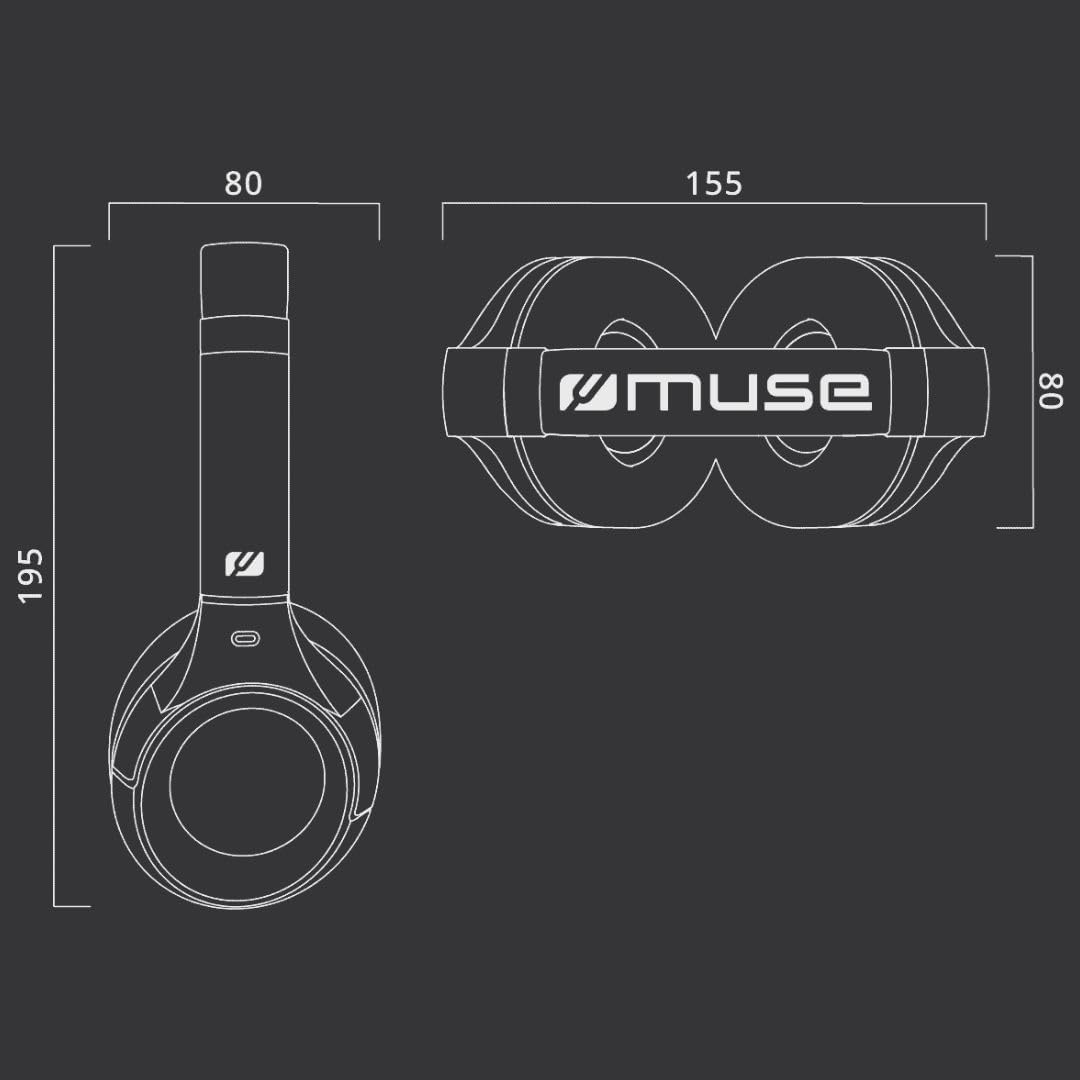
Figure 9.1: Dimensions of the MUSE M-295 ANC headphones (in mm).
- Akara: MUSE
- Aha nlereanya: M-295 ANC
- Teknụzụ Njikọta: Wireless (Bluetooth), Wired (3.5mm AUX)
- Teknụzụ nzikọrịta ozi ikuku: Bluetooth 5.3
- Nkagbu mkpọtụ mkpọtụ (ANC): 35 dB Hybrid Noise Reduction
- Igwe okwu: Dual integrated, Detachable boom microphone
- Ndụ batrị: Up to 60 hours (music time)
- Oge nchaji: Ihe dị ka awa 2
- Mgbochi: 32 ohm
- Arọ: 260 grams
- Ihe kpatara ụdị: Ntị karịrị (Over-Auricular)
- Atụmatụ pụrụ iche: Noise Cancellation, Rechargeable Battery, Transparent Mode
- Ngwa dakọtara: Phones, Desktop Computers
- Ngwa gụnyere: User Manual, Protective Case, USB-C Charging Cable, 3.5mm Audio Cable, Detachable Microphone
10. Akwụkwọ ikike na nkwado
MUSE products are designed and manufactured to the highest quality standards. For detailed warranty information, please refer to the warranty card included with your purchase or visit the official MUSE website. For technical support or customer service inquiries, please contact your retailer or the manufacturer directly.


