Okwu mmalite
This manual provides detailed instructions for the use and maintenance of your Loluka Invisible Earbuds. These earbuds are designed for discreet and comfortable listening, featuring advanced audio technology and seamless connectivity.
Ihe ngwugwu
- Wireless Bluetooth Invisible Earphones (1 pair)
- Nchaji Okwu (1)
- Akwụkwọ ntuziaka onye ọrụ (1)
Atụmatụ igodo
- Immersive Sound Quality: Crystal-clear sound with advanced audio technology.
- Njikọta enweghị nkebi: Bluetooth 5.3 for quick and hassle-free device pairing.
- Invisible Design: Small, mini, and discreet in-ear fit.
- Dị fechaa ma dị mma: Ultra-small and lightweight construction for extended wear.
- Ogologo ndụ batrị: Up to 4 hours of playback time on a single charge.
- Nhazi Na-eguzogide Mmiri: Suitable for various activities, including sports and exercise.
- Igwe okwu agbakwunyere: For clear call quality.
- Universal Phone Controls: Manage audio and calls directly from the earbuds.
Ngwaahịa gafereview
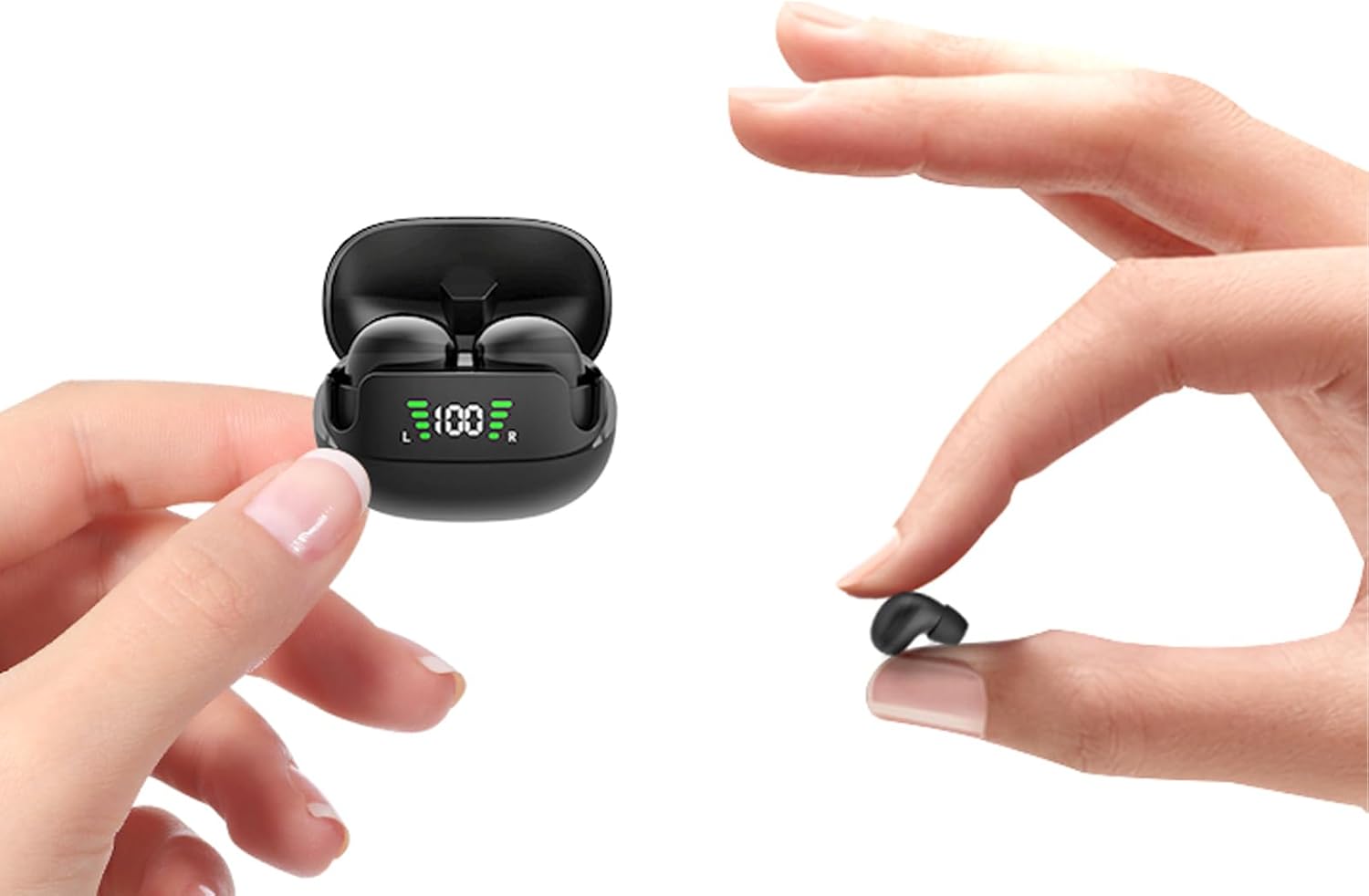
Figure 1: Loluka Invisible Earbuds and Charging Case. The image shows the compact charging case with earbuds inside, and one earbud being held between two fingers, highlighting its small size.

Figure 2: Invisible Design. This image displays two women, one wearing the earbuds, demonstrating how discreetly they fit in the ear, making them barely noticeable.

Figure 3: Small & Light Design. An illustration comparing the earbud's weight (approximately 2.3g) to a 1 Euro coin (approximately 6.1g), and its size to a peanut, emphasizing its ultra-lightweight and compact nature.

Figure 4: Designed for Small Ears. A woman is shown wearing the earbuds while working at a desk, illustrating their comfortable and perfect fit for smaller ear canals without a foreign body sensation.
Melite
Mmakọ izizi
- Gbaa mbọ hụ na ebubo na ekwe ntị.
- Mepee igbe nchaji. Igwe ntị ga-agbanye na-akpaghị aka wee banye ọnọdụ njikọta.
- Na ngwaọrụ gị (ama, mbadamba, wdg), gaa na ntọala Bluetooth.
- Chọọ maka "MINI" in the list of available devices.
- Select "MINI" to connect. Once connected, a confirmation sound may be heard, and the earbuds will be ready for use.

Figure 5: One Step Fast Pairing. This diagram illustrates the simple pairing process: closing the case to auto-logout/turn off, opening and taking out earbuds for automatic power on and pairing, and the phone's Bluetooth settings showing "MINI" as a discoverable device.
Official Product Video: Loluka Mini13T Invisible Wireless Earbuds
Video 1: This official product video provides a visual guide to the features and setup of the Loluka Mini13T Invisible Wireless Earbuds, including their compact design, sound quality, and connectivity.
Ntuziaka ọrụ
Njikwa mmetụ
The Loluka Invisible Earbuds feature touch controls for easy management of audio playback and calls. Specific touch gestures for various functions are detailed below:
- Gwuo/kwụsịtụ: Otu mgbata na ntị ntị.
- Track na-esote: Pịa bọtịnụ ntị aka nri ugboro abụọ.
- Gara aga Track: Kpatụ ntị ugboro abụọ n'akụkụ aka ekpe.
- Azịza/Kwụsị Oku: Naanị otu ọpịpị na ntị ntị n'oge oku mbata.
- Jụ oku: Pịa ma jide otu ntị ntị maka sekọnd 2 n'oge oku mbata.
- Mee ka onye enyemaka olu rụọ ọrụ: Pịa ugboro atọ na ntị ntị.
- Njikwa olu: (Specific gesture not detailed in provided data, typically press and hold or multiple taps on specific earbud) - Refer to the quick start guide included in your package for precise volume control gestures.
Ịchaji ihe ntị na akpa
To charge the earbuds, place them back into their charging case. The case will automatically begin charging the earbuds. To charge the charging case:
- Connect the charging case to a power source using a compatible USB cable (not included, as per "Included Components: No" in specifications, but typically comes with charging cases).
- The LED display on the charging case will indicate the charging status.
- A full charge for the earbuds takes approximately 3-4 hours. The charging case provides up to 24 hours of additional playtime.
- The charging case supports fast charging, achieving a full charge in approximately 1 hour.
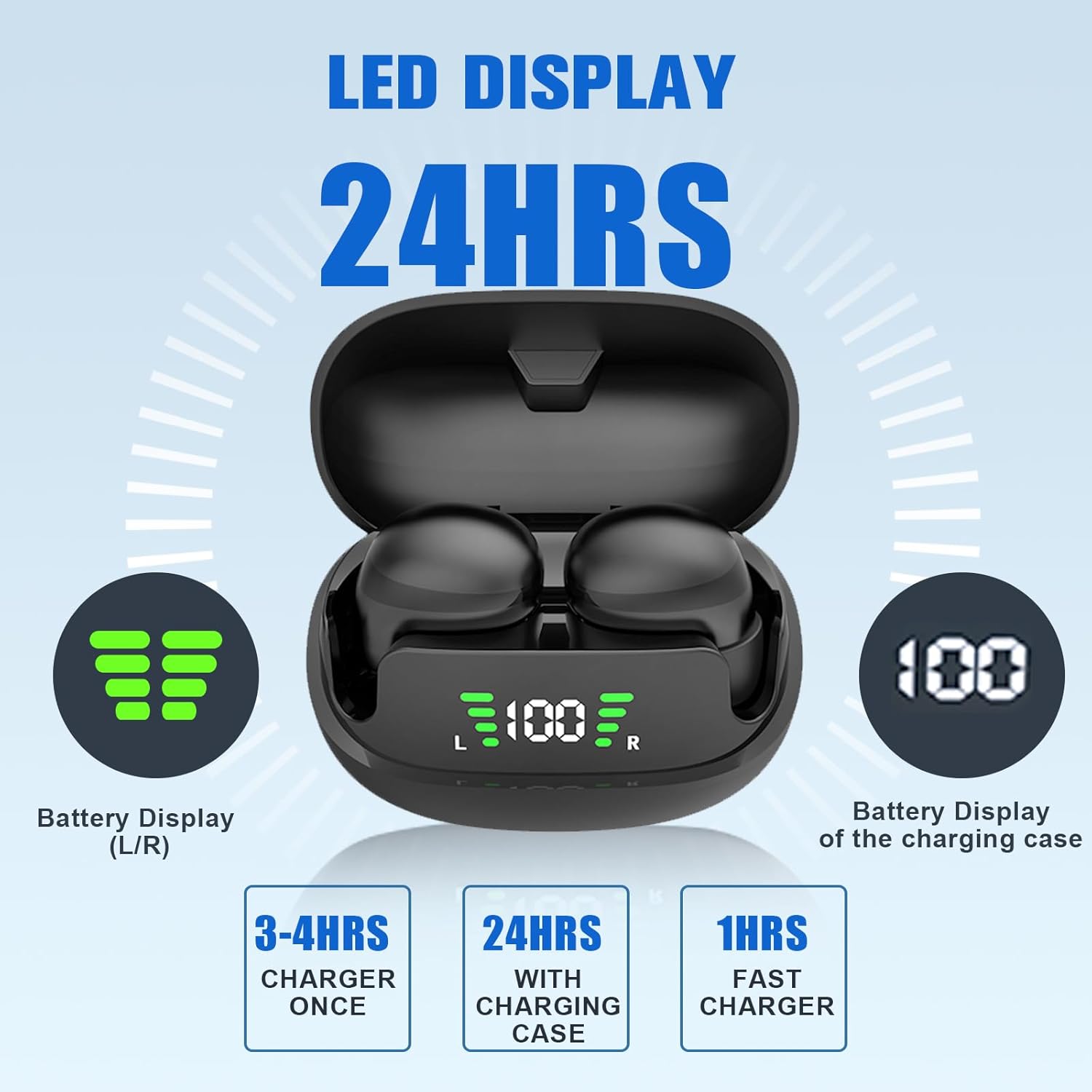
Figure 6: LED Display and Battery Information. The image shows the charging case with an LED display indicating the battery levels of both the left (L) and right (R) earbuds, as well as the charging case's battery percentage. It also highlights charging times: 3-4 hours for earbuds, 24 hours total with case, and 1 hour for fast charging the case.
Nlekọta
Nhicha
Regular cleaning helps maintain optimal sound quality and hygiene. Use a soft, dry, lint-free cloth to wipe the earbuds and charging case. Do not use abrasive cleaners or immerse the devices in water.
Nchekwa
Mgbe ejighị ya, chekwaa earbuds n'ime akpa nchaji ha iji chebe ha wee hụ na a na-ana ha ebubo. Chekwaa n'ebe dị jụụ, kpọrọ nkụ na-adịghị na oke okpomọkụ na ìhè anyanwụ.
Nchọpụta nsogbu
| Nsogbu | Ihe nwere ike ime | Ngwọta |
|---|---|---|
| Igwe ntị anaghị ejikọta ọnụ. | Earbuds not in pairing mode, Bluetooth off on device, out of range. | Ensure earbuds are in pairing mode (open case, take out earbuds). Turn Bluetooth on/off on your device. Move closer to your device. |
| Enweghị ụda sitere na ekweisi. | Volume too low, not connected, media paused. | Increase device volume. Check Bluetooth connection. Ensure media is playing. |
| Igwe ntị anaghị akwụ ụgwọ. | Improper placement in case, dirty charging contacts, faulty cable/power source. | Ensure earbuds are correctly seated in the case. Clean charging contacts. Try a different USB cable or power source. |
| Ogo ụda adịghị mma. | Low battery, interference, earbud fit. | Charge earbuds. Move away from sources of interference. Adjust earbud position for a better seal. |
Nkọwapụta
| Aha nlereanya: | XIINABK1 |
| Teknụzụ Njikọta: | Ikuku (Bluetooth 5.3) |
| Ogologo Bluetooth: | Up to 10 meters (1E+1 Meters) |
| Ndụ batrị (Earbuds): | 4 Hours (playback time) |
| Charging Case Playtime: | Ruo elekere 24 (ya na igbe nchaji) |
| Ụdị njikwa: | Touch, Volume Control |
| Ọkwa Nguzogide mmiri: | Waterproof |
| Ibu ihe: | 0.77 ounces |
| Akụkụ ngwaahịa: | 3.3 x 3.3 x 2 sentimita asatọ |
| Ihe: | Plastic |
| Agba: | Nwa |
| Ntinye ntị: | Na Ntị |
| Njikwa mkpọtụ: | Ọ dịghị |
Akwụkwọ ikike na nkwado
For warranty information and customer support, please refer to the contact details provided in the packaging or visit the official Loluka websaịtị. Debe akwụkwọ nnata ịzụrụ maka akwụkwọ ikike.


