1. Okwu mmalite
Daalụ maka ịzụrụasing the VTech XS1050 Cordless Phone. This manual provides essential information for setting up, operating, and maintaining your new phone. Please read it thoroughly to ensure proper use and to take full advantage nke atụmatụ ya.

Figure 1: VTech XS1050 Cordless Phone and Base Unit
This image shows the VTech XS1050 cordless phone handset resting in its white base unit. The handset features a digital display and a numeric keypad. The base unit also has controls for the answering machine.
2. Nhazi
Ihe ngwugwu 2.1
Tupu ịmalite, hụ na ihe niile dị na ya:
- VTech XS1050 Handset
- VTech XS1050 Base Unit
- Ihe nkwụnye ike maka nkeji isi
- Ụdọ ekwentị
- 2 x Product-Specific Batteries (included)
- Akwụkwọ ntuziaka (akwụkwọ a)
2.2 Ntinye batrị
- Mepee mkpuchi nchekwa batrị n'azụ ekwentị.
- Insert the two supplied batteries, observing the correct polarity (+ and -).
- Mechie mkpuchi nke batrị batrị nke ọma.
2.3 Ijikọ Isi Ihe
- Connect the power adapter to the base unit and plug it into a wall outlet.
- Connect one end of the telephone line cord to the base unit and the other end to your telephone wall jack.
2.4 Ụgwọ mbụ
Place the handset on the base unit. The battery indicator on the handset display will show charging. Allow the handset to charge for at least 16 hours before initial use to ensure optimal battery performance.
3. Ntuziaka ọrụ
3.1 Ịkpọ na ịnata oku
- Ịkpọ oku: Bulite ekwentị, pịa nọmba ma pịa ya Kpọọ bọtịnụ.
- Ịnata oku: Mgbe ekwentị na-ada, pịa Kpọọ bọtịnụ.
- Ịkwụsị oku: Pịa Kwụsị oku bọtịnụ ma ọ bụ tinye ekwentị ahụ azụ na ngalaba ntọala.
3.2 Using the Answering Machine
The VTech XS1050 features a digital answering machine with up to 30 minutes of recording time.
- Ozi egwu: Pịa Gwuo bọtịnụ dị na isi ihe.
- Recording a Greeting: Refer to the detailed instructions in the full manual for custom greeting setup.
3.3 Hands-Free Speakerphone
Iji mee ka ekweisi ekwentị na-enweghị aka rụọ ọrụ n'oge oku, pịa bọtịnụ Igwe okwu button on the handset. Press it again to switch back to handset mode.

Figure 2: Hands-Free Speakerphone Function
This image shows a person in a kitchen setting, using the VTech XS1050 handset on speakerphone mode while performing other tasks, indicating the convenience of the hands-free function.
3.4 Mgbanwe olu
Mgbe a na-akpọ oku, jiri ya Elu elu na Mpịakọta ọnụ buttons on the side of the handset to adjust the earpiece volume. The base unit also has volume controls for the speakerphone and answering machine playback.
3.5 Phonebook and Speed Dial
- Akwụkwọ ekwentị: Store up to 100 names and numbers. Access and manage entries via the handset menu.
- Ọkpọ oku Ọsọ: Assign frequently called numbers to 8 dedicated speed dial keys for quick access.
3.6 NJ na Akụkọ Oku nke Onye Na-akpọ oku
The phone displays caller information (if available from your service provider) and stores a history of the last 20 incoming calls.

Figure 3: Caller ID and Call History Display
This image illustrates the handset's display showing multiple entries in the call history, including caller names and numbers, demonstrating the caller ID and call waiting features.
3.7 Conference Function
The intercom/hands-free function allows multiple users to participate in a conversation simultaneously, facilitating three-way conference calls.

Figure 4: Three-Way Conference Call
This image depicts three individuals engaged in separate phone conversations, symbolizing the three-way conference call capability of the VTech XS1050.
3.8 Alarm and Mute Function
The handset includes an alarm function for reminders and a mute function to temporarily silence your microphone during a call.

Figure 5: Alarm and Mute Function Icons
This image shows the VTech XS1050 handset on a table, with graphic overlays of an alarm clock and a muted speaker icon, illustrating the alarm and mute functionalities.
4. Atụmatụ igodo
4.1 Mpịakọta Ampna -emegharị ihe
The VTech XS1050 features an integrated volume amplifier that boosts incoming sound and voice for enhanced clarity and volume. This feature is particularly beneficial for users with hearing impairments or those who prefer a louder audio experience.

Figure 6: Volume Amplifier in Action
This image visually represents the volume amplification feature, showing sound waves emanating from the handset and an ear icon with a plus sign, indicating increased audio output for clearer conversations.
4.2 Igwe Azịza Dijitalụ
Record and store incoming calls when you are unavailable. The digital answering machine offers a maximum storage duration of 30 minutes, ensuring you don't miss important messages.
4.3 Backlit Screen and Keypad
The handset features a backlit screen and keypad, providing improved visibility in low-light conditions and enhancing ease of use.

Figure 7: Backlit Screen and Keypad
This image highlights the illuminated display and keys of the VTech XS1050 handset, demonstrating its backlit feature for better visibility in dim environments.
4.4 Ogologo ndụ batrị
Enjoy extended conversations with up to 18 hours of talk time on a single charge, ensuring your phone is ready when you need it.

Figure 8: Up to 18 Hours Battery Life
This image features a woman talking on the VTech XS1050 handset, with a graphic overlay indicating '18 hours' talk time, emphasizing the product's long battery endurance.
4.5 Adjustable Ringtone Volume and Melodies
Customize your phone experience by adjusting the ringtone volume and choosing from various melodies to suit your preference.

Figure 9: Adjustable Ringtone Settings
This image shows the VTech XS1050 handset with graphic icons representing a bell (ringtone) and musical notes, indicating the ability to adjust ringtone volume and select melodies.
4.6 Multilingual Help Messages
The phone supports multilingual help messages, providing assistance in various languages for user convenience.
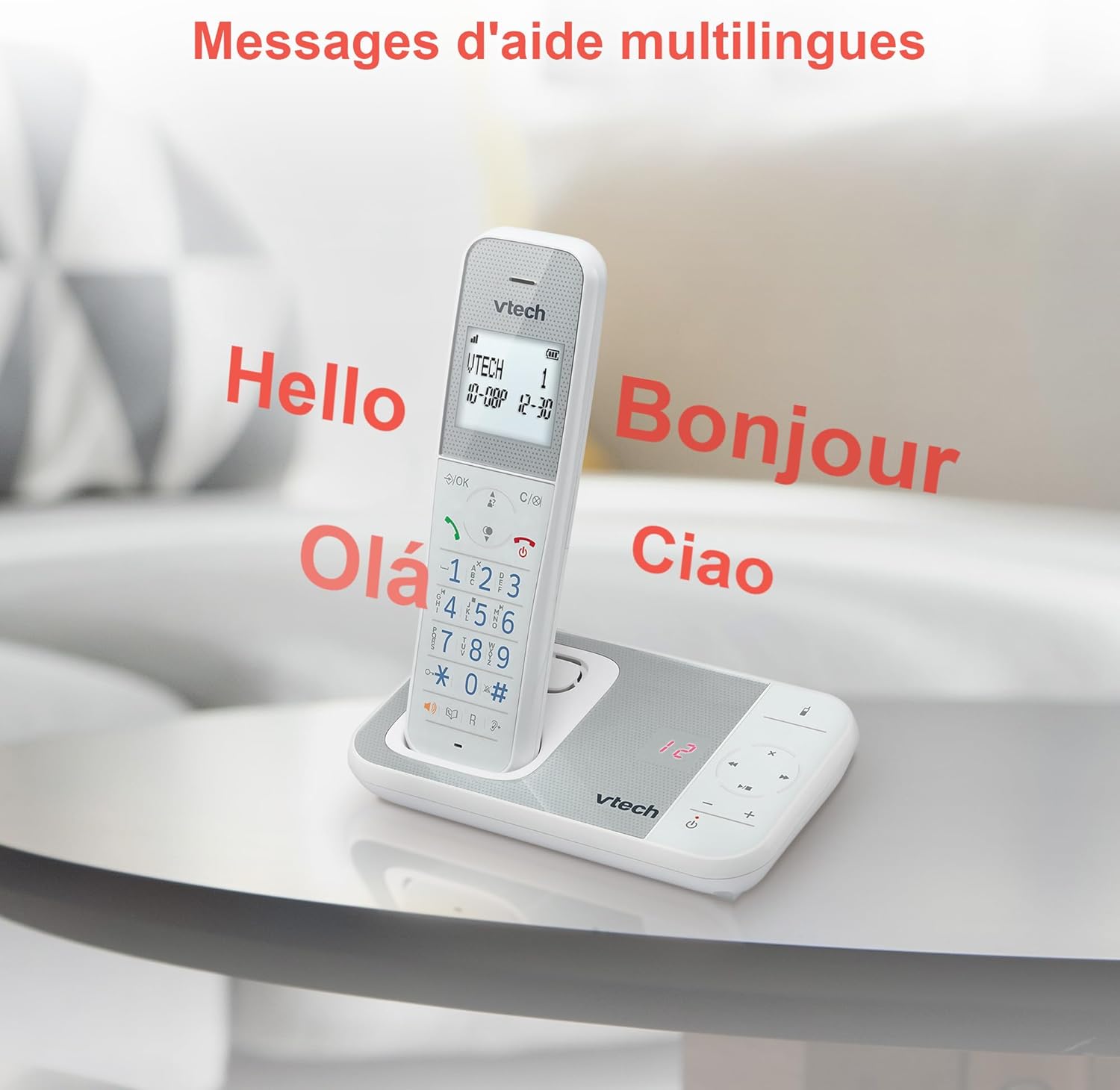
Figure 10: Multilingual Help Messages
This image displays the VTech XS1050 handset with various greetings like 'Hello', 'Bonjour', 'Olá', and 'Ciao' floating around it, illustrating the multilingual support feature.
5. Nlekọta
5.1 Nhicha
Jiri nwayọ hichaa ekwentị na nkeji ntọala, damp akwa . Ejila ihe nchacha abrasive ma ọ bụ ihe mgbaze. Gbaa mbọ hụ na ọ nweghị mmiri mmiri na-abanye na oghere ekwentị.
5.2 Nlekọta batrị
- Always use the supplied batteries.
- Ọ bụrụ na agaghị eji ekwentị ahụ ogologo oge, wepụ batrị ahụ ka ọ ghara ịpụpụ.
- Tụfuo batrị ochie nke ọma dịka iwu obodo siri dị.
6. Nchọpụta nsogbu
If you experience issues with your VTech XS1050, please refer to the following common problems and solutions:
| Nsogbu | Ihe nwere ike ime | Ngwọta |
|---|---|---|
| Enweghị ụda ọkpụkpọ | Ejikọtaghị eriri ahịrị ekwentị nke ọma. | Hụ na e tinyere eriri ekwentị ahụ n'ime ihe dị n'okpuru ya na ihe mkpuchi mgbidi ahụ nke ọma. |
| Ekwentị anaghị agbanye | Batteries are not charged or incorrectly installed. | Check battery polarity and ensure the handset is properly seated on the base unit for charging. Verify power adapter connection. |
| Ogo ụda adịghị mma | Ntinye aka sitere na ngwaọrụ eletrọnịkị ndị ọzọ. | Move the base unit or handset away from other electronic devices such as TVs, computers, or microwaves. |
| Igwe azịza anaghị edekọ | Memory full or answering machine is off. | Delete old messages to free up space. Ensure the answering machine function is activated. |
7. Nkọwapụta
| Njirimara | Nkọwa |
|---|---|
| Ụdị | VTech |
| Nlereanya | XS1050 |
| Agba | Ọcha |
| Ụdị ekwentị | Cordless (DECT) |
| Ọnụọgụ nke batrị | 2 (Product Specific - Included) |
| Ihe onwunwe | Plastic |
| Isi Iyi Ike | Akwanyere batrị |
| Ụdị ọkpụkpọ | Otu ahụ igodo |
| Akụkụ ihe (L x W x H) | 18.5 x 15.1 x 6.6 centimita |
| Ụdị Sistemu na-aza | Dijitalụ |
| Ibu Ibu | 400 grams |
| Ike Igwe aza | Ruo nkeji iri abụọ |
| Ikike akwụkwọ ekwentị | 100 aha na nọmba |
| Oku akụkọ | Ndenye 20 |
| Oge Okwu | Ruo awa iri abụọ |
8. Akwụkwọ ikike & Nkwado
8.1 Ozi akwụkwọ ikike
For detailed warranty information, please refer to the warranty card included with your product or visit the official VTech websaịtị. Debe nnata nzụta gị ka ihe akaebe nke ịzụrụ.
8.2 Nkwado ndị ahịa
If you require further assistance or have questions not covered in this manual, please contact VTech customer support. Contact details can typically be found on the VTech websaịtị ma ọ bụ na nkwakọ ngwaahịa.


