1. Okwu mmalite
The VTech VG131-11 DECT 6.0 Cordless Phone offers reliable and clear communication with advanced features. Enjoy hands-free conversations with Bluetooth connectivity, superior range with DECT 6.0 technology, and enhanced visibility with its backlit display and large buttons. This manual provides comprehensive instructions for setting up, operating, and maintaining your new cordless phone.

Image: The VTech VG131-11 DECT 6.0 Cordless Phone handset resting in its black base unit. The handset features a blue-white display and large, green-backlit buttons.
2. Kedu ihe dị na Igbe ahụ
Gbaa mbọ hụ na ihe niile dị na ngwugwu gị:
- Ngalaba ntọala
- Ekwentị enweghị eriri
- Ihe nkwụnye AC
- Ngwungwu batrị
- Ụdọ ekwentị
3. Nhazi
3.1. Ntinye mbụ
- Connect the AC adapter to the base unit and plug it into a power outlet.
- Jikọọ eriri ekwentị ahụ na ntọala ya wee tinye nsọtụ nke ọzọ n'ime ihe mkpuchi mgbidi ekwentị.
3.2. Ntinye batrị
- Mepee mkpuchi nchekwa batrị n'azụ ekwentị.
- Connect the battery pack plug securely into the jack inside the compartment.
- Place the battery pack with the label UP and tuck the wires neatly inside the compartment.
- Mechie mkpuchi oghere batrị.
3.3. Ịchaji ekwentị
Place the handset face forward in the base unit. The CHARGE light on the base unit will illuminate, indicating proper charging. Allow the handset to charge for at least 16 hours before initial use for optimal battery performance.
4. Ntuziaka ọrụ
4.1. Ịkpọ na ịnata oku
- To make a call: Press KWURU, wee pịa nọmba ekwentị ahụ.
- To receive a call: Press KWURU or any dialing key (0-9, #, *).
- Ka ịkwụsị oku: Pịa Gbanyụọ.
4.2. Iji Igwe Okwu
The phone features a full-duplex speakerphone, allowing both parties to speak and be heard simultaneously for more natural conversations.
- Mgbe oku na-aga, pịa Ọkà okwu bọtịnụ iji mee ka ekweisi rụọ ọrụ.
- Pịa Ọkà okwu button again to switch back to handset mode.
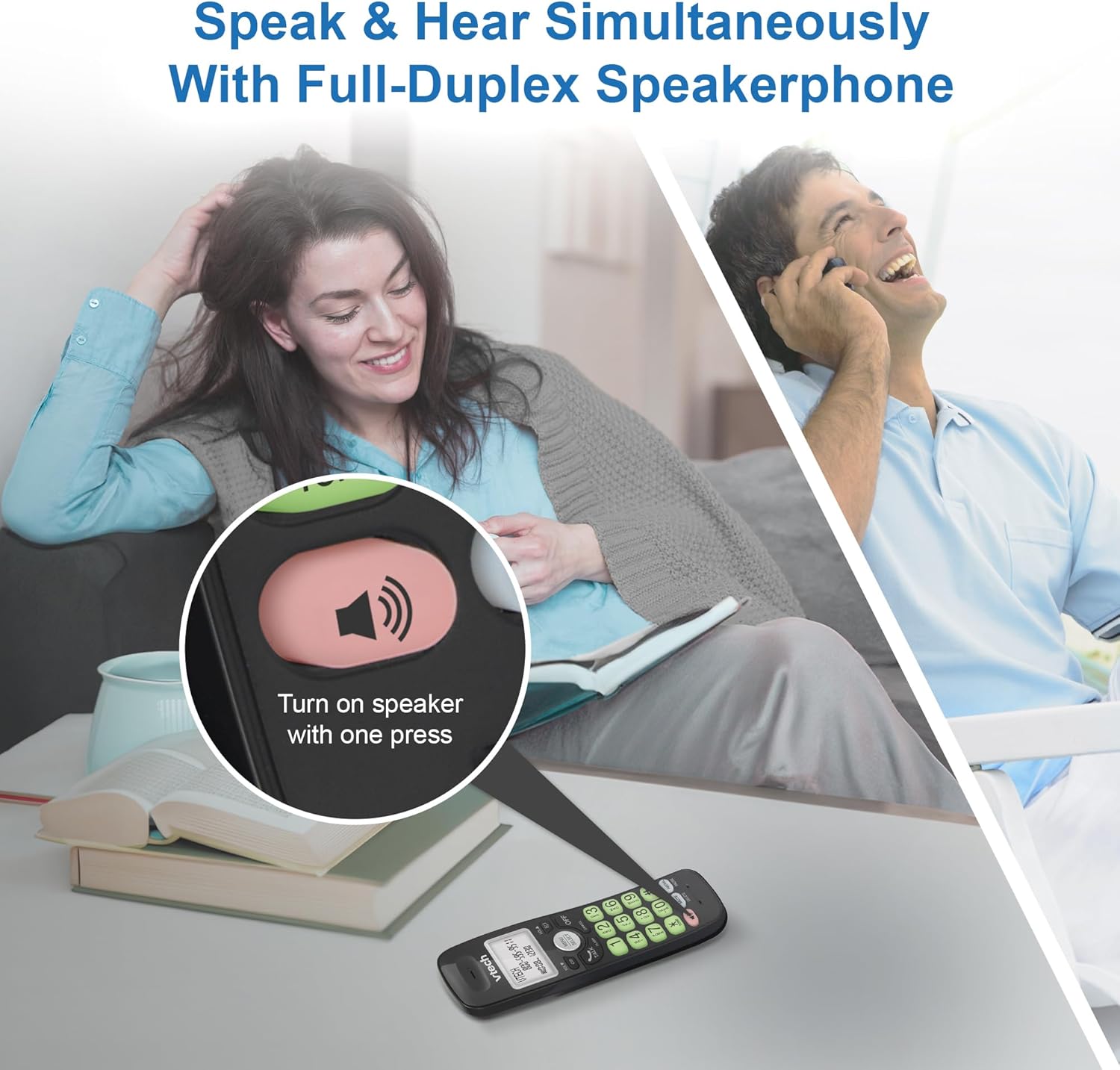
Image: A close-up of the VTech cordless phone handset showing the speakerphone button highlighted, with a person talking on the phone in the background, demonstrating the full-duplex speakerphone feature.
4.3. Volume Control and Mute
- To adjust earpiece or speakerphone volume during a call, press Vol ▼ or Vol ▲.
- To mute the microphone during a call, press MUTU. The other party cannot hear you, but you can still hear them. Press MUTU ọzọ ka ịkpọpu ụda.

Foto: nkọwa zuru ezu view of the VTech cordless phone handset, highlighting the 'MUTE' button, indicating its function for silencing the microphone during a call.
4.4. Caller ID and Phonebook
The handset displays the name, number, time, and date of incoming calls. The phone also includes a 30-name and number phonebook directory.
- Maka review Caller ID history, press CID.
- To access the phonebook, press NHỌRỌ/HỤRỤ, then navigate to the Phonebook option.

Image: A person smiling while holding the VTech cordless phone, with an overlay showing a digital phonebook display with contact names and icons, illustrating the Caller ID and phonebook features.
5. Atụmatụ
5.1. Njikọ Bluetooth
By pairing a Bluetooth headset, earbuds, or conference speakerphone to the system, you can enjoy a wireless calling experience. This feature is perfect for multitasking around your home or office.

Image: A woman in a kitchen pouring a drink while wearing wireless earbuds, with the VTech cordless phone and its base unit visible on the counter, demonstrating hands-free calling via Bluetooth connection.
Ijikọ ngwaọrụ Bluetooth:
- Ensure your Bluetooth headset/earbuds are in pairing mode (refer to your device's manual).
- On the VTech phone, navigate to the Bluetooth menu (usually via NHỌRỌ/HỤRỤ).
- Select 'Pair Device' or similar option.
- The phone will search for available Bluetooth devices. Select your device from the list.
- Soro mkpali na ihuenyo ọ bụla iji mezue usoro njikọta.
5.2. Teknụzụ DECT 6.0
Trusted by families worldwide for decades, VTech's cordless telephone transmits secure signals via the DECT 6.0 channel. This ensures crystal clear sounds, interference-free communication, and a stable operation range of up to 1000 ft outdoors, allowing you to move freely while on a call.

Image: A woman working on a laptop at a table, with the VTech cordless phone and its base unit nearby, and a graphic indicating DECT 6.0 digital technology, highlighting its superior range and clarity.
5.3. Backlit Display and Big Buttons
The phone features a blue-white backlit display and green backlit keypad for easier viewing and dialing in dim light conditions. The large buttons enhance usability, especially for those with visual impairments.

Foto: A nso nso view of the VTech cordless phone handset, emphasizing its backlit LCD screen and large, clearly visible buttons, designed for better visibility and ease of use.
5.4. Easy Wall Mount
The base unit is designed for easy wall mounting, fitting all standard wall mount plates without the need for additional brackets. Simply slide the base unit into the mounting plate using the built-in mounting holes for convenient placement.

Image: The VTech cordless phone base unit shown mounted on a wall, highlighting its built-in mounting holes on the back of the base for easy installation.
5.5. Hearing Aid Compatible
This phone is designed to be compatible with hearing aids, providing a clearer audio experience for users with hearing devices.

Image: A woman with a hearing aid talking on the VTech cordless phone, illustrating the phone's hearing aid compatibility feature.
5.6. Ngwaahịa gafereview Vidiyo
Vidiyo: ngwaahịa dị nkenke agwụlaview of the VTech VG131-11 DECT 6.0 Cordless Phone, showcasing its key features and ease of use.
6. Nlekọta
To ensure the longevity and optimal performance of your VTech cordless phone, follow these maintenance guidelines:
- Nhicha: Jiri nwayọ hichaa ekwentị na nkeji ntọala, damp cloth. Do not use cleaning sprays or harsh chemicals.
- Nlekọta batrị: Avoid exposing the battery to extreme temperatures. If the phone will not be used for an extended period, remove the battery from the handset.
- Nkwanye: Keep the phone away from heat sources, direct sunlight, and moisture.
7. Nchọpụta nsogbu
If you experience any issues with your VTech cordless phone, please refer to the following common problems and solutions:
| Nsogbu | Ngwọta |
|---|---|
| Enweghị ụda ọkpụkpọ. | Ensure the telephone line cord is securely plugged into both the base unit and the wall jack. Check if the AC adapter is properly connected to the base unit and a working power outlet. |
| Ekwentị anaghị akwụ ụgwọ. | Make sure the handset is correctly placed in the base unit. Clean the charging contacts on both the handset and the base unit with a dry cloth. Verify the AC adapter is plugged in. |
| Ogo ụda adịghị mma ma ọ bụ kwụ ọtọ. | Move closer to the base unit. Other electronic devices (Wi-Fi routers, microwaves) may cause interference; try relocating the base unit. Ensure the handset battery is fully charged. |
| Cannot connect to Bluetooth headset. | Ensure both the phone and the Bluetooth headset are in pairing mode. Make sure the headset is within range of the phone's base unit. Try restarting both devices and attempting the pairing process again. Confirm the headset is compatible with the phone's Bluetooth version. |
| Ngosipụta bụ oghere ma ọ bụ enweghị ọgụgụ. | Ensure the handset battery is charged. If the display is dim, check if the backlight setting is enabled or adjust the contrast if available. |
8. Nkọwapụta
| Njirimara | Nkọwa |
|---|---|
| Nọmba nlereanya | VG131-11 |
| Akụkụ ngwaahịa | 3.8 x 4.09 x 7.17 sentimita asatọ |
| Ibu Ibu | 14.9 ounces (0.42 Kilogram) |
| Batrị | 1 Batrị akọwapụtara (gụnyere) |
| Ụdị ekwentị | Enweghị eriri |
| Ihe onwunwe | Plastic |
| Isi Iyi Ike | Igwe ọkụ eletrik |
| Teknụzụ DECT | DECT 6.0 |
| Bluetooth | Ee |
| Caller ID / Call Waiting | Ee |
| Full-Duplex Speakerphone | Ee |
| Backlit Display & Keypad | Yes (Blue-white display, green keypad) |
| Mgbidi mgbidi | Ee |
| Ikike akwụkwọ ekwentị | 30 aha na nọmba |
| Oke | Up to 1000 ft outdoor |
9. Akwụkwọ ikike na nkwado
For warranty information, technical support, or to purchase accessories, please visit the official VTech websaịtị ma ọ bụ kpọtụrụ ngalaba ọrụ ndị ahịa ha. Debe nnata nzụta gị dị ka ihe akaebe nke ịzụrụ maka nkwupụta ikike.
VTech Customer Service: www.vtechphones.com/support


