Okwu mmalite
The OptiMate 4 Quad Program Premium Edition is an advanced battery charger and maintainer designed for 12V lead-acid and 12.8V LiFePO4 (Lithium) batteries. It features four distinct charging programs, including options for direct battery connection and charging via CAN-bus compatible BMW or Triumph 12V sockets. This manual provides essential information for safe and effective operation, setup, maintenance, and troubleshooting of your OptiMate 4 Quad Program charger.
Ozi nchekwa
Always read and understand all safety warnings and instructions before using the OptiMate 4 Quad Program. Failure to do so may result in electric shock, fire, or serious injury.
- Jiri chaja naanị na mpaghara ikuku dị mma.
- Ekpughela chaja ka ọ bụrụ mmiri ozuzo ma ọ bụ ọnọdụ mmiri mmiri.
- Gbaa mbọ hụ na agbapụrụ chaja na ọkụ ọkụ AC tupu ịmebie ma ọ bụ mebie njikọ na batrị ahụ.
- Zere ịchaji batrị oyi kpọnwụrụ.
- Debe ebe ụmụaka na-apụghị iru.
- Do not use the charger if it or the cables are damaged.
- Refer to the battery manufacturer's instructions for specific charging requirements.
Ihe ngwugwu
Chọpụta na ihe niile dị na ngwugwu:
- OptiMate 4 Quad Program Charger Unit
- Ring Terminal Harness
- Battery Clip Set
- Nkoko
- O-19 Cable Accessory
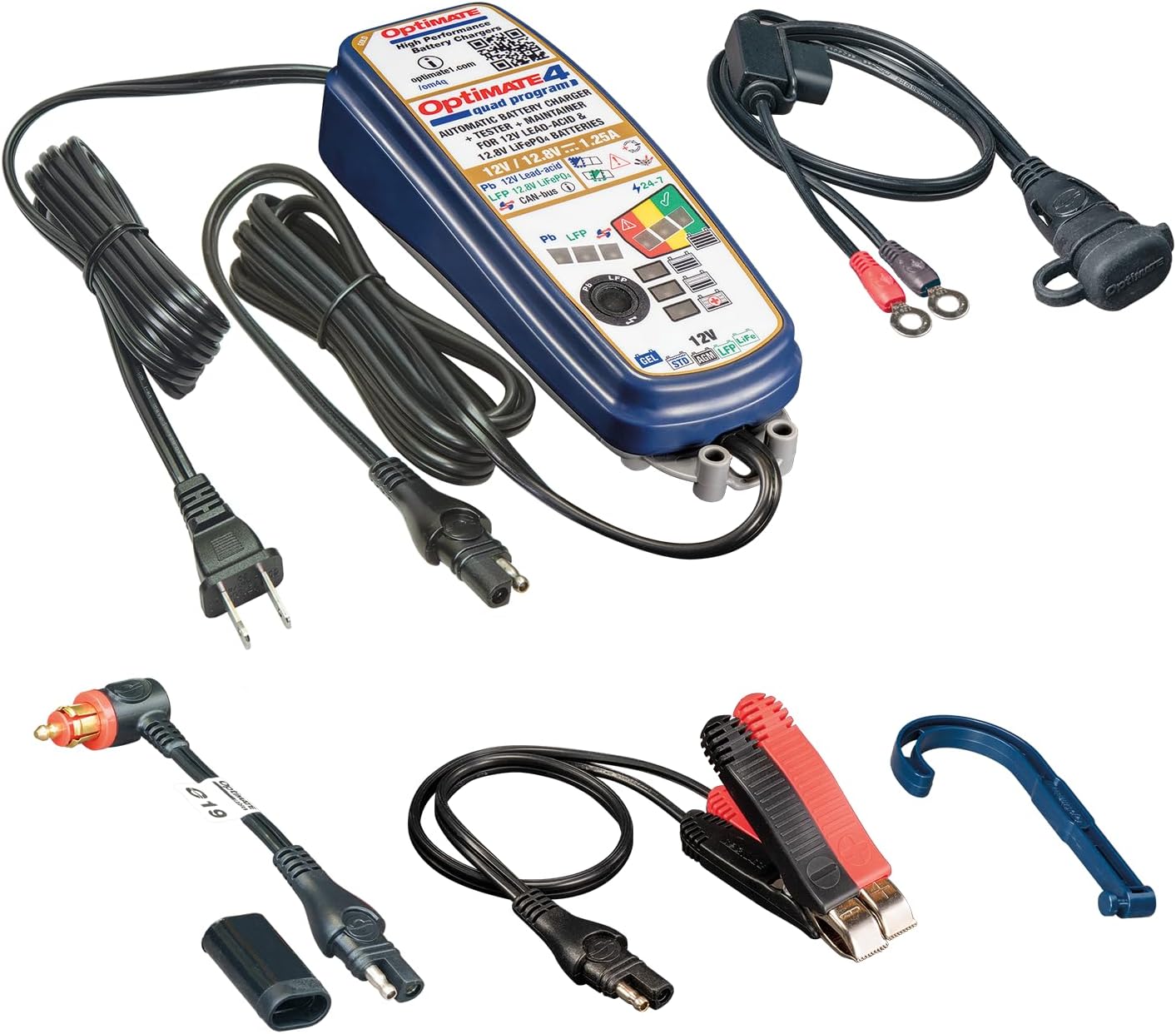
Image: OptiMate 4 Quad Program charger and its complete set of accessories.
Melite
Before connecting the charger, ensure the battery type matches the charger's capabilities (12V Lead-Acid or 12.8V LiFePO4). Select the appropriate connection method:
- Njikọ batrị ozugbo:
- Jikọọ uhie (+) clamp/ring terminal to the positive (+) battery terminal.
- Jikọọ ojii (-) clamp/ring terminal to the negative (-) battery terminal.
- Gbaa mbọ hụ na njikọ echekwabara.
- CAN-bus or Triumph 12V Socket Connection:
- Use the appropriate accessory cable (e.g., O-19 cable) to connect the charger to the vehicle's 12V socket.
- Ensure the vehicle's ignition is off before connecting.
Once connected to the battery/vehicle, plug the charger's AC power cord into a suitable wall outlet.
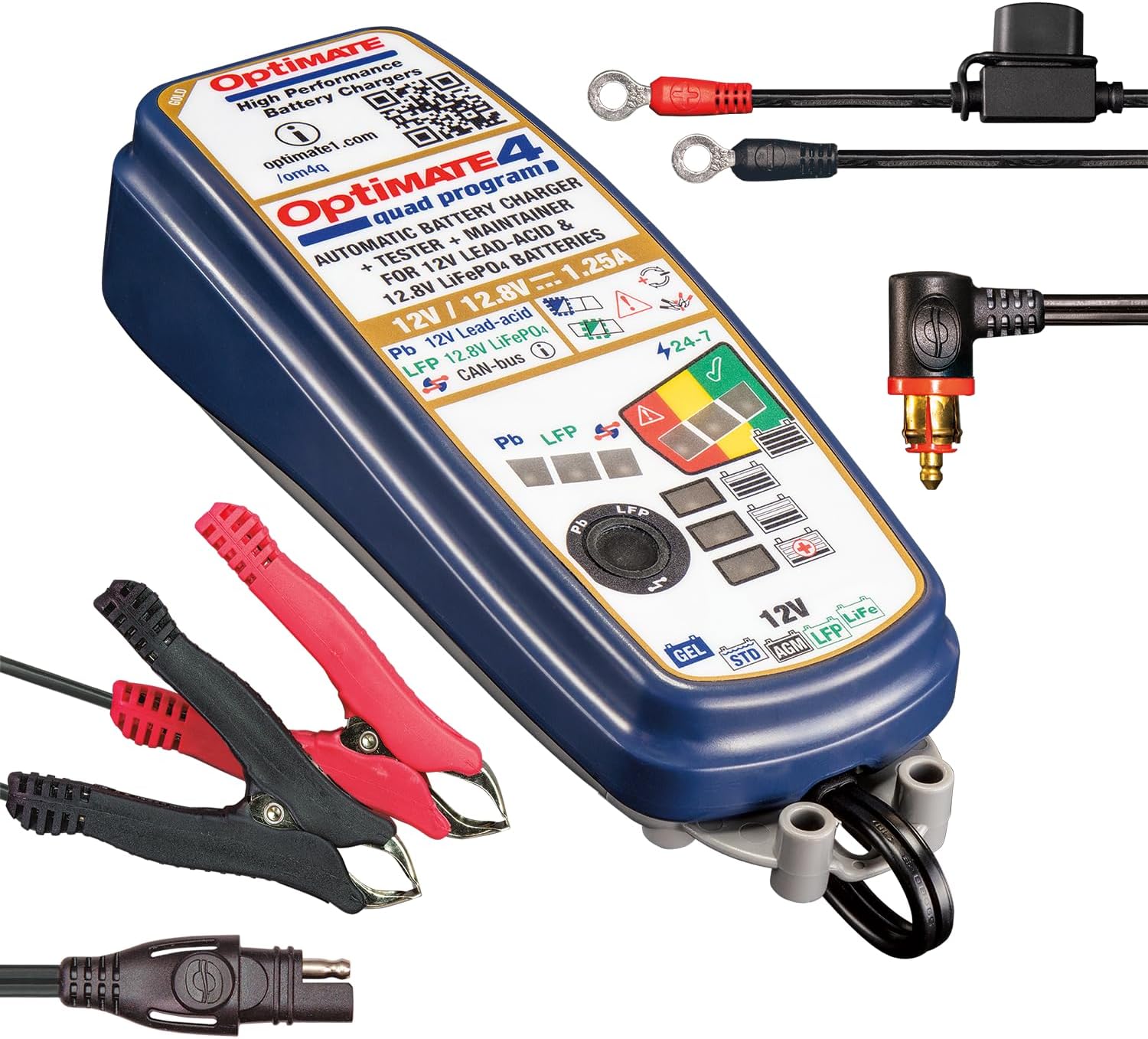
Image: OptiMate 4 Quad Program charger showing connection options.
Ntuziaka ọrụ
The OptiMate 4 Quad Program offers four distinct charging programs. The charger automatically detects the battery voltage and type (Lead-Acid or LiFePO4) and initiates the appropriate program. You can manually select programs for CAN-bus or direct charging.
Nhọrọ mmemme:
- Program 1 (Default): For 12V Lead-Acid batteries connected directly to the battery terminals.
- Mmemme 2: For 12V Lead-Acid batteries connected via a compatible BMW CAN-bus controlled 12V socket.
- Mmemme 3: For 12.8V LiFePO4 batteries connected directly to the battery terminals.
- Mmemme 4: For 12.8V LiFePO4 batteries connected via a compatible BMW CAN-bus controlled 12V socket or Triumph 12V live (hot) socket.
To switch programs, refer to the charger's interface or specific instructions on the device itself (often involves pressing a button or sequence). The charger will indicate the active program via LEDs.
9-Step Charging Process (General Overview):
The OptiMate 4 employs a sophisticated 9-step charging and maintenance process to optimize battery health and longevity:
- Mmalite: Na-enyocha batrị voltage na polarity.
- Desulfation/Recovery: Recovers deeply discharged batteries (as low as 0.5V for lead-acid and lithium).
- Nnukwu ego: Delivers maximum current to bring the battery to approximately 80% charge.
- Ụgwọ mmịpụta: Gradually reduces current to bring the battery to 100% charge.
- Voltage Retention Test: Na -enyocha batrị voltage to assess its health.
- Charge Retention Test: Further tests the battery's ability to hold a charge.
- Maintenance Charge (Float): Maintains the battery at optimal voltage.
- Pulse Maintenance: Delivers small pulses to prevent self-discharge and sulfation during long-term storage.
- Battery Save Mode: Enters a low-power mode when the battery is fully charged and healthy.
LED indicators on the charger will display the current charging stage na ọkwa batrị.
Nlekọta
Proper maintenance ensures the longevity of your OptiMate 4 charger and the batteries it charges.
- Keep the charger clean and dry. Wipe with a soft, damp akwa .
- Inspect cables and connectors regularly for damage. Do not use if damaged.
- Chekwaa chaja n'ebe dị jụụ, kpọrọ nkụ mgbe anaghị eji ya.
- Ensure battery terminals are clean and free of corrosion before connecting.
Nchọpụta nsogbu
| Nsogbu | Ihe nwere ike ime | Ngwọta |
|---|---|---|
| chaja anaghị agbanye. | No AC power; faulty connection. | Check wall outlet and charger connections. |
| Charging not starting. | Incorrect battery connection; battery too deeply discharged; wrong program selected. | Verify polarity and secure connections. Allow time for recovery mode. Ensure correct program for battery type and connection method. |
| E nwere ọkụ LED e ji njehie mee. | Short circuit; reverse polarity; battery fault. | Disconnect and re-connect. Check for short circuits. If error persists, battery may be faulty. |
For further assistance, please visit the official Tecmate websaịtị ma ọ bụ kpọtụrụ nkwado ndị ahịa.
Nkọwapụta
| Njirimara | Nkọwa |
|---|---|
| Nọmba nlereanya | TM631-PR |
| Mmepụta Voltage | 12V (Lead-Acid), 12.8V / 13.2V (LiFePO4) |
| Mmepụta ugbu a | 1.25A |
| Battery Capacity (Lead-Acid) | 4 - 60Ah |
| Battery Capacity (LiFePO4) | 2 - 15Ah |
| Akụkụ | 1.97"D x 2.36"W x 7.87"H |
| Ibu | 2.09 pound |
| Onye nrụpụta | Tecmate Powersport Products, North America Inc |
Akwụkwọ ikike na nkwado
For warranty information and technical support, please refer to the official Tecmate websaịtị ma ọ bụ kpọtụrụ ngalaba ọrụ ndị ahịa ha. Debe ihe akaebe nke ịzụrụ ihe maka akwụkwọ ikike.
Ibe ngwaahịa gọọmentị http://www.optimate1.com/om4q
Tecmate Store on Amazon: Visit the Tecmate Store


