1. Okwu mmalite
The Baseus Eli Sport 1 Open Ear Headphones are designed to provide a comfortable and high-quality audio experience while maintaining awareness of your surroundings. Featuring a non-in-ear design, these headphones mitigate discomfort and protect hearing, making them ideal for exercise, driving, and work. Advanced directional acoustics ensure privacy by minimizing sound leakage, while 16.2mm large drivers and Baseus Bass Enhancement Algorithm deliver rich, powerful audio. The ultra-lightweight design and optional detachable neckband provide a stable and comfortable fit for prolonged use.

Image: Baseus Eli Sport 1 Open Ear Headphones with their charging case and detachable neckband.
2. Kedu ihe dị na Igbe ahụ
Please verify that all items are present upon unboxing:
- Baseus Eli Sport 1 Open Ear Headphones
- Nchaji case
- Olu a na-ewepụ
- USB-C eriri USB
- Akwụkwọ ntuziaka onye ọrụ

Image: The Baseus Eli Sport 1 headphones neatly placed within their transparent-lid charging case.
3. Ntuziaka Nhazi
3.1 Initial Use & Charging
Before first use, ensure you remove all insulation stickers from the earbuds. Failure to do so may prevent proper pairing with your devices. Place the earbuds into the charging case to begin charging. The charging case itself can be recharged using the provided USB-C cable.
3.2 Jikọọ na ngwaọrụ gị
- Mepee igbe chaja ma wepụ ntị abụọ ahụ. Ha ga-agbanye ma banye na ọnọdụ njikọta na akpaghị aka.
- Na ngwaọrụ gị (smartphone, mbadamba, laptọọpụ), gaa na ntọala Bluetooth.
- Select "Baseus Eli Sport 1" from the list of available devices to connect.
- Ozugbo ejikọtara ya, ụda olu ga-akwado ijikọ na-aga nke ọma.
3.3 Ntuziaka iyi
For optimal sound and comfort, follow these steps to properly wear your Baseus Eli Sport 1 headphones:
- Step 1: Prepare your earbuds. Hold the earbud with the speaker facing towards your ear.
- Step 2: Align the end of the earhook with the top of your ear. Gently place the earhook over the top of your ear.
- Step 3: Rotate the earbuds clockwise until the earhook is firmly sited behind your ear. Adjust until it feels secure and comfortable.
- Step 4: Adjust its angle and ensure the earbud is tilted upward to achieve the optimal wearing experience. The 20° angled outlet is designed to fit snugly outside your ear canal for perfect audio transmission.

Image: Step-by-step visual guide for correctly positioning the open-ear headphones on the ear.

Image: A man cycling outdoors, illustrating the non-in-ear design that allows for awareness of surroundings.
4. Ntuziaka ọrụ
4.1 Gbanyụọ ma ọ bụ gbanyụọ
To power on the headphones, simply remove them from the charging case. To power them off, place them back into the charging case.
4.2 Njikwa mmetụ
The Baseus Eli Sport 1 headphones feature intuitive touch controls on the outer surface of each earbud. The touch-sensitive area is located on the main body of the earbud, as indicated in the diagram below.

Image: Visual representation of the touch control area on the earbud.
| Omume | Mmegharị ahụ | Ọrụ |
|---|---|---|
| Gwuo / kwụsịtụ | Pịa L ma ọ bụ R ugboro abụọ | Toggles playback. |
| Egwu gara aga | Triple-tap L | Na-awụlikwa elu na mmalite nke egwu dị ugbu a ma ọ bụ egwu gara aga. |
| Track na-esote | Triple-tap R | Mafere na egwu na-esote. |
| Mpịakọta + | Long-press R (gradually increase) | Na-abawanye olu ọdịyo. |
| Mpịakọta - | Long-press L (gradually decrease) | Na-ebelata olu ọdịyo. |
| Zaa / Kpochapụta oku | Pịa L ma ọ bụ R ugboro abụọ | Na-aza oku na-abata ma ọ bụ na-akwụsị oku na-arụ ọrụ. |
| Kpọọ Oku | Long-press L or R for 1.5s | Ọ jụrụ oku mbata. |
4.3 App Customization
Unlock the full potential of your Baseus Eli Sport 1 headphones by downloading the official Baseus app. The app allows for:
- Custom Button Controls: Personalize touch gestures to your preference.
- Custom EQ: Adjust audio equalization settings for a tailored listening experience.
- Locate Your Earbuds: Use the app to help find misplaced earbuds within Bluetooth range.

Image: Screenshots demonstrating the Baseus app's interface for custom button controls, custom EQ, and earbud location features.
5. Nlekọta
5.1 Nhicha
Regularly clean your headphones with a soft, dry cloth. Avoid using harsh chemicals or abrasive materials. Ensure no moisture enters the speaker grilles or charging ports.
5.2 Mmiri Nguzogide
The Baseus Eli Sport 1 headphones are IPX4 waterproof, meaning they are resistant to splashing water from any direction. This makes them suitable for workouts and light rain. However, they are not designed for submersion in water. Avoid exposing them to strong jets of water or prolonged immersion.
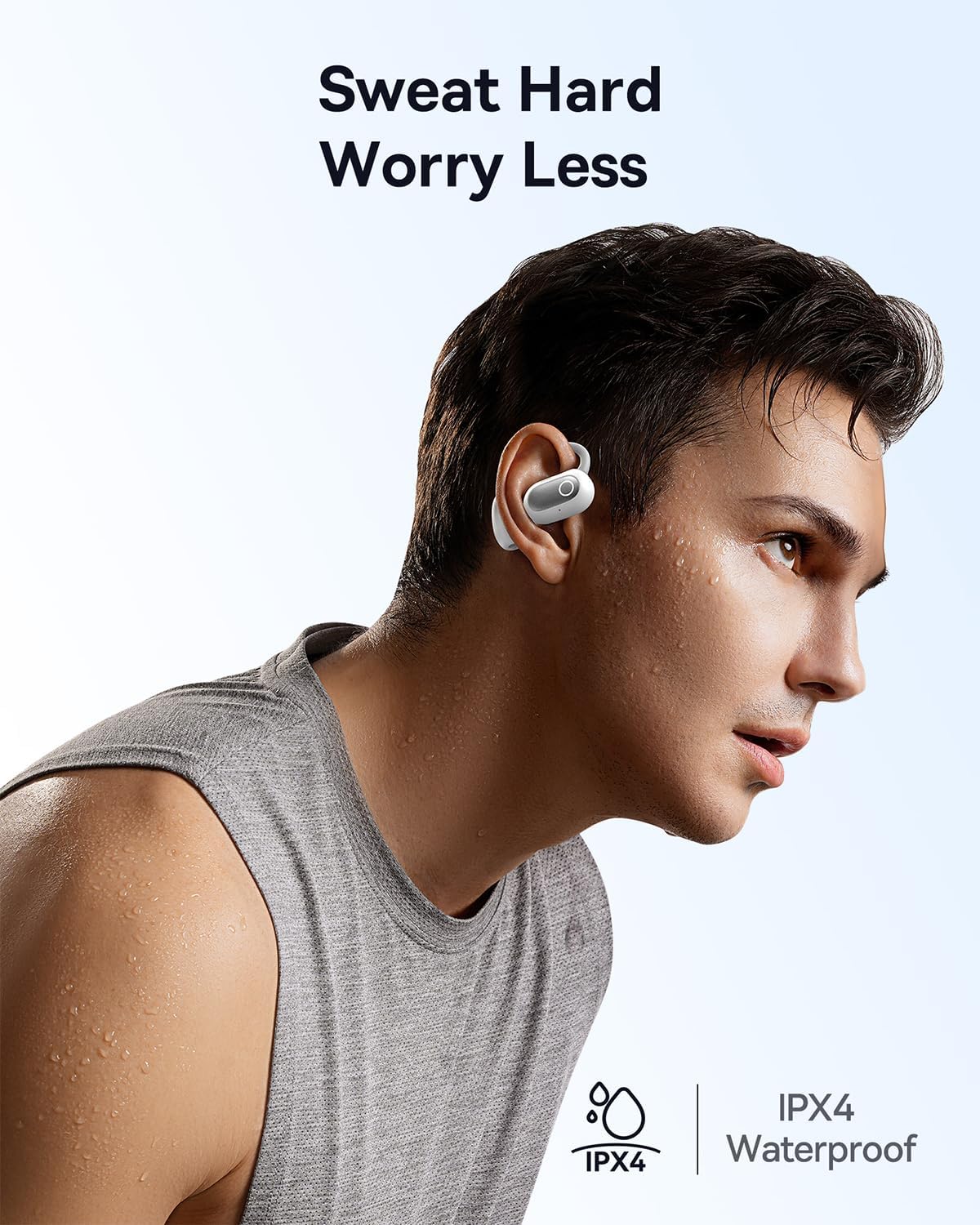
Image: A man engaged in physical activity, demonstrating the IPX4 waterproof feature of the headphones.
6. Nchọpụta nsogbu
If you encounter issues with your Baseus Eli Sport 1 headphones, please refer to the following common solutions:
- Headphones not pairing/connecting:
- Ensure all insulation stickers have been removed from the earbuds before first use.
- Gbaa mbọ hụ na akwụgoro ihe ekwe ntị.
- Verify Bluetooth is enabled on your device and the headphones are within range.
- Try resetting the headphones by placing them back in the case, closing it, and then reopening it.
- Enweghị ụda ma ọ bụ obere olu:
- Check the volume levels on both your headphones and your connected device.
- Ensure the headphones are properly seated on your ears, with the speakers aligned with your ear canal.
- Reconnect the headphones to your device.
- Ogo oku na-adịghị mma:
- Hụ na igwe okwu anaghị egbochi ya.
- Gaa nso na ngwaọrụ ejikọrọ iji kwalite ike mgbaama.
- Check for excessive background noise; the ENC mics work best in moderate noise environments.
7. Nkọwapụta
| Njirimara | Nkọwa |
|---|---|
| Aha Nlereanya | Baseus Eli Sport 1 |
| Teknụzụ Njikọta | Ikuku (Bluetooth 5.3) |
| Ntinye ntị | Mepee Ntị |
| Ọkwa Nguzogide mmiri | IPX4 enweghị mmiri |
| Nha ọkwọ ụgbọ ala ọdịyo | 16.2 millimeters |
| Mgbochi | 16 Ohm |
| Ụdị njikwa | Volume Control, App, Touch |
| Igwe okwu | 4 ENC Mics with AI Noise Cancellation |
| Ndụ batrị (Otu chaja) | Ruo awa iri abụọ |
| Mkpokọta ndụ batrị (ya na igbe nchaji) | Ruo awa iri abụọ |
| Ihe Nchaji Ihe | siri ike |
| Ibu Ibu | 9.6 ounces |
| Akụkụ ngwaahịa | 1.34 x 1.1 x 3.82 sentimita asatọ |
| UPC | 850060076251 |
8. Akwụkwọ ikike na nkwado
Baseus products come with a standard manufacturer's warranty. For detailed warranty information, product support, or to inquire about repairs, please visit the official Baseus websaịtị ma ọ bụ kpọtụrụ ndị ahịa ha ọrụ. Debe nnata nzụta gị dị ka ihe akaebe nke ịzụrụ maka nkwupụta ikike.
For further assistance, please refer to the contact information provided on the Baseus official websaịtị ma ọ bụ n'ime nkwakọ ngwaahịa.


