1. Ozi nchekwa dị mkpa
Please read all instructions before using this product. Keep this manual for future reference.
- Achọrọ Mgbakọ Ndị okenye: This product contains small parts prior to assembly. Adult supervision is required during assembly and play.
- Nkwanye afọ: Intended for children aged 12 to 36 months.
- Oke ibu: Maximum user weight is 42 pounds (19 kg).
- Nchekwa batrị: Requires 2 AA batteries. Batteries included are for demo purposes only; new batteries are recommended for regular use. Ensure batteries are inserted with correct polarity (+/-). Do not mix old and new batteries or different types of batteries. Remove exhausted batteries promptly.
- Nlekọta: Always supervise children during play to prevent falls or injuries.
- Gburugburu eji eme ihe: Use on flat, stable surfaces. Avoid stairs, inclines, or uneven terrain.
2. Kedu ihe dị na Igbe ahụ
Nyochaa na akụrụngwa niile dị tupu ịmalite mgbakọ:
- VTech 2-in-1 Map and Go Scooter (main body)
- Ntuziaka mmalite ngwa ngwa

Image: The product packaging, highlighting the 2-in-1 functionality and key features.
3. Ntọala na Mgbakọ
3.1 Ntinye batrị
- Locate the battery compartment, typically on the underside or dashboard of the scooter.
- Using a Phillips head screwdriver, loosen the screw on the battery compartment cover.
- Insert 2 new AA batteries, ensuring correct polarity (+ and -).
- Dochie mkpuchi ma mee ka ịghasa ahụ sie ike.
3.2 Transforming from Trike to Scooter
The VTech 2-in-1 Map and Go Scooter is designed to grow with your child, transforming from a stable three-wheeled trike to a two-wheeled scooter.
- Trike Mode (Initial Setup): The product comes pre-assembled in trike mode, providing maximum stability for younger toddlers. Ensure the rear wheels are spread wide for a stable base.
- Scooter Mode Transformation: When your child is ready for more advanced balance and coordination, the rear wheels can be adjusted. Locate the locking mechanism near the rear axle. Follow the specific instructions in the Quick Start Guide to safely bring the two rear wheels closer together, forming a single, wider wheel for scooter mode. Ensure the mechanism clicks securely into place.

Image: The scooter in its stable trike configuration, viewed site n'akụkụ.
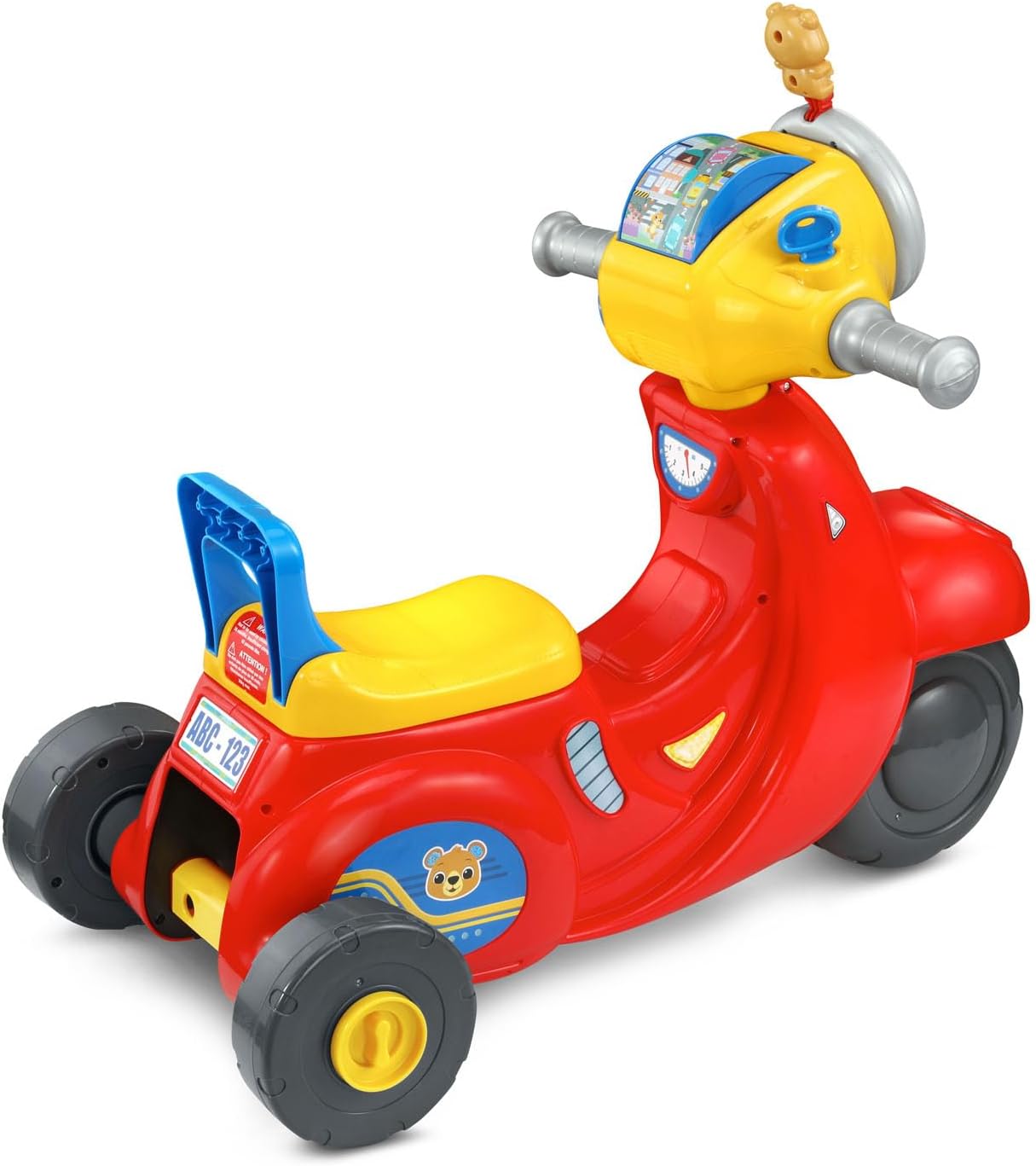
Foto: N'azụ view of the scooter, showing the wide-set wheels for trike mode.
4. Ntuziaka ọrụ
Familiarize yourself with the interactive features of the scooter's dashboard.
4.1 Gbanyụọ ma ọ bụ gbanyụọ
- Locate the power switch, usually on the dashboard. Slide it to the 'On' position to activate the toy.
- To conserve battery life, slide the switch to the 'Off' position when not in use.
4.2 Interactive Dashboard Features
- Igodo mgbanye: Turn the ignition key to hear realistic engine sounds, enhancing imaginative play.
- Roller Map: Explore different locations by spinning the roller map.
- Headlight Ring: Twist the outer headlight ring to activate various sounds and phrases, including those from the Bear character.
- bọtịnụ dashboard: Press the various buttons on the dashboard to hear counting, traffic and road safety phrases, as well as engaging songs and melodies.
- Directional Buttons (Left/Right): Press the 'Left' or 'Right' buttons to hear corresponding directional cues and sounds.
- Bọtịnụ mpi: Press the horn button to activate a horn sound.
4.3 Motion-Activated Sounds
The scooter features motion-activated motor sounds that engage as the child rides, adding to the immersive play experience.
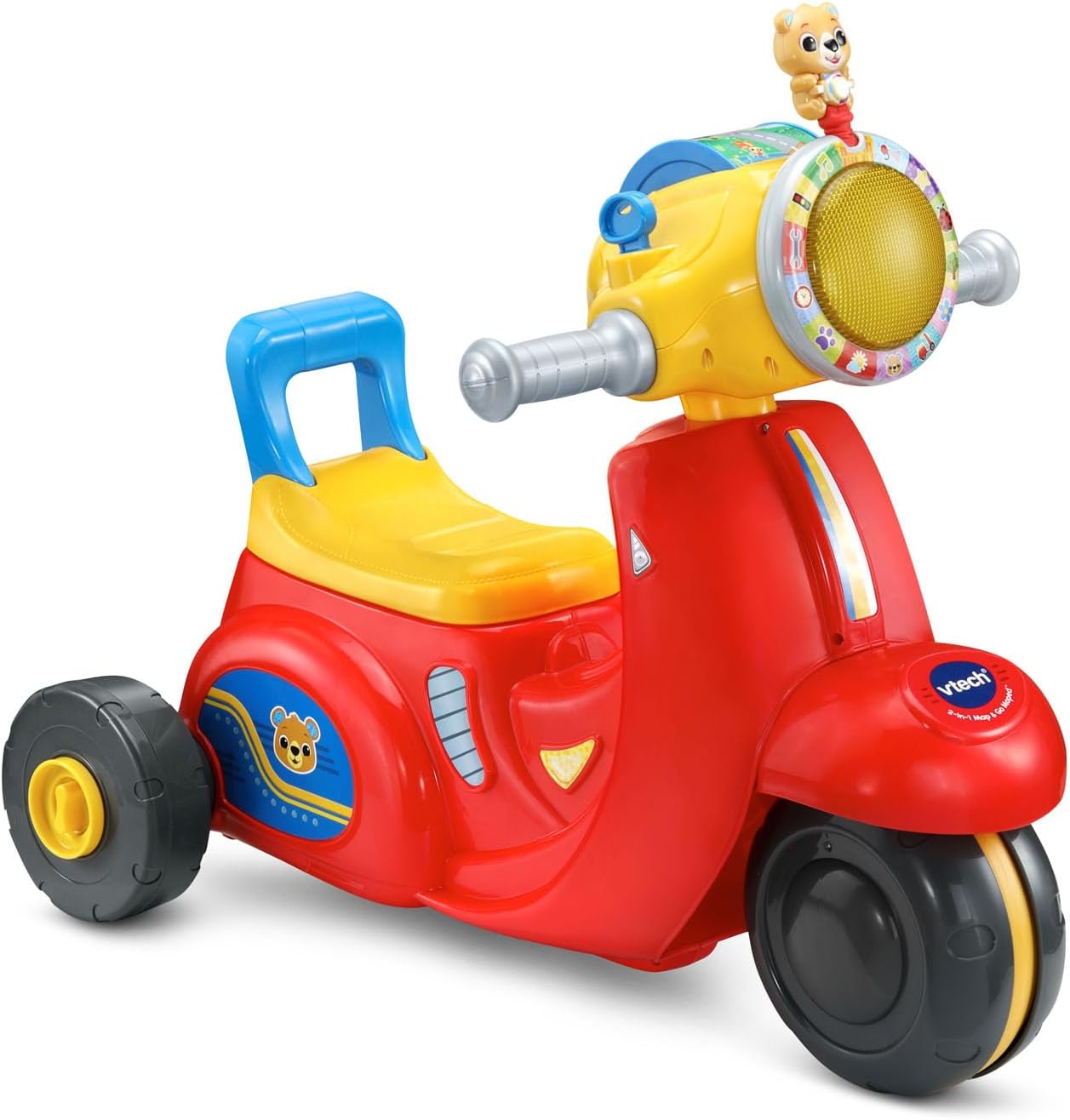
Image: An overall view of the VTech 2-in-1 Map and Go Scooter, showcasing its vibrant colors and dashboard.
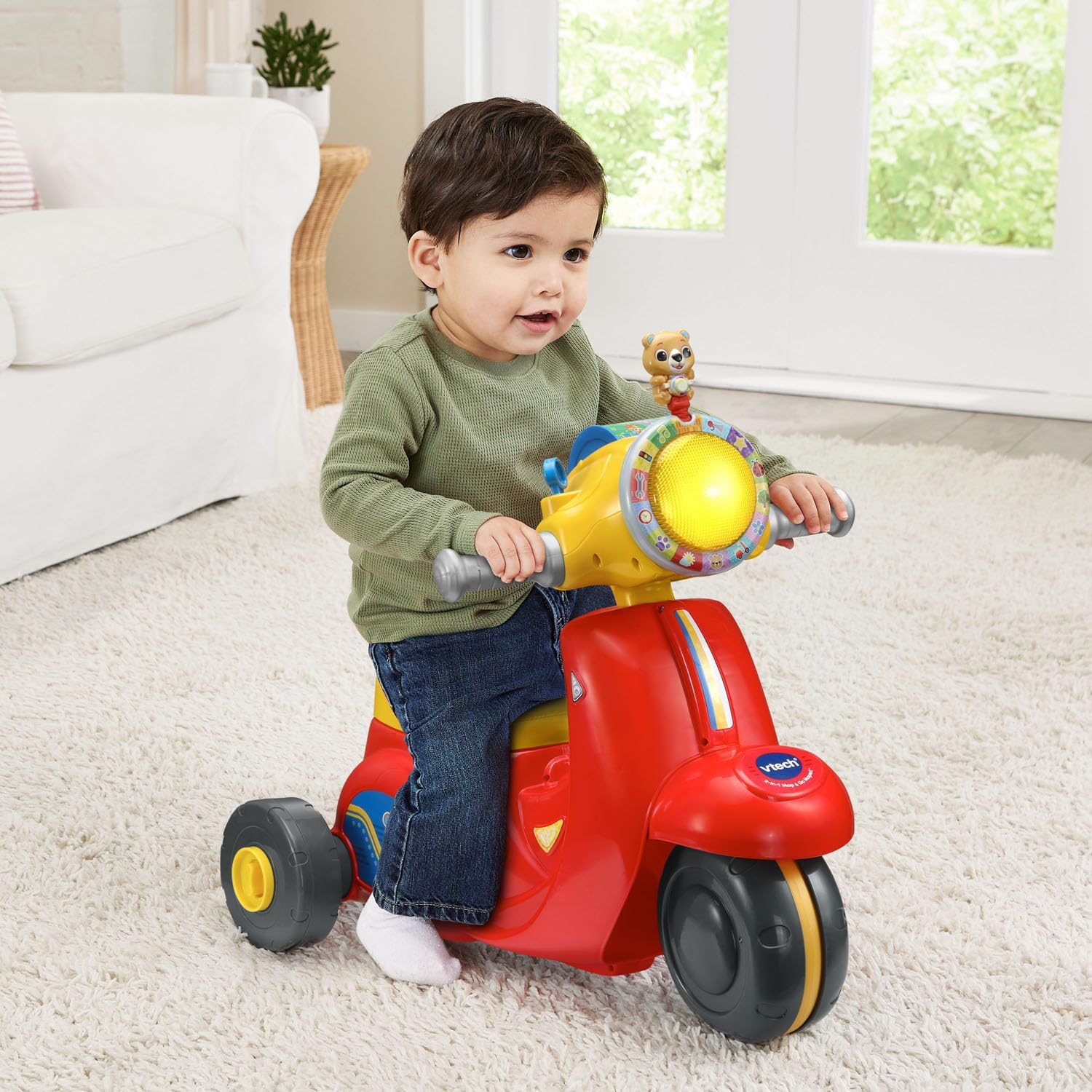
Image: A young child seated on the scooter in trike mode, demonstrating its use.
5. Nlekọta
5.1 Nhicha
Jiri mgbasa ozi hichaa ihe egwuregwu ụmụakaamp cloth and mild soap. Do not immerse the toy in water. Avoid using harsh cleaners or abrasives.
5.2 Nchekwa
Store the scooter in a cool, dry place away from direct sunlight. If storing for an extended period, remove the batteries to prevent leakage.
6. Nchọpụta nsogbu
| Nsogbu | Ihe nwere ike ime | Ngwọta |
|---|---|---|
| Toy does not turn on or has no sound. | Batrị adịchaghị ma ọ bụ arụnyere na ezighi ezi. | Check battery polarity. Replace with new AA batteries. Ensure the power switch is in the 'On' position. |
| Sounds are distorted or intermittent. | Ike batrị dị ala. | Dochie jiri batrị AA ọhụrụ. |
| Ụkwụ anaghị aga nke ọma. | Debris caught in wheels or worn wheels. | Inspect wheels for any obstructions and remove them. Ensure the toy is used on appropriate surfaces. |
7. Nkọwapụta
- Akụkụ ngwaahịa: 14.48 x 23.26 x 21.06 sentimita (36.78 x 59.08 x 53.49 cm)
- Ibu ihe: 6.42 pound (2.91 n'arọ)
- Nọmba Nlereanya ihe: 80-572360
- Afọ akwadoro onye nrụpụta: Ọnwa 12 - afọ 3
- Batrị: 2 AA batteries required (included for demo purposes)
- Ikike ịdị arọ kacha elu: 42 pound (19 n'arọ)
- Ụbọchị mwepụta: Julaị 23, 2025
8. Akwụkwọ ikike na nkwado
For warranty information or technical support regarding your VTech 2-in-1 Map and Go Scooter, please contact VTech customer service directly. Refer to the contact details provided on the product packaging or visit the official VTech websaịtị maka ozi nkwado kachasị ọhụrụ.
VTech Official Websaịtị: www.ogun-mi.com


