Okwu mmalite
Thank you for choosing the Focal Aria Evo X No. 3 Floorstanding Loudspeaker. This manual provides essential information for the proper setup, operation, and maintenance of your speaker to ensure optimal performance and longevity. The Aria Evo X No. 3 is a 3-way floorstanding loudspeaker designed to deliver a natural sound with rich midrange reproduction and powerful bass, suitable for both music and home cinema applications.

Foto: N'ihu view of the Focal Aria Evo X No. 3 Floorstanding Loudspeaker in Gloss Black, showcasing its elegant design and driver configuration.
Melite
1. Iwepu ngwongwo
Carefully remove the speaker from its packaging. Ensure all components are present. The package includes one floorstanding speaker.
2. Ntinye
Proper speaker placement is crucial for optimal sound quality. Consider the following guidelines:
- Acoustics ime ụlọ: Place speakers in a room that is not excessively reflective or absorbent.
- Distance from Walls: Position the speakers away from walls to prevent excessive bass resonance. Experiment with distances to find the best balance.
- Foto Stereo: For a stereo setup, place the speakers equidistant from your primary listening position, forming an equilateral triangle.
- Mkpịsị ụkwụ: Slightly angle the speakers inward towards the listening position to improve soundstage na uche.

Image: The Focal Aria Evo X No. 3 Floorstanding Loudspeaker positioned in a modern living room, demonstrating typical placement for optimal listening.

Image: A complete home theater setup featuring Focal Aria Evo X speakers, including floorstanding models, a center channel, and a subwoofer, illustrating system integration.
3. Connecting the Speaker
The Aria Evo X No. 3 connects to your amplifier using standard speaker cables. Ensure your ampA na-agbanyụ lifier tupu emee njikọ ọ bụla.
- Identify the positive (+) and negative (-) terminals on both your amponye na-ekwu okwu.
- Connect the positive (+) terminal of the amplifier to the positive (+) terminal of the speaker.
- Connect the negative (-) terminal of the amplifier to the negative (-) terminal of the speaker.
- Ensure all connections are secure to prevent signal loss or short circuits.
The speaker has an impedance of 2.8 Ohm. Ensure your amplifier is compatible with this impedance rating.
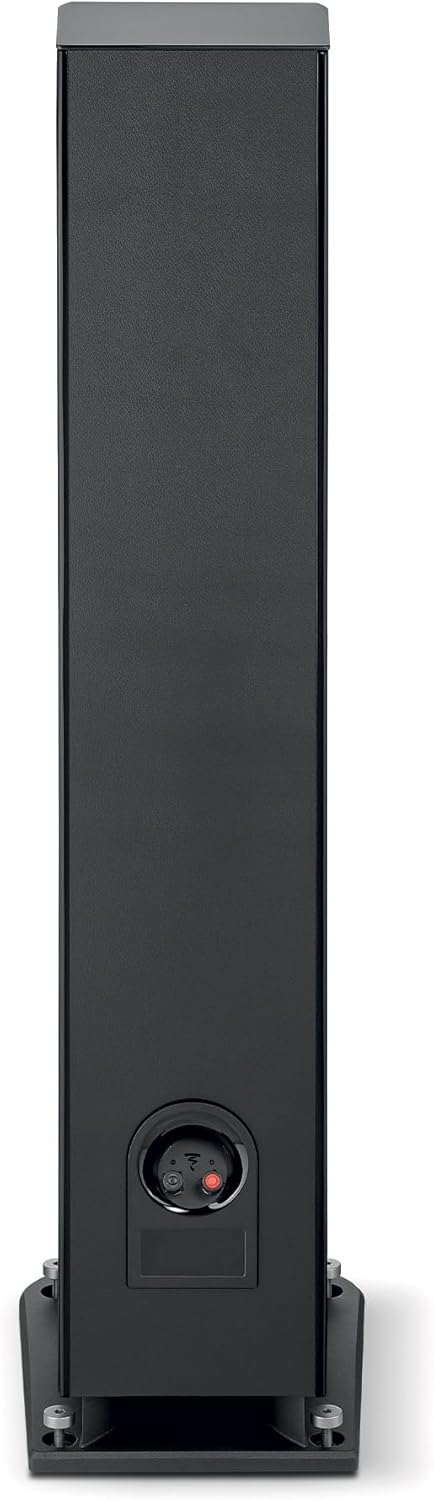
Foto: N'azụ view of the Focal Aria Evo X No. 3 speaker, highlighting the speaker terminals for connecting to an ampna -emegharị ihe.
Ntuziaka ọrụ
Na-agbanye ọkụ na ịkpọghachi
- Once connected, turn on your ampna -emegharị ihe.
- Select the appropriate input source on your ampna -emegharị ihe.
- Begin playback from your audio source (e.g., smartphone, tablet, MP3 player, desktop, television, projector, laptop).
- Adjust the volume gradually using your ampnjikwa liifier.
Driver Technology
The Aria Evo X No. 3 incorporates advanced driver technologies for superior sound reproduction:
- Flax Cone: Features Focal's iconic flax cone, made from French flax fiber, which produces a natural sound with rich midrange reproduction and clear bass.
- TMD (Tuned Mass Dampnke): Midrange drivers are equipped with TMD for reduced distortion and perfectly balanced dynamics.
- TAM Tweeter: An innovative 'M'-shaped inverted dome TAM tweeter reproduces treble faithfully, ensuring smooth and clear high frequencies.
- Powerflow Multi-Port System: Eliminates compression with both front and down-facing ports for increased impact and powerful bass.

Image: A detailed close-up of the Focal Flax cone driver, showcasing its unique texture and construction.

Foto: A nso nso view of the Focal TAM tweeter, highlighting its 'M'-shaped inverted dome design.
Nlekọta
Nhicha
- Use a soft, dry, lint-free cloth to gently wipe the cabinet surfaces.
- Avoid using abrasive cleaners, solvents, or chemical sprays, as these can damage the finish.
- For the speaker grilles, use a soft brush or vacuum cleaner with a brush attachment to remove dust.
Nlekọta izugbe
- Keep the speakers away from direct sunlight, heat sources, and excessive moisture.
- Hụ na ikuku na-abata nke ọma gburugburu igwe okwu.
- Avoid placing heavy objects on top of the speakers.
Nchọpụta nsogbu
If you encounter issues with your Focal Aria Evo X No. 3 speaker, refer to the following common problems and solutions:
- Enweghị ụda:
- Lelee njikọ eriri igwe okwu niile dị na ma igwe okwu na igwe okwu amplifier. Ensure they are secure and correctly connected (positive to positive, negative to negative).
- Chọpụta na amplifier is powered on and the correct input source is selected.
- Gbaa mbọ hụ na ụda dị na gị amplifier is not set to minimum or muted.
- Ụda agbagọ:
- Belata ọkwa olu na gị amplifier. Overdriving the speakers can cause distortion.
- Check speaker cable connections for any loose strands or short circuits.
- Gbaa mbọ hụ na amplifier's power output is suitable for the speaker's maximum input power (150 Watts).
- Uneven Sound or Poor Imaging:
- Review speaker placement. Ensure speakers are equidistant from the listening position and have appropriate toe-in.
- Check that both speakers are connected with correct polarity.
Nkọwapụta
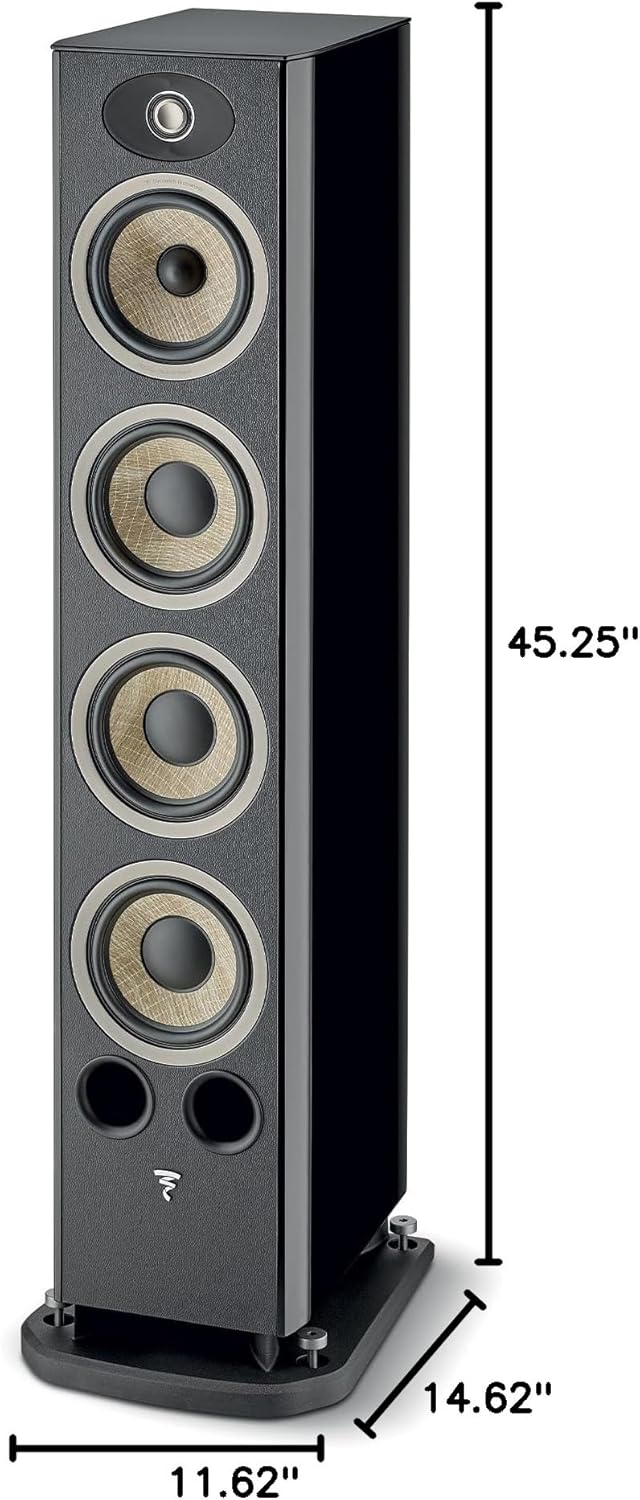
Image: Diagram illustrating the dimensions of the Focal Aria Evo X No. 3 Floorstanding Loudspeaker: 45.25 inches height, 11.62 inches width, and 14.62 inches depth.
| Njirimara | Nkọwa |
|---|---|
| Aha Nlereanya | Aria Evo X N°3 |
| Nọmba Nlereanya ihe | FARIAEVOXN3BK |
| Ụdị Ọkà Okwu | Tower (Floorstanding) |
| Agba | Nwa oji |
| Akụkụ ngwaahịa (D x W x H) | 14.63"D x 11.63"W x 45.25"H |
| Ibu Ibu | 63.9 pound |
| Mgbochi | 2.8 Ohm |
| Ike Nwepu kacha elu | 150 Watt |
| Teknụzụ Njikọta | RCA (Ejikọrọ) |
| Ọnọdụ mmepụta ọdịyo | Stereo, possibly Surround Sound |
| Nhazi ọwa ụda gburugburu | 5.1 (when integrated into a system) |
| Eji akwadoro maka ngwaahịa | Ime ụlọ |
| Ngwa gụnyere | 1 x floorstanding speaker |
| Ihe onwunwe | Leather (finish detail) |
| Usoro njikwa | Touch (referring to system control, not speaker itself) |
| Ụdị ọkwọ ụgbọ ala ọdịyo | Ọkwọ ụgbọala dị ike |
| Nha ọkwọ ụgbọ ala ọdịyo | 6.5 Centimeters (for some drivers) |
Ozi akwụkwọ ikike
The Focal Aria Evo X No. 3 Floorstanding Loudspeaker comes with a full warranty. For specific details regarding the duration and terms of your warranty, please refer to the documentation included with your purchase or visit the official Focal websaịtị.
Nkwado
For further assistance, technical support, or inquiries, please contact Focal customer support. You can find contact information and additional resources on the official Focal websaịtị ma ọ bụ site na onye na-ere gị ikike.
Gaa leta Focal Store maka ozi ngwaahịa na akụrụngwa nkwado.


