Okwu mmalite
This manual provides essential information for the proper use and care of your GameSir USB-A to USB-C Cable. Please read these instructions carefully before use to ensure optimal performance and longevity of the product.
The GameSir USB-A to USB-C cable is designed for connecting GameSir controllers and other compatible USB-C devices to a USB-A port for data transfer and charging.
Njirimara ngwaahịa
- Ụdị njikọ: USB-A ka USB-C
- Ogologo eriri USB: 1.8 mita (5.9 ụkwụ)
- Ihe: Jaketị mpụta PVC siri ike
- Ọrụ: Nyefe na ịchaji data
- ndakọrịta: Compatible with all GameSir controllers that support wired connection, and other USB Type-C devices.

Foto: nso nso view of the USB-A and USB-C connectors of the GameSir cable.

Image: The GameSir USB-A to USB-C cable with "GAMESIR PVC CABLE" branding, highlighting its material.

Image: The GameSir USB-A to USB-C cable coiled, illustrating its 1.8-meter (5.9-foot) length.
Melite
- Chọpụta ọdụ ụgbọ mmiri: Locate the USB-A port on your computer, gaming console, or power adapter, and the USB-C port on your GameSir controller or other compatible device.
- Jikọọ USB-A: Insert the USB-A end of the cable into the USB-A port of your host device (e.g., PC, console).
- Connect USB-C: Insert the USB-C end of the cable into the USB-C port of your GameSir controller or other compatible device. Ensure the connection is firm.
- Nkwụnye ma kpọọ: The cable is designed for plug-and-play functionality. Your device should automatically recognize the connection for data transfer or charging.

Image: The GameSir USB-A to USB-C cable connected to various GameSir controllers, demonstrating wired connection support.
Ntuziaka ọrụ
Once connected, the GameSir USB-A to USB-C cable facilitates two primary functions:
- Nyefee data: For GameSir controllers, this enables a wired connection to your gaming platform, reducing input lag and ensuring a stable connection for gameplay. For other compatible devices, it allows for data synchronization.
- Ịchaji: When connected to a power source (e.g., a USB wall adapter or a powered USB port on a computer/console), the cable will charge your compatible USB-C device.
Ensure your device's drivers are up-to-date if experiencing connectivity issues with a computer.
Nlekọta na nlekọta
To ensure the longevity and optimal performance of your GameSir USB-A to USB-C cable, follow these maintenance guidelines:
- Nchekwa: Debe eriri waya ahụ n'ebe dị jụụ ma kpọọ nkụ, ebe anwụ na-anaghị apụta kpọmkwem, ebe okpomọkụ dị oke elu. Zere ka ọ na-agbagọ ma ọ bụ na-agbagọ eriri ahụ n'akụkụ dị nkọ.
- Nhicha: Use a soft, dry cloth to gently wipe the cable and connectors. Do not use harsh chemicals or abrasive cleaners.
- Ijikwa: Always grasp the connector head when plugging or unplugging the cable. Avoid pulling directly on the cable itself, as this can damage the internal wires.
- Ogologo oge: The cable features a clean and durable PVC outer jacket, rigorously tested for durability through plugging, suspension, and bending simulations. However, excessive force or improper handling can still cause damage.
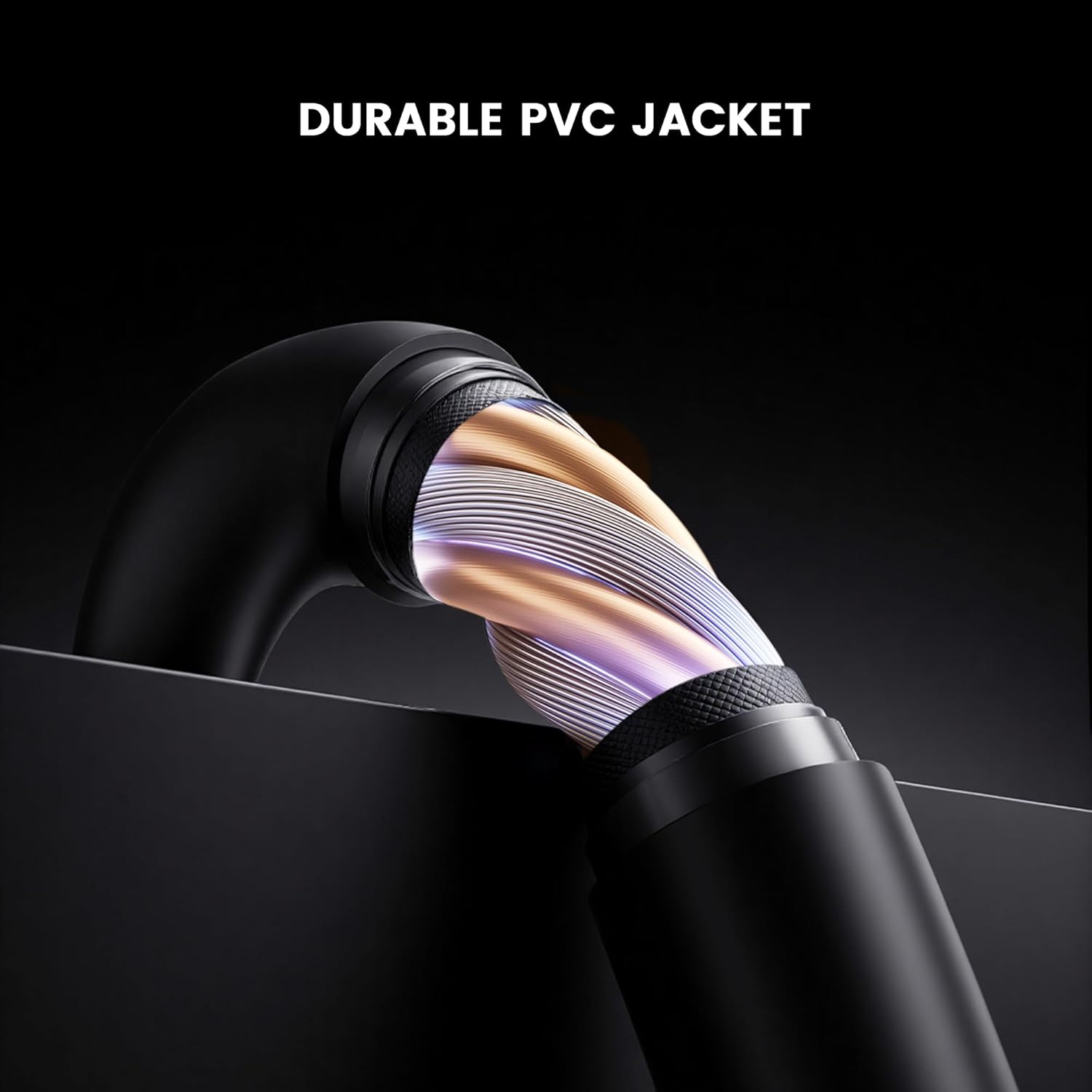
Oyiyi: Cross-ngalaba view of the GameSir USB-A to USB-C cable, highlighting its durable PVC jacket and internal construction.
Nchọpụta nsogbu
If you encounter issues with your GameSir USB-A to USB-C cable, refer to the following common troubleshooting steps:
- Amataghị ngwaọrụ:
- Gbaa mbọ hụ na ejikọrọ akụkụ abụọ nke eriri ahụ na ọdụ ụgbọ mmiri ha nke ọma.
- Try connecting the cable to a different USB-A port on your host device.
- Test the cable with another compatible USB-C device to rule out an issue with the original device.
- If connecting to a computer, ensure necessary drivers for your GameSir controller or device are installed and up-to-date.
- Slow Charging or No Charging:
- Verify that the power source (e.g., wall adapter, computer USB port) is providing sufficient power.
- Ensure the cable is fully inserted into both the power source and the device.
- Try a different power source or wall adapter.
- Njikọ na-adịte aka:
- Lelee maka mmebi ọ bụla a na-ahụ anya nke eriri ma ọ bụ njikọ ahụ.
- Ensure there is no dust or debris in the USB ports of your devices or the cable connectors.
- Avoid bending or stressing the cable during use.
Nkọwapụta
| Ụdị | GameSir |
| Nọmba nlereanya | 6936685221581 |
| Ụdị njikọ | USB Type C (Male) to USB Type A (Male) |
| Ụdị USB | USB |
| Ogologo eriri USB | 1.8 mita (5.9 ụkwụ) |
| Agba | Nwa |
| Ngwa dakọtara | GameSir Gaming Consoles/Controllers, other USB Type-C devices |
| Njirimara Pụrụ Iche | Nyefee data |
| Ihe eji eme akwa jaket | PVC |
| Ojiji ime ime/n'èzí | Ime ụlọ |
| Ibu Ibu | 1.76 ounces |
Akwụkwọ ikike na nkwado
For warranty information and technical support, please refer to the official GameSir website or contact GameSir customer service directly. Keep your purchase receipt for warranty claims.
GameSir Official Store US: Ozi onye na-ere ere


