1. Okwu mmalite
This manual provides essential instructions for the safe operation, maintenance, and troubleshooting of your Lasko Pinnacle 40" Tower Fan, Model DST100. This fan is designed to circulate air efficiently with features such as 32 ft/s airflow, quiet 24dB operation, 90° oscillation, an energy-efficient DC motor, and a Carbon X Filtration system.

Image: The Lasko Pinnacle 40" Tower Fan in black with gold accents, accompanied by its remote control, illustrating airflow.
2. Ozi nchekwa dị mkpa
- Always plug fans directly into a wall outlet/receptacle. Never use with an extension cord.
- Ejila eriri ma ọ bụ plọg mebiri emebi rụọ ọrụ fan ọ bụla.
- Ejikwala eriri dị ka carpet. Ekpuchikwala ụdọ na akwa mkpuchi, ndị ọgba ọsọ, ma ọ bụ ihe mkpuchi ndị yiri ya.
- Keep the fan away from curtains, drapes, and other fabrics that could be drawn into the fan.
- Unplug the fan from the outlet when not in use or when moving it.
- Adịnyela fan n'ime mmiri.
3. Ihe ngwugwu
- Lasko Pinnacle 40" Tower Fan (Model DST100)
- Ihe nzacha carbon
- Njikwa anya
- Coin Cell Batteries (for remote)
- Ntuziaka Mbido ngwa ngwa
- Akwụkwọ ntuziaka (akwụkwọ a)
- Carbon Filter Replacement Guide
4. Nhazi
Your Lasko Pinnacle Tower Fan requires minimal assembly. Follow these steps to prepare your fan for use:
- Jiri nlezianya wepụ fan na ihe niile dị na nkwakọ ngwaahịa.
- Attach the base to the bottom of the fan unit. Ensure it is securely fastened according to the Quick Setup Guide.
- Insert the provided coin cell batteries into the remote control.
- Debe fan ahụ n'elu ala siri ike, dịkwa larịị.
- Plug the fan into a 120V AC wall outlet.
5. Ntuziaka ọrụ
The Lasko Pinnacle Tower Fan features a digital display with touchpad controls on the top of the unit, and a remote control for convenient operation.
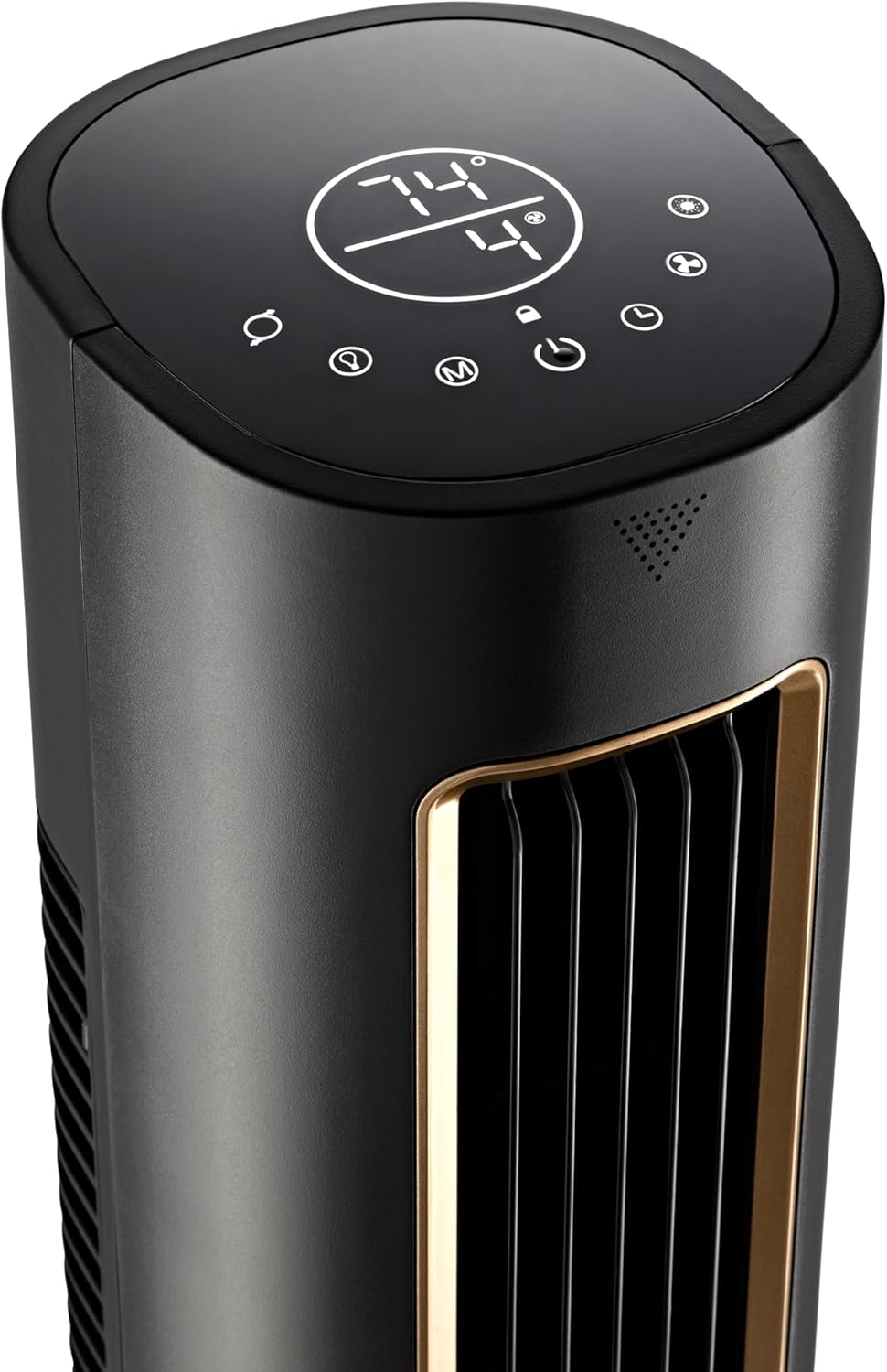
Foto: nkọwa zuru ezu view of the fan's top control panel, showing various touch buttons and the digital display.
5.1 Gbanyụọ ma ọ bụ gbanyụọ
- Pịa bọtịnụ ike (
 ) na njikwa njikwa ma ọ bụ remote iji gbanye ma ọ bụ gbanyụọ fan.
5.2 Ọsọ ndị fan
The fan offers 12 adjustable speeds for customized airflow.
- Pịa bọtịnụ ọsọ () on the control panel or remote to cycle through the available speeds.
5.3 Ụdịdị
Select from four distinct operating modes:
- Ụdị nkịtị: Na-enye ikuku na-aga n'ihu na ọsọ ị họọrọ.
- Ụdị eke: Simulates a natural breeze by cycling randomly through different fan speeds.
- Modera Modera: Gradually decreases the fan speed by one level every 30 minutes until it reaches a low setting, then maintains that speed for quiet operation during sleep. The display will dim.
- Auto Mode (AirSense Technology): The fan automatically adjusts its speed based on the room's ambient temperature to maintain optimal comfort.
- Pịa bọtịnụ ọnọdụ () to cycle through these modes.
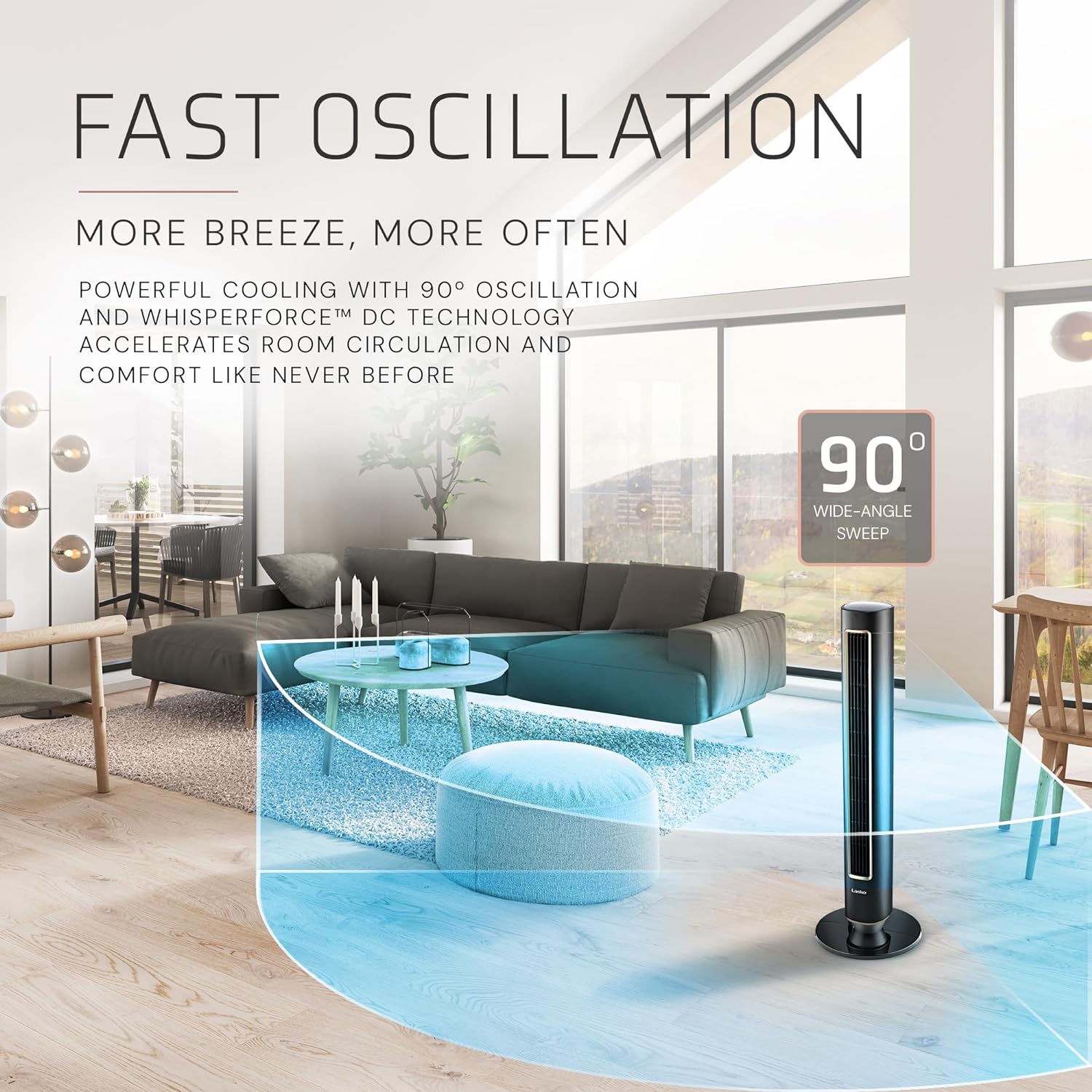
Image: Graphic illustrating the fan's AirSense technology, which intelligently adjusts settings based on room conditions.
5.4 Oscillation
The fan features 90° wide-angle oscillation to distribute air across a larger area.
- Pịa bọtịnụ oscillation () on the control panel or remote to start or stop the oscillation function.

Image: An illustration demonstrating the 90-degree wide-angle oscillation of the Lasko Pinnacle Tower Fan, covering a living room area.
5.5 ngụ oge
Set the fan to automatically turn off after a specified period, up to 24 hours.
- Pịa bọtịnụ ngụ oge () on the control panel or remote to select the desired operating duration.
5.6 Ìhè abalị
The fan includes a night light feature for added convenience.
- Refer to the Quick Setup Guide for specific instructions on activating and deactivating the night light.
5.7 Mkpọchi ụmụaka
Activate the child lock to prevent unintended changes to settings.
- Refer to the Quick Setup Guide for specific instructions on activating and deactivating the child lock.
5.8 Ime Remote
The included remote control allows you to operate all fan functions from a distance. The fan unit also features a remote pocket storage for convenience.
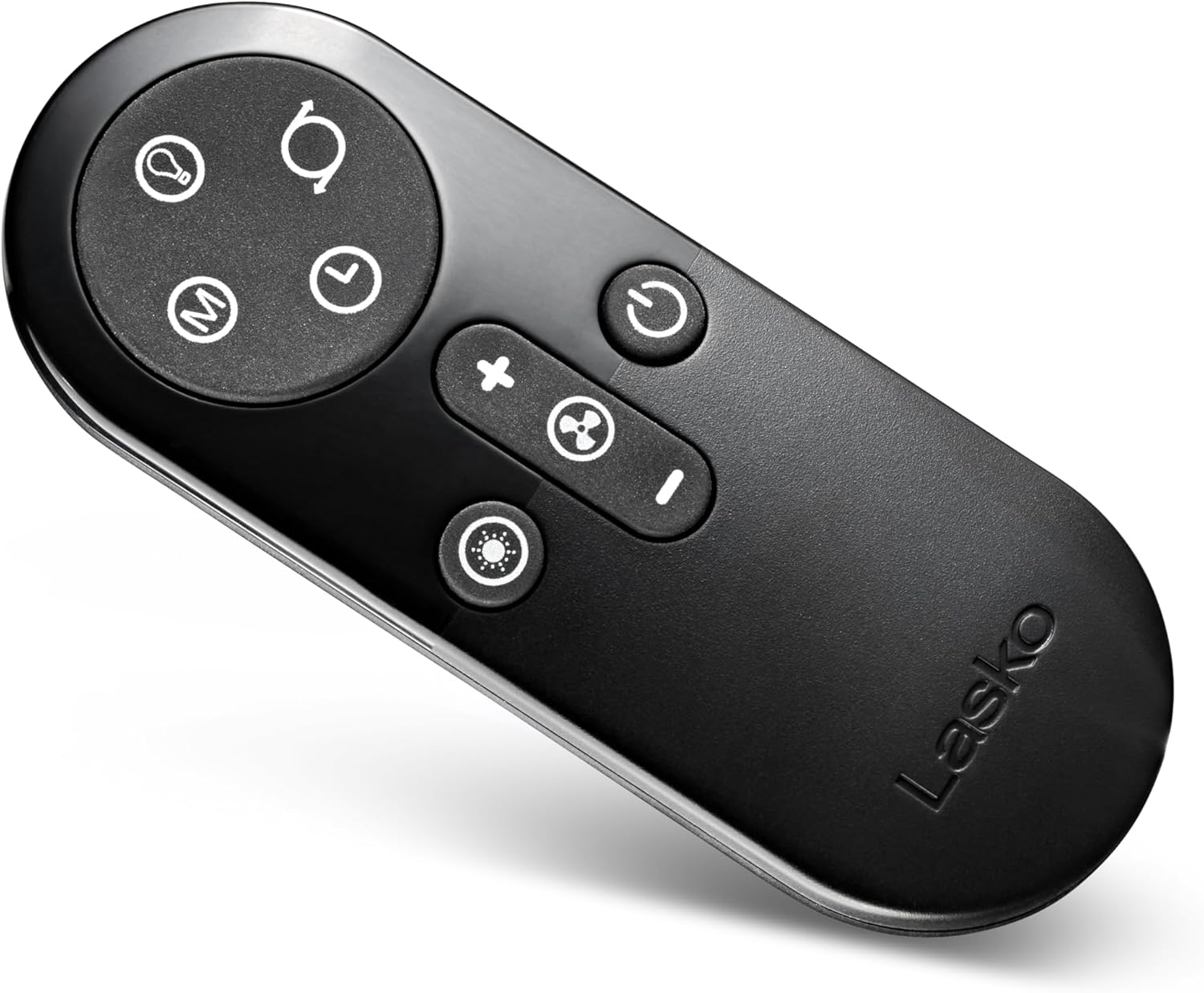
Image: The compact remote control for the Lasko Pinnacle Tower Fan, showing buttons for power, speed, oscillation, and timer.
6. Nlekọta
6.1 Na-ehicha ihe nzacha ikuku
The Lasko Pinnacle Tower Fan features a Carbon X Filtration system designed to capture dust, pet hair, and neutralize odors. Regular cleaning and replacement of the filter are essential for optimal performance.
- Kwupuo fan tupu ihicha.
- Locate the removable panel on the back of the fan for filter access.
- Carefully remove the Carbon Filter.
- The filter can be cleaned by vacuuming or rinsing with water. Ensure it is completely dry before reinstallation.
- Replace the filter by aligning it correctly within the fan unit and securing the panel.
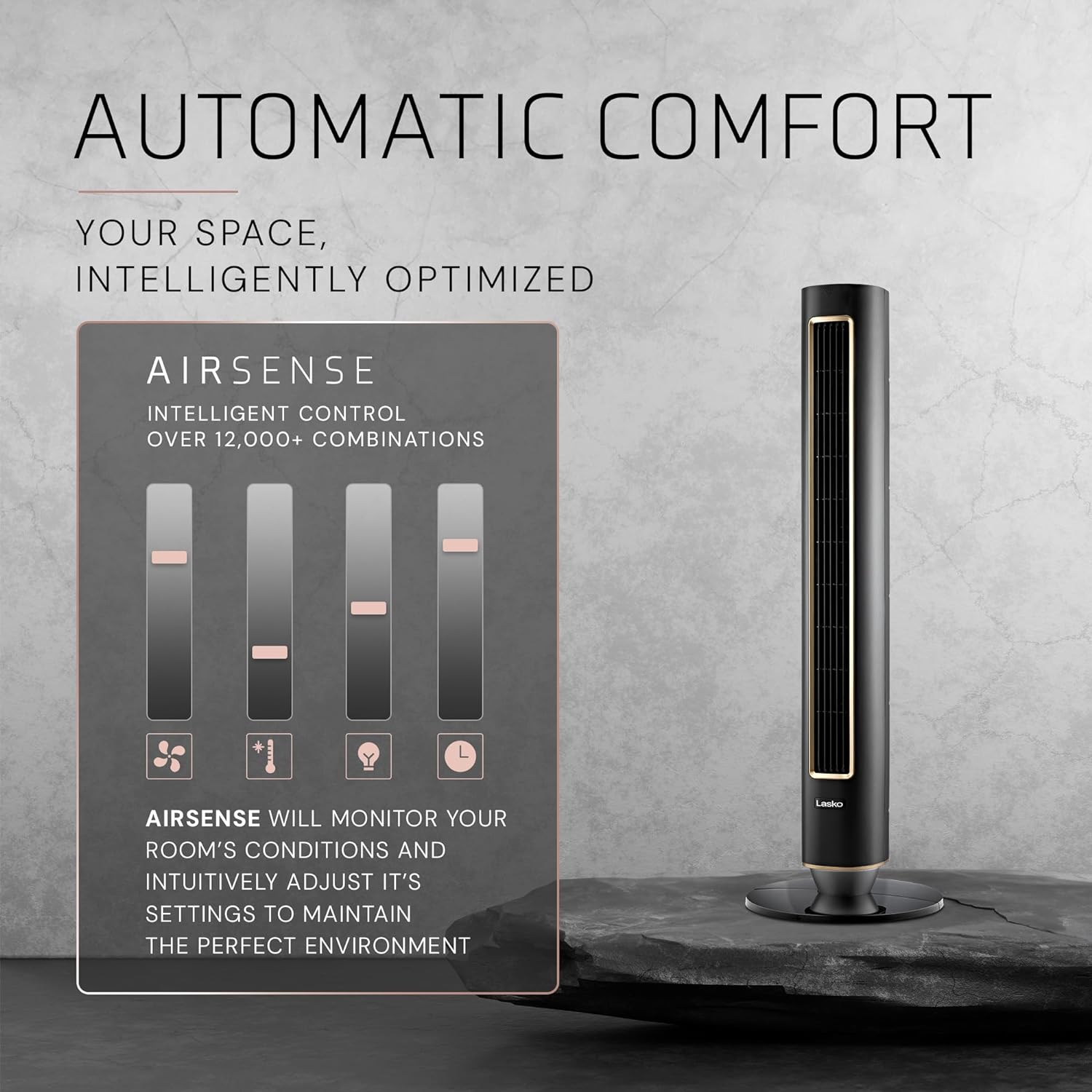
Foto: A nso nso view of the fan's Carbon X Filtration system, highlighting the removable panel for filter access.
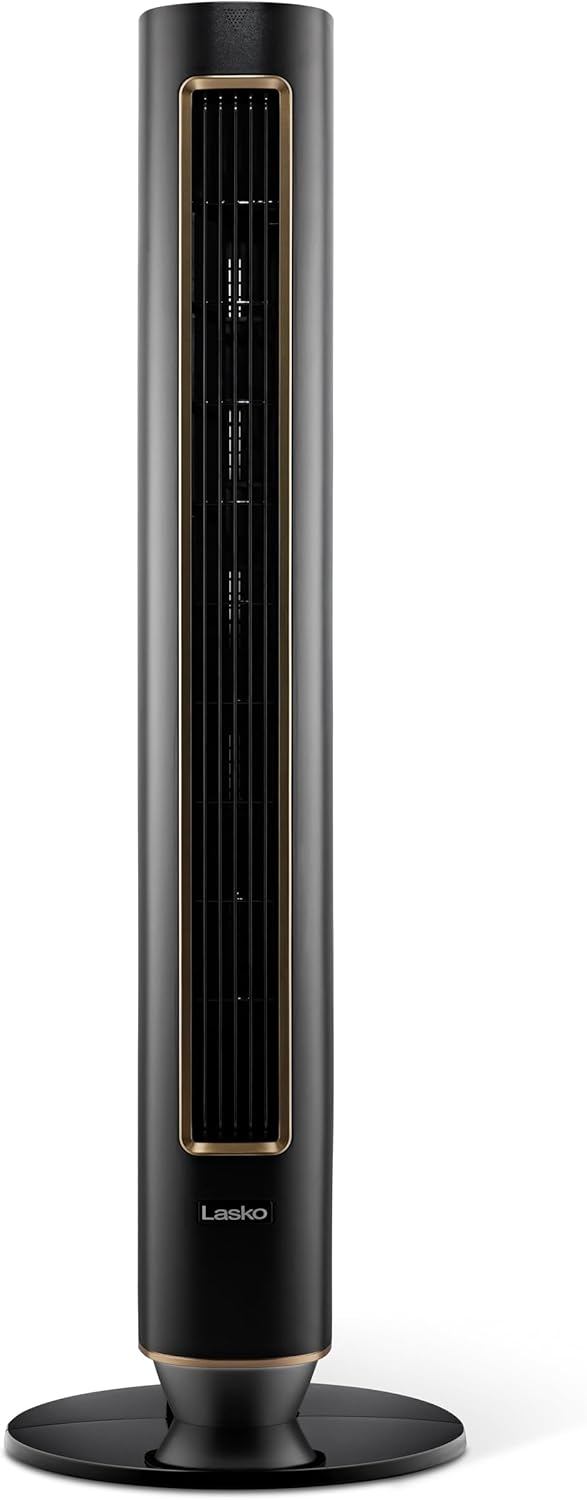
Image: The Lasko Pinnacle Tower Fan alongside a 3-pack of CXF42 replacement filters, indicating filter replacement.
6.2 Nhicha izugbe
- Use a soft cloth to wipe the exterior surfaces of the fan.
- Ejila ihe nchacha abrasive ma ọ bụ ihe mgbaze.
7. Nchọpụta nsogbu
| Nsogbu | Ihe nwere ike ime | Ngwọta |
|---|---|---|
| Onye ofufe anaghị agbanwuo. | No power, fan not plugged in, power outlet not working. | Ensure fan is plugged into a working outlet. Check circuit breaker. |
| Ọkụ ikuku adịghị ike ma ọ bụ enweghị ikuku. | Air filter is dirty or clogged. Fan speed is too low. | Clean or replace the Carbon Filter. Increase fan speed. |
| Unusual noise or rattling. | Fan not on a level surface. Obstruction in fan grille. | Place fan on a stable, level surface. Unplug and check for obstructions. |
| Njikwa anya anaghị arụ ọrụ. | Batteries are dead or incorrectly inserted. Obstruction between remote and fan. | Replace remote batteries. Ensure clear line of sight to fan sensor. |
8. Nkọwapụta
- Akara: Asụsụ
- Aha nlereanya: Lasko 40" Pinnacle DC Tower Fan with Remote Control
- Nọmba nlereanya: DST100
- Akụkụ (D x W x H): 13" x 13" x 40.12"
- Ibu ihe: 9.73 pound
- Agba: Nwa
- Isi mmalite ike: DC
- Wattage: 36 watt
- Voltage: 120.0V
- Ọkwa mkpọtụ: 24 Decibels (on lowest speed)
- Ikike mbugharị ikuku: 450 Cubic Feet kwa nkeji
- Ọnụọgụ nke ọkwa ike: 12
- Usoro njikwa: Touch, Remote
- Atụmatụ pụrụ iche: DC Motor, Digital Display, AirSense AI Technology, Timer, Child Lock, 12 Fan Speeds, 4 Fan Modes, Screen Snooze, Nightlight, 90° Oscillation, Remote Control, Carbon X Filtration System.
- Asambodo: ETL
9. Akwụkwọ ikike na nkwado
For warranty information, product registration, or technical support, please refer to the warranty card included with your product or visit the official Lasko websaịtị. Debe nnata nzụta gị ka ihe akaebe nke ịzụrụ.


