Okwu mmalite
Thank you for choosing the Mars Gaming MS-H RGB Flow Gaming Speakers. These compact speakers are designed to provide an immersive audio experience with 3D Surround sound and dynamic RGB Flow lighting. This manual will guide you through the setup, operation, and maintenance of your new speakers.
Ihe ngwugwu
- Mars Gaming MS-H RGB Flow Gaming Speakers (2 units)
- Integrated USB Power Cable
- Integrated 3.5mm Auxiliary Audio Cable
- Akwụkwọ ntuziaka onye ọrụ
Atụmatụ
- Nhazi kọmpat: Space-saving design suitable for any desk setup.
- RGB Flow Lighting: Dynamic LED lighting for an enhanced visual experience.
- 10W mmepụta ike: Delivers clear and powerful audio.
- 3D Surround Sound: Immersive audio experience with an innovative inverted driver system.
- Integrated Volume Control: Convenient inline control box for easy volume adjustment.
- Njikọ zuru ụwa ọnụ: Powered via USB and connects to audio sources via a 3.5mm auxiliary jack.
Ntuziaka nhazi
1. Ndokwa:
Place the two speakers on a stable, flat surface, ideally on either side of your monitor or listening area for optimal stereo separation.
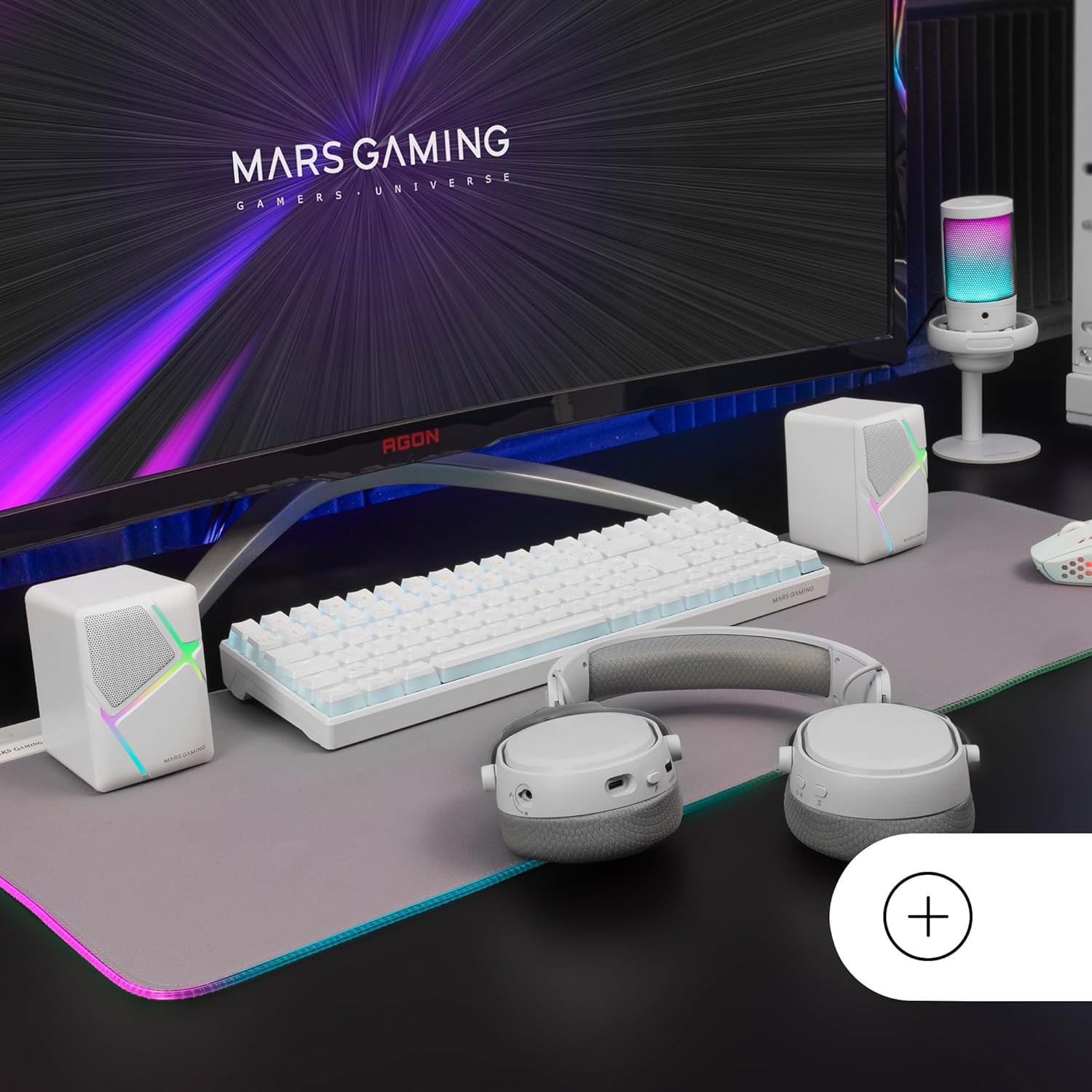
Image: Mars Gaming MS-H speakers set up on a desk with other gaming peripherals.
2. Connect Audio Cable:
Plug the 3.5mm auxiliary audio jack from the speakers into the audio output port of your computer, smartphone, tablet, or music player.

Image: Illustration showing the universal 3.5mm jack connection.
3. Connect USB Power:
Plug the USB-A connector into an available USB port on your computer, a USB wall adapter (not included), or any other compatible USB power source. The speakers will power on and the RGB lighting will activate.
Image: The Mars Gaming MS-H speakers showcasing their RGB Flow lighting feature.
Ntuziaka ọrụ
1. Gbanyụọ/ Gbanyụọ:
The speakers power on automatically when the USB cable is connected to a power source. Disconnect the USB cable to power off the speakers.
2. Mgbanwe olu:
Use the inline volume control box to adjust the audio output level. Rotate the knob clockwise to increase volume and counter-clockwise to decrease it.

Image: The integrated volume control box with a rotary knob.
3. RGB ọkụ:
The RGB Flow lighting activates automatically when the speakers are powered on. The lighting pattern is pre-set and cannot be adjusted or turned off independently.
Nlekọta
- Keep the speakers away from water, moisture, and direct sunlight.
- Clean the speaker surfaces with a soft, dry cloth. Do not use abrasive cleaners or solvents.
- Avoid placing heavy objects on the speakers or cables.
- Do not attempt to open or repair the speakers yourself. Contact qualified service personnel for assistance.
Nchọpụta nsogbu
| Nsogbu | Ihe nwere ike ime | Ngwọta |
|---|---|---|
| Enweghị ụda |
|
|
| RGB ọkụ anaghị arụ ọrụ |
|
|
| Ụda agbagọ |
|
|
Nkọwapụta
| Nlereanya | MSHW |
| Mpụta ike | 10 Watt |
| Teknụzụ Njikọta | Auxiliary (3.5mm Jack), USB (for power) |
| Ọnọdụ mmepụta ọdịyo | Gburugburu |
| Mgbochi | 4 ohms |
| Nzaghachi ugboro ugboro | Ruo 20 kHz |
| Usoro njikwa | Rotary Knob (Inline Volume Control) |
| Atụmatụ pụrụ iche | RGB Flow LED Lighting |
| Eji akwadoro | Music player, Computer, Smartphone or tablet |
| Ngwa dakọtara | Smartphones, tablets, computers, music players |
| Agba | Ọcha |
| Ihe onwunwe | Acrylonitrile Butadiene Styrene (ABS) |
| Akụkụ ngwaahịa (L x W x H) | 10 x 7.9 x 7 cm |
| Ibu Ibu | 375 grams |
| Ụdị nkwụnye | N'elu tebụl |
| Mba onye si | Spain |
Akwụkwọ ikike na nkwado
Maka ozi gbasara akwụkwọ ikike na nkwado teknụzụ, biko gaa na onye nrụpụta ahụ. webma ọ bụ kpọtụrụ onye na-ere ahịa gị. Debe ihe akaebe nke ịzụrụ ihe gị maka akwụkwọ ikike ọ bụla.
Manufacturer: Mars Gaming