Okwu mmalite
This manual provides comprehensive instructions for the setup, operation, maintenance, and troubleshooting of your SABLUTE KL3 PRO Wireless Keyboard and Mouse Combo. Please read this manual thoroughly before using the product to ensure optimal performance and longevity.
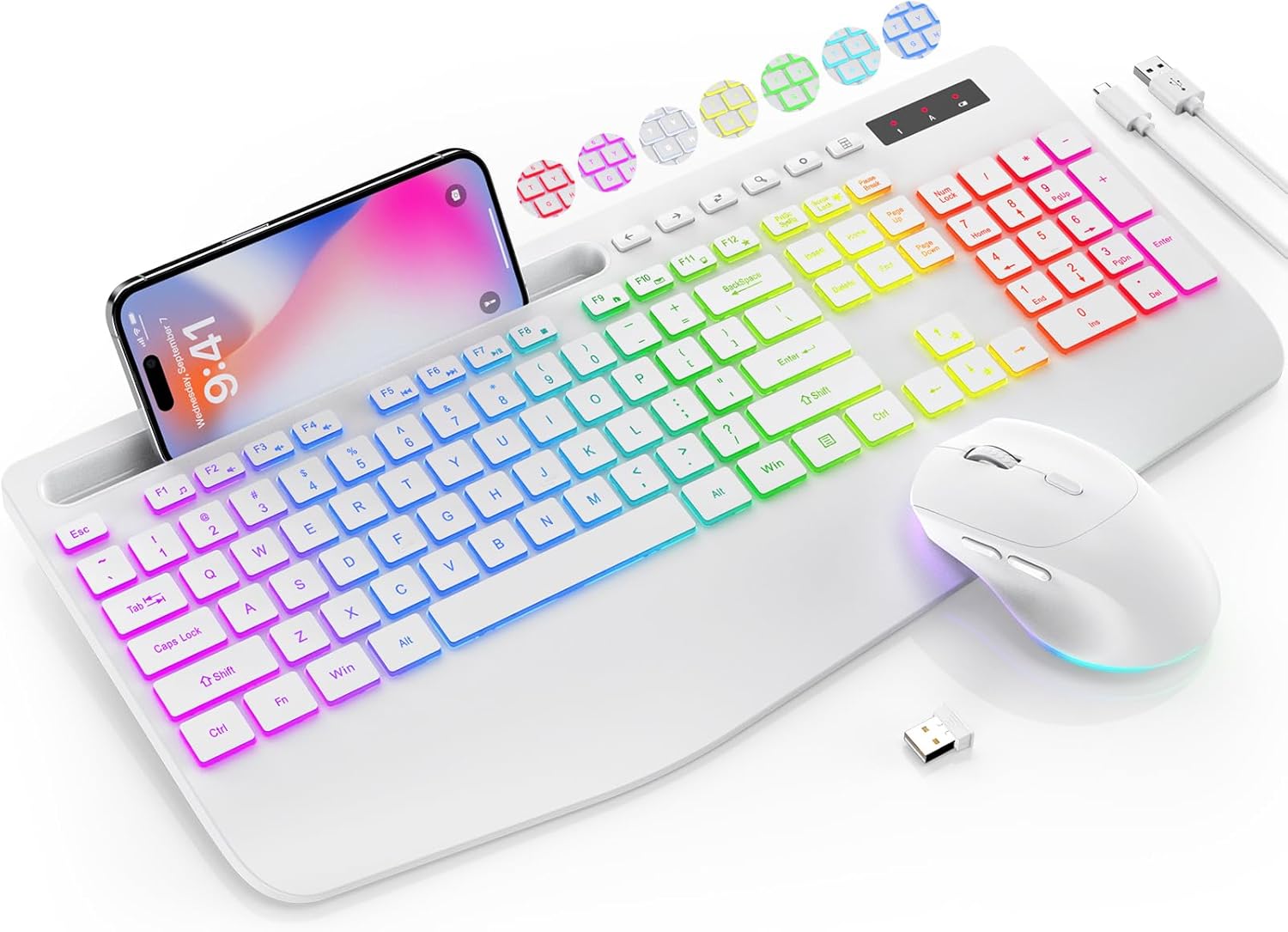
Image: The SABLUTE KL3 PRO Wireless Keyboard and Mouse Combo, featuring a full-size keyboard with a phone holder, a wireless mouse, and a USB receiver.
Ihe ngwugwu
Mgbe ị meghere ngwugwu gị, biko hụ na ihe ndị a niile dị na ya:
- SABLUTE KL3 PRO Wireless Keyboard
- SABLUTE Wireless Mouse
- 2.4G USB Receiver (Dongle)
- USB Type-C Nchaji USB
- Akwụkwọ ntuziaka (akwụkwọ a)

Image: The SABLUTE KL3 PRO keyboard and mouse, along with the USB receiver and charging cables, as they appear in the package.
Ntuziaka nhazi
1. Ịchaji ngwaọrụ
Both the keyboard and mouse are rechargeable. Before initial use, it is recommended to fully charge both devices.
- Connect the provided USB Type-C charging cable to the charging port on the keyboard and mouse.
- Plug the other end of the cable into a USB power source (e.g., computer USB port, USB wall adapter).
- Charging typically takes 2-3 hours for a full charge. The indicator light will change to show charging status.
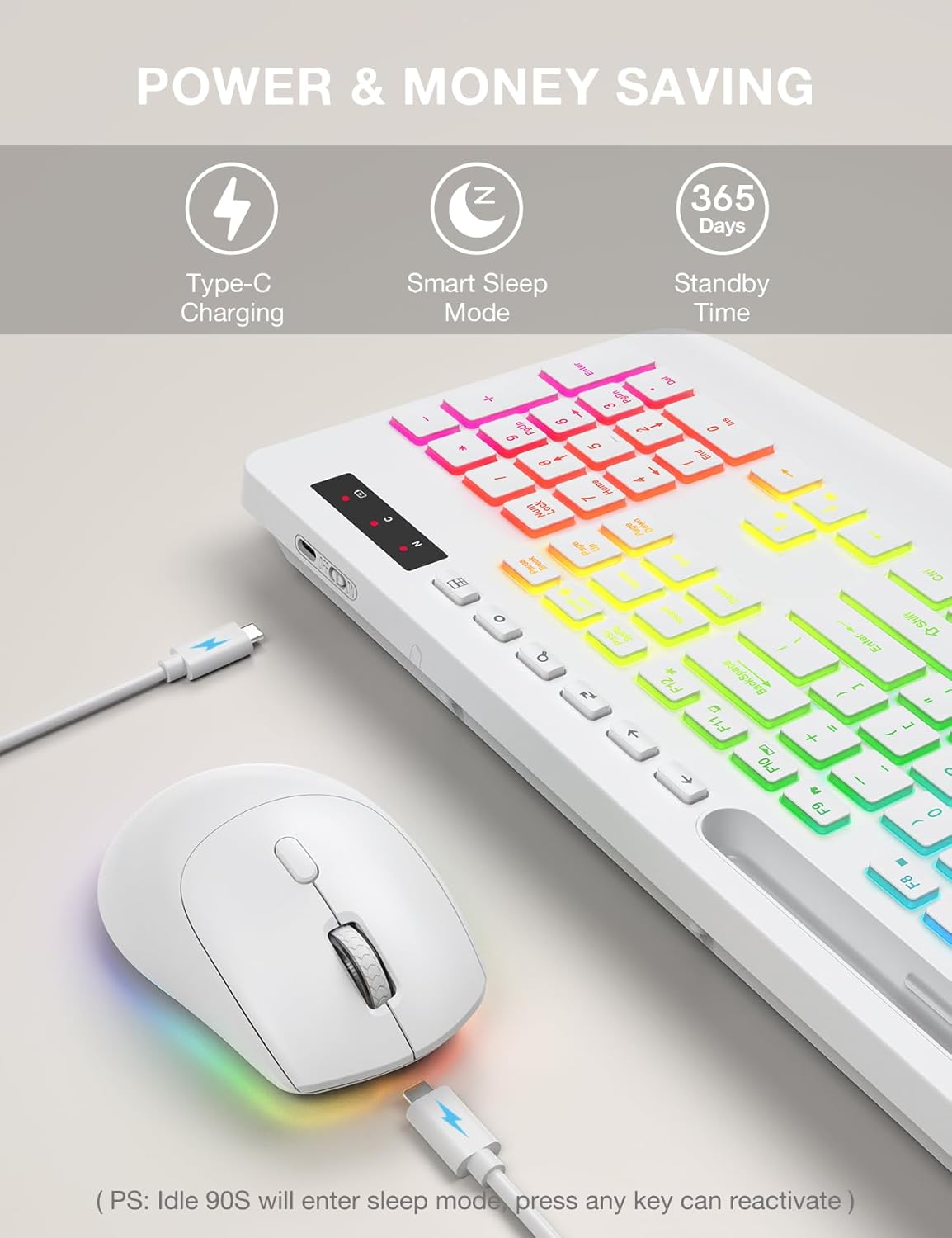
Image: The SABLUTE keyboard and mouse connected to charging cables, illustrating the Type-C charging ports.
2. Ijikọ na ngwaọrụ gị
The SABLUTE KL3 PRO combo uses a 2.4G wireless connection via a single USB receiver.
- Locate the 2.4G USB receiver. It is typically stored in the mouse's battery compartment or within the product packaging.
- Plug the USB receiver into an available USB-A port on your computer or laptop.
- Gbanwuo ahụigodo na òké site na iji mgba ọkụ nke otu ha.
- The devices should connect automatically within seconds. No additional drivers are usually required for most operating systems.
ndakọrịta: This combo is compatible with Windows, Chrome OS, Linux, and Mac devices. Please note that multimedia keys may have limited functionality on Mac operating systems.
Ihe ndetu dị mkpa: A USB-C dongle is not included. This keyboard and mouse combo cannot connect directly to tablets or phones without a compatible USB-A adapter (not included).

Image: The keyboard and mouse operating wirelessly with a laptop and monitor, demonstrating the 2.4G wireless connectivity and plug-and-play setup.
Ntuziaka ọrụ
Atụmatụ ahụigodo
- Mmetụta ọkụ azụ: Choose from 7 solid colors and 1 rainbow backlight color. There are 3 distinct backlight modes available.
- Njikwa ọkụ azụ:
- Pịa Fn + PrtSc/SysRq ka ịgbanwuo ma ọ bụ gbanyụọ ọkụ azụ.
- Pịa Fn + Pịgharịa mkpọchi to switch between different backlight modes.
- Pịa Fn + akụ elu or Fn + akụ ala iji gbanwee nchapụta ọkụ azụ (ọkwa 3).
- Ezumike aka Ergonomic: The keyboard features an extra-wide 2.8-inch wrist rest designed to reduce wrist fatigue during extended use.
- Ihe njide ekwentị agbakwunyere: A built-in holder accommodates devices up to 11.9 inches, allowing for convenient multitasking.
- Igodo mgbasa ozi: Access 6 one-touch media keys and F1-F12 shortcuts for streamlined daily tasks.
- Mpempe akwụkwọ dị jụụ: The keyboard is designed for silent operation, minimizing disturbance in shared environments.
- Dị ala-Profile Isi igodo: Features 1mm low-profile keycaps for easier cleaning and quieter typing.

Image: Illustration of the keyboard's 7 color options and the key combinations for controlling backlight on/off, mode switching, and brightness adjustment.
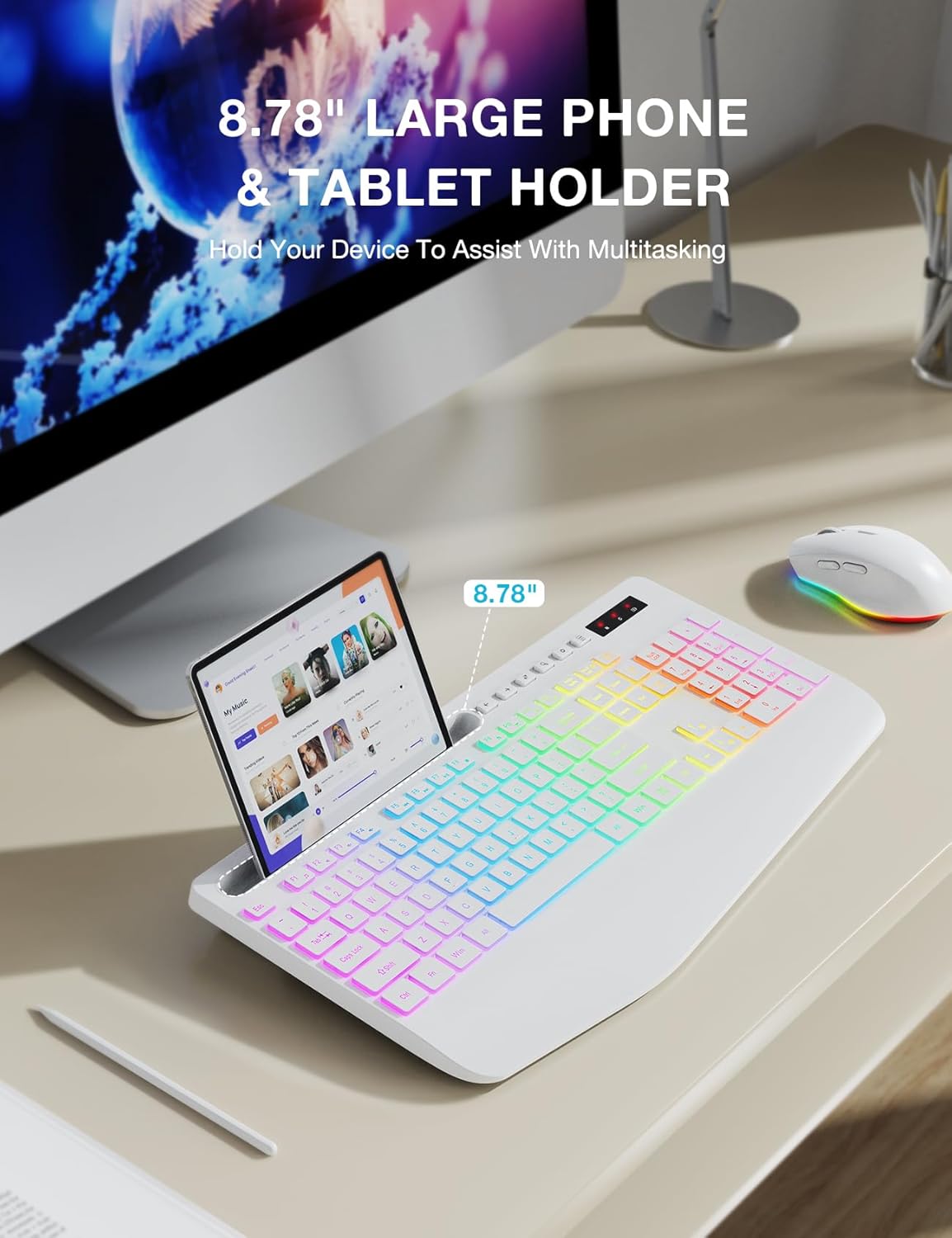
Image: The keyboard displaying a phone securely placed in its integrated holder, highlighting the 8.78-inch capacity for multitasking.
Òké Atụmatụ
- 6-bọtịnụ imewe: Includes standard left/right click, scroll wheel, DPI button, and forward/backward buttons for enhanced navigation.
- DPI nwere ike imeghari: Cycle through 3 DPI levels (800/1200/1600) to adjust tracking speed for different tasks.
- Pịa jụụ: The mouse is designed for silent clicks, providing a quiet working environment.
- Mmetụta ọkụ azụ: Features 15 light effects that can be switched or turned off.

Foto: nkọwa zuru ezu view of the SABLUTE wireless mouse, labeling its 6 buttons including the scroll wheel, left/right click, DPI button, and forward/backward buttons.
Njikwa Ike
The SABLUTE KL3 PRO combo is designed with energy-saving features to extend battery life.
- Ụdị ụra nke ọma: If idle for 90 seconds, the devices will enter a smart sleep mode to conserve power. Press any key on the keyboard or move the mouse to reactivate.
- Ogologo oge njikere: With the backlight off, the devices can achieve up to 365 days of standby time on a full charge.

Image: An illustration highlighting the energy-saving features of the SABLUTE keyboard and mouse, including 365 days standby time and smart sleep mode activation after 90 seconds of inactivity.
Nlekọta na nlekọta
To ensure the longevity and optimal performance of your SABLUTE KL3 PRO combo, follow these maintenance guidelines:
- Nhicha: Jiri ákwà dị nro ma kpọrọ nkụ hichaa elu nke ahụigodo na òké ahụ. Maka unyi siri ike, jiri obere d hichaa elu nke ahụigodo na òké ahụ.amp A pụrụ iji ákwà nwere ncha dị nro mee ihe, na-eme ka mmiri ghara ịbanye na ngwaọrụ ahụ.
- Nchacha igodo igodo: Obere profile keycaps are designed for easier cleaning. Use compressed air to remove debris from between keys.
- Nchekwa: Chekwaa ngwaọrụ ndị a n'ebe dị jụụ, kpọrọ nkụ pụọ na ìhè anyanwụ kpọmkwem na oke okpomọkụ.
- Zere Mmiri mmiri: Do not expose the keyboard or mouse to excessive moisture or liquids.
- Jiri Nlekọta Aka: Zere idobe ma ọ bụ idobe ngwaọrụ ahụ na mmetụta siri ike.
Nchọpụta nsogbu
If you encounter any issues with your SABLUTE KL3 PRO combo, please refer to the following common solutions:
| Nsogbu | Ngwọta enwere ike |
|---|---|
| Ahụigodo/Òké anaghị aza |
|
| Nzaghachi nkwụsịtụ ma ọ bụ igbu oge |
|
| Ìhè azụ anaghị arụ ọrụ |
|
| Missing USB receiver |
|
| Devices enter sleep mode too quickly |
|
Nkọwapụta
| Njirimara | Nkọwa |
|---|---|
| Nọmba nlereanya | KL3 PRO |
| Akụkụ ngwaahịa | 16.85 x 8.46 x 1.38 sentimita asatọ |
| Ibu Ibu | 2 pound |
| Batrị | 1 Lithium Metal batrị achọrọ (gụnyere) |
| Teknụzụ Njikọta | Ikuku USB 2.4G |
| Atụmatụ pụrụ iche | 3-level DPI, Backlit, Ergonomic Wrist Rest, Phone Holder, Shortcut Keys, Low-profile mkpịsị ugodi |
| Ngwa dakọtara | Kọmputa nkeonwe, Laptọọpụ |
| Onye nrụpụta | Ekele |
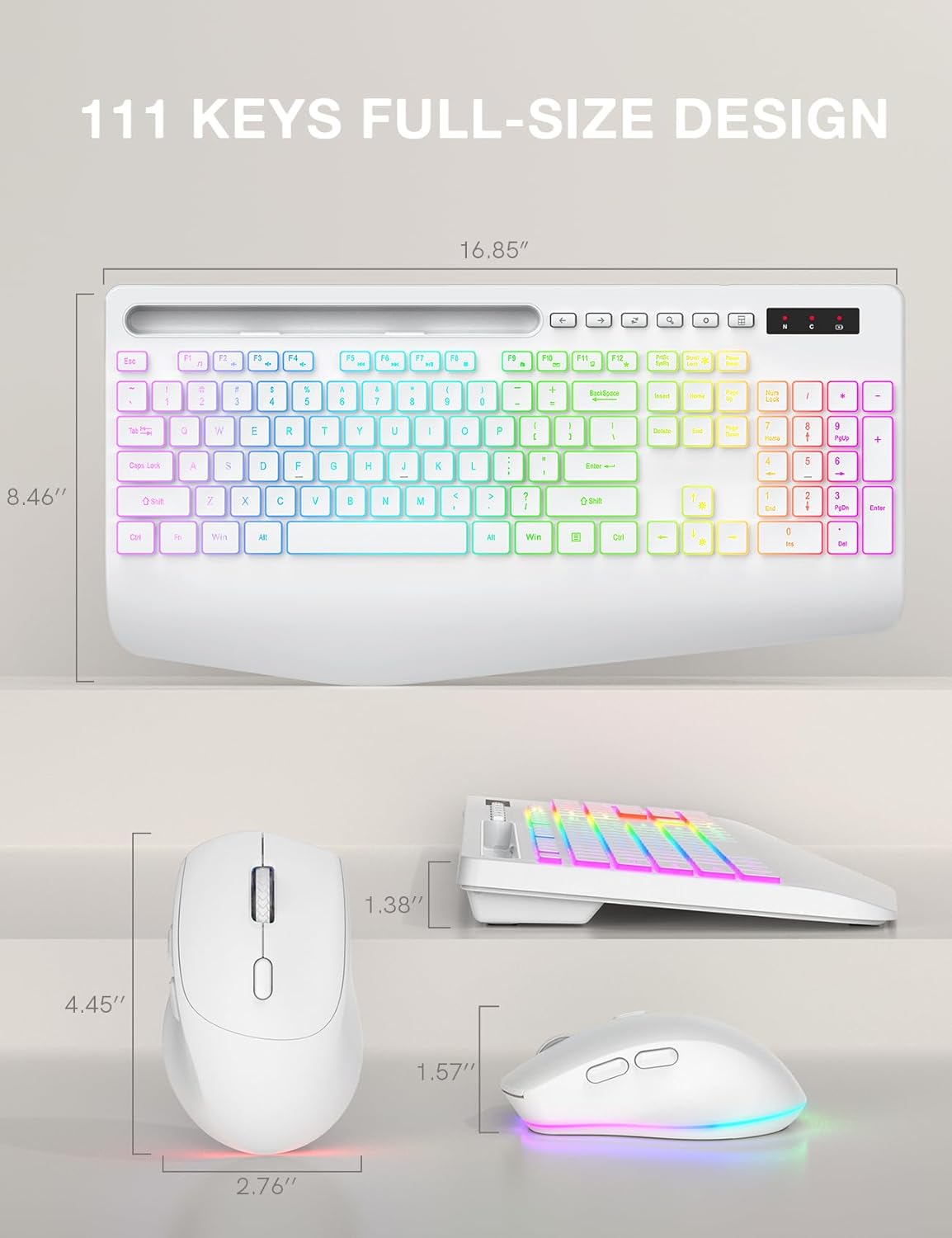
Image: Technical drawing showing the dimensions of the SABLUTE KL3 PRO keyboard and mouse.
Akwụkwọ ikike na nkwado
SABLUTE is committed to providing quality products and customer satisfaction. Your KL3 PRO Wireless Keyboard and Mouse Combo comes with the following support:
- Ndochi nke ụbọchị 90: For any manufacturing defects or issues within 90 days of purchase.
- 360-Day Manufacturer Warranty: Covers defects in materials and workmanship for 360 days from the date of purchase.
Nkwado kọntaktị
For pre-sales questions, troubleshooting assistance, accessory reissue, or returns and exchanges, please contact us:
- Nkwado email: sabluteservices@outlook.com
- Phone Support (US): +1-888-858-1618 (Monday-Friday, 9 AM - 1 PM PST, 2 PM - 6 PM PST)