Okwu mmalite
This manual provides instructions for the safe and proper operation, setup, and maintenance of your Silverlit 4SPEED Turbo Desert Remote Control Car, Model 70011. Please read this manual thoroughly before use and retain it for future reference.
The Silverlit 4SPEED Turbo Desert is a compact radio-controlled buggy designed for high-speed performance, capable of reaching speeds up to 25 km/h. Its robust construction and all-terrain tires make it suitable for various indoor and outdoor environments, including sand, dirt, and small obstacles. The 2.4 GHz remote control ensures precise handling and stable connectivity, allowing for multiple vehicles to operate simultaneously without interference.
Ịdọ aka ná ntị nchekwa
Ịdọ aka ná ntị: Not suitable for children under 36 months due to small parts which may present a choking hazard. Adult supervision is recommended during operation.
Ihe ngwugwu
- 1 x Silverlit 4SPEED Turbo Desert Remote Control Car
- 1 x 2.4 GHz njikwa anya
- Batteries (included and required for operation)
- Akwụkwọ ntuziaka (akwụkwọ a)

Image: The Silverlit 4SPEED Turbo Desert remote control car shown alongside its 2.4 GHz remote control unit.
Melite
1. Battery Installation (Car)
- Chọta ebe batrị dị n'okpuru ụgbọ ala.
- Jiri screwdriver mepee mkpuchi nke ebe batrị ahụ.
- Insert the required batteries, ensuring correct polarity (+/-).
- Dochie mkpuchi nke batrị batrị ma jiri nkedo chekwaa ya.
2. Ntinye Batrị (Njikwa Ime Obodo)
- Chọta ebe batrị dị n'azụ nke njikwa anya.
- Mepee mkpuchi nke batrị batrị.
- Insert the required batteries, ensuring correct polarity (+/-).
- Dochie mkpuchi oghere batrị.

Image: The 2.4 GHz remote control unit for the Silverlit 4SPEED Turbo Desert car, showing its ergonomic design and control layout.
Ntuziaka ọrụ
1. Ike On na Pairing
- Ensure batteries are correctly installed in both the car and the remote control.
- Turn on the car using the power switch located on the vehicle.
- Gbanyụọ njikwa anya site na iji mgba ọkụ ya.
- The car and remote control will automatically pair. A light indicator on both devices may confirm successful pairing.
2. Njikwa ịnya ụgbọ ala
- Ụgbọ ala: Rotate the steering wheel on the remote control left or right to steer the car.
- Trigger/Lever: Pull the trigger/lever to move the car forward. Push it forward to engage reverse or braking.
- Speed Button (if available): Adjust speed settings (e.g., "SPEED" button on remote).
- Light Button (if available): Control vehicle lights (e.g., "LIGHT" button on remote).
- Demo Button (if available): Activate a pre-programmed demonstration sequence (e.g., "DEMO" button on remote).
3. Ndụmọdụ maka ịkwọ ụgbọala
- Operate the car on flat, open surfaces free from obstacles.
- Avoid driving in wet conditions or through puddles to prevent damage to electronic components.
- Practice gentle control inputs initially to familiarize yourself with the vehicle's response.
- For optimal performance, ensure batteries are fully charged or replaced when power diminishes.

Foto: ihu-aka ekpe view of the Silverlit 4SPEED Turbo Desert RC car, highlighting its robust chassis and all-terrain tires.
Nlekọta
1. Nhicha
- After use, especially outdoors, gently wipe the car with a dry or slightly damp akwa iji wepu unyi na uzuzu.
- Do not use harsh chemicals or solvents, as these may damage the plastic components or paint.
- Ensure no water enters the electronic components.
2. Nchekwa
- When not in use for extended periods, remove all batteries from both the car and the remote control to prevent leakage and damage.
- Store the car and remote control in a cool, dry place, away from direct sunlight and extreme temperatures.
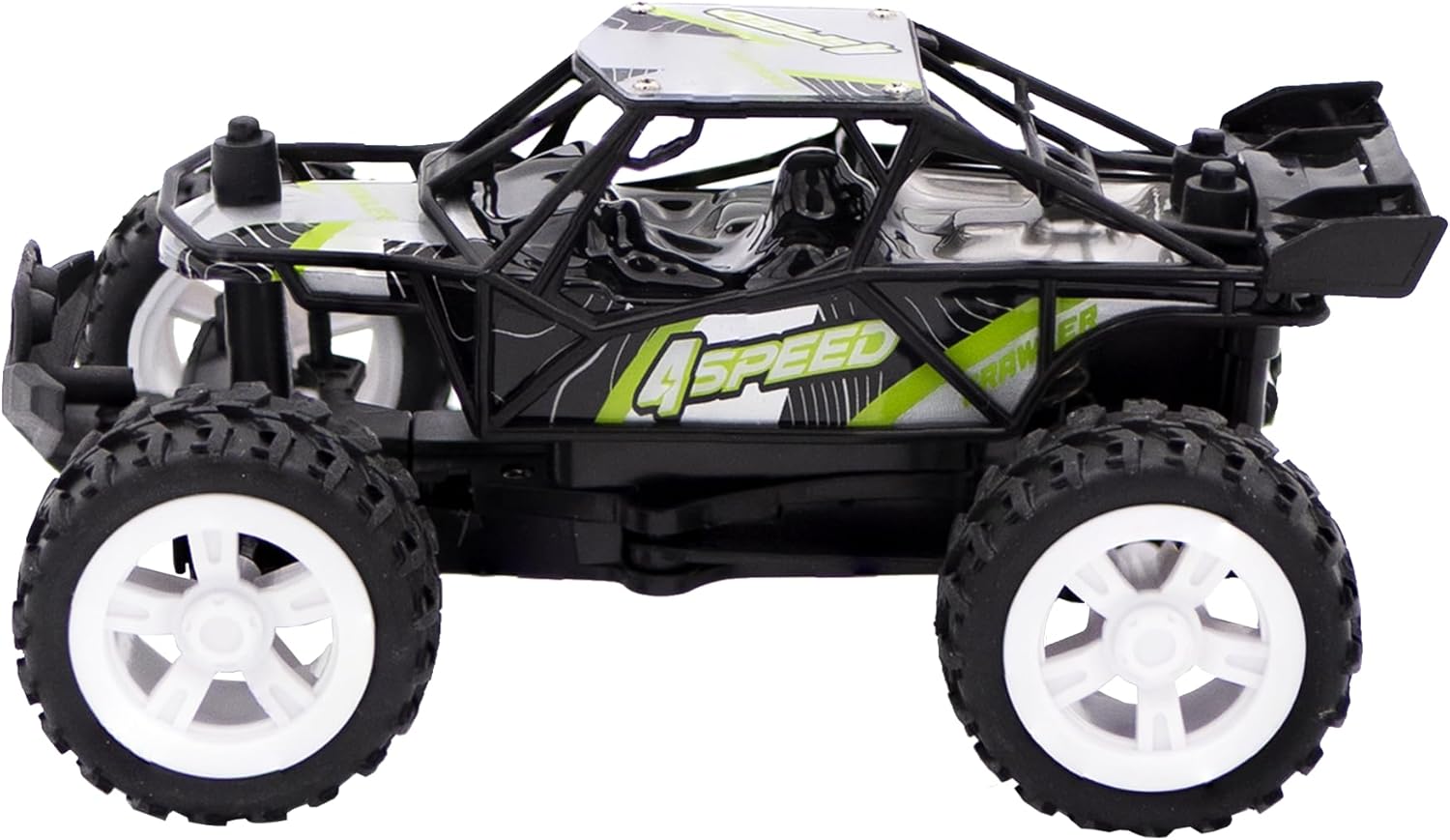
Foto: Akụkụ view of the Silverlit 4SPEED Turbo Desert RC car, showcasing ọ bụ ọkachamara dị alafile and suspension.
Nchọpụta nsogbu
| Nsogbu | Ihe nwere ike ime | Ngwọta |
|---|---|---|
| Car does not respond to remote control. |
|
|
| Ụgbọala na-aga nwayọ nwayọ ma ọ bụ na-anaghị agbanwe agbanwe. |
|
|
| Agbanyụrụ ọkụ ihe ngosi njikwa dị anya. |
|
|
Nkọwapụta
| Ụdị | Silverlit |
| Nọmba nlereanya | 70011 |
| Akụkụ ngwaahịa (L x W x H) | 5.5 x 12 x 8.5 cm |
| Ibu | 360 grams |
| Afọ akwadoro | Afọ 5 na karịa |
| Isi ihe | Plastic |
| Agba | Black Turbo Desert |
| Isi Iyi Ike | Batrị kwadoro |
| Batrị achọrọ | Ee |
| Batrị gụnyere | Ee |
| Ụdị batrị | Included and required, non-rechargeable |
| Njirimara Pụrụ Iche | A na-achịkwa anya |
| Ụdị ọrụ | Akwụkwọ ntuziaka |
Akwụkwọ ikike na nkwado
Specific warranty information for the Silverlit 4SPEED Turbo Desert Remote Control Car is not available in this document. For warranty claims or technical support, please refer to the product packaging or contact the retailer where the product was purchased. You may also visit the official Silverlit websaịtị maka enyemaka ọzọ.
Spare parts availability information is not provided.
Ngwaahịa agbakwunyere Views


