Okwu mmalite
Thank you for choosing the WEKOME Retro Game Style Wireless Bluetooth 5.3 Earbuds. These earbuds are designed to provide an immersive audio experience with advanced features such as Bluetooth 5.3 connectivity, Dual-Mic ENC technology for clear audio, and dedicated Game and Music modes. This manual will guide you through the setup, operation, and maintenance of your new earbuds.

Image: The WEKOME Retro Game Style Earbuds and their charging case, showcasing their unique design and key features.
Kedu ihe dị na Igbe ahụ
Biko lelee ọdịnaya nke ngwugwu gị ka ị hụ na ihe niile dị:
- WEKOME Retro Game Style Wireless Earbuds (Left and Right)
- Akpa nchaji ikuku
- Ịchaji eriri (ụdị-C)
- Okwu nchekwa
- Akwụkwọ ntuziaka (akwụkwọ a)
Melite
1. Nchaji mbụ
Tupu ojiji nke mbụ, chajie nke ọma ekwe ntị na akpa nchaji.
- Connect the provided Type-C charging cable to the charging port on the case.
- Jikọọ nsọtụ nke ọzọ nke eriri ahụ na isi iyi ike USB (dịka ọmụmaatụ, nkwụnye mgbidi, ọdụ ụgbọ USB kọmputa).
- The indicator lights on the charging case will show the charging status. A full charge takes approximately 1.2 hours for the case.
- Tinye ntị ntị n'ime akpa nchaji. Ha ga-amalite ịchaji ozugbo.

Image: The charging case connected to a Type-C cable, illustrating the charging process.
A fully charged case provides up to 36 hours of total usage time for the earbuds, with the earbuds themselves offering up to 6 hours of continuous playback on a single charge.
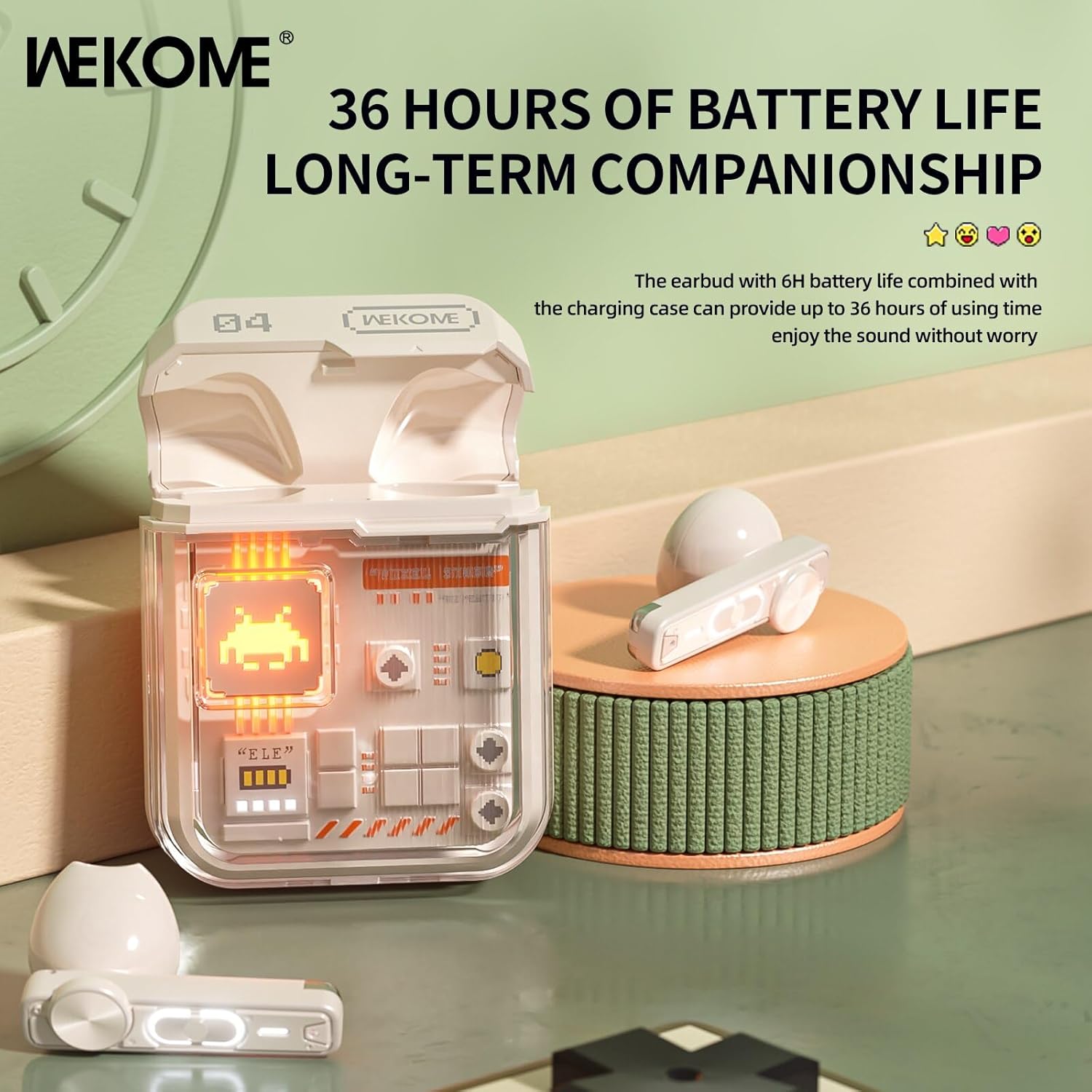
Image: The earbuds in their charging case, highlighting the extended battery life of up to 36 hours with the case.
2. Ijikọ na ngwaọrụ gị
The earbuds feature an auto-connect function for hassle-free pairing.
- Ensure Bluetooth is enabled on your smartphone, tablet, or laptop.
- Mepee igbe nchaji wee wepụ ntị abụọ ntị. Ha ga-abanye na ọnọdụ njikọta na-akpaghị aka.
- On your device, search for Bluetooth devices and select "WEKOME VB04" (or similar name) from the list.
- Ozugbo ejikọtara ya, ị ga-anụ olu nkwenye, ekweisi ndị ahụ ga-adịkwa njikere maka ojiji.
- After the initial pairing, the earbuds will automatically connect to the last paired device when taken out of the case.
Ntuziaka ọrụ
Njikwa Smart Touch
The WEKOME earbuds feature intuitive touch controls on each earbud for easy management of music and calls.
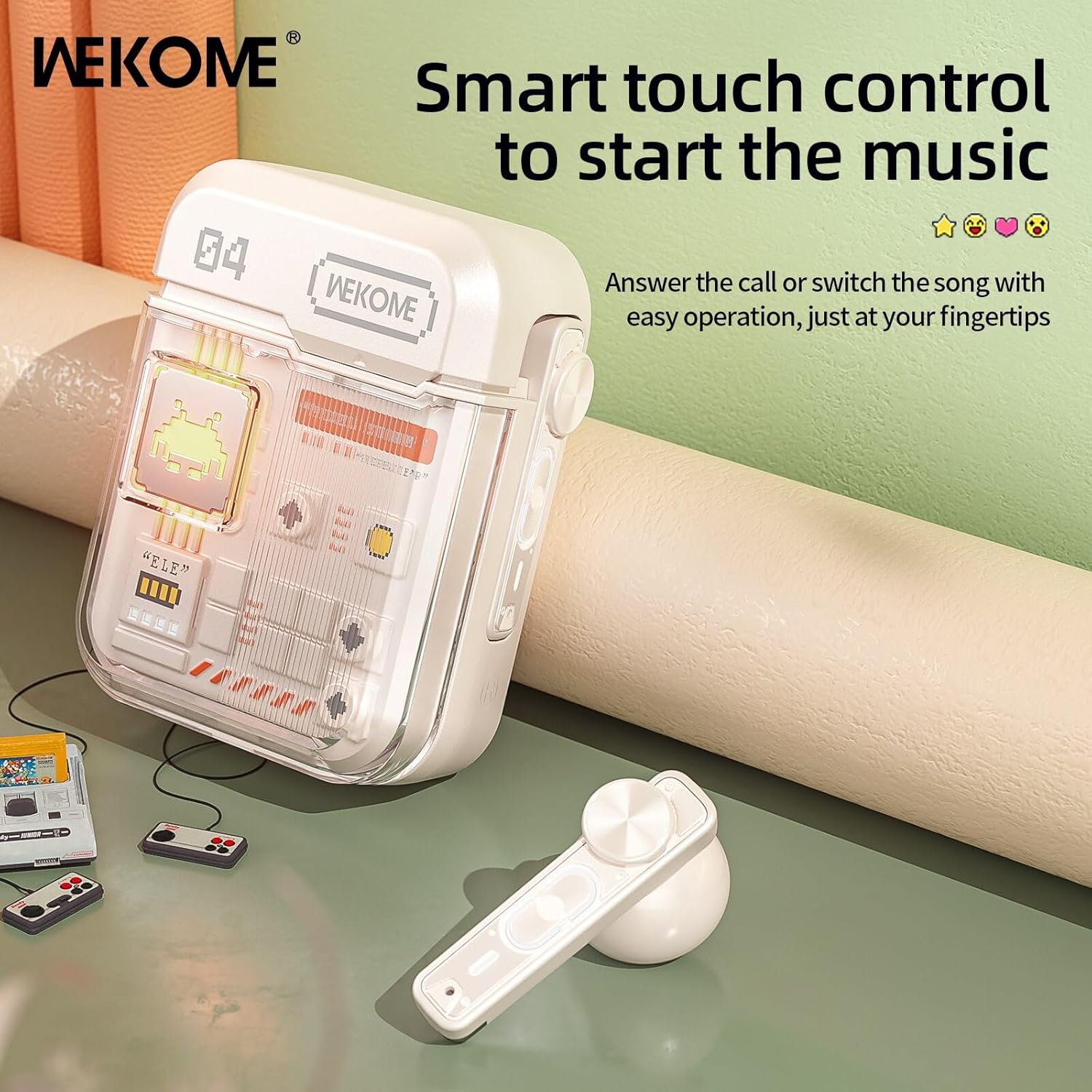
Image: The WEKOME earbuds demonstrating the touch control area for various functions.
| Omume | Ọrụ |
|---|---|
| Otu mgbata (aka ekpe/aka nri) | Kpọọ/Kwụsị Egwu, Zaa/Kwụsị Oku |
| Pịa ugboro abụọ (aka nri) | Abụ na-abịa |
| Pịa ugboro abụọ (aka ekpe) | Abụ gara aga |
| Pịa ugboro atọ (aka nri) | Elu elu |
| Pịa ugboro atọ (aka ekpe) | Mpịakọta ọnụ |
| Pịa ma jide (sekọnd 2) | Jụ oku, mee ka onye enyemaka olu rụọ ọrụ |
| Press and Hold (Right Earbud, 2 seconds) | Switch between Game Mode and Music Mode |
Ụdị egwuregwu & Ụdị egwu
The earbuds offer two distinct audio modes optimized for different uses.
- Ụdị egwuregwu: Provides low latency (as low as 50ms) for synchronized picture and sound, crucial for gaming. This mode also activates cool lights on the earbuds.
- Ụdị egwu: Delivers balanced, high-resolution sound to restore more audio details, ideal for listening to music.
To switch between modes, press and hold the touch control area on the ntị ntị aka nri maka 2 sekọnd.
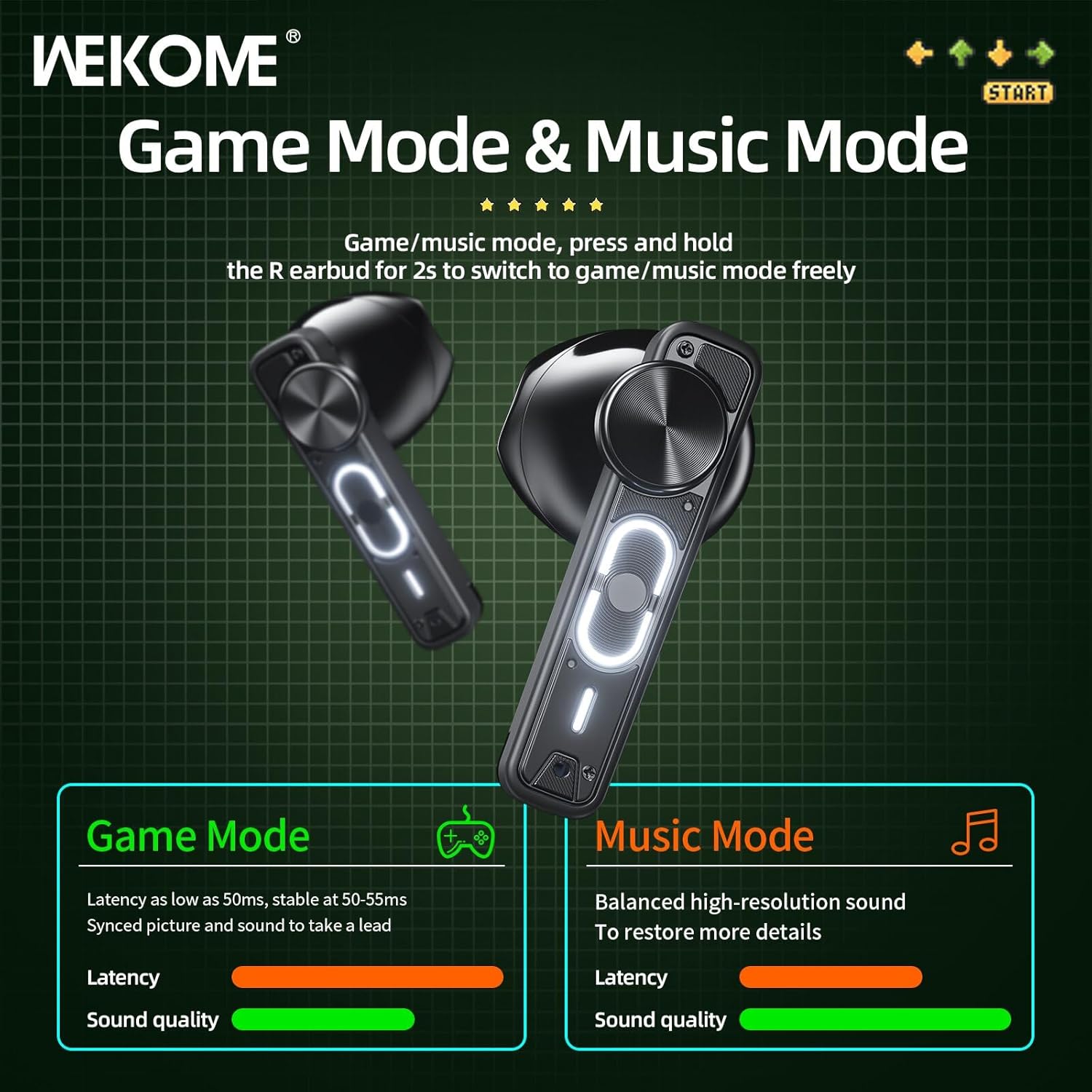
Image: Visual representation of the Game Mode and Music Mode, highlighting their respective benefits in latency and sound quality.
Nlekọta
- Nhicha: Jiri akwa dị nro, kpọrọ nkụ na-adịghị na-ehicha ntị ntị na chaja mgbe niile. Ejila kemịkalụ siri ike ma ọ bụ ihe abrasive.
- Nchekwa: Mgbe ejighị ya, chekwaa earbuds n'ime akpa nchaji ha iji chebe ha ma debe ha ebubo. Chekwaa n'ebe dị jụụ, kpọrọ nkụ na-adịghị na ìhè anyanwụ kpọmkwem na oke okpomọkụ.
- Nguzogide mmiri: Igwe ntị ndị a bụ ọ bụghị waterproof. Avoid exposure to water, rain, sweat, or excessive moisture.
- Nchaji ọdụ ụgbọ mmiri: Debe ọdụ ụgbọ mmiri Type-C n'enweghị uzuzu na irighiri ihe.
Nchọpụta nsogbu
| Nsogbu | Ihe nwere ike ime | Ngwọta |
|---|---|---|
| Igwe ntị anaghị ejikọta/ejikọta | Bluetooth is off, earbuds not in pairing mode, out of range, previously paired to another device. | Ensure Bluetooth is on. Place earbuds back in case, then take them out to re-enter pairing mode. Move closer to device. Forget "WEKOME VB04" from device's Bluetooth list and re-pair. |
| Naanị otu earbud na-arụ ọrụ | Low battery on one earbud, earbuds not properly synced. | Place both earbuds back in the charging case, close the lid for a few seconds, then take them out again. Ensure both are charged. |
| Enweghị ụda | Volume too low, not connected, incorrect audio output selected on device. | Increase volume on both earbuds and connected device. Verify connection. Check device's audio output settings. |
| Nchaji anaghị akwụ ụgwọ | Faulty cable/adapter, dirty charging port. | Try a different Type-C cable and USB power adapter. Clean the charging port gently. |
Nkọwapụta
| Njirimara | Nkọwa |
|---|---|
| Aha Nlereanya | Wekome VB04 |
| Ụdị Bluetooth | 5.3 |
| Ikuku iche | <10m |
| Nzaghachi ugboro ugboro | 20-20000 Hz |
| Ngalaba ọkwọ ụgbọ ala | 13mm Composite Diaphragm Dynamic Unit |
| Njikwa mkpọtụ | Dual-Mic ENC Technology (Sound Isolation) |
| Ndụ batrị earbud | Ruo awa iri abụọ |
| Mkpokọta ndụ batrị (ya na ikpe) | Ruo awa iri abụọ |
| Oge Nchaji | Approx. 1.2 hours (case) |
| Ụzọ nchaji | Ụdị-C Port |
| Ụdị njikwa | Njikwa Smart Touch |
| Ihe onwunwe | PVC |
| Waterproof | Mba |
| Ngwa dakọtara | Tablets, Telephones, iPhone, Laptops, Android |
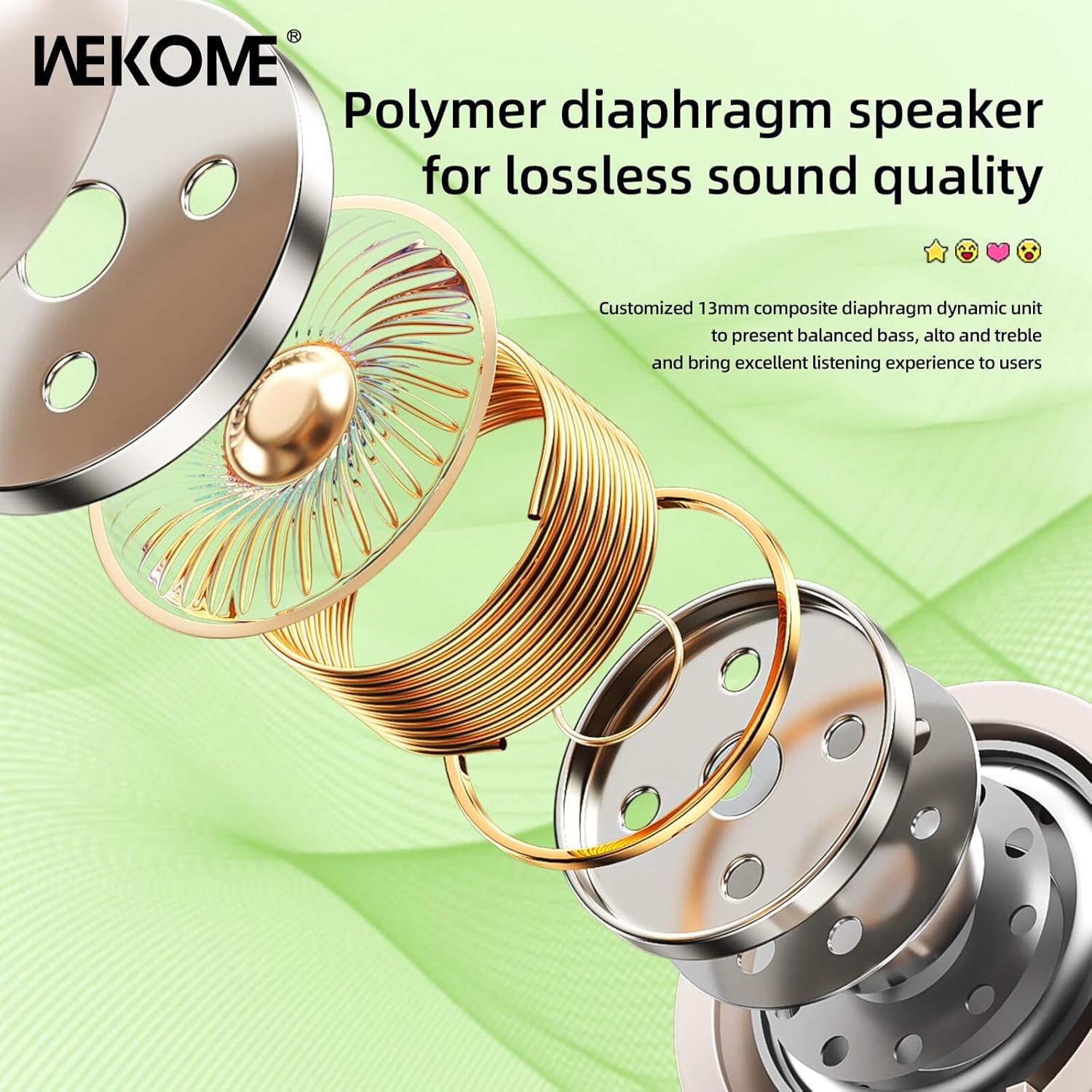
Foto: Ihe gbawara view illustrating the components of the 13mm composite diaphragm speaker, designed for lossless sound quality.
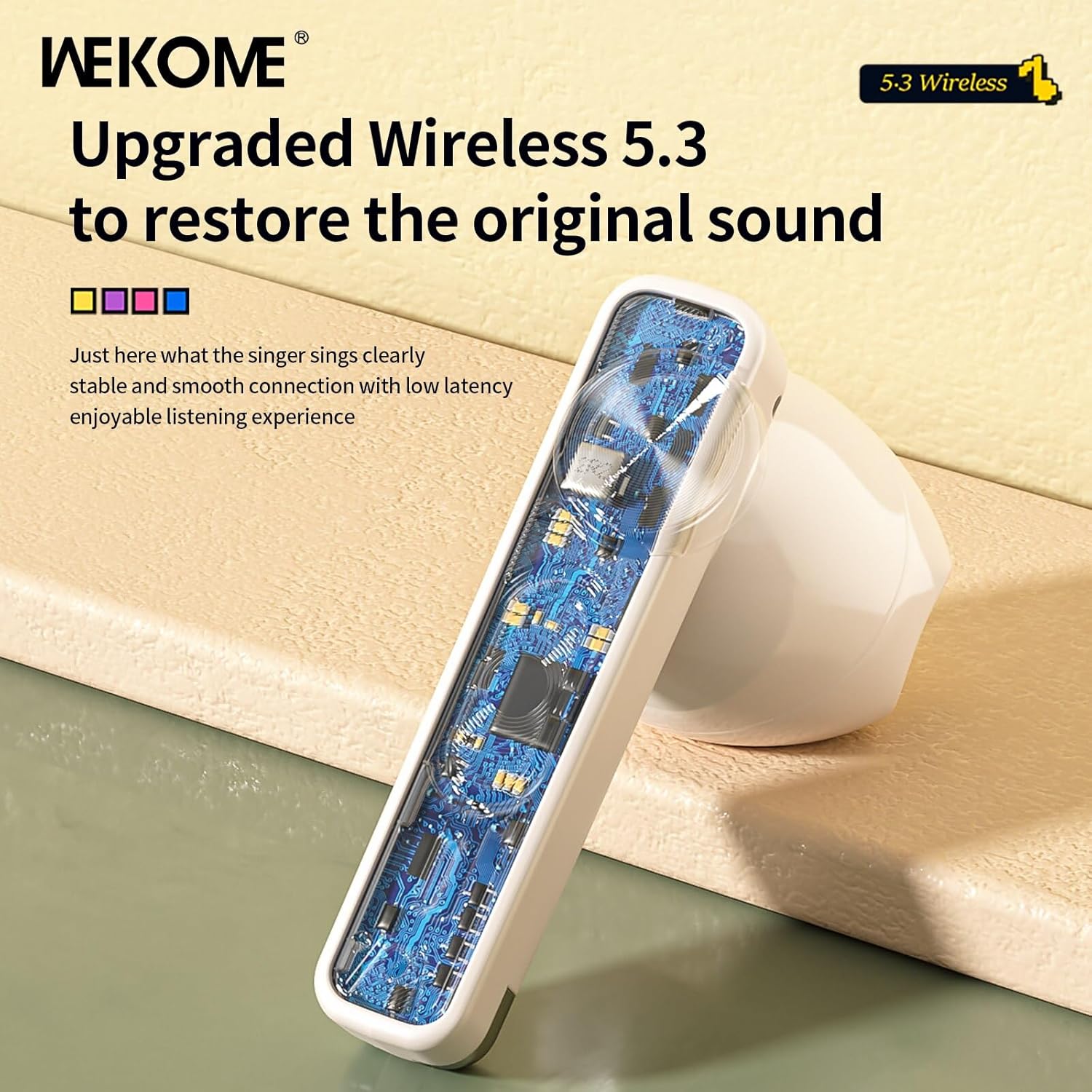
Foto: A nso nso view of an earbud's internal circuit board, highlighting the advanced Wireless 5.3 technology for stable and smooth connection.
Akwụkwọ ikike na nkwado
For warranty information and technical support, please refer to the contact details provided on the product packaging or the official WEKOME websaịtị. Debe nnata nzụta gị dị ka ihe akaebe nke ịzụrụ ihe maka akwụkwọ ikike ọ bụla.


