1. Okwu mmalite
Daalụ maka ịzụrụasing the MUSE M-15 Alarm Clock Radio. This manual provides essential information for the safe and efficient operation of your device. Please read it thoroughly before use and retain it for future reference.
2. Ozi nchekwa
- Isi mmalite ike: Use only the specified battery type (1 AA battery). Ensure correct polarity when inserting batteries.
- Mmiri na mmiri: Do not expose the device to water, rain, or excessive moisture. Avoid placing it near liquids.
- Okpomọkụ: Debe ngwaọrụ ahụ n'ebe dị anya site na ebe okpomọkụ dị ka radiator, ihe ndekọ okpomọkụ, stovu, ma ọ bụ ngwaọrụ ndị ọzọ (gụnyere amplifiers) nke na-emepụta okpomọkụ.
- Nhicha: Jiri akwa kpọrọ nkụ hichaa naanị. Ejila ihe nhicha mmiri ma ọ bụ ihe nhicha ikuku.
- Ije ozi: Anwala ịnye ngwaahịa a n'onwe gị. Tụtụ aka n'aka ndị ọrụ ruru eru.
- mkpofu: Dispose of batteries and the device according to local regulations. Do not dispose of batteries in fire.
3. Ngwaahịa gafereview
Familiarize yourself with the components of your MUSE M-15 Alarm Clock Radio.
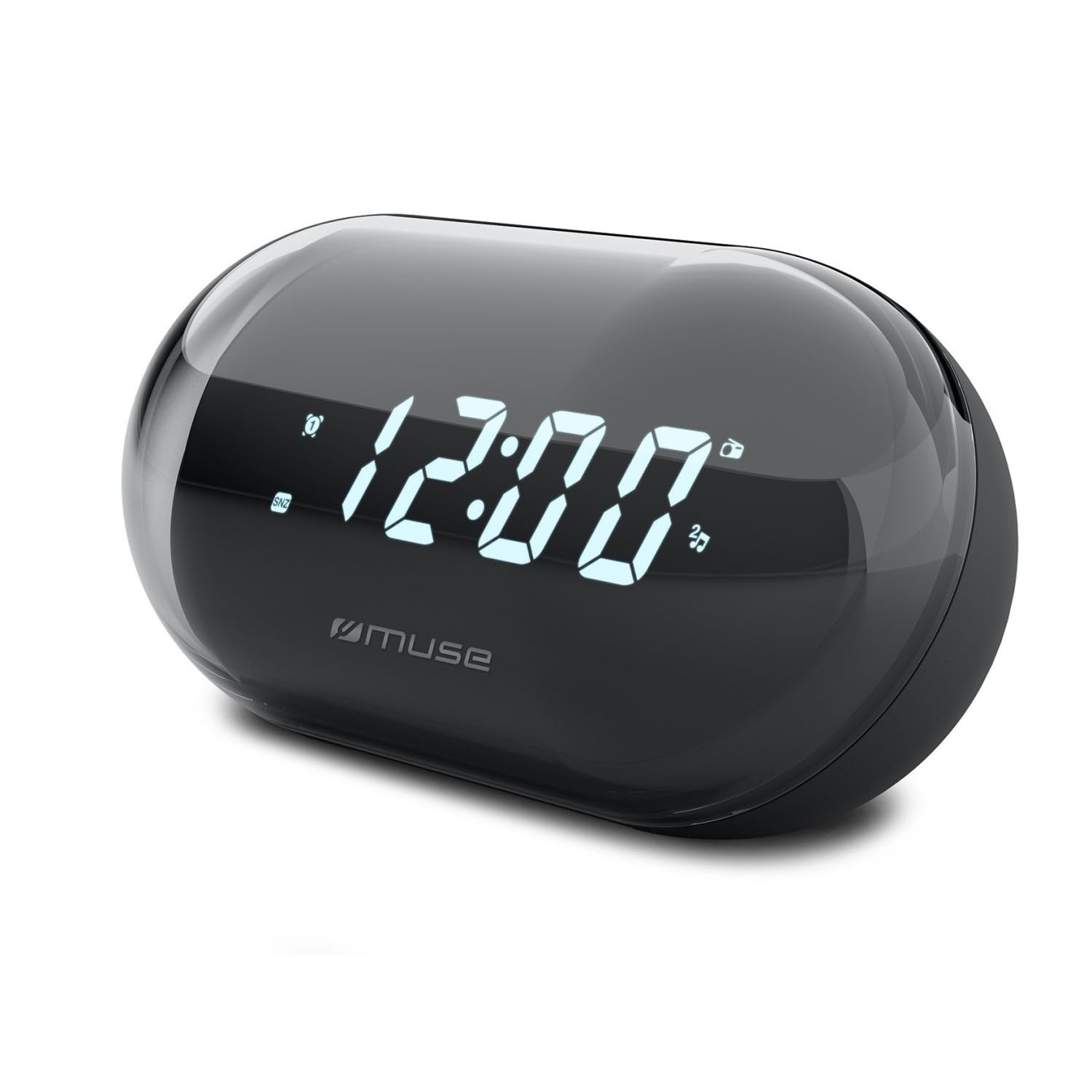
Foto: N'ihu view of the MUSE M-15 Alarm Clock Radio, showing the digital display and control buttons.
Njikwa na atụmatụ:
- Ngosipụta Digital: Shows time, alarm status, and radio frequency.
- Bọtịnụ Ntọala Oge: Used to adjust the current time.
- Alarm Set Button: Used to set and activate/deactivate the alarm.
- Tuning Buttons (+/-): Used to adjust radio frequency.
- Njikwa olu: Na-emezi ọkwa mmepụta ọdịyo.
- Ike / Ọnọdụ bọtịnụ: Turns the device on/off and switches between radio and clock modes.
- Bọtịnụ snooze: Mechie mkpu nwa oge.
- Akụkụ batrị: Located on the back, for 1 AA battery.
4. Nhazi
4.1 Ntinye batrị
- Chọta ebe mkpuchi batrị n'azụ unit ahụ.
- Mikpuo ma ọ bụ bulie mkpuchi ahụ iji mepee ebe ahụ.
- Insert one (1) AA battery, ensuring the correct polarity (+ and -) matches the diagram inside the compartment.
- Dochie mkpuchi nke batrị batrị nke ọma.
Note: The MUSE M-15 is battery-powered and does not require an external power adapter.
5. Ntuziaka ọrụ
5.1 Isetịpụ oge
- Na ọnọdụ elekere, pịa ma jide Bọtịnụ Tọọ Oge until the hour digits begin to flash.
- Jiri ihe Tuning Buttons (+/-) to adjust the hour. Press the Bọtịnụ Tọọ Oge again to confirm the hour and move to minutes.
- Jiri ihe Tuning Buttons (+/-) to adjust the minutes. Press the Bọtịnụ Tọọ Oge one more time to save the time and exit time setting mode.
5.2 Ịtọ ntọala mkpu
- Pịa ma jide Bọtịnụ Tọọ mkpu until the alarm hour digits begin to flash.
- Jiri ihe Tuning Buttons (+/-) to adjust the alarm hour. Press the Bọtịnụ Tọọ mkpu again to confirm and move to minutes.
- Jiri ihe Tuning Buttons (+/-) to adjust the alarm minutes. Press the Bọtịnụ Tọọ mkpu one more time to save the alarm time.
- To activate or deactivate the alarm, briefly press the Bọtịnụ Tọọ mkpu. An alarm icon will appear on the display when activated.
5.3 Using the Radio
- Pịa bọtịnụ Ike/Ụdị to switch to radio mode. The display will show the radio frequency.
- Jiri ihe Tuning Buttons (+/-) to manually tune to your desired radio station.
- Gbanwee olu site na iji Njikwa olu.
- Ka ịgbanyụọ redio, pịa bọtịnụ Ike/Ụdị again to return to clock mode or turn off the device.
5.4 Ọrụ snooze
Mgbe oti mkpu dara, pịa Bọtịnụ ụra to temporarily silence the alarm for a few minutes. The alarm will sound again after the snooze period ends.
6. Nlekọta
6.1 Nhicha
Wipe the exterior of the device with a soft, dry cloth. Do not use abrasive cleaners, waxes, or solvents as they may damage the finish.
6.2 nnọchi batrị
When the display dims or the device functions become erratic, it is time to replace the battery. Follow the battery installation steps in Section 4.1.
7. Nchọpụta nsogbu
| Nsogbu | Ihe nwere ike ime | Ngwọta |
|---|---|---|
| Ngwaọrụ anaghị agbanwu. | Batrị anwụọla ma ọ bụ tinye na ezighi ezi. | Dochie batrị AA ma ọ bụ lelee polarity ya. |
| Oti mkpu anaghị ada ụda. | A naghị agba mkpu ma ọ bụ olu ya dị oke ala. | Ensure the alarm icon is visible on the display. Increase the volume. |
| Nnabata redio adịghị mma. | Mgbama ma ọ bụ nnyonye anya adịghị ike. | Reposition the device or extend the antenna (if applicable). Try tuning to a stronger station. |
| Time/Alarm settings reset. | Ike batrị dị obere. | Dochie batrị AA. |
8. Nkọwapụta
- Ụdị: MUSE M-15
- Akụkụ ngwaahịa (L x W x H): 15 x 3.81 x 10 cm (5.9 x 1.5 x 3.9 inch)
- Arọ: 300 grams (0.66 lbs)
- Isi mmalite ike: Batrị 1 x AA (anaghị etinye ya)
- Ụdị ngosi: Dijitalụ
- Atụmatụ: Alarm, Radio, Digital Time Display
- Ụdị nkwụnye: Ugwu okpokoro
9. Akwụkwọ ikike na nkwado
This product is covered by a standard manufacturer's warranty. For detailed warranty information, please refer to the warranty card included with your purchase or visit the official MUSE websaịtị.
For technical support, troubleshooting assistance, or spare parts inquiries, please contact MUSE customer service through their official websaịtị ma ọ bụ ozi kọntaktị enyere na nkwakọ ngwaahịa gị.
Please have your model number (M-15) and purchase date available when contacting support.


