1. Okwu mmalite
Thank you for choosing the Baseus PocketGo Portable Air Pump. This compact and efficient device is designed for convenient inflation of various items such as air mattresses, inflatable toys, and more. Please read this manual carefully before use to ensure proper operation and maintenance.
2. Ngwaahịa gafereview
Ihe ngwugwu 2.1
- Baseus PocketGo Portable Air Pump
- USB-C eriri USB
- Various Inflation Nozzles/Adapters

Figure 2.1: Baseus PocketGo Portable Air Pump and its accessories, including the main unit, USB-C cable, and multiple inflation nozzles.
2.2 Ngwa ngwaọrụ
- Ọdụ Ụgbọ Mmiri Onu Ọkụ: Where air is expelled.
- Bọtịnụ ike: To turn the device on/off and control inflation.
- Ọdụ ụgbọ mmiri USB-C: Maka ịchaji batrị dị n'ime.
- Ìhè ihe ngosi: Shows battery status and operation mode.
- Njikọ Lanyard: For easy carrying.
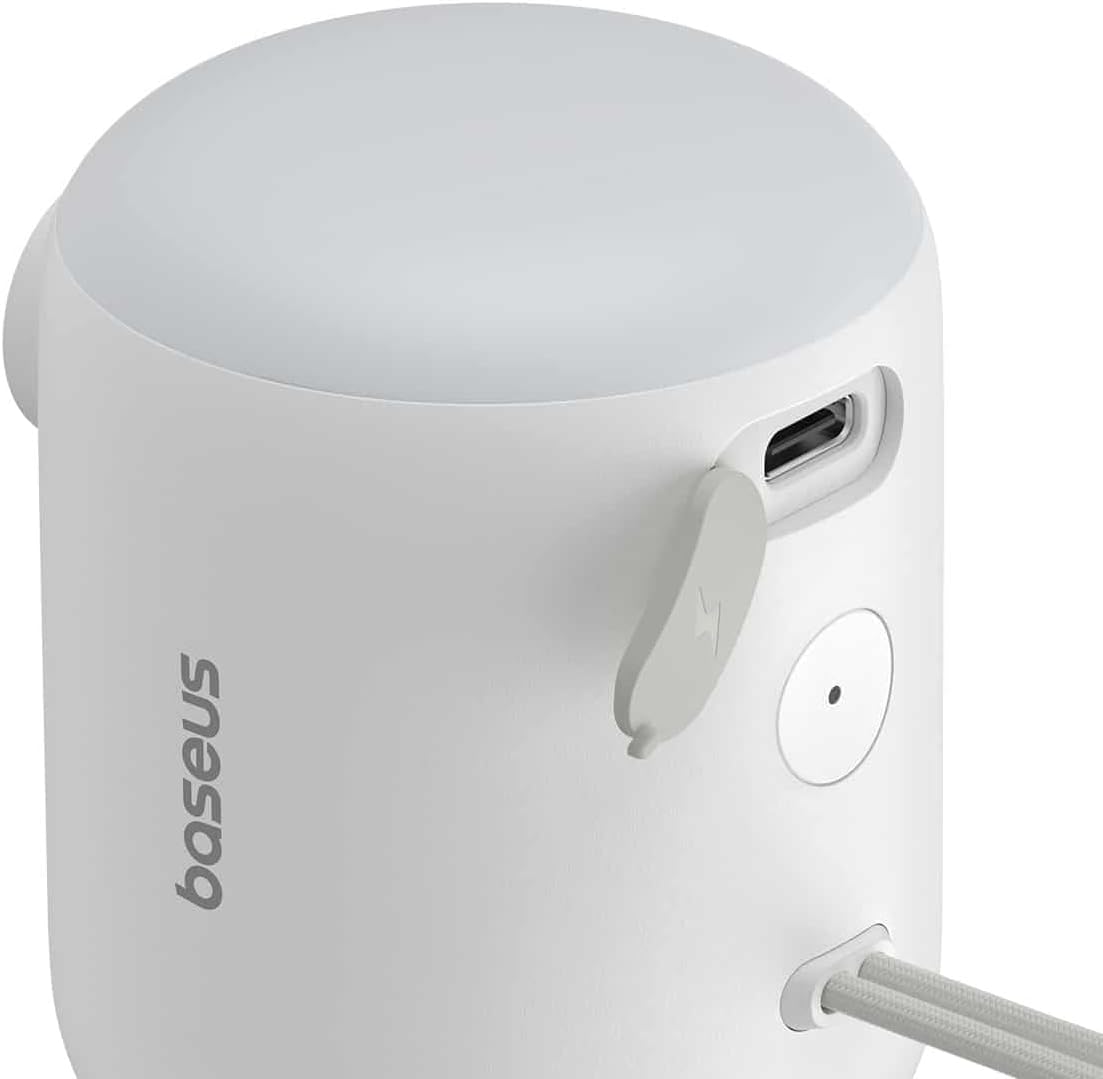
Ọgụgụ 2.2: Zuru ezu view of the Baseus PocketGo, highlighting the USB-C charging port and the power button.
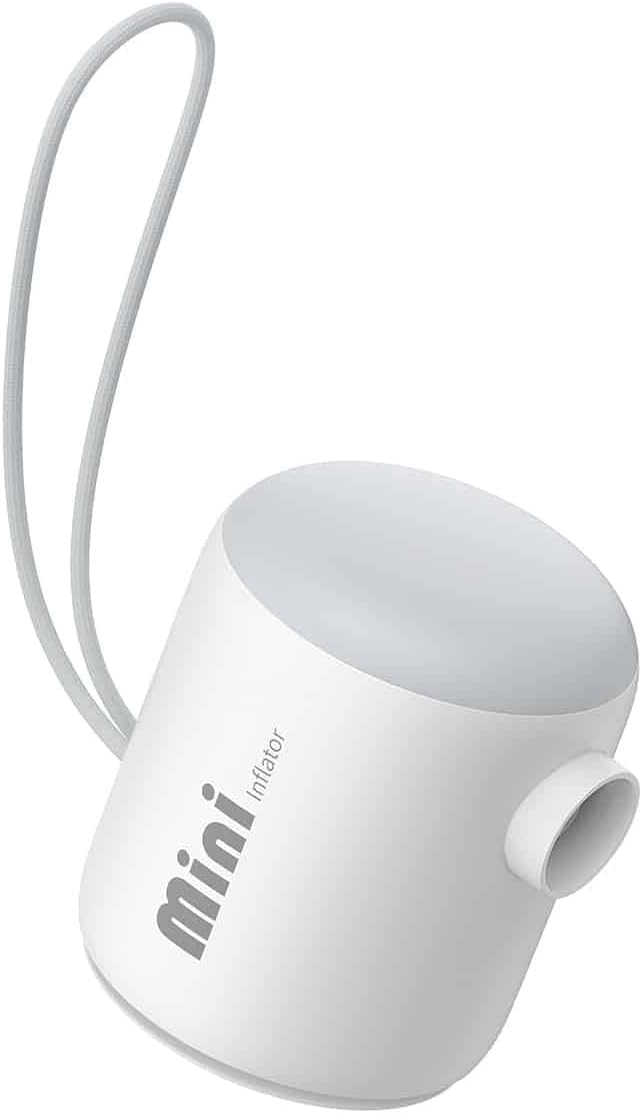
Foto 2.3: N'ihu view of the Baseus PocketGo Portable Air Pump, showing its compact design and integrated lanyard.
3. Nhazi
3.1 Ịchaji ngwaọrụ
- Jikọọ eriri chaja USB-C enyere na ọdụ chaja dị na ngwaọrụ ahụ.
- Connect the other end of the cable to a standard USB power adapter (not included) or a computer USB port.
- The indicator light will show the charging status. A full charge is indicated when the light changes color or turns off (refer to specific light behavior in the quick start guide if available).
3.2 Nkwụnye Nozzles
- Họrọ nozzle kwesịrị ekwesị maka ihe ịchọrọ ịgbanye.
- Firmly insert the chosen nozzle into the inflation port of the air pump. Ensure it is securely seated to prevent air leakage during operation.
4. Ntuziaka ọrụ
4.1 Usoro ntinye ego
- Hụ na ngwaọrụ ahụ nwere chajị zuru oke.
- Attach the correct nozzle to the air pump.
- Insert the nozzle into the inflation valve of the item you want to inflate.
- Press and hold the power button to turn on the pump. The pump will begin to inflate the item.
- Monitor the inflation process. Once the item is inflated to the desired firmness, release the power button to stop the pump.
- Remove the nozzle from the item and then from the pump.

Figure 4.1: The Baseus PocketGo in use, inflating an air mattress, demonstrating its practical application.
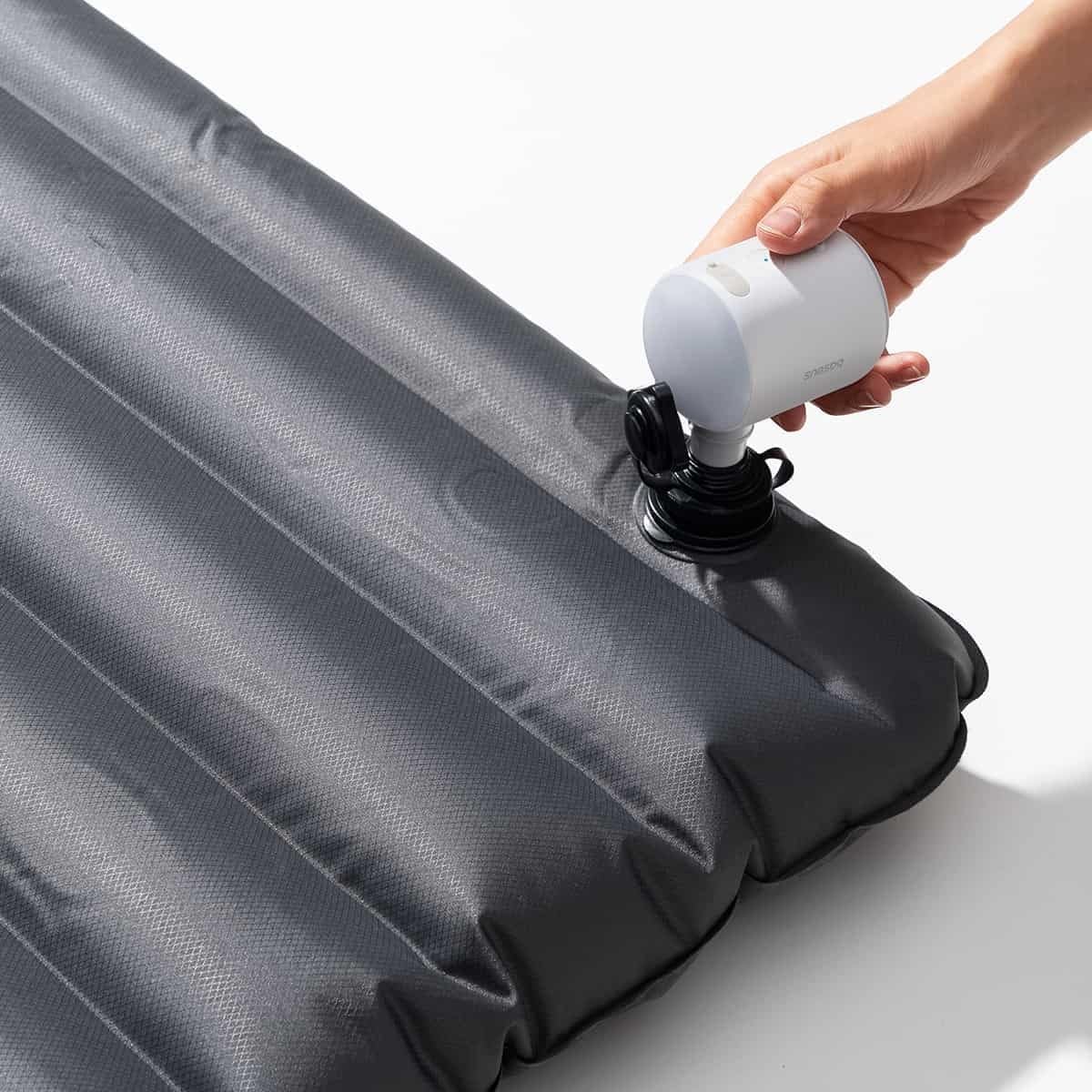
Figure 4.2: Another perspective of the Baseus PocketGo inflating an air mattress, showing the compact size and ease of handling.
4.2 Ibu ibu
The compact design and integrated lanyard allow for easy transport. It can be conveniently attached to a backpack or carried in a bag.

Figure 4.3: The Baseus PocketGo attached to a backpack, illustrating its portability and convenient carrying options.
5. Nlekọta
- Nhicha: Wipe the exterior of the pump with a soft, dry cloth. Do not use harsh chemicals or abrasive cleaners.
- Nchekwa: Store the pump in a cool, dry place away from direct sunlight and extreme temperatures. Ensure it is fully charged before long-term storage to preserve battery life.
- Nlekọta batrị: To maximize battery lifespan, avoid completely draining the battery frequently. Recharge the device when the battery indicator suggests low power.
6. Nchọpụta nsogbu
- Ngwaọrụ anaghị agbanwu:
- Ensure the battery is charged. Connect to a power source and try again.
- Check if the power button is being pressed correctly. - Pump is running but no air is coming out/weak airflow:
- Check if the nozzle is securely attached to the pump and the item being inflated.
- Ensure the inflation port is not blocked.
- Verify the item's valve is open and not obstructed. - Ngwaọrụ kwụsịrị na mberede:
- The battery might be low. Recharge the device.
- The device might have overheated. Allow it to cool down before resuming operation.
7. Nkọwapụta

Onyonyo 7.1: N'okpuru view of the Baseus PocketGo, displaying product specifications and compliance markings.
| Njirimara | Nkọwa |
|---|---|
| Ụdị | Baseus |
| Nọmba nlereanya | C11157700221-00 |
| Akụkụ ngwaahịa | 10 x 5 x 1.27 cm |
| Ibu | 282 grams |
| Ntinye Voltage | 5V (from image) |
| Enyere ike | 45W Max (from image) |
| Ike batrị | 1600mAh / 5.9Wh (from image) |
| Agba | White (as per product title) |
8. Akwụkwọ ikike na nkwado
For warranty information and customer support, please refer to the documentation included with your purchase or visit the official Baseus websaịtị. Debe ihe akaebe nke ịzụrụ maka akwụkwọ ikike.
Onye nrụpụta: Baseus


