1. Okwu mmalite
Welcome to the ACwO Dwots 525 TWS Earbuds user manual. This guide provides detailed instructions on how to set up, operate, and maintain your new wireless earbuds. Please read this manual carefully before using the product to ensure optimal performance and longevity.
2. Ihe ngwugwu
Chọpụta na ihe niile dị na ngwugwu gị:
- 1 x Wireless Earbuds (ACwO Dwots 525)
- 1 x Akpa nchaji
- 1 x Type-C Fast Charging Cable
- 2 x Extra Earmuffs (pairs)
- 1 x kaadị ikike
- 1 x katalọgụ
- 1 x Scan Me Card
3. Ngwaahịa gafereview
Familiarize yourself with the components of your ACwO Dwots 525 TWS Earbuds.

Image: ACwO Dwots 525 TWS Earbuds in their charging case. The earbuds are black with white tips, and the case is black with a textured finish.

Foto: Akụkụ view of the ACwO Dwots 525 TWS Earbuds, highlighting the ergonomic design and the ACwO logo on the stem.
4. Nhazi
4.1 Nchaji izizi
Tupu ojiji nke mbụ, chajie nke ọma ekwe ntị na akpa nchaji.
- Tinye ntị ntị n'ime akpa nchaji.
- Jikọọ eriri chaja Type-C na ọdụ chaja dị na akpa ahụ na isi iyi ike.
- The indicator light on the case will show charging status. Once fully charged, the light will change or turn off.
A 15-minute charge provides approximately 150 minutes of playtime due to Hyper Boost Charging Technology.
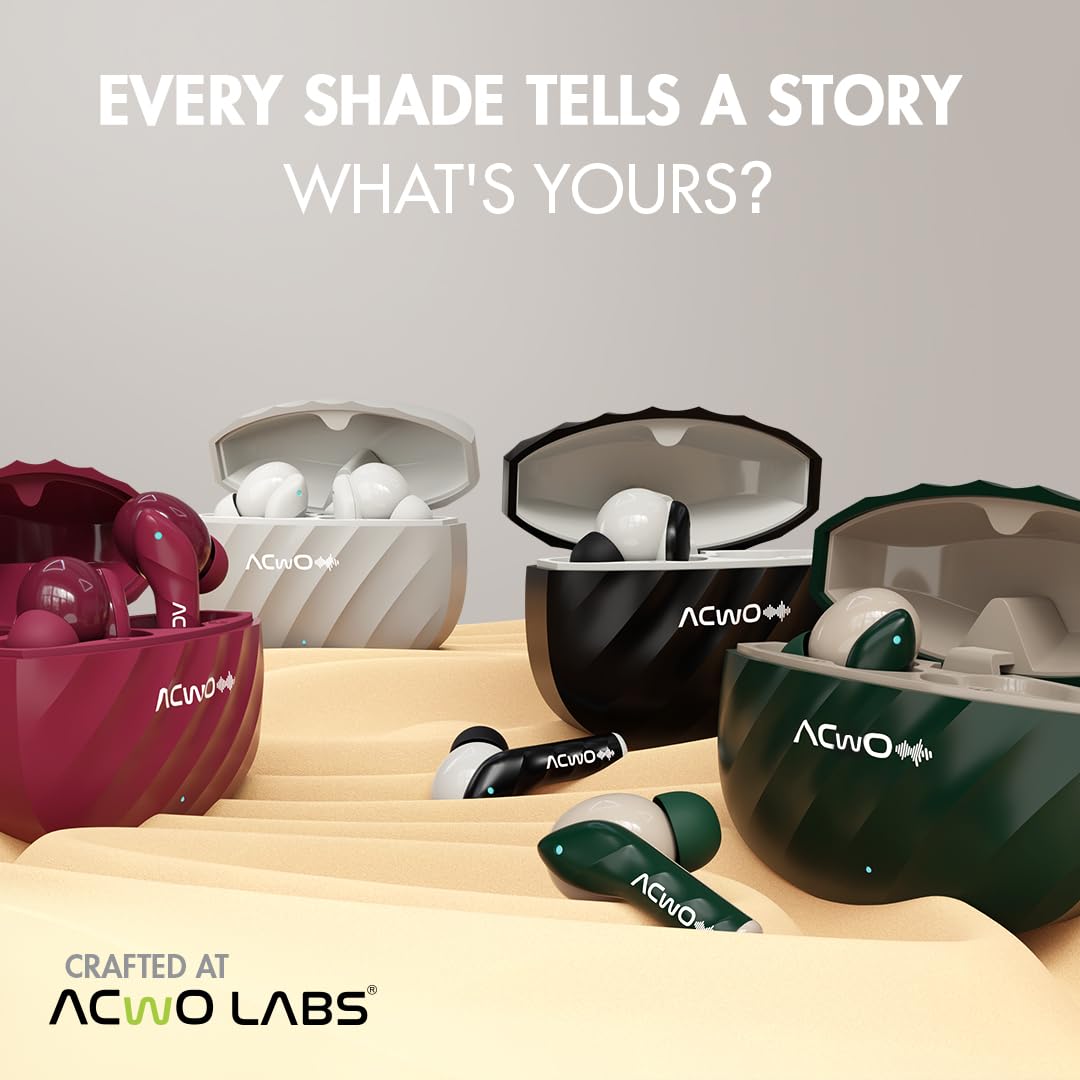
Image: The ACwO Dwots 525 charging case connected via a Type-C cable, illustrating the Hyper Boost Charging feature.
4.2 Gbanyụọ ma ọ bụ gbanyụọ
- Ike Na: Mepee igbe nchaji, na ntị ntị ga-agbanye ọkụ ozugbo.
- Gbanyụọ: Tinye ihe ntị ntị n'ime akpa nchaji wee mechie mkpuchi. Ha ga-agbanyụ ozugbo wee malite ịchaji.
4.3 Njikọ Bluetooth
The ACwO Dwots 525 earbuds utilize Advanced Bluetooth V5.3 Technology for stable connectivity.
- Gbaa mbọ hụ na a na-akwụ ụgwọ ekwe ntị yana n'ime igbe nchaji.
- Mepee igbe chaja. Ekwe ntị ndị a ga-abanye n'ụdị njikọta, nke ọkụ LED na-enwu enwu gosiri.
- Na ngwaọrụ gị (smartphone, mbadamba, laptọọpụ), gbanye Bluetooth.
- Chọọ maka available Bluetooth devices and select "ACwO Dwots 525" from the list.
- Ozugbo ejikọtara ya, ihe ngosi LED dị na ntị ntị ga-akwụsị ịgbawa, ị ga-anụkwa olu nkwenye.
4.4 Instant Auto Connect
After the initial pairing, the earbuds will automatically connect to the last paired device when you open the charging case, provided Bluetooth is enabled on your device.

Image: Visual representation of Bluetooth V5.3 connectivity and the Instant Auto Connect feature with a smartphone.
5. Ntuziaka ọrụ
The ACwO Dwots 525 features Sensory Touch Controls for easy management of audio and calls.
5.1 Njikwa mmetụ
The touch sensors are located on the outer surface of each earbud. Functions can be controlled from either earbud.

Image: Diagram illustrating the touch control area on the ACwO Dwots 525 earbuds.
- Kpọọ/Kwụsị Egwu: Otu mgbata na ntị ntị.
- Track na-esote: Pịa bọtịnụ ntị aka nri ugboro abụọ.
- Gara aga Track: Kpatụ ntị ugboro abụọ n'akụkụ aka ekpe.
- Olu elu: Pịa ugboro atọ na ntị ntị aka nri.
- Olu ala: Pịa ugboro atọ na ekwe ntị aka ekpe.
- Azịza/Kwụsị Oku: Otu mgbata na ntị ntị.
- Jụ oku: Pịa ma jide otu ntị ntị maka sekọnd 2.
5.2 Ụdị egwuregwu
Activate Gaming Mode for a low latency experience (up to 40ms), ideal for gaming and video playback.
- Activate Gaming Mode: Kpatụ ntị ntị ugboro 5.
- Deactivate Gaming Mode: Tap either earbud 5 times again.

Image: Illustration of the ACwO Dwots 525 earbuds being used for gaming, emphasizing the low latency gaming mode.
5.3 Bass Mode
Enhance your audio experience with a dedicated Bass Mode for deeper, richer bass.
- Activate Bass Mode: Kpatụ ntị ntị ugboro 4.
- Deactivate Bass Mode: Tap either earbud 4 times again.

Image: Close-up of an earbud highlighting the Bass Boom X Real Drivers and the activation of Bass Mode.
5.4 Onye enyemaka olu
Access your device's voice assistant (Siri, Google Assistant) with a simple command.
- Mee ka onye enyemaka olu rụọ ọrụ: Pịa ma jide otu ntị ntị maka sekọnd 2.

Image: A person activating the voice assistant feature on the ACwO Dwots 525 earbuds.
6. Ịchaji
The ACwO Dwots 525 earbuds offer up to 52 hours of total playtime with the charging case.
6.1 Earbud Charging
Place the earbuds into the charging case. They will automatically begin charging. The LED indicators on the earbuds will show charging status.
6.2 Case Charging
Connect the provided Type-C cable to the charging port on the case and a USB power adapter. The indicator light on the case will illuminate during charging and turn off when fully charged.

Image: ACwO Dwots 525 earbuds highlighting the 52 hours of long playtime.
7. Nlekọta
7.1 Nhicha
- Jiri akwa dị nro, kpọrọ nkụ na-adịghị na-ehicha ntị ntị na chaja mgbe niile.
- Ejila kemịkalụ siri ike, ihe mgbaze, ma ọ bụ ncha siri ike.
- Ensure charging contacts on both earbuds and case are clean and free of debris.
7.2 Mmiri Nguzogide
The earbuds are IPX5 water and sweat resistant. This means they can withstand splashes of water and sweat, making them suitable for workouts and outdoor activities. They are not designed for submersion in water.
Image: An earbud with an IPX5 water and sweat resistant icon, indicating its durability against splashes.
7.3 Nchekwa
Mgbe ị naghị eji ya, debe ekweisi ntị n'ime akpa chaja ha iji chebe ha ma hụ na ha na-achaji.
8. Nchọpụta nsogbu
If you encounter issues with your ACwO Dwots 525 earbuds, refer to the following common solutions:
| Nsogbu | Ngwọta |
|---|---|
| Igwe ntị anaghị ejikọta ọnụ |
|
| Naanị otu earbud na-arụ ọrụ |
|
| Obere olu ma ọ bụ ogo ụda adịghị mma |
|
| Okwu ịchaji |
|
9. Nkọwapụta
| Njirimara | Nkọwa |
|---|---|
| Aha Nlereanya | DwOTS 525 |
| Teknụzụ Njikọta | Igwe na-enweghị ikuku (Bluetooth V5.3) |
| Ụdị Bluetooth | 5.3 |
| Ụdị ọkwọ ụgbọ ala ọdịyo | Dynamic Driver (Bass Boom X Real Drivers) |
| Njikwa mkpọtụ | Passive Noise Cancellation, Sonic Shield Quad Mic ENC Technology |
| Oge Latịn | 40 Milliseconds (Gaming Mode) |
| Ndụ batrị | Ruo elekere 52 (ya na igbe nchaji) |
| Oge Nchaji | 15 Minutes for 150 Minutes Playtime (Hyper Boost Charging) |
| Ọkwa Nguzogide mmiri | IPX5 (Mmiri na Ọsụsọ Na-eguzogide) |
| Usoro njikwa | Njikwa mmetụ |
| Usoro igwe okwu | Boom (Quad Mic) |
| Ụdị ntị | Earbud (N'ime ntị) |
| Ihe onwunwe | Plastic |
| Ibu Ibu | 31 grams |
| Akụkụ ngwaahịa | 5.1 x 6.1 x 2.7 cm |
| Ngwakọta cell batrị | Lithium polymer |
| Ngwa dakọtara | Laptops, Mobile Phones, Tablets, PC, Smart TVs, All Bluetooth Devices (iOS, Android) |
10. Akwụkwọ ikike na nkwado
10.1 Ozi akwụkwọ ikike
Your ACwO Dwots 525 TWS Earbuds come with a 365-day warranty from the date of purchase. Please retain your proof of purchase for warranty claims. The warranty covers manufacturing defects but does not cover damage caused by misuse, accidents, or unauthorized modifications.
10.2 Nkwado ndị ahịa
For any questions, technical assistance, or warranty claims, please contact ACwO customer support:
- Email: help@acwo.com
- Nọmba nkwado ndị ahịa: +91 9320420001
- Onye nrụpụta: ACWO LIFESTYLE PRIVATE LIMITED, Borivali, Mumbai, Maharashtra - 400092, India


