1. Okwu mmalite
Thank you for choosing the Micool Y30 Open Ear Headphones. These wireless Bluetooth 5.3 earbuds are designed to provide a comfortable and safe listening experience by resting gently on your ears without blocking the ear canal. This design allows you to remain aware of your surroundings while enjoying high-quality audio, making them ideal for sports and daily activities.
2. Kedu ihe dị na Igbe ahụ
- Micool Y30 Open Ear Headphones (Left and Right)
- Akpa nchaji ikuku
- USB-C eriri USB
- Akwụkwọ ntuziaka onye ọrụ
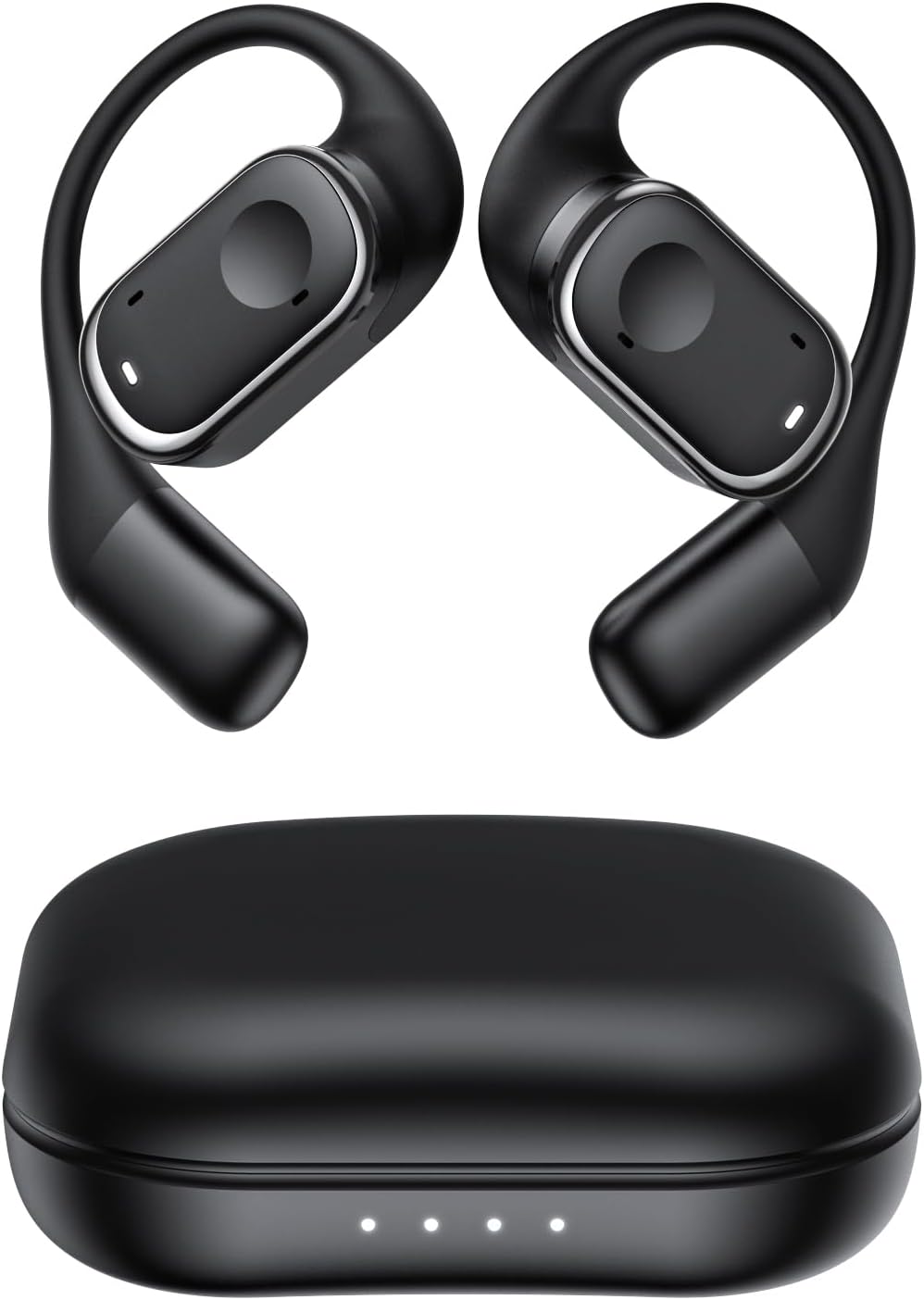
Foto 2.1: Micool Y30 Open Ear Headphones and their charging case. The image shows two black open-ear earbuds with ear hooks, positioned above a sleek black charging case with four LED indicator lights on the front.
3. Ngwaahịa gafereview
3.1 Ihe Ndị Dị na Ntị Eti
Each earbud features an ergonomic design with a soft silicone ear hook for secure and comfortable placement. The main body houses the speaker and touch control area.

Foto 3.1: Agara nso view illustrating the ergonomic design of the Micool Y30 earbud. The image highlights the curved ear hook and the soft silicone material designed for comfort and secure fit, conforming to the ear's contour.
Okwu Nchaji
The charging case protects the earbuds and recharges them. It has a USB-C charging port and LED indicators to show battery status.

Foto 3.2: Ime view of the Micool Y30 charging case, showcasing the earbuds nestled inside. The image highlights the Bluetooth 5.3 technology and the digital display indicating battery levels, emphasizing fast response and stable connection.
4. Nhazi
4.1 Ịchaji ngwaọrụ
Tupu ojiji nke mbụ, chajie nke ọma ekwe ntị na akpa nchaji.
- Ịchaji ikpe ahụ: Connect the provided USB-C cable to the charging port on the case and to a USB power adapter (not included). The LED indicators on the case will show the charging status. A full charge takes approximately 1-2 hours.
- Ịchaji ekwe ntị: Place the earbuds into the charging case. Ensure they are correctly seated. The earbuds will automatically begin charging. The case can charge the earbuds 4-5 times, providing up to 6 hours of playback per single earbud charge.
4.2 Njikọ Bluetooth
To connect your Micool Y30 headphones to your device:
- Gbaa mbọ hụ na ebubo na ekwe ntị.
- Mepee igbe nchaji. Igwe ntị ga-abanye na ọnọdụ njikọta na-akpaghị aka.
- On your device (e.g., smartphone, tablet), go to Bluetooth settings and turn Bluetooth on.
- Chọọ maka available devices. Select "Micool Y30" from the list.
- Ozugbo ejikọtara ya, ị ga-anụ olu nkwenye, ekweisi ndị ahụ ga-adịkwa njikere maka ojiji.
The headphones support Bluetooth 5.3 for stable and efficient connection.
5. Ntuziaka ọrụ
5.1 Gbanyụọ ma ọ bụ gbanyụọ
- Ike Na: Mepee igbe nchaji, na ntị ntị ga-agbanye ọkụ ozugbo.
- Gbanyụọ: Tinye ihe ntị ntị n'ime akpa nchaji wee mechie mkpuchi. Ha ga-agbanyụ ozugbo wee malite ịchaji.
5.2 Nghaghachi egwu
The Micool Y30 headphones feature touch controls for media management.
- Gwuo/kwụsịtụ: Kpatụ otu ntị na ntị ntị.
- Track na-esote: Kpatụ ntị ntị aka nri ugboro abụọ.
- Gara aga Track: Kpatụ ntị ntị aka ekpe ugboro abụọ.
- Olu elu: Pịa bọtịnụ ntị aka nri ugboro atọ.
- Olu ala: Pịa bọtịnụ ntị aka ekpe ugboro atọ.
5.3 Njikwa oku
- Azịza/Kwụsị Oku: Kpatụ otu ntị na ntị ntị.
- Jụ oku: Pịa ma jide otu ntị ntị maka sekọnd 2.
5.4 Single and Dual Earbud Mode
The Micool Y30 headphones support seamless switching between using a single earbud or both earbuds.
- Ụkpụrụ Ụrọ Nanị: I nwere ike iji ma aka ekpe ma ọ bụ aka nri n'adabereghị gị. Wepụ otu ma ọ bụ ...
- Ụdị ntị abụọ: Take both earbuds out of the case, and they will automatically connect to each other and then to your device for a stereo audio experience.

Foto 5.1: Illustration of the Micool Y30's flexible usage modes. The diagram shows how the earbuds can be used independently in "Single Earphone Mode" or together in "Dual Headphone Mode" for a synchronized connection.
6. Nlekọta
6.1 Nhicha
- Jiri ákwà dị nro, kpọrọ nkụ, nke na-enweghị lint hichaa ntị ntị na ihe mkpuchi chaja.
- Ejila kemịkalụ siri ike, ihe mgbaze, ma ọ bụ ncha siri ike.
- The earbuds have an IPX6 waterproof rating, meaning they are resistant to strong jets of water. However, they are not designed for submersion. Wipe them dry after exposure to sweat or water.
6.2 Nchekwa
- Chekwaa ntị ntị n'akpa chaja ha mgbe anaghị eji ya iji chebe ha ma debe ya ebubo.
- Avoid storing the device in extreme temperatures (hot or cold) or in highly humid environments.
7. Nchọpụta nsogbu
| Nsogbu | Ngwọta |
|---|---|
| Igwe ntị anaghị ejikọta ya na ngwaọrụ. |
|
| Enweghị ụda sitere na otu ntị ntị. |
|
| Igwe ntị anaghị akwụ ụgwọ. |
|
| Poor sound quality or connection drops. |
|
8. Nkọwapụta
| Njirimara | Nkọwa |
|---|---|
| Aha Nlereanya | Y30 |
| Teknụzụ Njikọta | Ikuku (Bluetooth) |
| Ụdị Bluetooth | 5.3 |
| Ntinye ntị | Mepee Ntị |
| Ike batrị earbud | 100mAh (nke ọ bụla) |
| Ịchaji Ike batrị Case | 450mAh |
| Playback Time (single charge) | Ruo awa iri abụọ |
| Oge Mkpọghachi (na ikpe) | Up to 30 hours (4-5 full charges from case) |
| Oge Njikere (ikpe) | 1-2 awa |
| Nchaji ọdụ ụgbọ mmiri | USB Ụdị-C |
| Ngosi nke enweghị mmiri | IPX6 |
| Ihe onwunwe | Plastic |
| UPC | 776584469303 |
9. Akwụkwọ ikike na nkwado
Micool products are designed with quality and reliability in mind. For warranty information or technical support, please refer to the warranty card included in your product packaging or visit the official Micool websaịtị ahụ. I nwekwara ike ịkpọtụrụ onye na-ere ahịa gị maka enyemaka.
Maka enyemaka ọzọ, biko gaa na Micool Store on Amazon.


