1. Okwu mmalite
The GOWENIC Mini MP3 Music Player is a compact and portable device designed for on-the-go audio enjoyment. It features a built-in 180mAh battery for extended listening, supports lossless audio playback, and offers memory card expansion up to 64GB (Micro SD card not included). This manual provides essential information for setting up, operating, and maintaining your MP3 player.
2. Ngwaahịa gafereview
The GOWENIC Mini MP3 Music Player is designed for ease of use and portability. Below are key features and components.
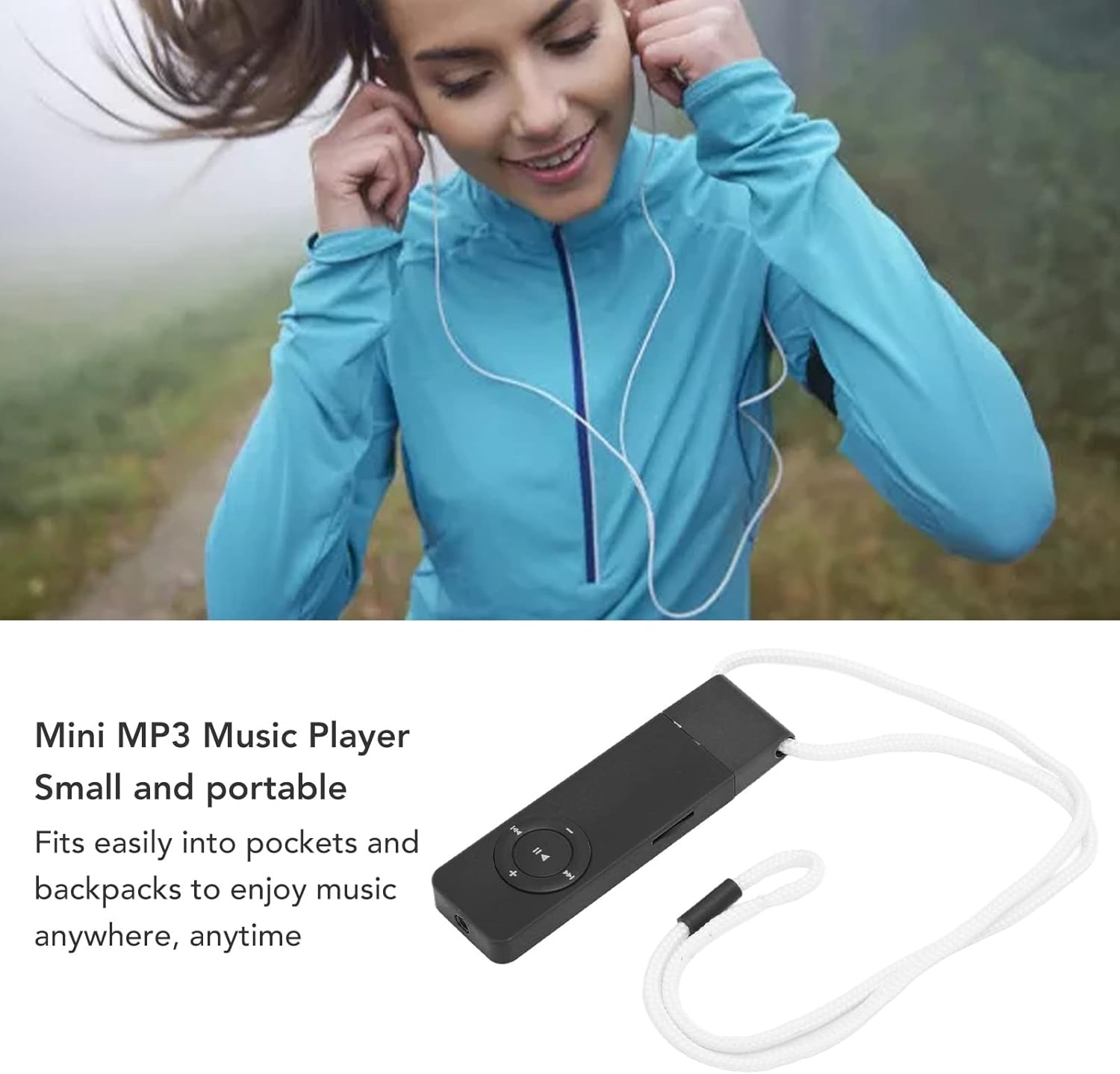
Figure 2.1: The compact GOWENIC Mini MP3 Music Player shown with an attached lanyard, highlighting its small size and portability.
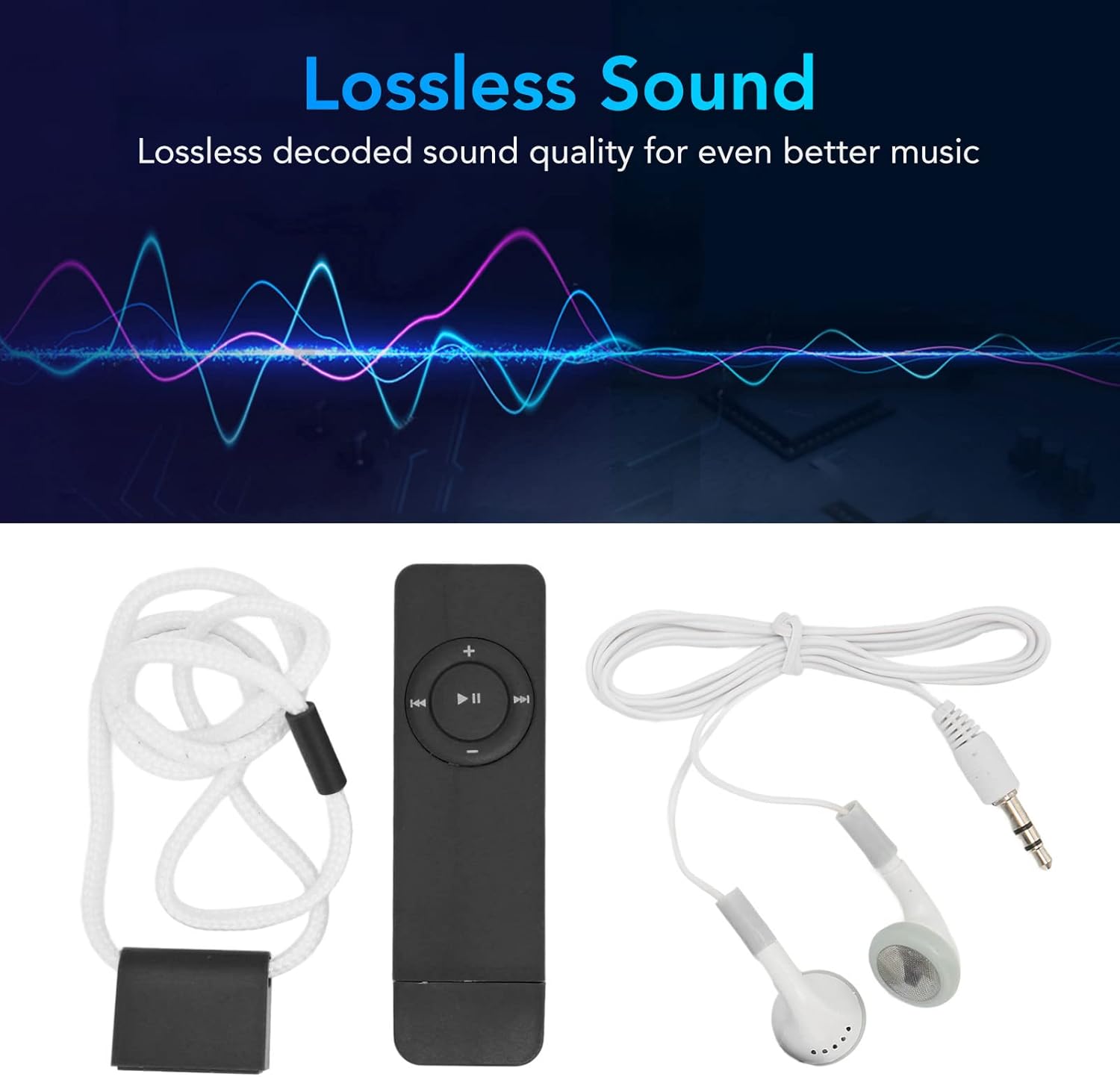
Figure 2.2: The MP3 player displayed alongside its wired headphones, emphasizing its lossless sound capabilities.

Figure 2.3: Interface diagram illustrating the functions of the MP3 player's buttons, including volume, power switch, next/previous song, and fast forward/rewind.
Ngwa:
- MP3 Player Unit: Main device with integrated display and control buttons.
- Ekweisi Waya: Maka mmepụta ọdịyo.
- eriri USB: Maka ịchaji na ịnyefe data.
- Ogige Lanyard: Maka ibu dị mfe.
Akụkụ ndị bụ isi:
- Nhazi kọmpat: Obere ma dị fechaa maka mfe ibugharị.
- Lossless Sound Quality: Enhanced audio experience.
- Nkwado kaadị ebe nchekwa: Expandable up to 64GB via Micro SD card (not included).
- Ọtụtụ ọrụ: Supports music playback, voice recording, FM radio, and e-book reading.
- Njikọ Bluetooth: For wireless audio output.
- Batrị arụnyere: 180mAh batrị enwere ike ịchaji.
3. Nhazi
3.1 Ịchaji ngwaọrụ
Before first use, fully charge the MP3 player. Connect the provided USB cable to the device's charging port and plug the other end into a USB power source (e.g., computer USB port, mobile phone charger, power bank). The device features multiple charging modes for convenience.

Figure 3.1: The MP3 player can be charged via computer USB, mobile phone charger, mobile power bank, or a plug-in USB port.
3.2 Ịtinye kaadị ebe nchekwa
The MP3 player requires a Micro SD card (up to 64GB) to store music and other files. The Micro SD card is not included with the device.
- Chọta oghere kaadị Micro SD n'akụkụ ngwaọrụ ahụ.
- Gently insert the Micro SD card into the slot until it clicks into place. Ensure the card is oriented correctly.
- To remove, gently press the card inward until it springs out.

Figure 3.2: The MP3 player with its memory card slot and integrated USB plug for direct connection.
3.3 Transferring Music and Files
Ka ịnyefe files nye onye ọkpụkpọ MP3 gị:
- Connect the MP3 player to your computer using the USB cable. The device should appear as a removable disk.
- Open the removable disk folder.
- Drag and drop your desired MP3 audio files, e-books, or other compatible files into the device's storage.
- Otu ugboro files ebufere, wepụ ngwaọrụ ahụ na kọmputa gị n'enweghị nsogbu tupu ị kwụpụ eriri USB ahụ.
4. Ntuziaka ọrụ
4.1 Gbanyụọ ma ọ bụ gbanyụọ
- Ike Na: Locate the power switch (refer to Figure 2.3) and slide it to the 'ON' position. The device will power on and display the main menu.
- Gbanyụọ: Slide the power switch to the 'OFF' position.
4.2 Ntugharị na njikwa
The device features a touch screen and physical buttons for navigation:
- Ihuenyo mmetụ aka: Tap icons to select functions or navigate menus.
- Bọtịnụ olu: Jiri bọtịnụ '+' na '-' gbanwee olu.
- Njikwa ọkpụkpọ: Use the Play/Pause, Next Song, and Previous Song buttons for media control.
- Ọrụ mkpọchi: Some models may have a lock function to prevent accidental button presses during playback.
4.3 Nghaghachi egwu
- From the main menu, select the 'Music' icon.
- Browse your music library by artist, album, or song.
- Select a song to begin playback.
- Use the playback controls to play/pause, skip tracks, or adjust volume.
- The device supports lossless sound quality for an enhanced listening experience.
- For audiobooks or long recordings, the device can resume playback from where you last stopped.
4.4 Ndekọ olu
The MP3 player includes a voice recording function.
- From the main menu, select the 'Record' icon.
- Follow on-screen prompts to start, pause, and save recordings.
4.5 Njikọ Bluetooth
Connect your MP3 player to Bluetooth headphones or speakers for wireless audio.
- From the main menu, select the 'Bluetooth' icon.
- Turn on Bluetooth on the MP3 player and ensure your Bluetooth audio device is in pairing mode.
- Chọọ maka available devices and select your audio device to pair.
Video 4.1: A short demonstration of the MP3 player's Bluetooth function and its compact design.
Video 4.2: This video highlights the MP3 player's Bluetooth connectivity, showing how to pair it with external devices.
Video 4.3: A demonstration of easily pairing the MP3 player with Bluetooth speakers or headphones.
4.6 Ọgụgụ akwụkwọ eletrọnịkị
Read e-books stored on your memory card.
- From the main menu, select the 'E-book' icon.
- Choose an e-book file to open and read.
Igwe redio FM 4.7
Listen to FM radio stations.
- From the main menu, select the 'FM' icon.
- Mara: Wired headphones must be plugged into the device to act as an antenna for FM radio reception.
- Use the navigation buttons to scan for stations or tune manually.
Video 4.4: This video demonstrates the MP3 player's FM radio and voice recorder functions.
5. Nkọwapụta
| Njirimara | Nkọwa |
|---|---|
| Ụdị | GOWENIC |
| Nlereanya | GOWENIC7ekusdz92g-12 |
| Ike Nchekwa ebe nchekwa | Up to 64 GB (via Micro SD card) |
| Ngwa dakọtara | Igwe ntị |
| Ngosipụta teknụzụ | No display (touch screen interface) |
| Batrị gụnyere | No (built-in 180mAh rechargeable battery) |
| Ụdị njikọ | USB |
| Compatible Media Type | MP3, Micro SD, SD Card |
| Agba | Nwa |
| Teknụzụ Njikọta | USB, Bluetooth |
| Ụkpụrụ akwadoro | MP3 |
6. Nlekọta
- Nhicha: Jiri akwa dị nro dị nro hichaa ngwaọrụ ahụ. Zere ndị na-ehicha mmiri mmiri ma ọ bụ ihe abrasive.
- Nchekwa: Debe ihe ọkpụkpọ MP3 ahụ n'ebe dị jụụ ma kpọọ nkụ, ebe anwụ na-anaghị anwụ kpọmkwem na oke okpomọkụ dị oke njọ.
- Nlekọta batrị: Ka ịgbatị ndụ batrị ogologo, zere ịchaji batrị ugboro ugboro. Na-anya ngwaọrụ mgbe niile, ọbụlagodi na ọ naghị eji ya ogologo oge.
- Nguzogide mmiri: Ngwaọrụ a anaghị amị mmiri. Zere ka mmiri ghara iru gị ala ma ọ bụ oke iru mmiri.
7. Nchọpụta nsogbu
7.1 Ngwaọrụ anaghị agbanwu
- Ensure the battery is charged. Connect the device to a power source and allow it to charge for at least 30 minutes before attempting to power on again.
- Hụ na ihe mgba ọkụ eletrik dị n'ọnọdụ 'ON'.
7.2 Music Not Playing / Files Not Found
- Ensure a Micro SD card is properly inserted into the device.
- Verify that music files are in a compatible format (e.g., MP3).
- Lelee ma ọ bụrụ files were transferred correctly to the Micro SD card. Reconnect to a computer and verify the files are present on the device's storage.
7.3 Music Repeating One Song
- Navigate to the playback settings within the music player interface.
- Check the 'Play mode' options. Ensure 'Shuffle' or 'Loop All' is selected instead of 'Loop Single'.
Video 7.1: A demonstration of the shuffle playback feature on the MP3 player.
7.4 Okwu Njikọ Bluetooth
- Ensure Bluetooth is enabled on both the MP3 player and the receiving audio device.
- Place the MP3 player and the Bluetooth audio device close to each other during pairing.
- Ensure the Bluetooth audio device is in pairing mode.
- If previously paired, try unpairing and re-pairing the devices.
7.5 FM Radio Not Working
- Ensure wired headphones are securely plugged into the device. Wired headphones act as the antenna for FM radio reception.
- Try scanning for stations again in an open area.
8. Akwụkwọ ikike na nkwado
For warranty information or technical support, please refer to the product packaging or contact GOWENIC customer service directly. Keep your purchase receipt as proof of purchase.