1. Ngwaahịa gafereview
The MOFT Magnetic Wallet Stand is a versatile 3-in-1 accessory designed for iPhone 12/13/14/15/16/17 Series and MagSafe compatible cases. It functions as a slim card wallet, a multi-angle phone stand, and a secure grip. Crafted from durable MOVAS Vegan Leather, it offers a soft touch and resistance to stretching and abrasion.
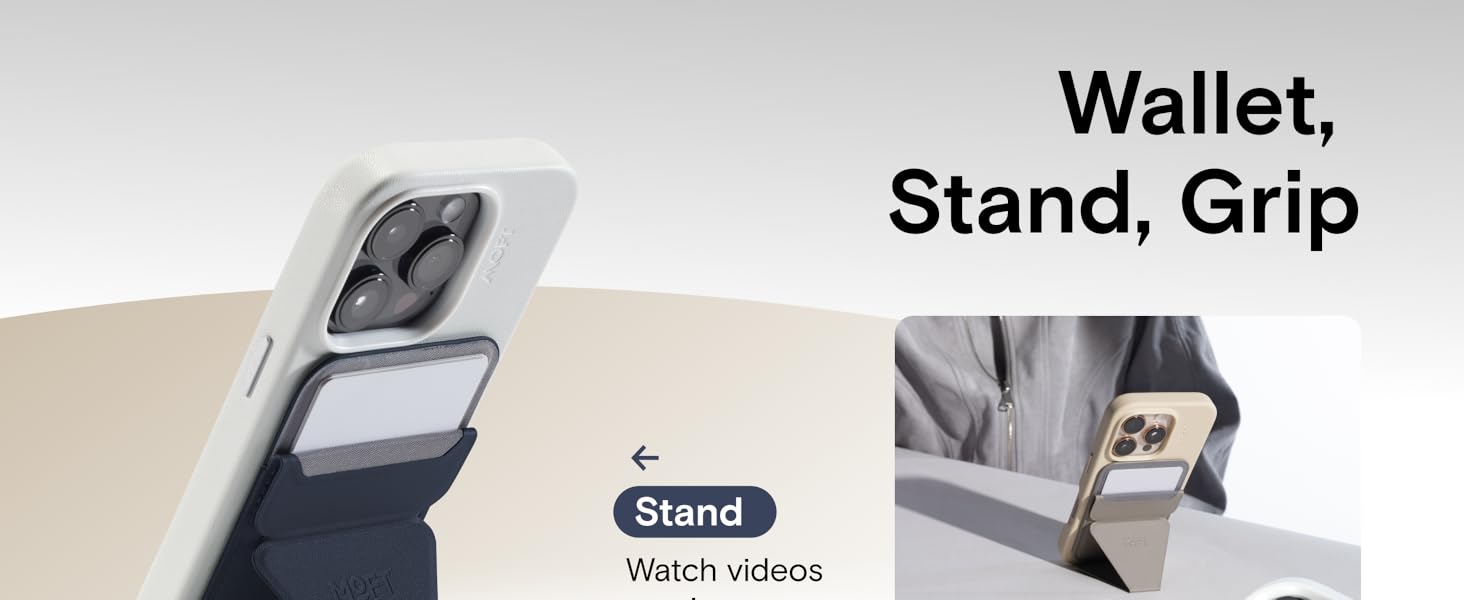
Image 1.1: The MOFT Magnetic Wallet Stand demonstrating its 3-in-1 functionality as a wallet, stand, and grip.
2. Nhazi ntuziaka
2.1 Attaching to MagSafe Compatible Devices
The MOFT Magnetic Wallet Stand is designed for effortless attachment to MagSafe-compatible iPhones (iPhone 12 series and newer) or MagSafe-compatible phone cases. Simply align the wallet stand with the MagSafe area on the back of your device or case. The strong magnets will snap it securely into place.

Image 2.1: The wallet stand magnetically attaching to the back of an iPhone, highlighting the strong magnetic connection.
2.2 Attaching to Non-MagSafe Devices (with MOFT Metal Ring)
For non-MagSafe phones or cases, a MOFT Metal Ring (sold separately) is required. Follow these steps:
- Prepare your phone with its case and the MOFT Metal Ring.
- Magnetically attach the phone stand to the non-adhesive side of the metal ring.
- Peel off the top layer of the metal ring's adhesive.
- After applying the metal ring to your phone case, press firmly and leave it on for 24 hours before use to ensure strong adhesion.

Image 2.2: Visual guide for installing the MOFT Metal Ring on a non-MagSafe phone case to enable compatibility with the wallet stand.
Mara: Do not attach the metal ring directly to the back of the phone. It works with TPU, PC, or aluminum cases with a flat back and no coatings. Not compatible with rubber, leather, cloth, wood, or painted cases.
3. Ntuziaka ọrụ
3.1 Using as a Wallet
The wallet stand can securely hold 1-2 cards. To access your cards, gently pull the top flap of the wallet stand upwards. The cards will become accessible for easy retrieval. To reinsert, slide the cards back into the slot and fold the flap down.
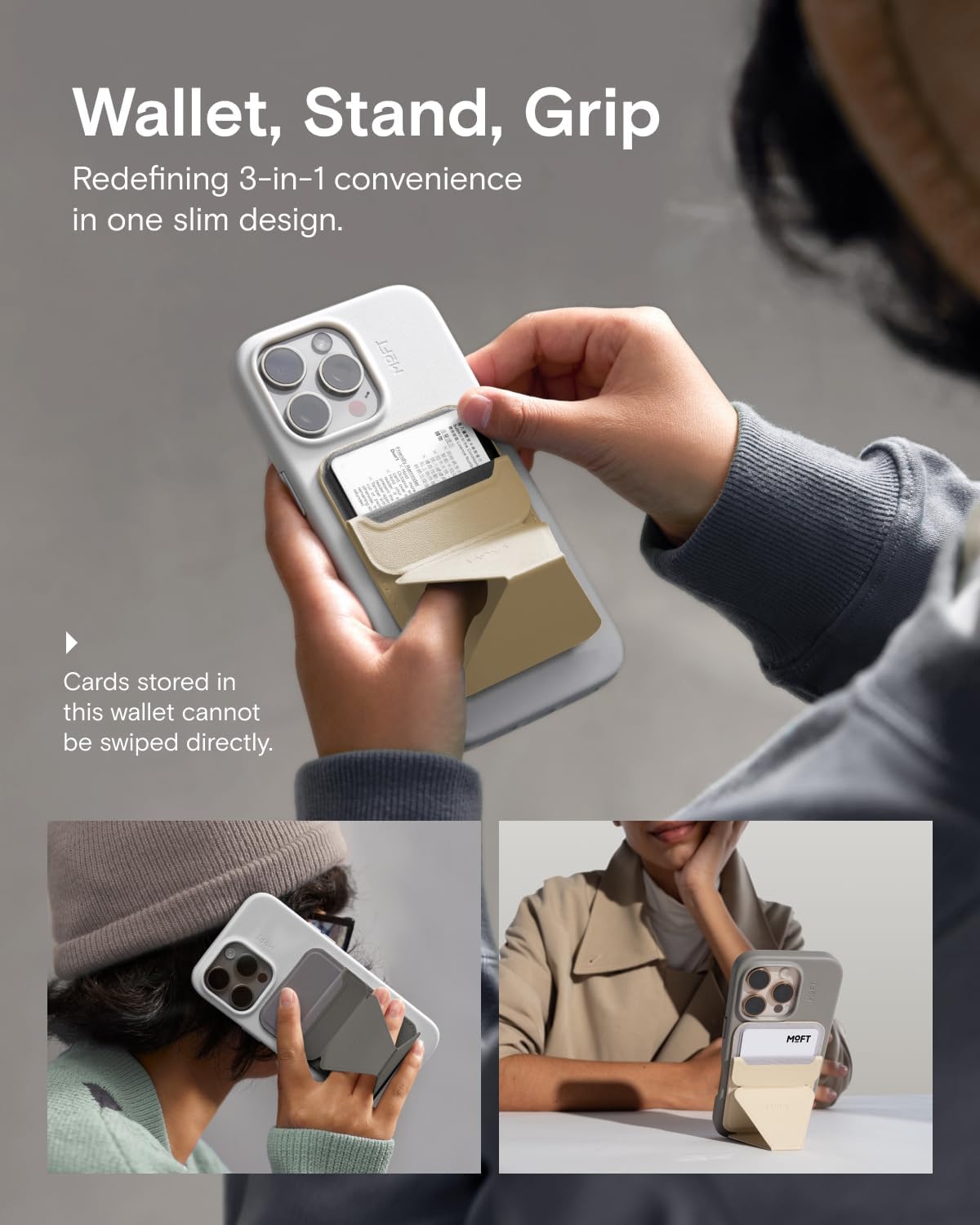
Image 3.1: Demonstrating how to insert and retrieve cards from the wallet stand.
Ịkpachara anya: Avoid holding the product upside down when cards are inserted to prevent accidental dropping.
3.2 Using as a Phone Stand (3 Viewing Modes)
The origami-inspired design allows for three distinct viewỤdị ụdị:
- Ọnọdụ Eserese: Fold the stand to prop your phone vertically for hands-free browsing, video calls, or checking notifications.
- Ụdị ọdịdị ala: Rotate your phone horizontally while in stand mode for optimal video streaming or gaming.
- Floating Mode: Adjust the stand to elevate your phone for a comfortable viewing angle, ideal for recording, cooking tutorials, or meetings.
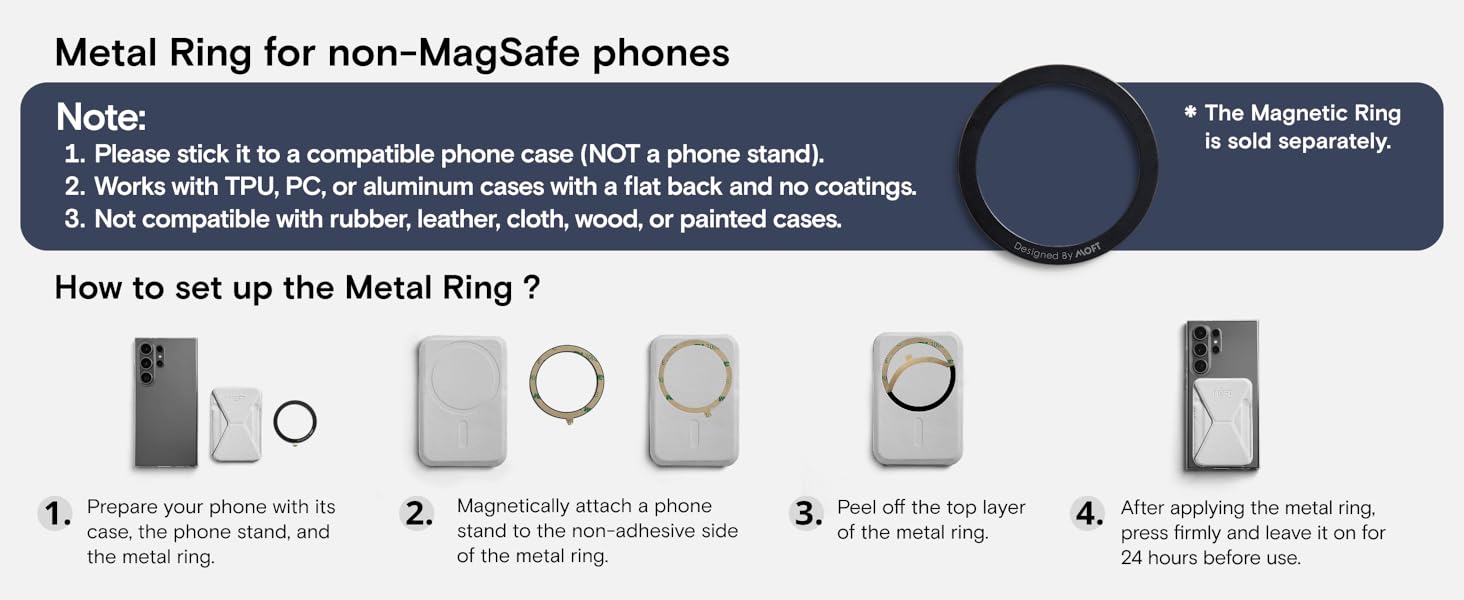
Image 3.2: The wallet stand configured in its three versatile viewing modes: Portrait, Landscape, and Floating.
3.3 Using as a Secure Grip
When unfolded into a stand, the design also provides a comfortable and secure grip for holding your phone, reducing strain during extended use.
4. Nlekọta
The MOFT Magnetic Wallet Stand is made with MOVAS Vegan Leather, which is designed for durability. To maintain its appearance and longevity:
- Jiri mgbasa ozi hichaa ọchaamp akwa dị ka mkpa.
- Avoid harsh chemicals or abrasive cleaners, as these may damage the material.
- While resistant to stretch and abrasion, prolonged exposure to extreme conditions or sharp objects may cause wear.
5. Nchọpụta nsogbu
5.1 Cards Falling Out
Ensure that no more than 2 cards are stored in the wallet. Overstuffing can loosen the material over time. If the wallet feels loose, try storing fewer cards or gently pressing the material to restore some tension.
5.2 Okwu Mgbakwụnye Igwe Ọdụdọ
If the wallet stand does not attach securely, ensure your phone or case is MagSafe compatible. For non-MagSafe devices, verify that the MOFT Metal Ring is correctly installed and has had sufficient time to adhere (24 hours). Ensure no foreign objects are between the wallet stand and your device/case.
5.3 Wireless Charging Interference
The wallet stand must be removed from your phone to enable wireless charging. It is not designed to allow wireless charging while attached.
6. Nkọwapụta
| Akụkụ ngwaahịa | 3.82 x 2.6 x 0.22 sentimita asatọ |
| Ibu Ibu | 2.12 ounces |
| Nọmba Nlereanya ihe | MS007MP-1-MO |
| Ihe onwunwe | MOVAS™ Vegan Leather, Fiberglass, Magnets, Metal sheets |
| Nchekwa kaadị | Holds 1-2 Cards |
| Ike ndọta | A++ (15N, equivalent to 6.6 lbs) |
| Ngwa dakọtara | iPhone 17 / iPhone Air / iPhone 17 Pro / iPhone 17 Pro Max / iPhone 16 / iPhone 16 Plus / iPhone 16 Pro / iPhone 16 Pro Max / iPhone 15 / iPhone 15 Plus / iPhone 15 Pro / iPhone 15 Pro Max / iPhone 14 / iPhone 14 Plus / iPhone 14 Pro / iPhone 14 Pro Max / iPhone 13 / iPhone 13 mini / iPhone 13 Pro / iPhone 13 Pro Max / iPhone 12 / iPhone 12 mini / iPhone 12 Pro / iPhone 12 Pro Max and MagSafe Phone Cases |
7. Official Product Videos
Video 7.1: A short demonstration of the MOFT Magnetic Wallet Stand in various colors, showcasing its magnetic attachment to an iPhone case.
8. Akwụkwọ ikike na nkwado
For warranty information and customer support, please refer to the official MOFT website or contact their customer service directly. Details regarding product returns and replacements are typically available for 30 days from the purchase date.


