1. Okwu mmalite
Thank you for choosing the Baseus Bowie E5x True Wireless Stereo (TWS) Earphones. These earphones are designed to provide a high-quality audio experience with convenient wireless connectivity. This manual will guide you through the setup, operation, and maintenance of your new earphones.

Figure 1: Baseus Bowie E5x TWS Earphones and Charging Case with Retail Packaging
2. Ihe ngwugwu
Biko lelee ọdịnaya nke ngwugwu ahụ ka ị hụ na ihe niile dị:
- Baseus Bowie E5x TWS Earphones (Left and Right)
- Nchaji case
- USB-C eriri USB
- Akwụkwọ ntuziaka (akwụkwọ a)

Figure 2: Baseus Bowie E5x Charging Case and USB-C Charging Cable
3. Ngwaahịa gafereview
Familiarize yourself with the components of your Baseus Bowie E5x earphones:
- Akpa ntị: Left (L) and Right (R) earbuds with touch control areas and charging contacts.
- Nchaji akpa: Used for charging the earbuds and for storage. Features a USB-C charging port and LED indicators.
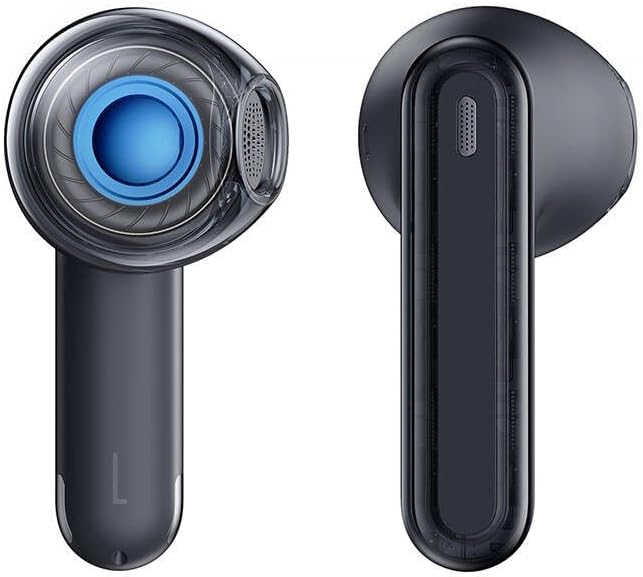
Figure 3: Left and Right Baseus Bowie E5x Earbuds
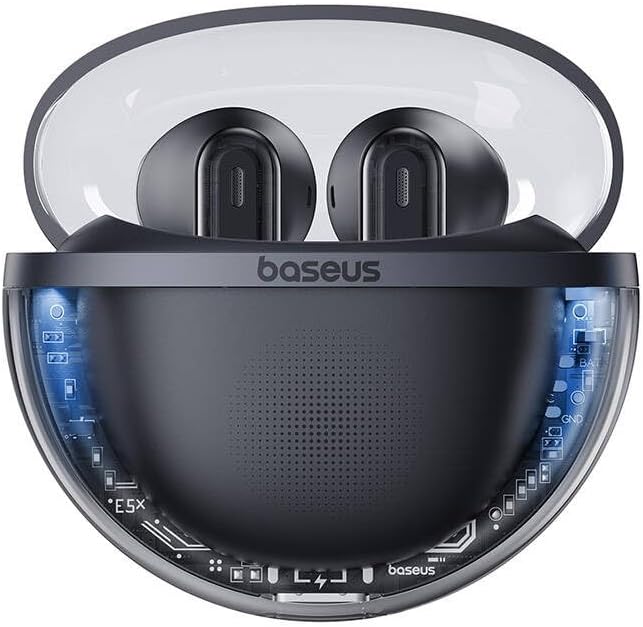
Figure 4: Baseus Bowie E5x Charging Case with Earbuds Inserted
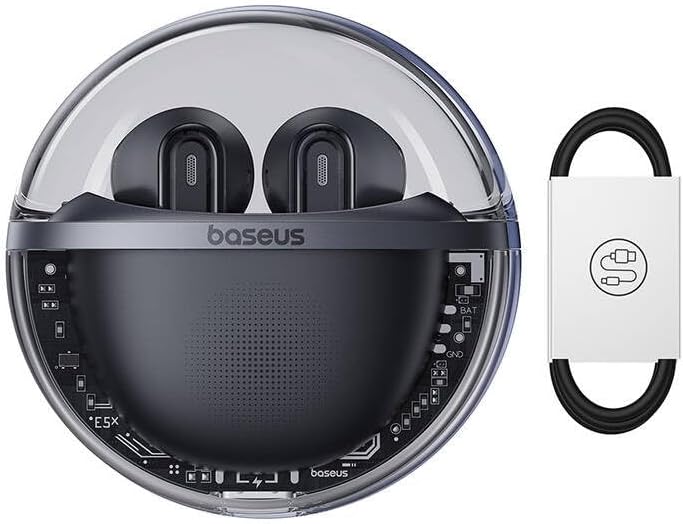
Figure 5: Close-up of an Earbud's Speaker
4. Nhazi
4.1 Ịchaji ekwe ntị na akpa
- Ebube mbụ: Before first use, fully charge the charging case and earbuds. Place the earbuds into the charging case.
- Ịchaji ikpe ahụ: Connect the provided USB-C cable to the charging port on the case and the other end to a USB power adapter (not included). The LED indicator on the case will show charging status.
- Ịchaji ekwe ntị: When placed in the charging case, the earbuds will automatically begin charging. The case's indicator lights will show the charging status of the earbuds.
4.2 Njikọ Bluetooth
- Ike Na: Open the charging case. The earbuds will automatically power on and enter pairing mode (indicated by flashing LED lights on the earbuds).
- Mee ka Bluetooth rụọ ọrụ: Na ngwaọrụ gị (smartphone, mbadamba, kọmputa), mee ka Bluetooth nwee ike.
- Họrọ Ngwaọrụ: In your device's Bluetooth settings, search for available devices and select "Baseus Bowie E5x".
- Jikọọ: Once selected, the earbuds will connect to your device. A voice prompt or steady LED light will confirm successful pairing.
- Njikọ: Mgbe ejikọtara ya na mbụ, ekweisi ga-ejikọ na ngwaọrụ ikpeazụ ejikọtara ozugbo mgbe ewepụchara ya na akpa ahụ, ma ọ bụrụhaala na etinyere Bluetooth na ngwaọrụ ahụ.
5. Ntuziaka ọrụ
The Baseus Bowie E5x earphones feature intuitive touch controls:
| Ọrụ | Action (Left/Right Earbud) |
|---|---|
| Gbanyụọ | Open charging case / Long press touch area (if off) |
| Gbanyụọ ike | Place earbuds into charging case and close lid / Disconnect Bluetooth and wait |
| Gwuo/kwụsịtụ | Double tap touch area |
| Track na-esote | Kpatụ ekwe ntị aka nri ugboro atọ |
| Egwu gara aga | Pịa igwe ekwe ntị ugboro atọ |
| Zaa/Kwụsị Oku | Double tap touch area |
| Jụ oku | Ogologo pịa mpaghara aka maka sekọnd 2 |
| Mee ka onye enyemaka olu rụọ ọrụ | Ogologo pịa mpaghara aka maka sekọnd 3 |
| Switch to Gaming Mode (Low Latency) | Specific gesture (refer to product packaging or Baseus app for exact control) |
Mara: Specific touch controls for features like volume adjustment or gaming mode may vary. Refer to the official Baseus app or product packaging for the most accurate and customizable controls.
6. Nlekọta
To ensure the longevity and optimal performance of your earphones, follow these maintenance tips:
- Nhicha: Jiri akwa dị nro, kpọrọ nkụ na-adịghị na-ehicha ntị ntị na chaja mgbe niile. Ejila kemịkalụ siri ike ma ọ bụ ihe abrasive.
- Kọntaktị na-akwụ ụgwọ: Ensure the charging contacts on both the earbuds and inside the case are clean and free of debris to ensure proper charging.
- Nchekwa: Mgbe ejighị ya, chekwaa ntị ntị n'akpa chaja ha iji chebe ha pụọ na uzuzu na mmebi.
- Zere Oke Ọnọdụ: Ewepụla ekwe ntị na oke okpomọkụ, iru mmiri ma ọ bụ mmiri mmiri.
7. Nchọpụta nsogbu
If you encounter issues with your Baseus Bowie E5x earphones, try the following solutions:
- Enweghị ụda:
- Gbaa mbọ hụ na akwụgoro ihe ekwe ntị.
- Check if Bluetooth is enabled on your device and connected to "Baseus Bowie E5x".
- Adjust volume on both your device and the earphones.
- Gbalịa jikwa ngwaọrụ gị jikọọ ekwe ntị ọzọ.
- Earbuds Not Pairing with Each Other:
- Place both earbuds back into the charging case, close the lid, wait a few seconds, then open the lid again.
- Ensure both earbuds have sufficient charge.
- Okwu ịchaji:
- Check the USB-C cable and power adapter.
- Hichaa kọntaktị ịchaji na ntị ntị na n'ime akpa ahụ.
- Hụ na a na-ana chajị akpa chajị ahụ n'onwe ya.
- Connection Drops/Unstable:
- Gaa nso na ngwaọrụ ejikọrọ gị.
- Zere gburugburu ebe nwere nnukwu nnyonye anya eletrọnịkị.
- Kwupu ma jikọọ njikọ Bluetooth.
If the issue persists, consult the Baseus official website or customer support for further assistance.
8. Nkọwapụta
| Njirimara | Nkọwa |
|---|---|
| Ụdị | Baseus |
| Nlereanya | Bowie E5x |
| Agba | Nwa |
| Ngwa gụnyere | 1 package (Earphones, Charging Case, USB-C Cable, Manual) |
| Njikọta | Ezi ikuku stereo (TWS) |
| Nchaji ọdụ ụgbọ mmiri | USB-C |
Mara: Nkọwapụta nwere ike ịgbanwe na-enweghị ọkwa mbụ.
9. Akwụkwọ ikike na nkwado
Baseus products come with a manufacturer's warranty. Please refer to the warranty card included in your package or visit the official Baseus websaịtị maka nkọwa zuru oke usoro na ọnọdụ nke akọwapụtara mpaghara gị.
For technical support, troubleshooting, or service inquiries, please contact Baseus customer support through their official websaịtị ma ọ bụ ozi kọntaktị enyere na nkwakọ ngwaahịa gị.
Ndị ọchịchị Websaịtị: www.baseus.com


