1. Ngwaahịa gafereview
The RUN-CHICKEN Feeder Model F80 is an advanced automatic chicken feeder designed to provide a consistent and secure food supply for your flock. Featuring a large 19.8 lbs (9 kg) capacity, a pest-proof design, and smart control via the RUN-CHICKEN App, it ensures your chickens are fed reliably while minimizing manual intervention. The feeder operates on batteries and includes an automatic light sensor for hands-free operation.

Image 1.1: The RUN-CHICKEN Feeder F80, a gray automatic chicken feeder with a secure hatch.

Image 1.2: The F80 BT feeder in an outdoor environment, demonstrating its integration into a chicken coop setup.
2. Kedu ihe dị na Igbe ahụ
Your RUN-CHICKEN Feeder F80 package includes:
- RUN-CHICKEN Feeder F80 Unit
- 2 x AA Alkaline Batteries (pre-installed or included separately)
- Mounting Screws (2 for installation, 25 for assembly)
- Akwụkwọ ntuziaka (akwụkwọ a)
3. Ntọala na nwụnye
3.1 Mgbakọ
The feeder requires minor assembly. Use the provided 25 screws to secure the panels as indicated in the assembly diagrams (not provided in this text, refer to physical manual if applicable).

Image 3.1: Assembling the feeder using a power drill for quick setup.
3.2 Ntinye batrị
The F80 Feeder operates on two AA alkaline batteries. Ensure they are correctly inserted into the battery compartment. It is recommended to replace batteries once a year, especially before winter, for optimal performance.

Image 3.2: Installing the AA batteries into the feeder's power unit.
3.3 Nhọrọ nrịgo
The lightweight feeder can be mounted on a wall, fence, or stand. It is recommended to mount the feeder approximately 4 inches (10 cm) above the ground to ensure easy access for chickens and to deter pests. Two screws are provided for secure setup.

Image 3.3: The feeder mounted at an appropriate height for chickens.

Foto 3.4: N'azụ view of the feeder highlighting the elevated mounting points.
3.4 Ngwa nwụnye na njikọ
Download the RUN-CHICKEN App to control your feeder. The app allows you to program feeding times, receive updates, and manage settings via Bluetooth within a 15-meter range.
- Maka ngwaọrụ gam akporo: Download on Google Play
- Maka ngwaọrụ iOS: Budata na Ụlọ Ahịa Ngwa
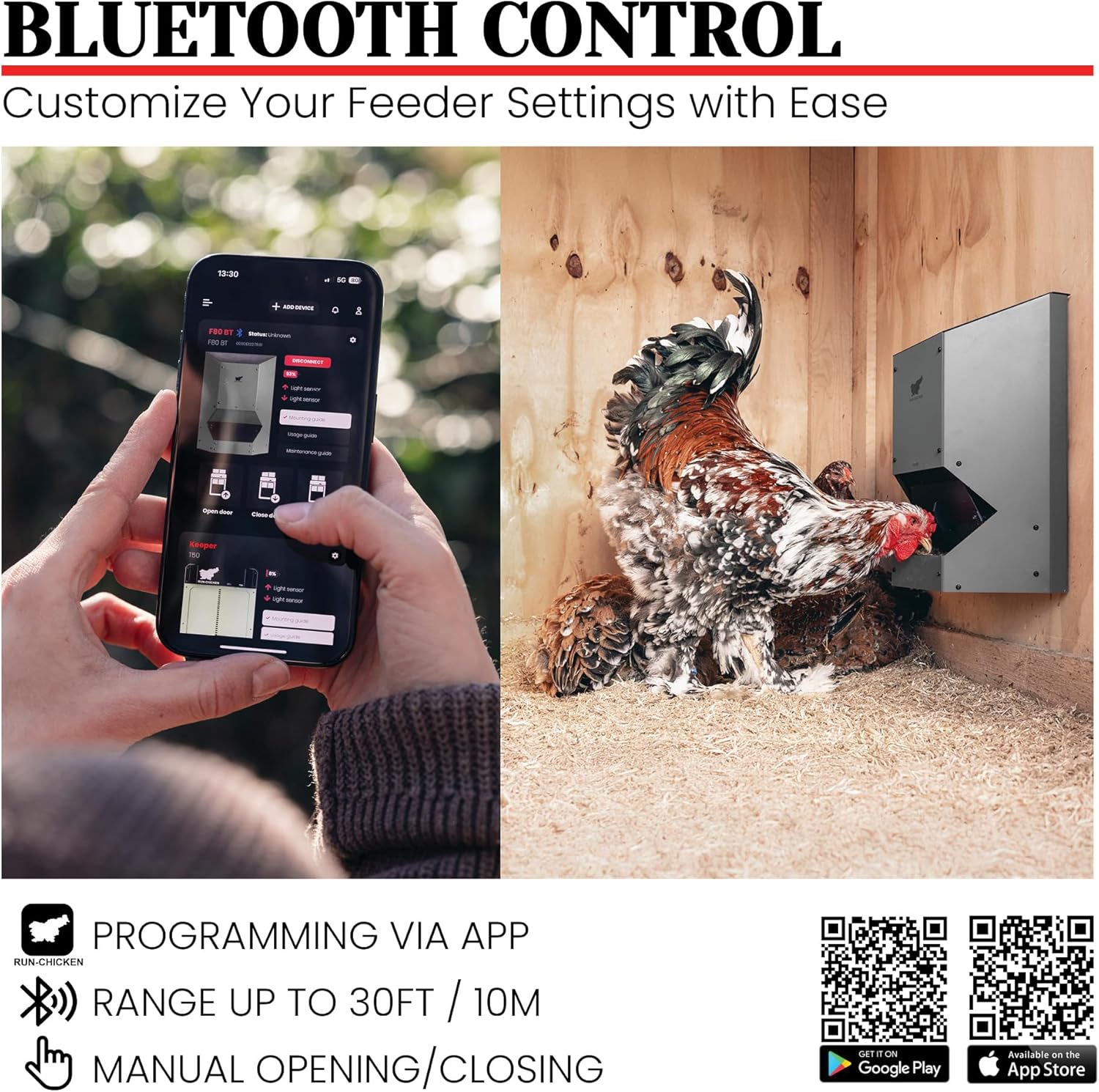
Image 3.5: Controlling the feeder settings via the RUN-CHICKEN mobile application.
4. Ntuziaka ọrụ
4.1 Na-ejuputa ihe e ji eri nri
The F80 Feeder has a large capacity of 19.8 lbs (9 kg), reducing the frequency of refills. Open the top lid and pour the chicken feed into the reservoir. Ensure the lid is securely closed after filling to maintain freshness and deter pests.

Image 4.1: Refilling the feeder with chicken feed.
4.2 Ọrụ Akpaka (Ihe Mmetụta Ọkụ)
The F80 Feeder features a smart light sensor that automates the opening and closing of the protective lid. The lid opens approximately 20 minutes after sunrise and closes 20 minutes after sunset. This hands-free operation keeps feed fresh and safe from pests.

Image 4.2: Day and night operation of the automatic feeder hatch.
4.3 App Control and Programming
Use the RUN-CHICKEN App to customize your feeder's schedule and settings. You can program specific opening and closing times, use a GPS-based timer that adapts to sunrise/sunset, or manually open/close the feeder. The app provides real-time control and flexibility.

Image 4.3: The RUN-CHICKEN app interface for controlling feeder operations.

Image 4.4: Remote control of the feeder via the app from up to 30 feet away.

Image 4.5: App features including GPS-based timing, custom timers, and remote control.
5. Nlekọta
5.1 Nhicha
The F80 Feeder is designed for low maintenance and easy cleaning. Wipe down the feeder with a cloth and running water to prevent bacterial growth. Ensure the feeder is fully dry before refilling with feed to maintain optimal hygiene.

Image 5.1: Cleaning the feeder with water for easy maintenance.

Image 5.2: Simple cleaning of the aluminum feeder with water.
5.2 nnọchi batrị
Replace the two AA alkaline batteries annually, or as needed, to ensure continuous and reliable operation, especially before colder seasons.
6. Nchọpụta nsogbu
If you encounter any issues with your RUN-CHICKEN Feeder F80, consider the following:
- Feeder not opening/closing: Check battery levels and replace if necessary. Ensure there are no obstructions preventing the hatch from moving freely. Verify app settings and Bluetooth connection.
- Nsogbu njikọ ngwa: Ensure your smartphone is within the 15-meter Bluetooth range of the feeder. Restart the app and/or your phone's Bluetooth.
- Pest intrusion: Confirm the feeder is mounted at the recommended height (approx. 4 inches above ground). Ensure the magnetic lid is fully closed and the automated hatch is functioning correctly.

Image 6.1: The feeder's secure design deters pests like raccoons.

Image 6.2: The magnetic lid provides a secure seal against pests.

Image 6.3: The automated hatch is designed to prevent raccoons from opening it.
7. Nkọwapụta
| Njirimara | Nkọwa |
|---|---|
| Aha Nlereanya | F80 |
| Ụdị | NA-agba ọsọ-ọkụkọ |
| Agba | Agba ntụ |
| Ihe onwunwe | Aluminom |
| Ibu Ibu | 4.29 pound (1.95 n'arọ) |
| Akụkụ ngwaahịa (LxWxH) | 12.1 x 6.2 x 16.6 sentimita (30.7 x 15.7 x 42.1 cm) |
| Feed Capacity | 19.8 lbs (9 n'arọ) |
| Isi Iyi Ike | Batrị 2 x AA (gụnyere) |
| Atụmatụ pụrụ iche | Battery Operated, Durable, Pest Proof, App Control, Light Sensor |
| Ụdị ebumnuche | Chicken, Duck, Geese |

Image 7.1: Detailed dimensions and capacity of the F80 Feeder.
8. Akwụkwọ ikike na nkwado
For warranty information or technical support, please contact RUN-CHICKEN customer service. Refer to the contact details provided on the product packaging or the official RUN-CHICKEN websaịtị.


