1. Okwu mmalite
Thank you for choosing the SBS 30000 mAh Power Bank. This portable charger is designed to provide reliable and fast power to your electronic devices on the go. Featuring multiple charging ports and high capacity, it ensures your devices remain powered throughout your day. This manual provides essential information for the safe and efficient use of your power bank.

Image 1.1: The SBS 30000 mAh Power Bank, a portable charging device.
2. Ozi nchekwa
- Ewepụla ụlọ akụ ike ka ọ bụrụ oke okpomọkụ (karịa 45 Celsius ma ọ bụ n'okpuru 0 Celsius C), ìhè anyanwụ kpọmkwem, ma ọ bụ oke iru mmiri.
- Avoid dropping, disassembling, or attempting to repair the device yourself. This may void the warranty and pose safety risks.
- Debe ụlọ akụ ọkụ na mmiri na mmiri mmiri ndị ọzọ.
- Jiri naanị eriri nchaji na nkwụnye ọkụ gbaara agbamu.
- Debe ebe ụmụaka na-apụghị iru.
- Tụfuo ụlọ akụ ike nke ọma dịka iwu obodo siri dị.
- This power bank is designed to be airline portable, adhering to common regulations for carry-on luggage.

Image 2.1: The power bank is suitable for air travel as carry-on luggage.
3. Ihe ngwugwu
Ngwungwu a na-agụnyekarị:
- SBS 30000 mAh Power Bank
- Igwe nchaji USB
- Akwụkwọ ntuziaka (akwụkwọ a)
4. Ngwaahịa gafereview
The SBS 30000 mAh Power Bank features multiple ports for versatile charging and LED indicators to show battery status.
4.1 ọdụ ụgbọ mmiri na egosi
- USB-C 1 Input/Output (PD 20W): This port can be used to recharge the power bank or to charge compatible devices with Power Delivery.
- USB-C 2 Output (PD 20W): Dedicated output port for fast charging devices with Power Delivery.
- USB-A 1 Output (AFC 18W): Output port for charging devices with Adaptive Fast Charge.
- USB-A 2 Output (AFC 18W): Output port for charging devices with Adaptive Fast Charge.
- Bọtịnụ ngbanwu/ Gbanyụọ: Activates the power bank and checks the battery level.
- Ihe ngosi LED: Four LED lights indicate the remaining battery charge level.

Image 4.1: Technical diagram illustrating the ON/OFF button, LED indicators, and the four charging ports (2x USB-C, 2x USB-A) with their respective power outputs.

Image 4.2: Visual representation of the power bank's ports, including two USB-A ports (18W Adaptive Fast Charge) and two USB-C ports (one 20W Power Delivery output, one Type-C input).
5. Nhazi
5.1 Ojiji mbụ
The power bank is pre-charged upon delivery and ready for immediate use. For optimal performance and to ensure full capacity, it is recommended to fully charge the power bank before its first extensive use.
6. Ntuziaka ọrụ
6.1 Ịchaji Power Bank
- Connect the included USB charging cable to the USB-C 1 Input/Output port on the power bank.
- Connect the other end of the cable to a compatible USB wall adapter (not included) or a computer's USB port.
- The LED indicators will flash to show the charging progress. All four LEDs will be solid when the power bank is fully charged.
6.2 Ịchaji ngwaọrụ gị
The power bank can charge up to four devices simultaneously, including smartphones, tablets, speakers, TWS earphones, and e-readers.
- Connect your device's charging cable to one of the available output ports (USB-C 1, USB-C 2, USB-A 1, or USB-A 2) on the power bank.
- Jikọọ nsọtụ nke ọzọ nke eriri na ngwaọrụ gị.
- The power bank will automatically begin charging your device. If not, press the ON/OFF button once.
- The USB-C ports offer 20W Power Delivery for ultra-fast charging of compatible devices.
- The USB-A ports provide 18W Adaptive Fast Charge for devices not compatible with Power Delivery.

Image 6.1: The power bank is capable of charging multiple devices at the same time, even while it is being recharged itself, thanks to Dual Charge technology.
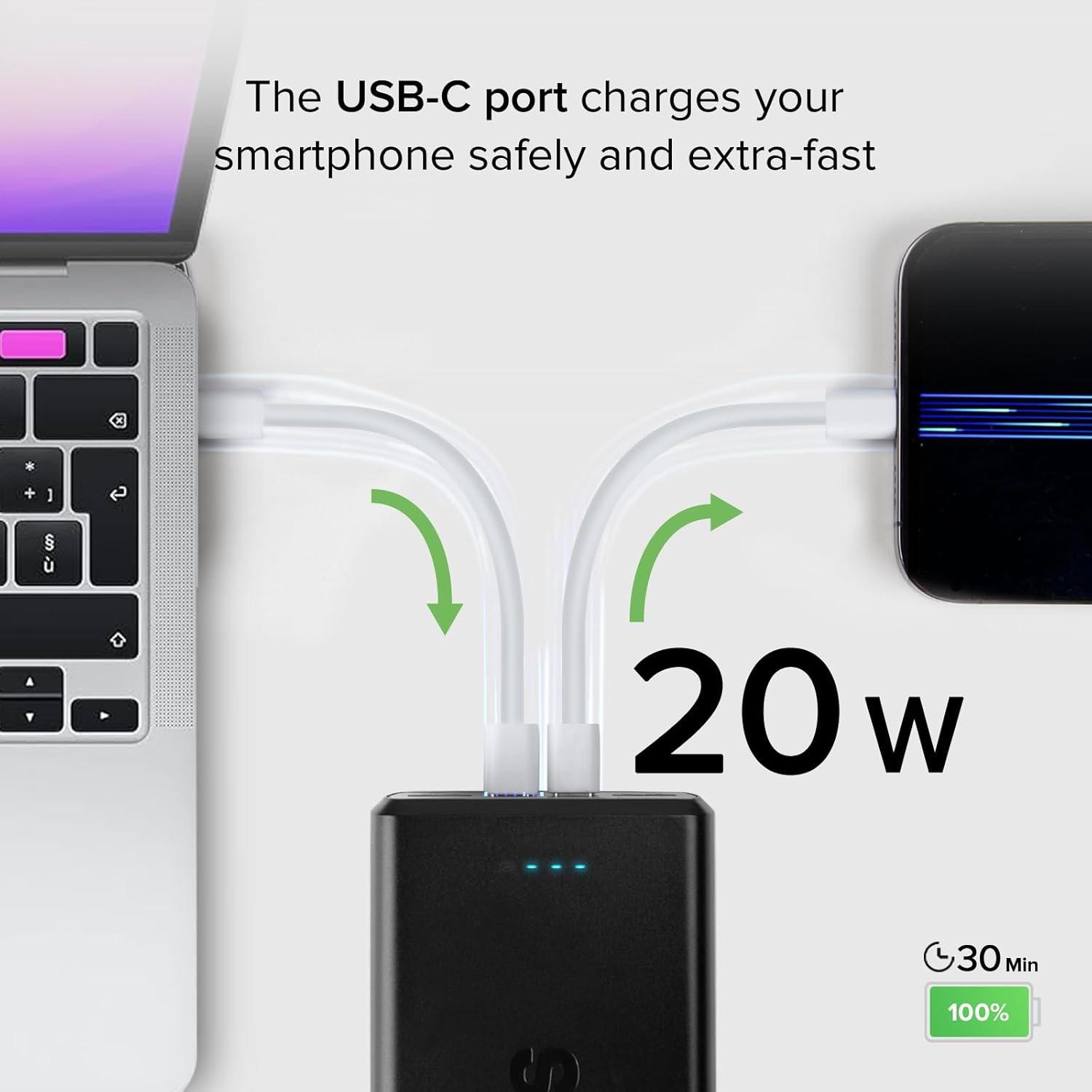
Image 6.2: A USB-C port delivering 20W of power to rapidly charge a smartphone, reaching 100% in approximately 30 minutes.

Image 6.3: A USB-A port providing 18W Adaptive Fast Charge, capable of fully charging a smartphone in about 45 minutes.
6.3 Nyochaa ọkwa batrị
Press the ON/OFF button once to view the current battery charge level indicated by the four LED lights.
- 4 LED: 75-100% ụgwọ
- 3 LED: 50-75% ụgwọ
- 2 LED: 25-50% ụgwọ
- 1 LED: 0-25% ụgwọ
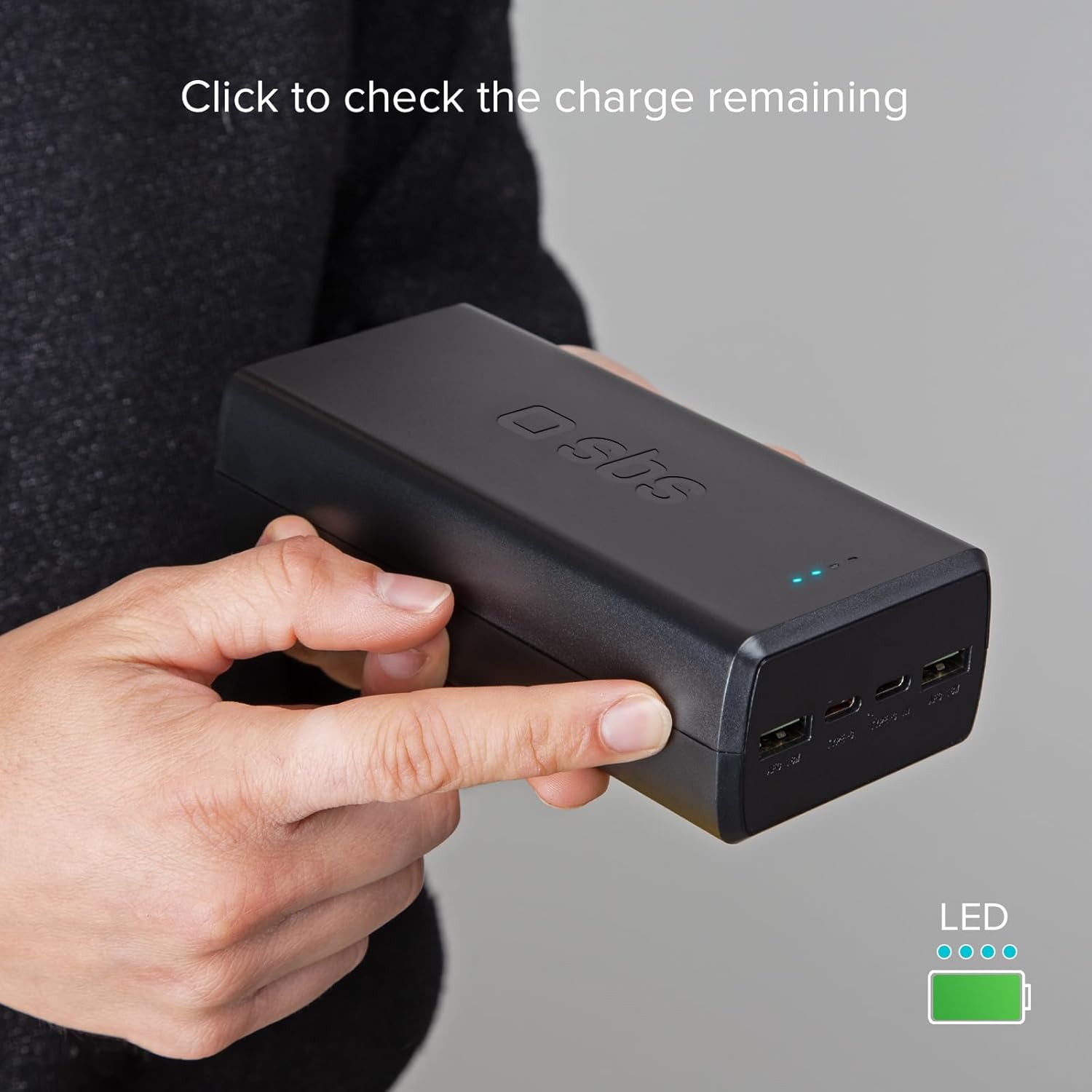
Image 6.4: A user pressing the side button to activate the LED indicators and check the remaining charge of the power bank.
7. Nlekọta
- Jiri akwa dị nro hichaa ụlọ akụ ike. Ejila kemịkalụ siri ike ma ọ bụ ihe abrasive.
- Chekwaa ụlọ akụ ike n'ebe dị jụụ, kpọrọ nkụ mgbe ọ naghị eji ya.
- If storing for an extended period, recharge the power bank every 3-6 months to maintain battery health.
8. Nchọpụta nsogbu
8.1 Power Bank anaghị akwụ ụgwọ
- Ensure the charging cable is securely connected to both the power bank's USB-C input port and the power source.
- Hụ na ihe nkwụnye mgbidi ma ọ bụ ọdụ USB na-arụ ọrụ. Nwaa ihe nkwụnye ma ọ bụ ọdụ ụgbọ mmiri dị iche.
- Check if the charging cable is damaged. Try using a different cable.
8.2 Ngwaọrụ anaghị akwụ ụgwọ site na Power Bank
- Ensure the power bank has sufficient charge (check LED indicators).
- Press the ON/OFF button to activate the power bank.
- Verify that the charging cable is securely connected to both the power bank's output port and your device.
- Gbalịa ọdụ ụgbọ mmiri mmepụta dị iche na ụlọ akụ ike.
- Check if your device's charging cable is damaged. Try a different cable.
- Some devices may require specific charging protocols. Ensure compatibility.
8.3 Nchaji nwayọ
- Ensure you are using a fast-charging compatible cable and adapter for recharging the power bank or charging your devices.
- Verify that your device supports Power Delivery (PD) or Adaptive Fast Charge (AFC) for optimal speeds.
- Ịchaji ọtụtụ ngwaọrụ n'otu oge nwere ike kesaa ike, nke nwere ike ibelata ọsọ chaji nke ọ bụla.
9. Nkọwapụta
| Ụdị | SBS |
| Nlereanya | 30000 mAh |
| Ngwakọta batrị | Lithium-polymer |
| Ike | 30000 mAh |
| Input (USB Type-C 1) | 5V D.C. 3A, 9V D.C. 2.22A, 12V D.C. 1.67A (PD 20W) |
| Output (USB Type-C 1) | 5V D.C. 3A, 9V D.C. 2.22A, 12V D.C. 1.67A (PD 20W) |
| Output (USB Type-C 2) | 5V D.C. 3A, 9V D.C. 2.22A, 12V D.C. 1.67A (PD 20W) |
| Output (USB-A 1 & 2) | 5V D.C. 3A, 9V D.C. 2A, 12V D.C. 1.5A (18W) |
| Atụmatụ pụrụ iche | Fast Charge, Short Circuit Protection, Discharge Protection, LED Indicator |
| Agba | Nwa |
| Akụkụ ngwaahịa | 14L x 6.7W x 4H centimita |
10. Akwụkwọ ikike Ozi
This SBS Power Bank is covered by a manufacturer's warranty. Please refer to the warranty card included with your purchase or visit the official SBS websaịtị maka usoro na ọnọdụ zuru ezu gbasara mkpuchi akwụkwọ ikike na nkwupụta.
11. Nkwado
For technical assistance, product inquiries, or customer service, please visit the official SBS website or contact their customer support team through the contact information provided on their website. Please have your product model and purchase details ready when contacting support.


