Okwu mmalite
Thank you for choosing the KAIDI KD-771 True Wireless Bluetooth 5.1 Earbuds. These earbuds are designed to provide a seamless and high-quality audio experience with the convenience of wireless connectivity. This manual will guide you through the setup, operation, and maintenance of your new earbuds.
The KD-771 earbuds utilize Bluetooth technology for connection to various sound-playing devices, including smartphones, tablets, and notebooks. Their completely wireless design ensures practical and simplified handling and usage.
Ozi nchekwa
- Ekpughela ihe mkpuchi ntị ma ọ bụ ihe mkpuchi chaja n'ebe okpomọkụ dị oke elu, iru mmiri, ma ọ bụ mmiri mmiri dị.
- Zere ịda, ime ka ihe ghara ịdị mma, ma ọ bụ ịgbasa ngwaọrụ ahụ.
- Debe ebe ụmụaka na anụ ụlọ na-apụghị iru.
- Jiri naanị eriri chaja na ihe nkwụnye ọkụ akwadoro.
- Ịge ntị ogologo oge n'ogo dị elu nwere ike imebi ihe ntị. Gbanwee olu ka ọ bụrụ ọkwa dị mma.
Melite
1. Unboxing na mbụ Charge
Upon opening the package, ensure all components are present: the KAIDI KD-771 earbuds, the charging case, and this user manual. Before first use, fully charge the earbuds and the charging case.
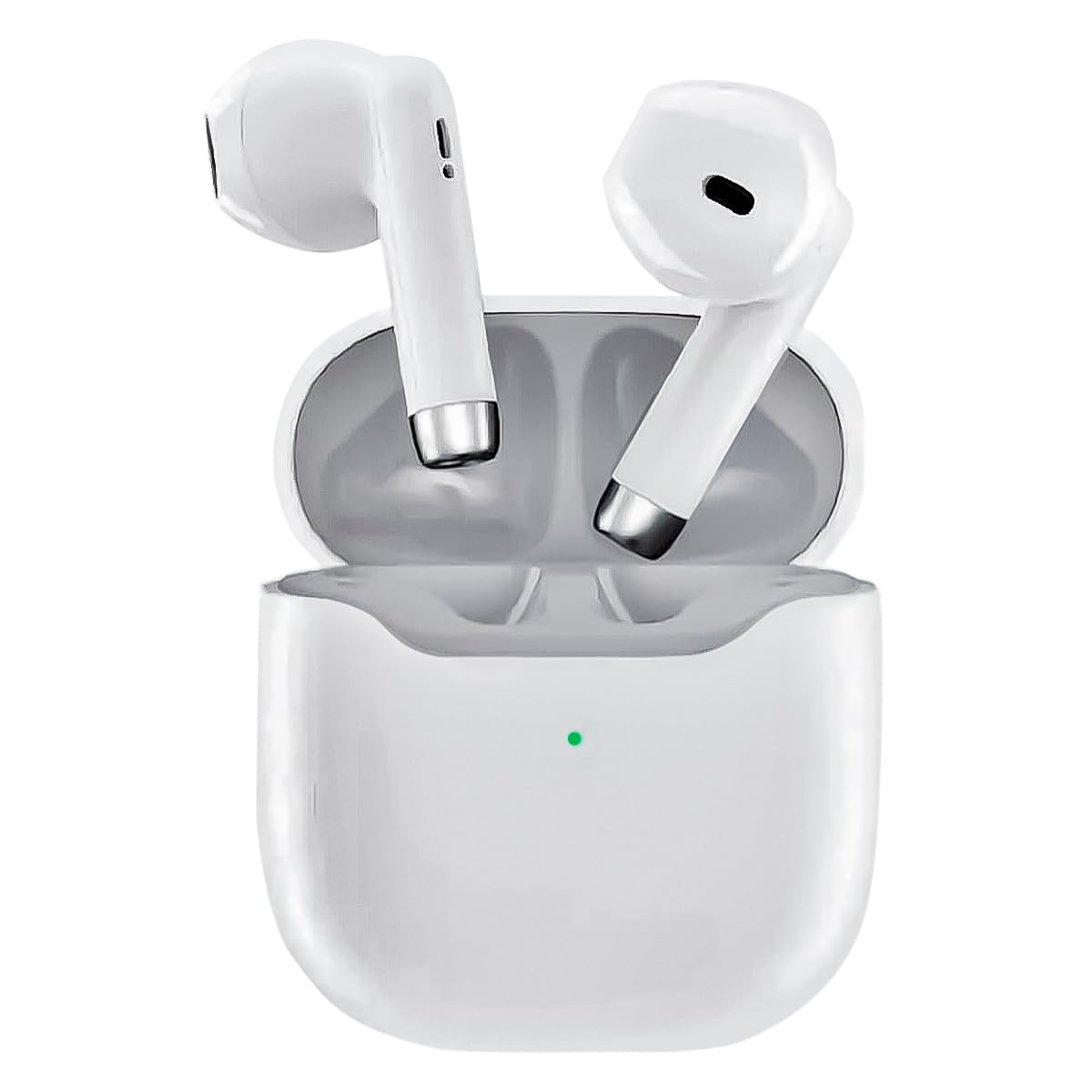
Image: The KAIDI KD-771 True Wireless Bluetooth 5.1 Earbuds and their charging case.
Place the earbuds into the charging case. Connect the charging case to a power source using a compatible USB cable (not included). The indicator light on the case will show charging status. Once fully charged, the indicator light will change or turn off.
2. Ijikọ na ngwaọrụ
The KD-771 earbuds are compatible with multiple platforms, including smartphones, tablets, and laptops.

Image: The KAIDI KD-771 earbuds shown alongside various compatible devices, including smartphones, tablets, and laptops, illustrating multi-platform compatibility.
- Ike Na: Open the charging case. The earbuds will automatically power on and enter pairing mode. You may see indicator lights flashing on the earbuds.
- Mee ka Bluetooth rụọ ọrụ: Na ngwaọrụ gị (ama, mbadamba, wdg), gaa na ntọala Bluetooth wee hụ na agbanyere Bluetooth.
- Họrọ ntị ntị: In the list of available Bluetooth devices, look for "KD-771" (or a similar name) and select it to connect.
- nkwenye: Once connected, your device will confirm the pairing, and the earbud indicator lights may stop flashing or change color.

Image: The KAIDI KD-771 earbuds in their charging case, with a smartphone displaying a successful Bluetooth 5.0 connection and battery levels.
The earbuds feature Bluetooth 5.1 for high-speed transmission and stable connections.
Ntuziaka ọrụ
The KD-771 earbuds are controlled via touch sensors located on each earbud.
1. Gbanyụọ / gbanyụọ
- Ike Na: Open the charging case, and the earbuds will automatically power on. Alternatively, if powered off outside the case, touch and hold the touch area on both earbuds for a few seconds until you hear a power-on prompt.
- Gbanyụọ: Place the earbuds back into the charging case and close the lid. They will automatically power off and begin charging. Alternatively, if outside the case, touch and hold the touch area on both earbuds for several seconds until you hear a power-off prompt.
2. Njikwa Egwu
- Gwuo/kwụsịtụ: Otu pịa ma ọ bụ ekwe ntị.
- Track na-esote: Kpatụ ntị ntị aka nri ugboro abụọ.
- Gara aga Track: Kpatụ ntị ntị aka ekpe ugboro abụọ.
3. Njikwa oku
- Azịza/Kwụsị Oku: Otu pịa ma ọ bụ ekwe ntị.
- Jụ oku: Metụ ma jide otu ntị ntị maka sekọnd iri.
4. Onye enyemaka olu
- Mee ka onye enyemaka olu rụọ ọrụ: Triple tap either earbud to activate your device's voice assistant (e.g., Siri, Google Assistant).
Nlekọta
1. Nhicha
Ịsacha mgbe niile na-enyere aka ịnọgide na-arụ ọrụ nke ọma na ịdị ọcha.
- Jiri akwa dị nro, kpọrọ nkụ, akwa na-enweghị lint ka ihichapụ ntị ntị na akpa nchaji.
- Ejila ihe mkpocha abrasive, ihe mgbaze, ma ọ bụ aerosol sprays.
- Gently clean the charging contacts on both the earbuds and the case with a dry cotton swab if necessary.
2. Nchekwa
Mgbe ejighị ya, chekwaa earbuds n'ime akpa nchaji ha iji chebe ha ma debe ha ebubo. Chekwaa ngwaọrụ ahụ n'ebe dị jụụ, kpọrọ nkụ na-adịghị na ìhè anyanwụ kpọmkwem na oke okpomọkụ.
Nchọpụta nsogbu
| Nsogbu | Ngwọta enwere ike |
|---|---|
| Igwe ntị anaghị ejikọta ọnụ |
|
| Naanị otu earbud na-arụ ọrụ |
|
| Obere olu ma ọ bụ ogo ụda adịghị mma |
|
| Okwu ịchaji |
|
Nkọwapụta

Foto: Ihe gbawara view of a KAIDI KD-771 earbud, highlighting its internal components designed for high-resolution sound.
- Ụdị: KD-771
- Akara: KAIDI
- Teknụzụ Njikọta: Bluetooth ikuku ikuku 5.1
- Ntinye ntị: N'ime ntị
- Ihe kpatara ụdị ekweisi: N'ime ntị
- Usoro njikwa: Metụ aka
- Njikwa mkpọtụ: Nkagbu mkpọtụ na-eme mgbanwe
- Mgbochi: 50 ohms
- Ihe: Plastic
- Agba: Ọcha
- Arọ ngwaahịa: 100 g (earbuds + case)
- Ngwa gụnyere: Nchedo ikpe
- Ngwa dakọtara: Ngwa ndị enyere Bluetooth aka
- Atụmatụ pụrụ iche: Lightweight, Bluetooth
- Ụdị isi iyi ike: Electric power (rechargeable internal battery)
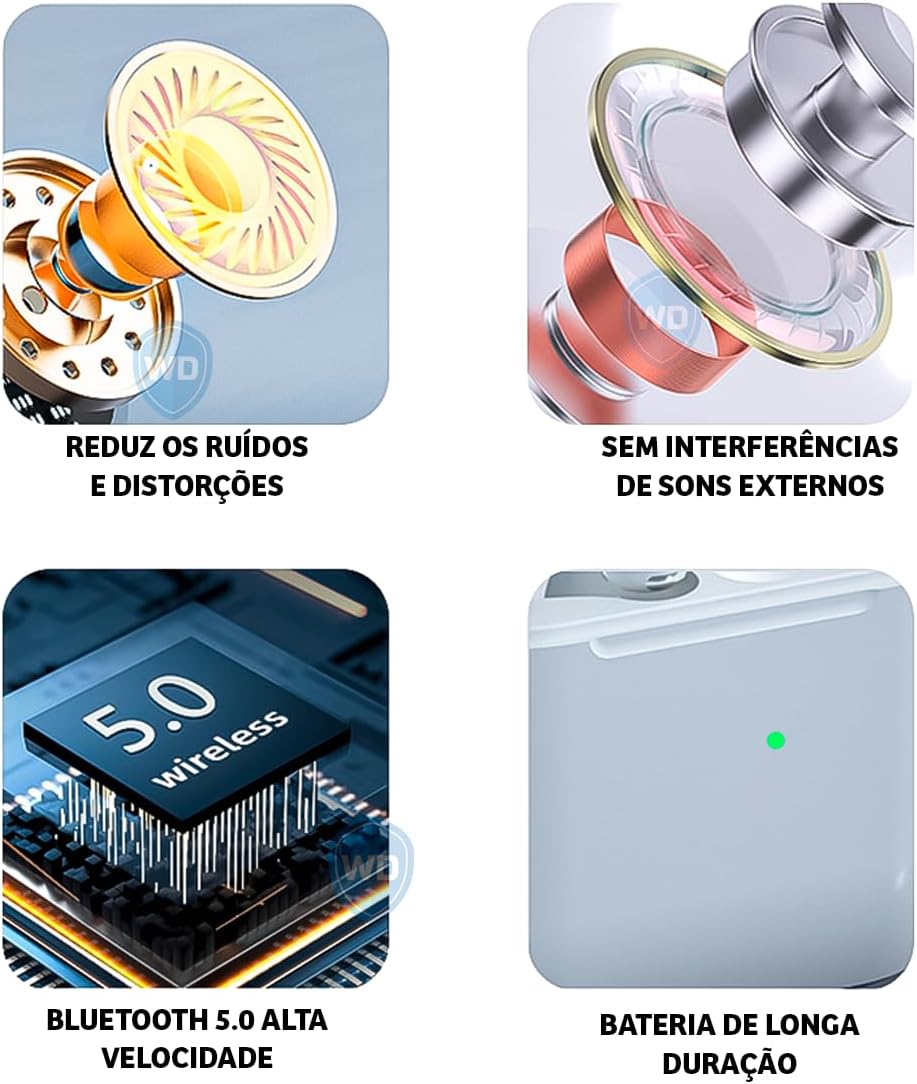
Image: A visual representation of key features: noise reduction and distortion reduction, absence of external sound interference, high-speed Bluetooth 5.0, and long-lasting battery life.
Ozi akwụkwọ ikike
The KAIDI KD-771 earbuds come with a manufacturer's warranty of 30 days from the date of purchase. This warranty covers manufacturing defects under normal use. It does not cover damage caused by misuse, accidents, unauthorized modifications, or normal wear and tear.
Biko dowe ihe akaebe nke ịzụrụ ihe maka akwụkwọ ikike.
Nkwado ndị ahịa
For further assistance, technical support, or warranty inquiries, please contact your retailer or the KAIDI customer service department. Refer to the packaging or the official KAIDI websaịtị maka nkọwa kọntaktị.


