Okwu mmalite
This manual provides essential information for the proper setup, operation, and maintenance of your Panasonic TH-55SQE2W 55 Inch 4K UHD Professional Display. Designed for continuous 24-hour operation, this display offers high picture quality and versatile connectivity for various professional environments.
The TH-55SQE2W features a 500 cd/m² brightness and an anti-reflective panel with 25% haze, enhancing visibility in brightly lit spaces. It also includes an Intel SDM specification slot for integrated applications such as digital signage or wireless presentation systems.
Ozi nchekwa
Please read all safety instructions carefully before operating the display. Keep this manual for future reference. Always disconnect the power cord from the outlet before cleaning or performing any maintenance. Do not expose the display to rain or moisture to prevent fire or electric shock. Ensure proper ventilation around the display to prevent overheating.
Only use attachments/accessories specified by the manufacturer. Refer all servicing to qualified service personnel. Do not attempt to repair this product yourself.
Ihe ngwugwu
Mgbe ị na-ewepụ ihe ndị a, hụ na ihe niile dị na ngwugwu ahụ dị ma ghara imebi emebi. Ngwugwu ahụ na-agụnyekarị:
- Panasonic TH-55SQE2W Display Unit
- Ụdọ ọkụ
- Njikwa anya (ya na batrị)
- Ntuziaka nhazi
- Akwụkwọ ikike kaadị
Note: Specific accessories may vary by region.
Melite
Nwụnye anụ ahụ
The TH-55SQE2W display supports both vertical and tilt installation, making it suitable for various professional environments. Ensure the mounting surface or stand is capable of supporting the display's weight (approximately 43.5 pounds).

Foto 1: N'ihu view of the Panasonic TH-55SQE2W display.
When installing, ensure adequate space for ventilation around the display. The robust components are designed for professional use and continuous operation, even in vertical orientations.
Ngwa jikọọ
The display offers a wide range of connectivity options:
- HDMI: 4 ports for connecting various video sources.
- USB-C: 1 port (15W) for data and power delivery.
- USB-A: 3 ports for connecting peripherals.
- DisplayPort: 1 port for high-resolution video input.
- Ọpụpụ dijitalụ: 1 ọdụ ụgbọ mmiri.
- Intel SDM Slot: For integrating optional modules like built-in PCs or wireless presentation systems.

Ọgụgụ 2: N'azụ view of the display, highlighting connectivity ports and the Intel SDM slot.
Connect your desired input sources to the appropriate ports. Ensure all cables are securely connected.
Gbanyụọ/ Gbanyụọ
After connecting all necessary cables, plug the power cord into a wall outlet. Press the power button on the display or the remote control to turn the unit on. To turn off, press the power button again.
Ntuziaka ọrụ
Basic Operation and Menu Navigation
The display operates on Android OS, providing a user-friendly interface. Use the remote control to navigate through menus, select input sources, and adjust display settings. The display is compatible with HTML5 browsers, facilitating easy use for digital signage applications.
Wireless Display Function
The TH-55SQE2W includes a Wireless Display function, allowing you to transmit your PC's screen content to the display without the need for physical cables. Refer to the on-screen instructions or the detailed setup guide for specific pairing procedures.
Ogo na Ntọala Foto
The display features 4K resolution (3840 x 2160) and a brightness of 500 cd/m², ensuring clear and vibrant images. The non-glare surface treatment reduces reflections, improving visibility in various lighting conditions. Access the display's settings menu to adjust brightness, contrast, color, and other picture parameters to suit your environment and content.
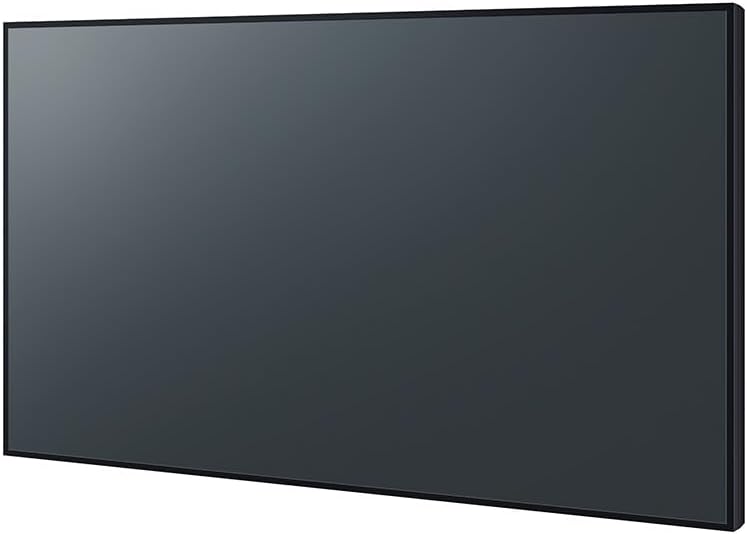
Ọgụgụ 3: Akụkụ profile of the Panasonic TH-55SQE2W display.
Nlekọta
Regular maintenance ensures optimal performance and longevity of your display.
- Na-ehicha ihuenyo: Jiri nwayọ hichaa ihuenyo ahụ site na iji akwa dị nro na-enweghị lint. Maka akara ndị isi ike, ntakịrị dampJiri mmiri ma ọ bụ ihe nhicha ihuenyo na-anaghị afụ ụfụ kpuchie ákwà ahụ. Zere iji kemịkalụ siri ike ma ọ bụ ihe ndị na-eme ka ọ dị nro.
- Na-ehicha kabinet: Use a soft, dry cloth to wipe the display's cabinet.
- Igwe ikuku: Gbaa mbọ hụ na egbochighị oghere ikuku iji gbochie ikpo oke ọkụ.
Kwupu ike mgbe niile tupu ihicha.
Nchọpụta nsogbu
If you encounter issues with your display, refer to the following common troubleshooting steps:
- Enweghị ike: Check if the power cord is securely connected to both the display and the power outlet. Ensure the outlet is functional.
- Enweghị foto: Verify that the correct input source is selected. Check all video cables for secure connections. Try connecting a different video source.
- Ogo Foto adịghị mma: Adjust picture settings (brightness, contrast, sharpness). Ensure the input source is providing a high-quality signal.
- Njikwa anya anaghị arụ ọrụ: Check and replace batteries. Ensure there are no obstructions between the remote and the display's sensor.
For persistent issues, contact Panasonic customer support.
Nkọwapụta
| Nọmba nlereanya | SQE2W |
| Nha ihuenyo | 55 sentimita asatọ |
| Mkpebi | 3840 x 2160 (4K UHD) |
| Akụkụ akụkụ | 16:9 |
| Ihe onyonyo | 500 cd/m² |
| Nkọwa ihu ihu ihuenyo | Matte (Non-Glare) |
| Mgbakọta ọdụ ụgbọ mmiri USB | 4 (1x USB-C, 3x USB-A) |
| ọdụ ụgbọ mmiri HDMI | 4 |
| DisplayPort | 1 |
| Oghere Intel SDM | Ee |
| Sistemụ nrụọrụ | Android OS |
| Ọrụ na-aga n'ihu | 24/7 |
| Ibu Ibu | 43.5 pound |
| Akụkụ ngwugwu | 54 x 35 x 7 sentimita asatọ |
| Onye nrụpụta | Panasonic |
| Ụbọchị mbụ dị | Ọktoba 17, 2023 |
Akwụkwọ ikike na nkwado
Maka ozi akwụkwọ ikike, biko rụtụ aka na kaadị akwụkwọ ikike gụnyere ngwaahịa gị ma ọ bụ gaa na Panasonic gọọmentị websaịtị. Debe ihe akaebe nke ịzụrụ maka akwụkwọ ikike.
For technical support, service, or inquiries, please contact Panasonic customer service through their official channels. Contact details can typically be found on the Panasonic websaịtị ma ọ bụ na akwụkwọ ngwaahịa.
Panasonic Official Websaịtị: www.panasonic.com


