1. Okwu mmalite
This manual provides essential information for the safe and efficient use of your Aiwa A65QUHDX3-GTV 65-inch QLED 4K Ultra HD Google Smart TV. Please read these instructions thoroughly before operating the television and retain them for future reference.
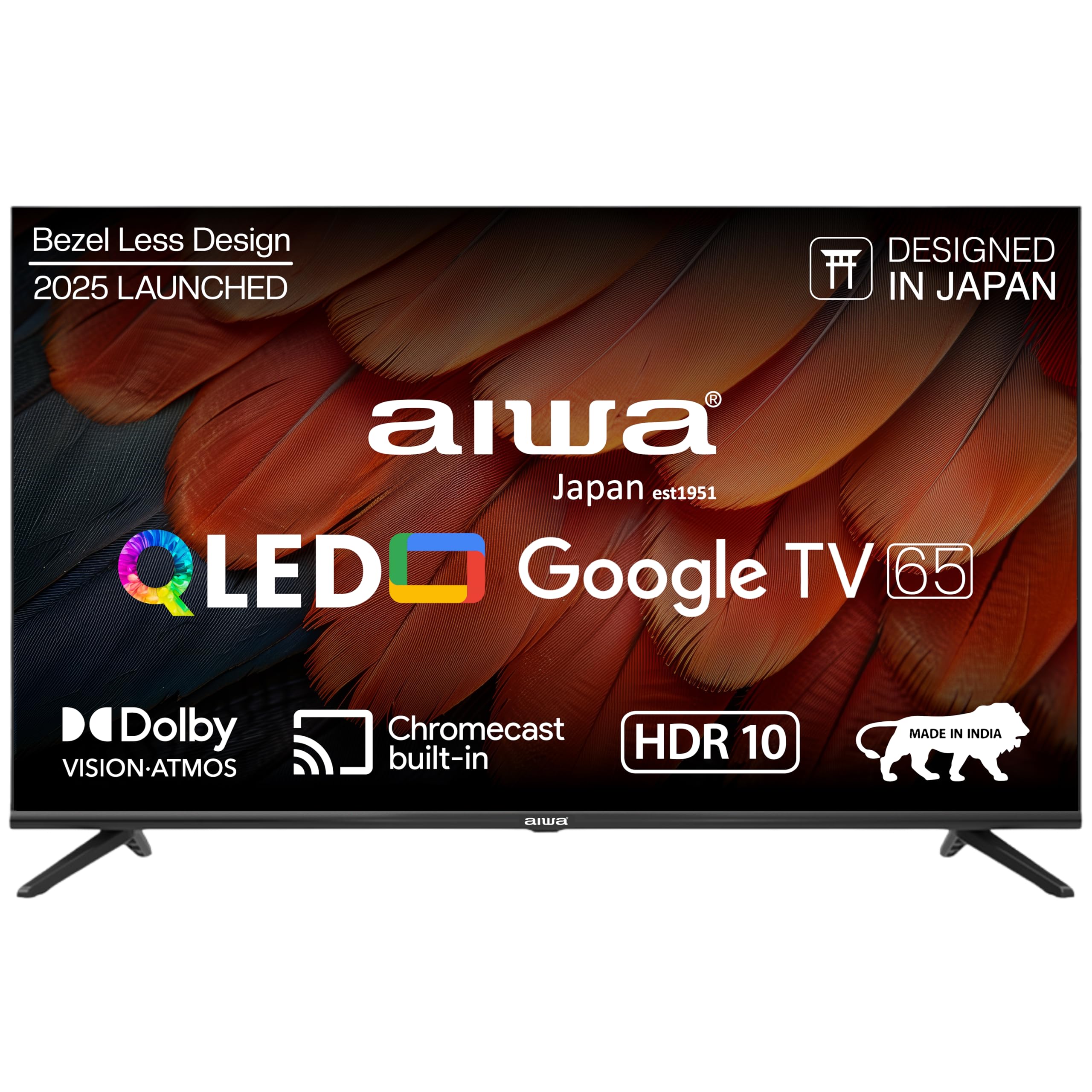
Foto 1.1: N'ihu view of the Aiwa A65QUHDX3-GTV 65-inch QLED Smart TV.

Figure 1.2: Aiwa A65QUHDX3-GTV showcasing its ultra sleek design.
2. Ozi nchekwa
Na-agbaso iwu nchekwa ndị a mgbe niile iji gbochie mgbawa eletrik, ọkụ, ma ọ bụ mmebi na telivishọn:
- Ewepụla igwe onyonyo na mmiri ozuzo ma ọ bụ mmiri.
- Do not open the television casing. Kpọtụrụ ndị ọrụ ruru eru ọrụ niile.
- Gbaa mbọ hụ na ikuku ikuku dị mma. Akwụsịla oghere ikuku.
- Avoid placing the television near heat sources or in direct sunlight.
- Use only the power cord supplied with the television.
- Debe batrị ebe ụmụaka na-apụghị iru.
3. Kedu ihe dị na Igbe ahụ
Chọpụta na akụrụngwa niile dị mgbe ị na-ewepụ igbe:
- 1N LED TV
- 4N Screws for stand/wall mount
- 1N Remote Control
- Batrị 2N AAA (maka njikwa anya)
- 1N User Manual with Warranty Card
- 1N Set Table Stand
- 1N Wallmount bracket
4. Nhazi
4.1 Nwụnye anụ ahụ
Your Aiwa TV supports both table-top and wall-mount installations. Choose the method suitable for your environment.
Nwụnye nkwụnye tebụl
- Jiri nlezianya dobe ihuenyo TV n'elu ala dị nro ma dị larịị iji gbochie mmebi.
- Attach the provided table stands to the designated slots at the bottom of the TV using the included screws.
- Ensure the stands are securely fastened.
- Jiri nlezianya bulie TV ahụ gaa n'ọnọdụ ya kwụ ọtọ n'elu ebe kwụsiri ike.
Nwụnye mgbidi mgbidi
If using the wall mount, follow the instructions provided with the wall mount kit. Professional installation is recommended for wall mounting.

Figure 4.1: Dimensions of the Aiwa A65QUHDX3-GTV 65-inch QLED Smart TV.
4.2 Njikọta Peripherals
The TV features an array of ports for various devices. Refer to the back panel image for port locations.

Ọgụgụ 4.2: N'azụ view of the TV displaying connectivity ports.

Ọgụgụ 4.3: Zuru ezu view of the TV's connectivity ports including LAN, HDMI, USB, Antenna In, and AV In.
- ọdụ ụgbọ mmiri HDMI (x3): Connect Blu-ray players, gaming consoles, set-top boxes, or other HDMI-enabled devices.
- ọdụ ụgbọ mmiri USB (x2): Jikọọ ngwaọrụ nchekwa USB maka ịkpọghachi mgbasa ozi ma ọ bụ mmelite ngwanrọ.
- Ọdụ ụgbọ mmiri LAN: Jikọọ eriri Ethernet maka njikọ ịntanetị nwere eriri.
- Antenna dị n'ime: Jikọọ antenna ma ọ bụ eriri TV mgbama.
- AV n'ime: Jikọọ ngwaọrụ ndị ochie site na iji eriri vidiyo na ụda stereo.
- Bluetooth: Pair wireless headphones, soundbars, or other Bluetooth devices.
- Wi-Fi: Connect to your home wireless network for internet access.
4.3 Ọkachamara Mmalite na Ntọlite
- Jikọọ eriri ọkụ na TV wee banye na nkwụnye ọkụ.
- Pịa bọtịnụ ike na njikwa anya ma ọ bụ na TV n'onwe ya.
- Soro ntuziaka na ihuenyo ka ịmechaa nhazi mbụ, gụnyere nhọrọ asụsụ, njikọ netwọk na nbanye akaụntụ Google.
5. Ntuziaka ọrụ
5.1 Ime Remote
The included smart remote control allows for easy navigation and voice commands.

Figure 5.1: Smart Remote Control with dedicated quick access buttons for streaming services and voice control functionality.
- Bọtịnụ ike: Gbanyụọ ma ọ bụ gbanyụọ TV.
- Mpempe igodo ụzọ: Use the directional buttons to move through menus and the center button to select.
- Bọtịnụ azụ: Na-alaghachi na ihuenyo gara aga.
- Bọtịnụ ụlọ: Na-abanye na ihuenyo ụlọ Google TV.
- Elu elu/ala: Na-edozi olu ọdịyo.
- Oghere bọtịnụ: Mebie ma ọ bụ mebie ụda olu.
- Bọtịnụ enyemaka olu: Na-arụ ọrụ enyemaka Google maka iwu olu.
- Bọtịnụ nweta ngwa ngwa: Dedicated buttons for Netflix, Prime Video, YouTube, and Disney+Hotstar.
5.2 Google TV Interface
Your Aiwa Smart TV runs on Google TV, offering a personalized content experience.

Figure 5.2: Google TV home screen displaying a wide range of applications and content.

Figure 5.3: Google TV interface with personalized content suggestions.
- Nkwanye ọdịnaya: The TV provides personalized suggestions based on your viewing history and preferences.
- Watchlist: Add movies and shows to your watchlist for later viewing.
- Personal Profile: Mepụta profiles for each user to receive tailored content.
- Ụmụaka Profile: Set up a dedicated profile for children with age-appropriate content and parental controls.
- Onye enyemaka Google: Jiri iwu olu ka ịchọọ ọdịnaya, jikwaa ngwaọrụ ụlọ smart, wee nweta ozi.
- Chromecast arụnyere n'ime: Cast content directly from your smartphone or tablet to the TV.
5.3 Ntọala foto na ụda
Hazie foto na ntọala ụda ka ebuli gị elu viewahụmahụ.
Ụdị foto
Access picture settings through the TV menu to select from various modes:
- doro anya: Enhances colors and brightness for a dynamic picture.
- Ọkọlọtọ: Default setting suitable for most content.
- Egwuregwu: Optimizes motion and color for sports broadcasts.
- Ihe nkiri: Provides a cinematic experience with accurate colors.
- Onye ọrụ: Allows custom adjustment of brightness, contrast, color, and sharpness.
- Nchekwa ike: Reduces power consumption by adjusting brightness.
The QLED display supports Dolby Vision and HDR10 for enhanced contrast and color depth.

Figure 5.4: Explanation of Quantum Dot nanocrystals technology for vibrant picture quality.

Figure 5.5: Crysta Tech Vision for enhanced detail and Black Reflect anti-glare technology.
Ụdị ụda
Select sound modes to match your content:
- Ọkọlọtọ: General audio setting.
- Egwuregwu: Enhances dialogue and crowd noise for sports.
- Ihe nkiri: Provides a rich, immersive audio experience.
- Egwu: Optimizes audio for music playback.
The TV features Aiwa Signature Sound and Dolby Atmos for high-fidelity audio.

Figure 5.6: Aiwa Signature Sound, crafted to perfection in Japan, for high fidelity audio.
6. Nlekọta
6.1 Ihicha TV
- Kwupuo TV mgbe niile tupu ihicha ya.
- Jiri akwa dị nro dị nro hichaa ihuenyo na kabinet.
- Maka akara ndị isi ike, dị obere dampen akwa na mmiri ma ọ bụ dị nwayọọ, na-adịghị abrasive ihuenyo Cleaner.
- Do not use alcohol, benzene, thinners, or other volatile substances.
6.2 Mmelite ngwanrọ
Your Google TV may receive automatic software updates. Ensure your TV is connected to the internet to receive the latest features and security patches. You can also manually check for updates in the TV's settings menu.
7. Nchọpụta nsogbu
Ọ bụrụ na ị na-enwe nsogbu na TV gị, rụtụ aka na azịza ndị a na-ahụkarị:
| Nsogbu | Ngwọta enwere ike |
|---|---|
| Enweghị ike / TV anaghị agbanyụ | Ensure the power cord is securely connected to both the TV and the power outlet. Check if the power outlet is working. Try pressing the power button on the TV itself. |
| Enweghị foto / Ọdịdị foto adịghị mma | Check cable connections (HDMI, Antenna). Ensure the correct input source is selected. Adjust picture settings (brightness, contrast, mode). For antenna, rescan channels. |
| Enweghị ụda / Ụda dị ala | Check volume level and ensure TV is not muted. Verify audio cable connections if using external speakers. Check sound settings and sound mode. |
| Njikwa anya anaghị arụ ọrụ | Replace batteries in the remote control. Ensure there are no obstructions between the remote and the TV's IR sensor. Re-pair the Bluetooth remote if applicable. |
| Smart TV features not working / Slow performance | Check internet connection (Wi-Fi or LAN). Restart the TV by unplugging it for a few minutes. Clear app cache or reinstall problematic apps. Ensure software is up to date. |
| Casting issues (Chromecast) | Ensure your casting device and TV are on the same Wi-Fi network. Restart both the TV and the casting device. |
8. Nkọwapụta
Detailed technical specifications for the Aiwa A65QUHDX3-GTV:
| Njirimara | Nkọwa |
|---|---|
| Ụdị | Aịwa |
| Nlereanya | A65QUHDX3 |
| Nha ihuenyo | 65 sentimita asatọ |
| Ngosipụta teknụzụ | QLED |
| Mkpebi | 4K Ultra HD (3840 x 2160 pikselụ) |
| Ọnụego ume ọhụrụ | 60 Hz |
| Viewna n'akuku | 178 ogo |
| Sistemụ nrụọrụ | Google TV |
| Ebe nchekwa RAM | 2 GB |
| Ike nchekwa | 16 GB |
| Ihe eserese eserese | Mali-450 GPU |
| Njikọta | Wi-Fi (Dual band), Bluetooth (2-way), HDMI 2.0 (x3), USB 2.0 (x2), LAN (x1) |
| Ike mmepụta ọdịyo | 24 Watt |
| Njirimara ọdịyo | Aiwa Signature Sound, Dolby Atmos, Stereo Audio |
| Atụmatụ pụrụ iche | 4K Ultra HD, Built-in Apps, Voice Control, HDR10, Google OS, Flat Screen, Miracast, Smart Features, Dolby Vision, Crysta Tech Vision, Black Reflect |
| Akụkụ ngwaahịa (ya na nkwụnye) | 10 x 9.8 x 83 cm (approx. 145.2 cm width, 89.6 cm height) |
| Ibu Ibu | 18.6 n'arọ |
| Isi Iyi Ike | AC 220 volts |
| Wattage | 150 Watt |
9. Akwụkwọ ikike na nkwado
9.1 Ozi akwụkwọ ikike
Your Aiwa A65QUHDX3-GTV television comes with a manufacturer's warranty. Please refer to the included Warranty Card for detailed terms, conditions, and duration of the warranty period.
9.2 Nkwado ndị ahịa
For technical assistance, installation services, or any product-related inquiries, please contact Aiwa customer support:
- Ahịrị enyemaka ndị ahịa: 1800-120-5619
- Service is available across 19000+ pincodes in India.

Figure 9.1: Aiwa provides installation and service support across India.


