Okwu mmalite
This manual provides essential information for the safe and effective operation of your Gemini Sound GSP-L2200PK Powered DJ Speaker System. This bundle includes a 2200W 15-inch powered Bluetooth PA speaker with sound-reactive LED lighting, a speaker stand, a Polsen M-85 microphone with cable, two Auray MS-5230F tripod microphone stands, and an XLR-XLR cable. Please read this manual thoroughly before use and retain it for future reference.
Ntuziaka nchekwa dị mkpa
- Gụọ ntuziaka ndị a.
- Debe ntuziaka ndị a.
- Ṅaa ntị n'ịdọ aka ná ntị niile.
- Soro ntuziaka niile.
- Ejila ngwa a n'akụkụ mmiri.
- Jiri akwa kpọrọ nkụ hichaa naanị.
- Akwụsịla oghere ikuku ikuku ọ bụla. Wụnye dị ka ntuziaka onye nrụpụta si dị.
- Awụnyela n'akụkụ ebe okpomọkụ ọ bụla dị ka radiators, ndekọ okpomọkụ, stovu, ma ọ bụ ngwa ndị ọzọ (gụnyere amplifiers) nke na-emepụta okpomọkụ.
- Emebila ebumnuche nchekwa nke plọg a na-agbapụta ma ọ bụ ntọ ala. Plọg nwere agụba abụọ nwere otu sara mbara karịa nke ọzọ. Ụdị nkwụnye ala nwere agụba abụọ na oghere mgbada nke atọ. A na-enye agụba obosara ma ọ bụ nke atọ maka nchekwa gị. Ọ bụrụ na plọg e nyere adabaghị n'ime oghere gị, kpọtụrụ onye na-ahụ maka ọkụ eletrik ka ọ dochie ebe ahụ ochie.
- Chebe eriri ọkụ ka ị ghara ịgagharị ma ọ bụ tuo ya karịsịa na plọg, ebe nchekwa dị mma, na ebe ha si na ngwa ahụ pụta.
- Jiri naanị mgbakwunye / ngwa ndị nrụpụta akọwapụtara.
- Jiri naanị ụgbọ ala, nkwụ, tripod, bracket, ma ọ bụ tebụl nke onye nrụpụta akọwapụtara, ma ọ bụ jiri ngwa ree ya. Mgbe a na-eji ụgbọ ala, jiri nlezianya mee ihe mgbe ị na-ebugharị nchikota cart/ngwa ka ịzenarị mmerụ ahụ site na njedebe.
- Kwupu ngwa a n'oge oke mmiri ozuzo ma ọ bụ mgbe ejighi ya ogologo oge.
- Tụtụ aka n'aka ndị ọrụ ruru eru. A na-achọ ọrụ mgbe ngwa ahụ mebiri emebi n'ụzọ ọ bụla, dị ka eriri ọkụ ma ọ bụ plọg mebiri emebi, mmiri mmiri wụfuru ma ọ bụ ihe dabara n'ime ngwa ahụ, ekpughere ngwa ahụ na mmiri ozuzo ma ọ bụ mmiri, anaghị arụ ọrụ nke ọma. , ma ọ bụ ahapụla ya.
Ihe ngwugwu
Biko chọpụta na agụnyere ihe niile edepụtara n'okpuru na ngwugwu gị:
- 1x Gemini 2200W 15" Powered Bluetooth PA Speaker with Lights
- 1x Onye na-ekwu okwu
- 1x Polsen M-85 Professional Dynamic Handheld Microphone
- 1x Microphone Cable (XLR to 1/4")
- 1x Ụdọ Ike
- 1x XLR-XLR Cable (20")
- 2x Auray MS-5230F Tripod Microphone Stand with Fixed Boom
- 2x Cable-Guide Clip (for mic stands)
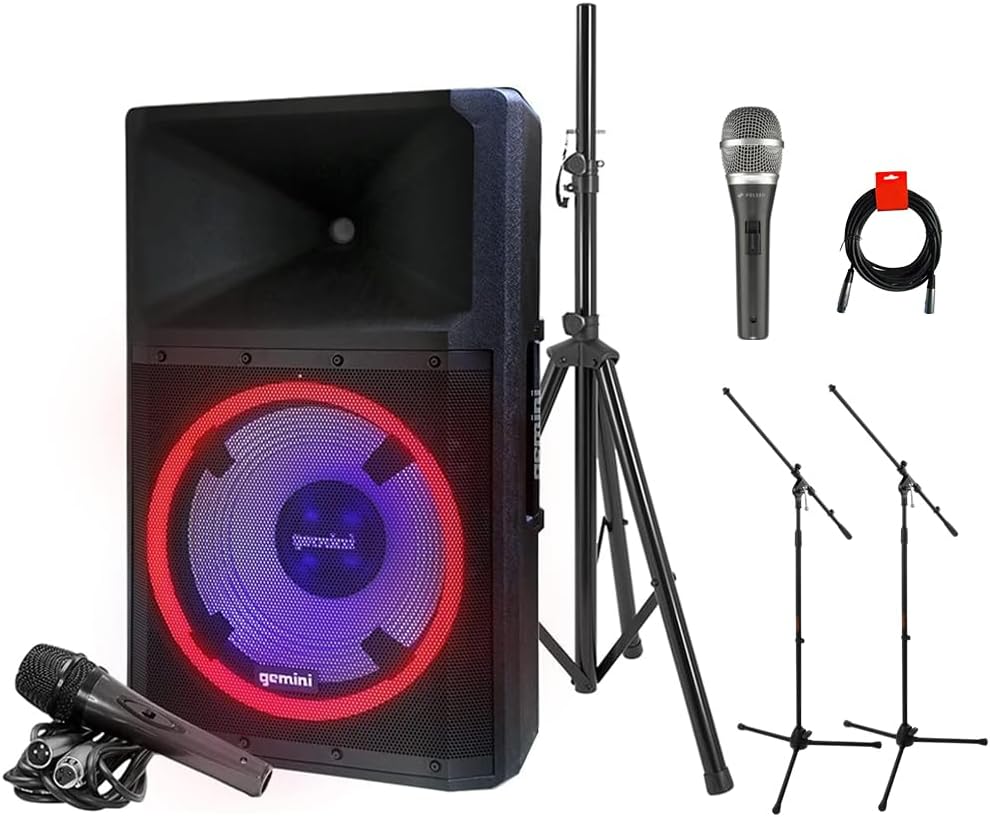
Image: The complete GSP-L2200PK bundle, showing the main speaker, a speaker stand, a Polsen M-85 microphone, two tripod microphone stands, and an XLR cable.
Ngwaahịa gafereview
Gemini GSP-L2200PK Powered Speaker
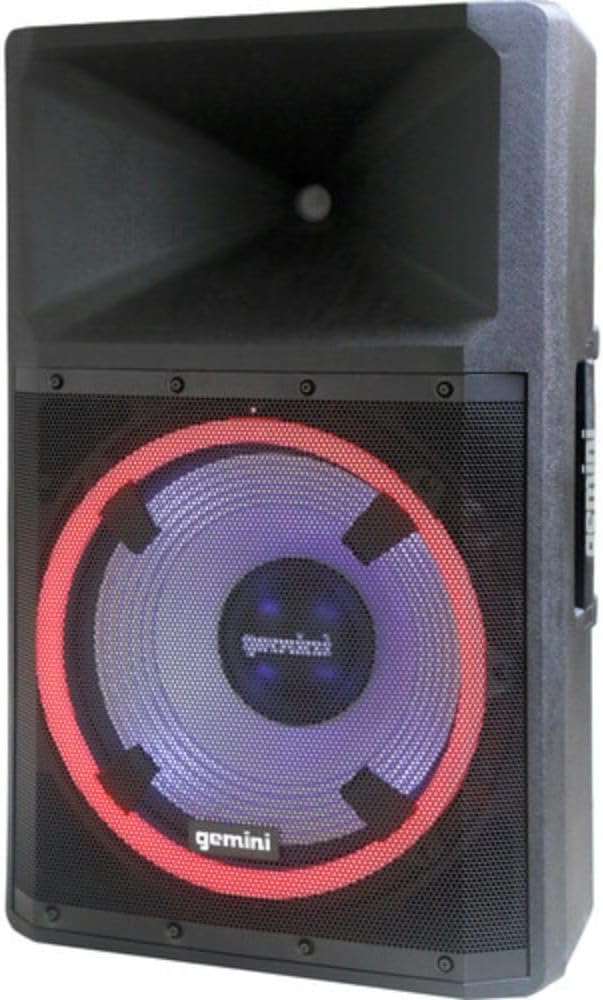
Foto: N'ihu view of the Gemini GSP-L2200PK speaker, highlighting the 15-inch woofer with its illuminated LED ring and the horn tweeter.

Image: Rear panel of the Gemini GSP-L2200PK speaker, displaying the various input and output connections, volume controls, and the built-in media player interface.
The GSP-L2200PK is a powerful 15-inch bi-amped PA speaker featuring a 2200W peak output. It includes a 15" low-frequency woofer, a 3" voice coil, and a 1.35" tweeter for clear audio reproduction. The speaker is equipped with a three-channel mixer, individual gain controls, and a built-in media player that supports Bluetooth, SD cards, and USB drives. It also features adjustable full-color LED party lighting and a telescopic handle with wheels for portability.
Polsen M-85 Professional Dynamic Handheld Microphone

Image: The Polsen M-85 Professional Dynamic Handheld Microphone, a cardioid microphone with durable all-metal construction and an on/off switch.
The Polsen M-85 is a cardioid dynamic microphone designed for clear vocal reproduction. It features durable all-metal construction and a balanced XLR output connector for reliable performance.
Auray MS-5230F Tripod Microphone Stands
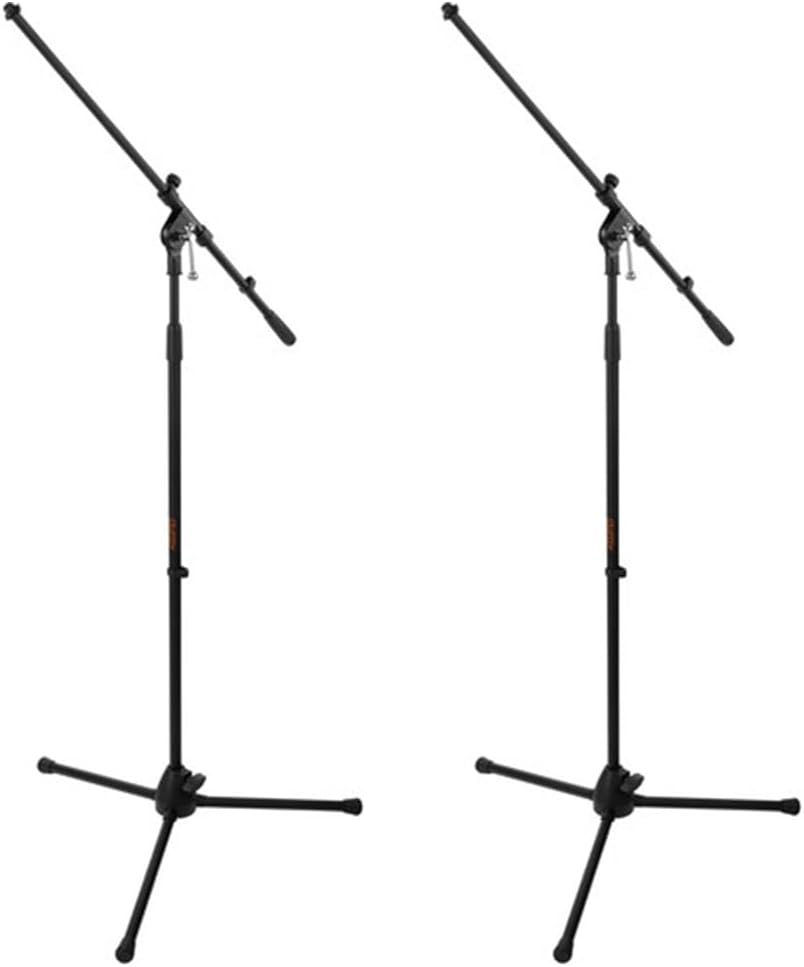
Image: Two Auray MS-5230F Tripod Microphone Stands, featuring a stable tripod base and a fixed boom arm for microphone positioning.
The MS-5230F stands feature durable steel construction with a stable tripod base and a fixed boom arm, ideal for various microphone placements.
Igwe eriri

Image: A coiled 20-inch XLR-XLR cable, used for connecting audio equipment.
The bundle includes a power cord for the speaker, an XLR to 1/4" cable for the Polsen M-85 microphone, and a 20-inch XLR-XLR cable for linking speakers or other audio devices.
Ntuziaka nhazi
1. Ntinye okwu
- Unpack the GSP-L2200PK speaker and the speaker stand.
- Extend the legs of the speaker stand to form a stable tripod base. Ensure the locking mechanisms are securely fastened.
- Carefully lift the GSP-L2200PK speaker and place it onto the pole of the speaker stand. Ensure it is seated firmly and securely.
- Position the speaker in a central location, elevated for optimal sound dispersion. Avoid placing it directly against walls or in corners, which can affect bass response.
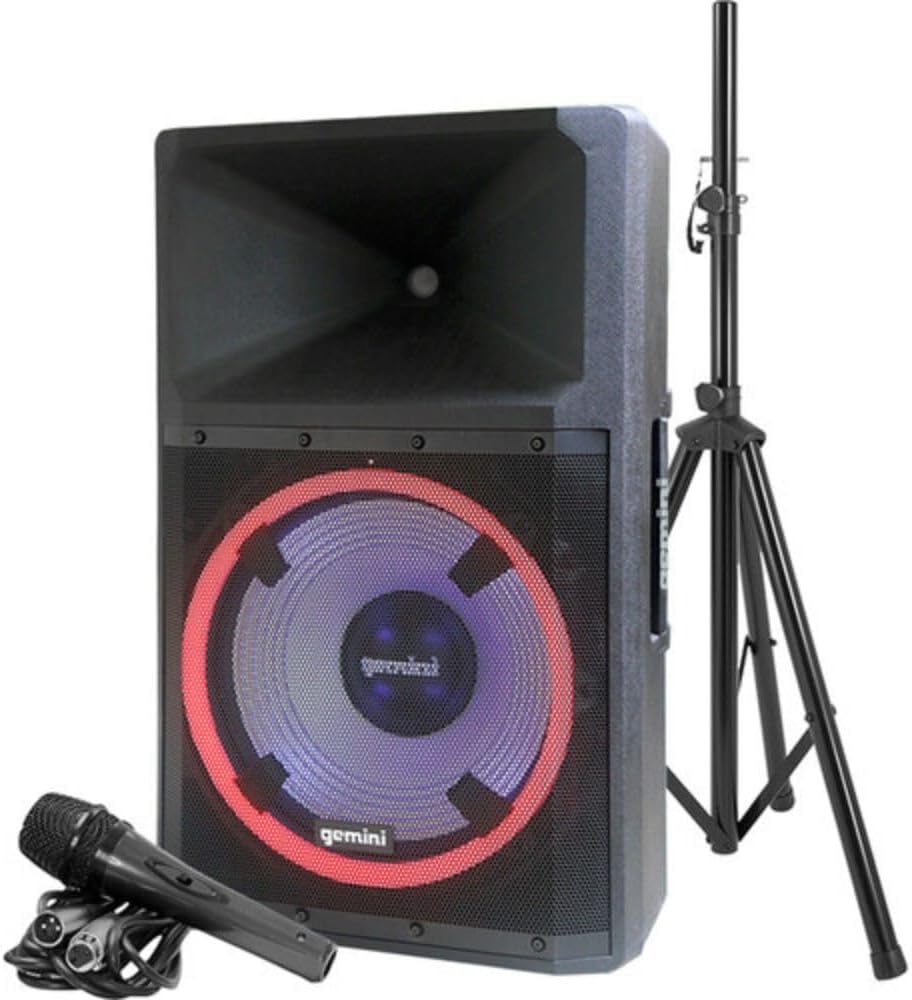
Image: The Gemini GSP-L2200PK speaker correctly mounted on its included stand, with the Polsen M-85 microphone positioned in front.
2. Ntọala igwe okwu
- Assemble the Auray MS-5230F tripod microphone stands by extending the legs and attaching the fixed boom arm.
- Attach the microphone clip to the boom arm of the stand.
- Insert the Polsen M-85 microphone into the microphone clip.
- Connect the XLR end of the provided microphone cable (XLR to 1/4") to the Polsen M-85 microphone.
- Connect the 1/4" end of the microphone cable to one of the Microphone Input (XLR/1/4" Combo) jacks on the rear panel of the GSP-L2200PK speaker.
3. Njikọ ike
- Ensure the speaker's power switch is in the OFF position.
- Connect the provided power cord to the AC INLET on the rear panel of the speaker.
- Tinye akụkụ nke ọzọ nke eriri ọkụ n'ime ebe ọkụ AC dabara adaba.
Ntuziaka ọrụ
1. Powering On and Initial Volume Settings
- Before powering on, ensure all volume knobs (Master, Mic, Line, Media Player) are set to their minimum (counter-clockwise) position.
- Flip the POWER switch on the rear panel to the ON position. The power indicator light will illuminate.
- Slowly increase the MASTER VOLUME to a low listening level.
2. Njikọ Bluetooth
- On the speaker's media player, select the Bluetooth mode. The Bluetooth indicator will flash, indicating it's ready for pairing.
- Na ekwentị gị, mbadamba, ma ọ bụ kọmputa, mee ka Bluetooth rụọ ọrụ ma chọọ ngwaọrụ dị.
- Select "GSP-L2200PK" from the list of devices. Once paired, the Bluetooth indicator on the speaker will become solid.
- You can now stream audio wirelessly to the speaker. Adjust the MEDIA PLAYER VOLUME knob for the desired level.
3. Wired Audio Inputs
- Ntinye igwe okwu: Connect your Polsen M-85 microphone (or other XLR/1/4" microphones) to the MIC INPUT 1 or MIC INPUT 2 jacks. Adjust the corresponding MIC VOLUME knob.
- Ntinye ahịrị For other audio sources (e.g., mixer, instrument, non-Bluetooth player), use the LINE INPUTS (XLR, RCA, or 3.5mm AUX). Connect your device and adjust the LINE VOLUME knob.
- Ntinye gita: The 1/4" input can also be used for guitar connection.
4. LED Lighting Control
The GSP-L2200PK features built-in LED lights with several operational modes. Refer to the controls on the rear panel to cycle through different lighting effects, including sound-reactive modes, or to turn the lights off.
5. TWS Linking (True Wireless Stereo)
For a stereo sound experience, you can wirelessly link two GSP-L2200PK speakers. Consult the speaker's specific TWS linking instructions, usually involving pressing a dedicated TWS button on both units until they pair.
6. XLR Output
The XLR OUTPUT allows you to link additional powered speakers or send the mixed audio signal to another sound system. Use the provided XLR-XLR cable for this connection.
Nlekọta
- Nhicha: Always unplug the speaker before cleaning. Use a soft, dry cloth to wipe down the exterior surfaces. Do not use abrasive cleaners, waxes, or solvents.
- Nchekwa: When not in use for extended periods, store the speaker and accessories in a cool, dry place, away from direct sunlight and extreme temperatures.
- Gịnị: Inspect all cables regularly for signs of wear or damage. Replace any damaged cables immediately to ensure safe operation.
- Igwe ikuku: Ensure that the ventilation openings on the speaker are not blocked to prevent overheating.
Nchọpụta nsogbu
| Nsogbu | Ihe nwere ike ime | Ngwọta |
|---|---|---|
| Enweghị ike | Power cord not connected; Power outlet not active; Speaker power switch off. | Ensure power cord is securely connected; Test outlet with another device; Turn speaker power switch ON. |
| Enweghị mmepụta ụda | Volume knobs too low; Incorrect input selected; Source device not playing; Damaged cable. | Increase MASTER, MIC, LINE, or MEDIA PLAYER volume; Ensure correct input is active; Check source device playback; Replace cable if damaged. |
| Bluetooth anaghị ejikọta | Speaker not in pairing mode; Device too far; Incorrect device selected. | Ensure speaker is in Bluetooth pairing mode (flashing indicator); Move device closer to speaker; Select "GSP-L2200PK" from device list. |
| Ụda agbagọ | Volume too high (clipping); Input signal too strong; Damaged speaker component. | Reduce MASTER or input volume; Lower output level from source device; Contact customer support if distortion persists at low volumes. |
| Igwe okwu anaghị arụ ọrụ | Microphone switch off; Cable not connected properly; MIC VOLUME too low. | Ensure microphone switch is ON; Check cable connection at both ends; Increase MIC VOLUME. |
Nkọwapụta
| Njirimara | Nkọwa |
|---|---|
| Nọmba nlereanya | GSP-L2200PK |
| Mpụta Wattage | 2200 Watts (Elu) |
| Nha Woofer | 15 sentimita asatọ |
| Ogo Tweeter | 1.35 sentimita asatọ |
| Ọnụọgụ nke ọwa | 3 (Mic 1, Mic 2, Line/Media Player) |
| Teknụzụ Njikọta | Bluetooth, XLR, 1/4" TRS or TS, RCA |
| Ntinye ọdịyo | XLR microphones, 1/4'' instrument inputs, RCA, 3.5mm auxiliary inputs |
| Mmepụta ọdịyo | XLR Link Output |
| Isi Iyi Ike | Igwe ọkụ eletrik |
| Ihe onwunwe | Steel (stands), Durable Enclosure (speaker) |
| Agba | Nwa |
| Ibu Ibu | 58 pounds (total bundle) |
| Akụkụ ngwugwu | 30.5 x 21 x 16.13 sentimita asatọ |
| Ụdị nkwụnye | Ugwu Osisi |
| Eji akwadoro | Events, speaking engagements, fitness programs, DJ parties, karaoke, indoor events |
Akwụkwọ ikike na nkwado
For warranty information and technical support, please refer to the warranty card included with your product or visit the official Gemini Sound websaịtị. Debe ihe akaebe nke ịzụrụ ihe maka akwụkwọ ikike ọ bụla.
Gemini Customer Support: For assistance with your GSP-L2200PK system, please contact Gemini customer support. Contact details can typically be found on the manufacturer's websaịtị ma ọ bụ na nkwakọ ngwaahịa.