1. Okwu mmalite
Thank you for choosing the Tecmojo 1U Rack Mount 19 Outlet PDU Power Distribution Unit. This manual provides essential information for the safe and efficient installation, operation, and maintenance of your new PDU. Please read this manual thoroughly before use and retain it for future reference.
2. Ngwaahịa gafereview
The Tecmojo 1U Rack Mount PDU is designed for efficient power distribution in standard 19-inch AV, network, and server cabinets. It offers a robust solution for managing power to multiple devices with built-in safety features.
Akụkụ ndị bụ isi:
- Versatile and Space-Saving: Compact 1U design for efficient use of space in 19-inch racks.
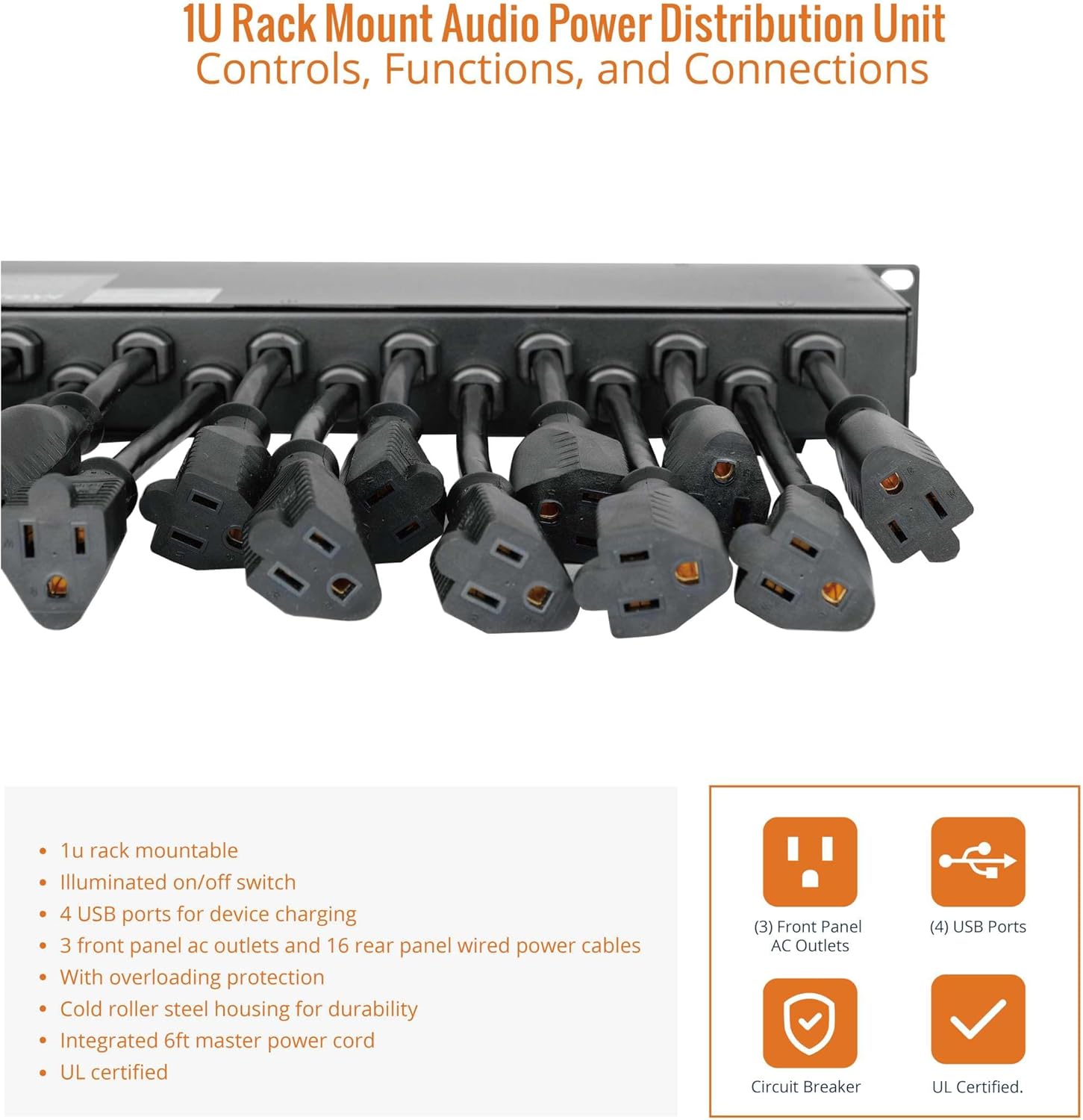
- Ample Connectivity: 16 rear-facing plug outlets and 3 front-facing outlets for diverse device connections.
- Efficient USB Power: Four front-facing USB ports for simultaneous charging of compatible devices.
- Ihe mgbaji sekit arụnyere n'ime ya: 12-amp circuit breaker protects against circuit overloads, ensuring reliable performance and equipment safety.
- Ịrụ Ọrụ Dị arọ: Sturdy metal housing and durable components for long-lasting use.
- Nkwanye dị mma: Includes mounting ears for easy installation in standard 19-inch racks.
Components and Dimensions:



3. Nhazi
3.1 Rack arịọnụ
- Ensure your 19-inch rack has available 1U space.
- Attach the included mounting ears to the sides of the PDU using the provided screws.
- Align the PDU with the rack rails and secure it using appropriate rack screws.
3.2 Njikọ ike
- Connect the integrated 6-foot master power cord from the PDU to a grounded 125V AC power source.
- Ensure the power source is capable of handling the PDU's maximum load (12A).
3.3 Njikọ ngwaọrụ
- Plug your devices into the available 16 rear-facing and 3 front-facing AC outlets.
- For USB-powered devices, use the four front-facing USB ports.
- Distribute the load evenly across the outlets to prevent overloading.
4. Ntuziaka ọrụ
4.1 Gbanyụọ/ gbanyụọ
The PDU features an illuminated ON/OFF switch on the front panel. Press the switch to the 'ON' position to supply power to all connected outlets. Press it to the 'OFF' position to cut power.
4.2 Nchekwa ibu ibu
The PDU is equipped with a 12-amp circuit breaker. If the total current draw from connected devices exceeds 12 amps, the circuit breaker will trip to protect the PDU and connected equipment from damage. To reset the breaker, disconnect some devices to reduce the load, then press the reset button on the rear panel.
4.3 USB Nchaji
The four front USB ports provide power for charging compatible devices. Simply connect your device's USB cable to an available port.
5. Nlekọta
- Regularly inspect the PDU and its power cord for any signs of damage.
- Keep the PDU clean and free from dust and debris to ensure proper ventilation.
- Do not attempt to open or service the PDU yourself. Refer to qualified personnel for repairs.
6. Nchọpụta nsogbu
- Enweghị ike ịbanye na ebe a na-ere ọkụ: Check if the main power switch is ON. Verify the PDU's power cord is securely plugged into a live outlet. Check if the circuit breaker has tripped (see Overload Protection section).
- Ọdụ ụgbọ mmiri USB anaghị akwụ ụgwọ: Ensure the PDU is powered on. Check the USB cable and the device being charged.
- Ike na-adịte aka: Ensure all connections are secure. Avoid overloading the PDU.
7. Nkọwapụta
| Nkọwapụta | Uru |
|---|---|
| Akụkụ ngwaahịa | 5 x 19 x 1.7 sentimita asatọ |
| Ibu Ibu | 9.48 pound |
| Ụdị | Tecmojo |
| Agba | Nwa |
| Mkpokọta ọdụ ọkụ | 19 (16 Rear, 3 Front) |
| ọdụ ụgbọ mmiri USB | 4 (n'ihu) |
| Voltage | 125V AC |
| Ogo dị ugbu a | 12A UL Certified |
| Njirimara Pụrụ Iche | Nchekwa oke ibu |
| Onye nrụpụta | Tecmojo |
| ASIN | B0CJCVB5MX |
8. Official Product Videos
Tecmojo Rack Mount Power Strip Overview
Vidiyo a na-enye nkọwa zuru okeview of the Tecmojo Rack Mount Power Strip, showcasing its features and design. It highlights the product's functionality and appearance.
Tecmojo 1U Rack Mount 19 Outlet PDU Power Demonstration
This video demonstrates the Tecmojo 1U Rack Mount 19 Outlet PDU in action, illustrating its use and features within a rack setup. It provides a visual guide to its operation.
9. Akwụkwọ ikike na nkwado
For warranty information and customer support, please refer to the official Tecmojo websaịtị ma ọ bụ kpọtụrụ onye na-ere ahịa gị. Debe akwụkwọ nnata ịzụrụ maka akwụkwọ ikike.


