Okwu mmalite
This manual provides essential information for setting up, operating, and maintaining your HP Essential 17t Laptop TPN-I139. Please read these instructions carefully to ensure proper use and to maximize the lifespan of your device.
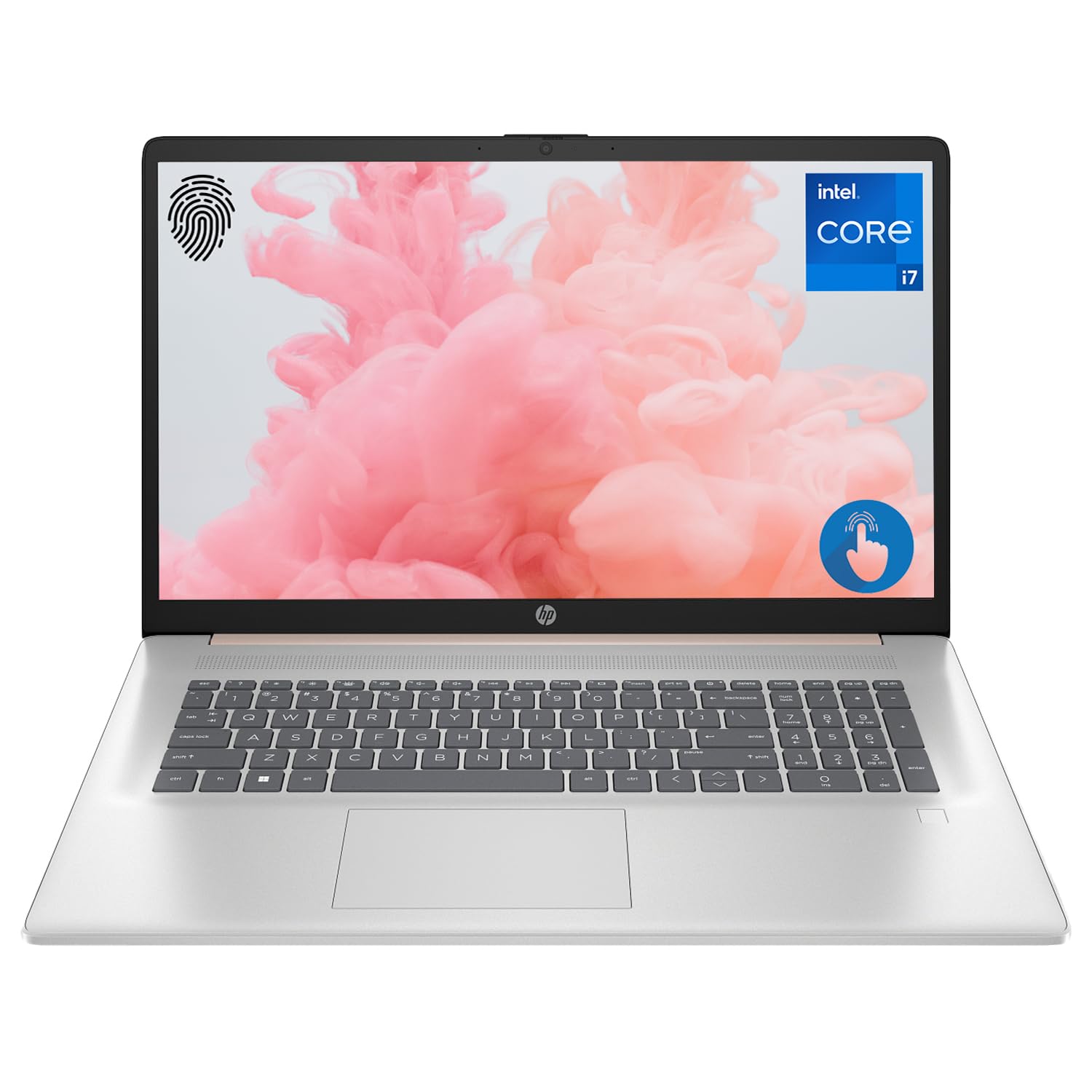
Figure 1: HP Essential 17t Laptop
The HP Essential 17t Laptop is designed for productivity and everyday use, featuring a 17.3-inch HD+ touchscreen, an Intel Core i7-1355U processor, 64GB of RAM, and a 2TB SSD. It comes pre-installed with Windows 11 Home.
Na-amalite
1. Kedu ihe dị na Igbe ahụ
- HP Essential Touchscreen Laptop
- Ada Ada AC
- Ntuziaka mmalite ngwa ngwa (ọ bụrụ na etinyere ya)
2. Ike mbido na ịtọlite
- Jikọọ ihe nkwụnye ike AC na laptọọpụ na ebe a na-etinye ọkụ eletrik.
- Mepee mkpuchi laptọọpụ ahụ wee pịa bọtịnụ ike, nke a na-ahụkarị na dek ahụigodo.
- Follow the on-screen instructions to complete the Windows 11 Home setup. This includes selecting your region, connecting to a Wi-Fi network, creating a user account, and accepting the license agreement.

Figure 2: Windows 11 Home Interface
Ngwaike karịrịview
Ọdụ ụgbọ mmiri na njikọ
Mara onwe gị nke ọma na ọdụ ụgbọ mmiri dị iche iche dị na laptọọpụ gị maka ijikọ ngwaọrụ mpụga.

Figure 3: Laptop Ports and Connectors
- SuperSpeed USB Type-A (5Gbps signaling rate): For connecting USB devices like mice, keyboards, or external drives.
- HDMI 1.4b: Maka ijikọ na ngosipụta mpụga ma ọ bụ ihe nrụpụta.
- SuperSpeed USB Type-C (5Gbps signaling rate): Ọdụ ụgbọ mmiri dị iche iche maka nnyefe data na ijikọ ngwaọrụ ndị dakọtara.
- Nchikota Jakị ekweisi/igwe okwu (3.5mm): Maka ijikọ ekweisi, okwu mpụga, ma ọ bụ ekweisi nwere igwe okwu.
Ahụigodo na Touchpad
The laptop features a full-size backlit keyboard for comfortable typing in various lighting conditions and a responsive touchpad for navigation.
Ngosipụta
Your HP Essential 17t Laptop is equipped with a 17.3-inch HD+ (1600 x 900) touchscreen display, offering intuitive interaction with Windows 11.

Figure 4: 17.3" HD+ Touchscreen Display
Na-arụ ọrụ Laptọọpụ gị
Njikwa Ike
- Gbanyụọ/ Gbanyụọ: Press the power button to turn the laptop on. To shut down, click the Start button, then Power > Shut down.
- Modera Modera: Close the lid or click the Start button, then Power > Sleep to put the laptop into a low-power state.
- Nlekọta batrị: The laptop supports battery fast charge, reaching approximately 50% charge in 45 minutes. For optimal battery health, avoid consistently draining the battery to 0% or keeping it at 100% for extended periods.
Iji Touchscreen
Interact with your laptop directly on the screen using touch gestures. Common gestures include tapping to select, pinching to zoom, and swiping to scroll.
Iji Ihe Ọgụgụ Mkpisiaka
The integrated fingerprint reader allows for secure and quick login. Set up your fingerprints through Windows Hello in the Windows Settings app (Accounts > Sign-in options).
Jikọọ na Wi-Fi
To connect to a wireless network, click the Wi-Fi icon in the taskbar, select your desired network, and enter the password if prompted. The laptop supports Wi-Fi 6 for fast and reliable wireless connectivity.
Njirimara nrụpụta
This laptop integrates Copilot + AI capabilities to enhance productivity. These features can assist with scheduling, drafting emails, summarizing documents, and more, streamlining your workflow.

Figure 5: Copilot + AI for Enhanced Productivity
Nlekọta na nlekọta
Ihicha Laptọọpụ Gị
- Jiri akwa dị nro na-enweghị ntụpọ dampejiri mmiri ma ọ bụ ihe nhicha ihuenyo ihicha ihe ngosi.
- Maka kiibọọdụ na chassis, jiri ákwà dị nro ma kpọọ nkụ. Zere kemịkalụ siri ike ma ọ bụ ihe ndị na-emebi ihe.
- Gbaa mbọ hụ na agbanyụrụ laptọọpụ wee wepụ ya tupu ihicha ya.
Mmelite ngwanrọ
Na-enyocha ma wụnye mmelite Windows mgbe niile iji hụ na sistemụ gị nwere ihe ndozi nchekwa kachasị ọhụrụ na mmezi arụmọrụ. Gaa na Ntọala > Mmelite Windows.
Nchọpụta nsogbu
Ọ bụrụ na ị na-enwe nsogbu na laptọọpụ gị, gbalịa usoro ndị a dị mfe iji dozie nsogbu:
- Enweghị ike: Hụ na e jikọrọ ihe nkwụnye AC ahụ nke ọma na laptọọpụ ahụ na ebe ọkụ eletrik na-arụ ọrụ. Nwaa ebe ọkụ eletrik dị iche.
- Ihe ngosi: If the screen is blank, try connecting an external monitor to check if the issue is with the laptop's display.
- Njikọ Wi-Fi: Restart your router and modem. Ensure Wi-Fi is enabled on your laptop.
- Ịrụ ngwa ngwa: Close unnecessary applications. Check for available Windows updates.
Maka nsogbu ndị ọzọ siri ike, gaa na nkwado HP websaịtị ma ọ bụ kpọtụrụ ọrụ ndị ahịa HP.
Nkọwapụta
Below are the key technical specifications for the HP Essential 17t Laptop TPN-I139:

Figure 6: Intel Core i7-1355U Processor
| Njirimara | Nkọwapụta |
|---|---|
| Aha Nlereanya | TPN-I139 |
| Nhazi | Intel Core i7-1355U nke ọgbọ nke iri na abụọ (Cores 10, eriri 12, ruo 5.0 GHz) |
| RAM | 64 GB DDR4 SDRAM (3200 MHz) |
| Nchekwa | 2 TB PCIe NVMe M.2 SSD |
| Ngosipụta | 17.3" HD+ (1600 x 900) Touchscreen, BrightView, 250 nits |
| Eserese | Ihe eserese nke Intel Iris Xe |
| Sistemụ nrụọrụ | Windows 11 Ụlọ |
| Njikọ ikuku | Wi-Fi 6 (802.11ax) |
| ọdụ ụgbọ mmiri | 1x SuperSpeed USB Type-C (5Gbps), 2x SuperSpeed USB Type-A (5Gbps), 1x HDMI 1.4b, 1x Headphone/Microphone Combo |
| Atụmatụ pụrụ iche | Backlit Keyboard, Fingerprint Reader |
| Akụkụ (LxWxH) | 15.78 x 10.15 x 0.78 sentimita asatọ |
| Ibu | 5.25 pound |

Figure 7: Intel Iris Xe Graphics
Akwụkwọ ikike na nkwado
Your HP Essential 17t Laptop comes with a standard manufacturer's warranty. For detailed warranty terms and conditions, please refer to the documentation included with your product or visit the official HP support website. For technical assistance, driver downloads, or service requests, please contact HP customer support directly.
Ngwaahịa gafereview Vidiyo
Lelee vidio a ka ị hụ ihe na-eme n'ọdịnihuview of the HP Essential 17t Laptop's features and capabilities.
Video 1: HP Essential 17 Touchscreen 13th Gen i7 Laptop Overview by PCOnline US. This video highlights key features and design aspects of the laptop.