1. Okwu mmalite
Thank you for choosing the Xtorm Fuel Series 5 Powerbank. This manual provides essential information for the safe and efficient use of your new portable charger. Please read this manual thoroughly before using the device and keep it for future reference.
2. Ngwaahịa gafereview
The Xtorm Fuel Series 5 Powerbank is a high-capacity portable charger designed to keep your devices powered on the go. It features a robust 10,000 mAh battery, multiple fast-charging ports, and a durable design made from GRS certified recycled plastic.

This image displays the Xtorm Fuel Series 5 Powerbank in its elegant dusk white color, highlighting its compact design, the integrated digital percentage display, and the various charging ports located at the bottom.
Akụkụ ndị bụ isi:
- Ike 10,000mAh: Provides multiple charges for smartphones and other small devices.
- Nchaji ngwa ngwa: Equipped with a 20W USB-C Power Delivery (PD) port for rapid charging.
- Ọtụtụ ọdụ ụgbọ mmiri: Includes two USB-C ports (20W PD, 18W) and one USB-A port (18W) for simultaneous charging of up to three devices.
- Ngosipụta Digital: Real-time percentage display for remaining battery life and fast charge indication.
- Ihe na-adigide Constructed using GRS certified recycled plastic.

A zuru ezu view of the power bank's charging interface, featuring two USB-C ports and one USB-A port, indicating their respective power outputs.
3. Nhazi
Kedu ihe dị na igbe:
- Xtorm Fuel Series 5 Powerbank
- USB-C eriri USB
- Akwụkwọ ntuziaka (akwụkwọ a)
Ebube mbụ:
Before first use, it is recommended to fully charge your Xtorm Fuel Series 5 Powerbank. Connect the included USB-C cable to the power bank's input USB-C port and plug the other end into a compatible USB wall charger (not included). The digital display will show the charging progress. A full charge takes approximately 2.5 hours.
4. Ntuziaka ọrụ
Ịchaji Power Bank:
- Locate the USB-C input port on the power bank.
- Connect one end of the USB-C cable to this port.
- Connect the other end of the USB-C cable to a USB wall adapter or a computer's USB port.
- The digital display will illuminate, showing the current charge percentage and indicating that the power bank is charging.
Ịchaji ngwaọrụ gị:
The power bank can charge smartphones, tablets, and other USB-powered devices. It features two USB-C ports and one USB-A port.
- Connect your device's charging cable to the appropriate port on the power bank (USB-C or USB-A).
- Jikọọ nsọtụ nke ọzọ nke eriri na ngwaọrụ gị.
- Ụlọ akụ ọkụ ga-amalite chajị ngwaọrụ gị ozugbo. Ngosipụta dijitalụ ga-egosi ụgwọ ụlọ akụ fọdụrụ.
- Ị nwere ike ịchaji ọtụtụ ngwaọrụ n'otu oge site na iji ọdụ ụgbọ mmiri dị.
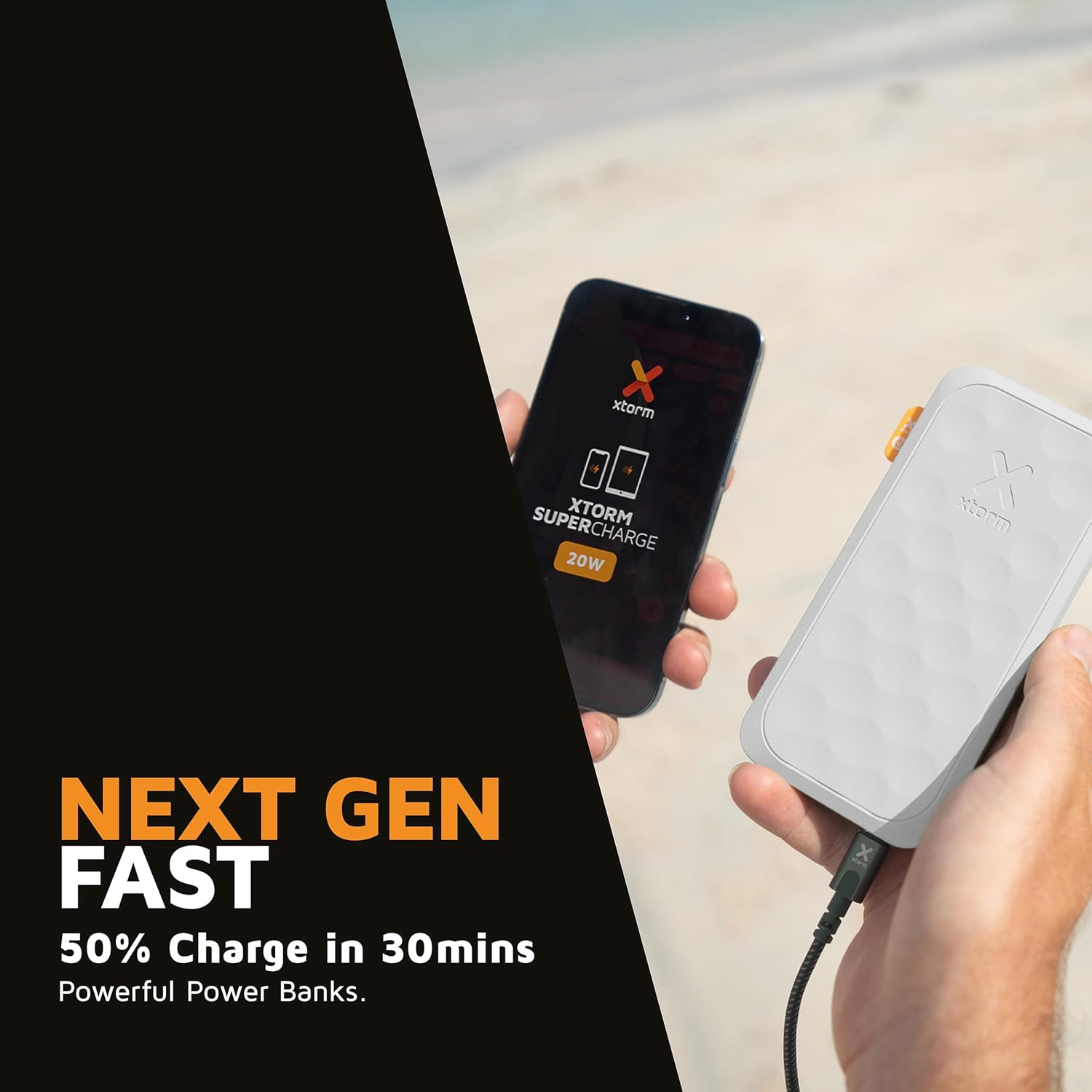
This image shows the Xtorm Fuel Series 5 Powerbank actively charging a smartphone, demonstrating its portable use case for on-the-go power.

This diagram provides a clear breakdown of the power bank's ports, showing the 20W USB-C PD output, an 18W USB-C output, and an 18W USB-A output, along with the 20W USB-C PD input.
5. Nlekọta na nlekọta
- Nhicha: Use a soft, dry cloth to clean the power bank. Do not use harsh chemicals or abrasive materials.
- Nchekwa: Chekwaa ụlọ akụ ọkụ ahụ n'ebe dị jụụ, kpọrọ nkụ na-adịghị na ìhè anyanwụ kpọmkwem na oke okpomọkụ.
- Ndụ batrị: To prolong battery life, fully charge and discharge the power bank at least once every three months if not in regular use.
- Zere mbelata: While designed to be robust, avoid dropping the power bank or subjecting it to strong impacts.
6. Nchọpụta nsogbu
Okwu na azịza ndị nkịtị:
- Ụlọ akụ Power anaghị akwụ ụgwọ:
- Hụ na eriri chaja ahụ jikọtara nke ọma na ma ụlọ akụ ike ma ebe ọkụ eletrik si apụta.
- Try a different USB wall adapter or USB port.
- Verify the charging cable is not damaged.
- Ngwaọrụ anaghị akwụ ụgwọ site na ụlọ akụ ọkụ:
- Ensure the power bank has sufficient charge (check the digital display).
- Gbalịa eriri chaja dị iche maka ngwaọrụ gị.
- Try connecting your device to a different port on the power bank. Note that one of the USB-C ports is specifically for fast charging (20W PD); if your device is older or not compatible with PD, try the other USB-C port or the USB-A port.
- Malitegharịa ekwentị gị.
- Nchaji nwayọ:
- Gbaa mbọ hụ na ị na-eji eriri na-anakọta ngwa ngwa yana ngwaọrụ gị na-akwado nchaji ngwa ngwa.
- When charging multiple devices simultaneously, the output power per port may be reduced.
7. Nkọwapụta
| Aha Nlereanya | FS5100 |
| Ike batrị | 10,000 mAh (Milliampoge awa) |
| Ngwakọta batrị | Lithium-polymer |
| Ntinye (USB-C) | 20W USB-C Power Delivery (PD) |
| Mpụta 1 (USB-C) | 20W USB-C Power Delivery (PD) |
| Mpụta 2 (USB-C) | 18W USB-C |
| Mpụta 3 (USB-A) | 18W USB-A |
| Mkpokọta Voltage | 20 volts |
| Ụdị njikọ | USB Ụdị A, USB Ụdị C |
| Atụmatụ pụrụ iche | Digital Display, Fast Charge, Portable |
| Akwadoro ojiji | Smartphone, Mbadamba ụrọ |
8. Ozi nchekwa
Your Xtorm Fuel Series 5 Powerbank is designed with multiple safety features to ensure reliable operation. Please adhere to the following safety guidelines:
- Ewepụla ụlọ akụ ọkụ ọkụ na oke okpomọkụ (karịa 45°C ma ọ bụ n'okpuru 0°C).
- Achịkọtala, gbanwee, ma ọ bụ nwaa ịrụkwa ngwaọrụ ahụ.
- Zere mmiri, mmiri, na ihe ndị na-ere ọkụ.
- Do not use if the power bank is visibly damaged or swollen.
- Tụfuo ụlọ akụ ike nke ọma dịka iwu obodo siri dị.
- The power bank features a 6-layered safety check including temperature control, short circuit protection, overload protection, and high-efficiency components. It is also designed to be airport-proof.

An infographic detailing the comprehensive safety mechanisms built into the power bank, including temperature control, short circuit protection, overload protection, A-Class components, secured power management, and high efficiency, ensuring safe and reliable operation.
9. Akwụkwọ ikike na nkwado
For warranty information and customer support, please refer to the Xtorm official webma ọ bụ kpọtụrụ onye na-ere ahịa mpaghara gị. Debe ihe akaebe nke ịzụrụ ihe maka akwụkwọ ikike ọ bụla.
Maka enyemaka ọzọ ma ọ bụ ajụjụ teknụzụ, biko gaa na www.xtorm.eu.


