Okwu mmalite
Thank you for choosing the EMOS EMILY Rechargeable LED Desk LampAkwụkwọ ntuziaka a na-enye ozi dị mkpa maka ojiji nchekwa na nke ọma nke ihe ọhụrụ gịamp. The EMILY lamp features a flexible gooseneck, continuous dimming, and a built-in rechargeable battery, making it ideal for various applications.
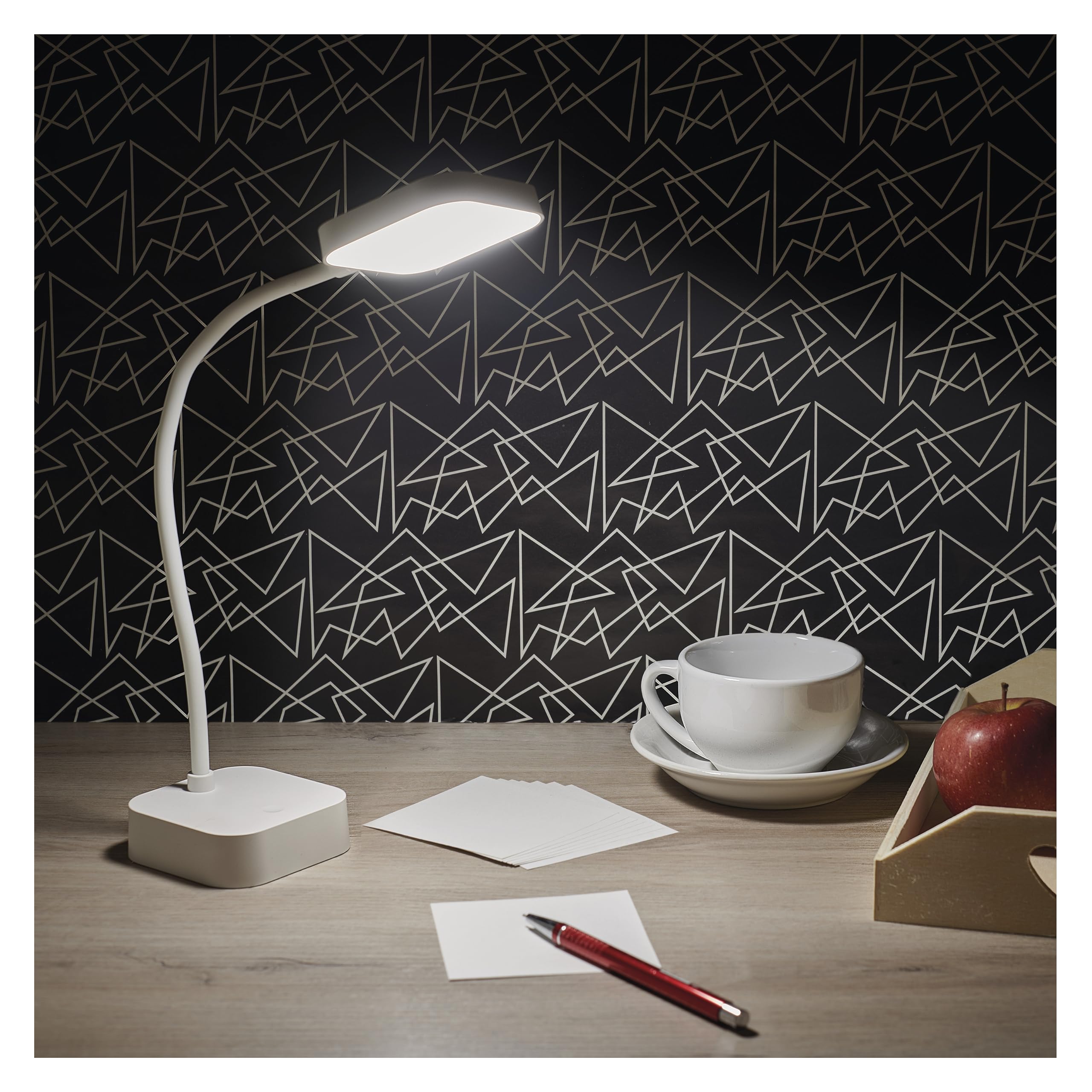
Image: The EMOS EMILY LED Desk Lamp in white, featuring a square base and lamp head connected by a flexible gooseneck.
Melite
- Wepu ihe Lamp: Jiri nlezianya wepụ lamp and all accessories from the packaging. Ensure all components listed in the specifications are present.
- Ebube mbụ: Tupu i jiri ya na mbụ, chajie l ahụ nke ọmaamp. Connect the supplied 1-meter USB charging cable to the lamp's charging port and to a suitable USB power adapter (not included). The charging indicator light will show the charging status.

Image: Close-up of the lamp's base showing the ON/OFF slide switch and the DC 5V charging port, with a charging cable being inserted.
- Mee ka Lamp: Locate the slide switch on the back of the lamp's base. Slide it from the "OFF" position to the "ON" position to enable the lamp's functions.
Ntuziaka ọrụ
- Gbanyụọ/ Gbanyụọ: Site na lamp activated (switch in "ON" position), lightly touch the touch button located on the lamp's base to turn the light on or off.
- Adjust Brightness (Dimming): To adjust the light intensity, press and hold the touch button. The brightness will continuously cycle between 10% and 100%. Release the button when the desired brightness is reached.
- Ịtọlite Lamp: Ndị lamp features a flexible gooseneck. Bend and rotate the gooseneck to direct the light precisely where needed.

Image: Three EMOS EMILY lamps shown from different angles, highlighting the flexibility of their gooseneck arms.
Nlekọta
- Nhicha: Kwupu njikọ lamp from any power source before cleaning. Use a soft, dry cloth to wipe the lamp's elu. Ejila ihe nhicha ma ọ bụ ihe mgbaze.
- Nchekwa: Ọ bụrụ na-echekwa lamp for an extended period, ensure it is fully charged and then turn the slide switch to the "OFF" position. Store in a cool, dry place.
- Nlekọta batrị: To prolong battery life, avoid completely discharging the battery frequently. Recharge the lamp mgbe mmepụta ọkụ na-ebelata nke ọma.
Nchọpụta nsogbu
| Nsogbu | Ihe nwere ike ime | Ngwọta |
|---|---|---|
| Lamp adịghị agbanye. | Agbanyụrụ batrị. Mgbanwe ọkụ agbanyụrụ. Bọtịnụ aka anaghị aza. | Chajikwa lamp. Slide the power switch to "ON". Ensure the touch button is clean and try again. |
| Ìhè na-ada ada ma ọ bụ flickers. | Batrị dị ala. Dimming setting is too low. | Tinyegharịa lamp zuru oke. Press and hold the touch button to increase brightness. |
| Lamp anaghị akwụ ụgwọ. | USB cable or adapter faulty. Charging port obstructed. | Try a different USB cable and adapter. Lelee ọdụ ụgbọ mmiri maka mkpọmkpọ ebe. |
Nkọwapụta
- Nọmba nlereanya: Z7627
- Akara: EMOS
- Ike: 2 W
- Flux na-egbuke egbuke: Oke 100 lm
- Okpomọkụ agba: 5000 Kelvin (Ọcha na-anọpụ iche)
- Igha: Continuous (10-100%)
- Ndụ batrị: Up to 96 hours (depending on brightness setting)
- Ụdị batrị: 1 batrị lithium-ion (gụnyere)
- Ịchaji: USB (1m cable included, adapter not included)
- Ihe: Plastic
- Akụkụ ngwaahịa: 8 x 8 x 30 cm (ihe dị ka 3.15 x 3.15 x 11.8 sentimita)
- Arọ: 340 grams (ihe dị ka 0.75 lbs)
- Ngwa gụnyere: 1 oche Lamp, 1 USB Charging Cable

Image: Technical drawing illustrating the dimensions of the EMOS EMILY LED Desk Lamp, including height, base diameter, and lamp nha isi.
Ozi akwụkwọ ikike
Specific warranty details for the EMOS EMILY LED Desk Lamp may vary by region and retailer. Please refer to the warranty card included with your purchase or contact your point of sale for detailed information regarding warranty coverage and terms.
Nkwado ndị ahịa
For further assistance, technical support, or inquiries regarding your EMOS EMILY LED Desk Lamp, please contact the retailer from whom you purchased the product. You may also visit the official EMOS websaịtị maka ozi ngwaahịa izugbe na akụrụngwa nkwado.


