
Okwu mmalite
This manual provides comprehensive instructions for the operation and maintenance of your ATTOP X-PACK 18 Drone with Camera. Please read this manual thoroughly before operating the drone to ensure safe and optimal performance. The ATTOP X-PACK 18 is a foldable drone equipped with a 1080P 120° wide-angle FPV Wi-Fi camera, offering features like one-key take-off/landing, headless mode, 3-speed modes, 360° flip, emergency stop, one-key return, and various APP-controlled functions including gesture, voice, and gravity control, as well as flight path mode.

Image: ATTOP Drone with remote control, batteries, and carrying case.
Kedu ihe dị na Igbe ahụ
Chọpụta na akụrụngwa niile dị na ngwugwu:
- ATTOP X-PACK 18 Drone
- Njikwa anya
- 2 x 3.7V / 1100mAh Rechargeable Batteries
- Akpa na-ebu
- Akara mmapụta
- Igwe nchaji USB
- Screwdriver
- Ejide ekwentị

Image: Visual representation of the drone, remote, batteries, and accessories included in the package.
Ntuziaka nhazi
Na-ekpughere drone
Carefully unfold the drone arms until they are fully extended. Ensure all arms click into place securely.

Image: Illustration of the drone's foldable design and dimensions.
Ntinye batrị
Insert the fully charged battery into the designated compartment on the drone. Ensure it is securely latched.
Ekwentị Clamp Installation (for Remote Control)
Tinye ekwentị clamp to the remote control. Secure your smartphone into the clamp for FPV viewing and APP control.
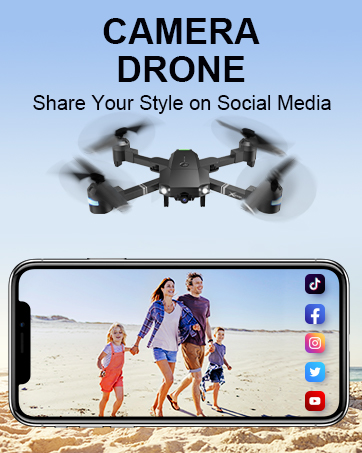
Image: Close-up of the remote control with a smartphone mounted in the clamp.
Gbanyụọ
Press and hold the power button on the drone until the indicator lights illuminate. Power on the remote control.
Ijikọta
After powering on both the drone and remote, push the left control stick on the remote fully up and then fully down to pair the devices. The drone lights will stop flashing once paired.
nhazi nhazi
If playing for the first time, press the calibration button on the remote control. This ensures stable flight.
Nbudata na njikọ APP
Download the "ATTOP CLUB" APP from your device's app store. Connect your phone to the drone's Wi-Fi network (e.g., "X-PACK 18-XXXXXX"). Open the APP and select "X-PACK 18" to connect and access advanced features and FPV view.
Video: Demonstrates the ATTOP CLUB APP download, Wi-Fi connection, and interface display for the X-PACK 18 drone.
Ntuziaka ọrụ
Familiarize yourself with the drone's controls and features for an optimal flight experience.
Video: Comprehensive guide demonstrating drone setup, basic flight controls, and advanced features like 360° stunts and headless mode.
Njikwa ụgbọ elu bụ isi:
- Mwepụ/ọdịda otu igodo: Press the dedicated button on the remote or APP for automatic take-off or landing.
- Ascend & Descend: Use the left control stick to adjust the drone's altitude.
- Altitude Holding: The drone maintains a stable hover at a set altitude, ideal for capturing steady photos and videos.
- Mbelata: Adjust the drone's flight path to correct any drifting.
- Flying Forward/Backward: Use the right control stick to move the drone in the desired direction.
- Na-atụgharị akaekpe/aka nri: Rotate the drone left or right using the left control stick.
- Ụgbọelu Aka ekpe/Aka nri: Move the drone sideways using the right control stick.
Akụkụ dị elu:
- 360° Stunt (Flip): Execute impressive aerial flips with a single button press.
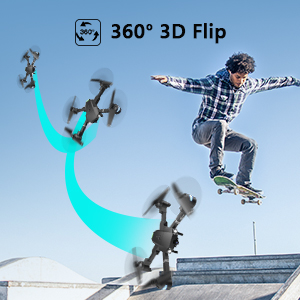
Image: Sequence showing the drone executing a 360-degree flip.
- Ụdị ọsọ ọsọ: Switch between 3 different speeds (30%, 60%, 100%) to match your skill level and environment.
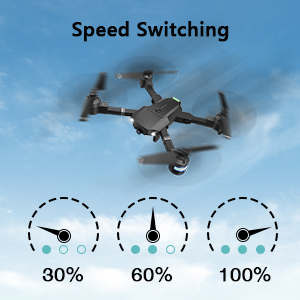
Image: Visual representation of the three-speed modes (30%, 60%, 100%).
- Ụdị enweghị isi: Simplifies flight by orienting the drone relative to the pilot, regardless of the drone's actual front direction.
- Fly gburugburu: The drone can perform circular flight patterns.
- Taking Pictures & Videos: Use the dedicated buttons on the remote or APP to capture 1080P HD photos and videos.
Image: Close-up of the drone's 1080P HD camera.
- Nkwụsị ihe mberede: Instantly stop the drone in case of an emergency to prevent damage or injury.
- Nlaghachi otu igodo: The drone will automatically return to its take-off point.
APP-Controlled Functions:
- Njikwa mmegharị ahụ: Perform specific hand gestures to trigger photo or video capture.
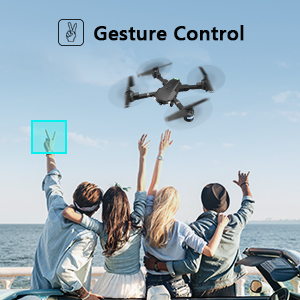
Image: People making a "V" gesture to activate the drone camera.
- Njikwa olu: Command the drone using voice commands for various flight actions (e.g., "Take off", "Landing", "Forward").

Foto: Examples of voice commands like "Take off" and "Right side" for drone control.
- Njikwa ike ndọda: Control the drone's movement by tilting your smartphone, utilizing its built-in G-sensor.
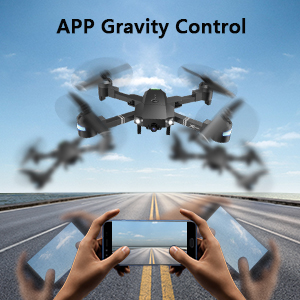
Image: Hands holding a smartphone, demonstrating how tilting controls the drone's direction.
- Flight Path Mode: Draw a desired flight path on your smartphone screen, and the drone will automatically follow it.
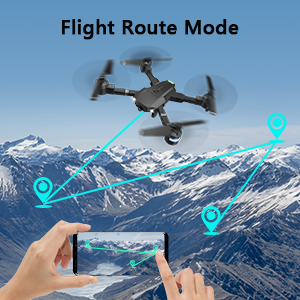
Image: A smartphone screen displaying a drawn flight path for the drone to follow.
- Ụdị VR: Compatible with VR glasses for an immersive first-person view flight experience.
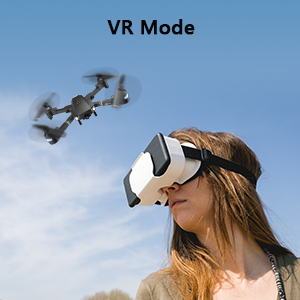
Image: A person wearing VR glasses, experiencing the drone's first-person view.
Nlekọta
Regular maintenance ensures the longevity and optimal performance of your drone.
- Nhicha: Use a soft, dry cloth to clean the drone body and camera lens. Avoid using harsh chemicals.
- Nyocha igwe ihe Regularly check propellers for any damage (cracks, bends). Replace damaged propellers immediately using the provided spare blades and screwdriver.
- Nlekọta batrị: Debe batrị n'ebe dị jụụ ma kpọọ nkụ. Ejila ya oke chaji ma ọ bụ wụpụ ya n'elu. Ọ bụrụ na ị na-echekwa ya ruo ogologo oge, chajie ha ruo ihe dịka pasentị iri ise.
- Nlekọta moto: Keep motors free from dust and debris. Avoid operating in sandy or dusty environments.
- Nchekwa: When not in use, fold the drone and store it in its carrying case to protect it from dust and physical damage.
Nchọpụta nsogbu
| Nsogbu | Ihe nwere ike ime | Ngwọta |
|---|---|---|
| Drone anaghị aza n'ime ime obodo. | Not paired, low battery, interference. | Ensure drone and remote are powered on and paired correctly. Recharge batteries. Move away from sources of interference. |
| Drone na-efegharị n'oge ụgbọ elu. | Not calibrated, uneven surface for take-off, wind. | Perform calibration on a flat surface. Use trimming functions to correct drift. Avoid flying in strong winds. |
| Camera not working or FPV feed is unstable. | Wi-Fi not connected, APP issue, low drone battery. | Ensure phone is connected to drone's Wi-Fi. Restart APP and drone. Charge drone battery. |
| Obere oge ụgbọ elu. | Batrị achachabeghị nke ọma, batrị ochie. | Fully charge batteries before each flight. Consider replacing old batteries. |
| Drone crashes frequently. | Lack of experience, environmental factors, damaged propellers. | Practice in open areas. Avoid obstacles. Check and replace damaged propellers. |
Nkọwapụta
| Njirimara | Nkọwa |
|---|---|
| Ụdị | AKWỤKWỌ |
| Aha Nlereanya | X-PACK 18 |
| Atụmatụ pụrụ iche | 360 Degree Flip, Speed Adjustment, Foldable, First Person View (FPV), Long Battery Life |
| Ogologo afọ (Nkọwa) | Ọnwa iri na asatọ gbagoro |
| Agba | Jet Black |
| Mkpebi ịse vidiyo | 1080p |
| Teknụzụ Njikọta | Wi-Fi |
| Ọkwa nka | Ha niile |
| Ike batrị | 1100 mAh (kwa batrị) |
| Oge ụgbọ elu | Ruo nkeji iri abụọ na ise (na batrị abụọ)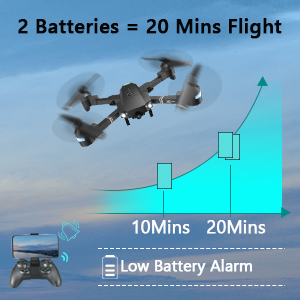 Image: Graph showing flight time with two batteries. |
| Usoro Nseta vidiyo | MP4 |
| Teknụzụ njikwa anya | Wi-Fi |
| Ụdị njikwa | Njikwa anya |
| Oke kacha | 80 mita |
| Ihe onwunwe | Plastic or Reinforced Plastic |
| Akụkụ ngwaahịa | 13.8"L x 12.6"W x 2.76"H |
| Ibu Ibu | 1.76 pound |
| Ụbọchị mwepụta | Nọvemba 12, 2023 |
Akwụkwọ ikike na nkwado
ATTOP provides customer support and assistance for your drone. For any questions or to inquire about extended warranty, please refer to the following:
- Nkwado email: support@attoptoys.com
- Nkwado n'ịntanetị: Nyochaa koodu QR dị n'okpuru ma ọ bụ gaa attop.afterservice.vip maka enyemaka na ozi akwụkwọ ikike.

Image: QR code for quick access to ATTOP customer service and extended warranty information.


