1. Ngwaahịa gafereview
The RAZEAK Portable 60% Mechanical Keyboard is a compact, high-performance input device designed for PC and Mac users, particularly gamers. Its 61-key layout saves desk space while retaining full functionality through key combinations. This model features durable mechanical switches and customizable colorful backlighting.
- Nhazi kọmpat 60%: Space-saving 61-key design with full functionality via key combinations.
- N-Key Rollover: Na-ahụ na e dekọrọ igodo niile nke ọma, ọbụlagodi n'oge ntinye ngwa ngwa.
- Dual Colour Translucent Keycaps: Injection-moulded keycaps for durability and enhanced backlighting.
- Ìhè azụ mara mma: Multiple LED backlighting modes for visual appeal and low-light visibility.
- Humanistic Design: Adjustable height and detachable USB-C cable for user comfort and portability.
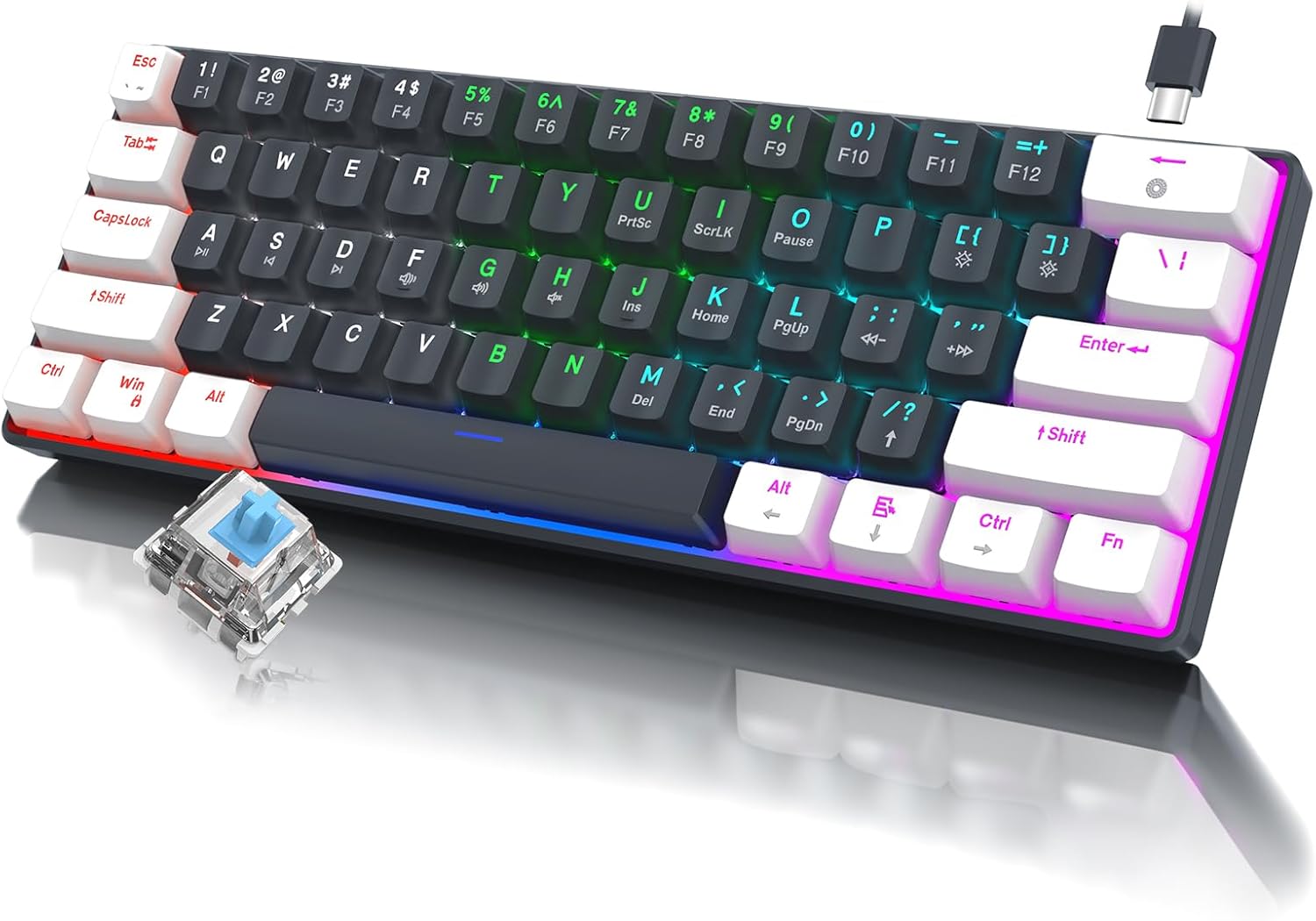
Foto 1.1: Ofeview of the RAZEAK Portable 60% Mechanical Keyboard, showcasing its compact design, colorful backlighting, and a detached blue mechanical switch.
2. Ihe ngwugwu
Please verify that all items are present in the package upon unboxing:
- RAZEAK Portable 60% Mechanical Keyboard
- USB-C USB
3. Nhazi
3.1 Jikọọ ahụigodo
- Locate the USB-C port on the back or side of the keyboard.
- Jikọọ otu nsọtụ nke eriri USB-C enyere na ọdụ USB-C nke ahụigodo ahụ.
- Connect the other end of the USB-C cable to an available USB-A port on your computer (PC or Mac).
- The keyboard will automatically be recognized by your operating system. No additional drivers are typically required.
3.2 Ịhazi Ogologo Ahụigodo
The keyboard features two levels of height adjustment for ergonomic comfort.
- Flip the keyboard over to access the adjustable feet on the underside.
- Gently pull out the small feet for the first level of elevation.
- For a higher angle, pull out the larger feet.
- Ensure both feet are extended evenly to maintain stability.

Image 3.1: Illustration of the keyboard's ergonomic design with adjustable feet, allowing for comfortable typing angles.
4. Ntuziaka ọrụ
4.1 Key Functions and Combinations
Due to its compact 60% layout, some functions are accessed via key combinations using the Fn igodo.
| Ngwakọta | Ọrụ |
|---|---|
| Fn + 1! to Fn + =+ | F1 to F12 Function Keys |
| Fn + Q | Egwu gara aga |
| Fn + W | Gwuo/kwụsịtụ |
| Fn + E | Track na-esote |
| Fn + R. | Mpịakọta ọnụ |
| Fn + T | Elu elu |
| Fn + Y | Ogbi |
| Fn + U | PrntSc (Print Screen) |
| Fn + I | ScrLk (Scroll Lock) |
| Fn + O | Kwụsịtụ |
| Fn + P | Ins (Insert) |
| Fn + [ { | Ụlọ |
| Fn + ] } | Ọgwụgwụ |
| Fn + ; : | PgUp (Page Up) |
| Fn +" | PgDn (Page Down) |
| Fn + / ? | Akụ elu |
| Fn + Alt | Ụka aka ekpe |
| Fn + Ctrl | Ụda ala |
| Fn + Fn | Ụka aka nri |

Image 4.1: Layout of the 60% ultra-compact keyboard, highlighting the 61-key configuration and secondary functions accessible via the Fn key.
Njikwa ọkụ azụ 4.2
The keyboard features multiple LED backlight modes and brightness levels.
- Fn + \|: Cycle through 19 different backlight modes.
- Fn + ; : (PgUp): Mụbaa nchapụta azụ azụ.
- Fn + ' " (PgDn): Belata nchapụta azụ.
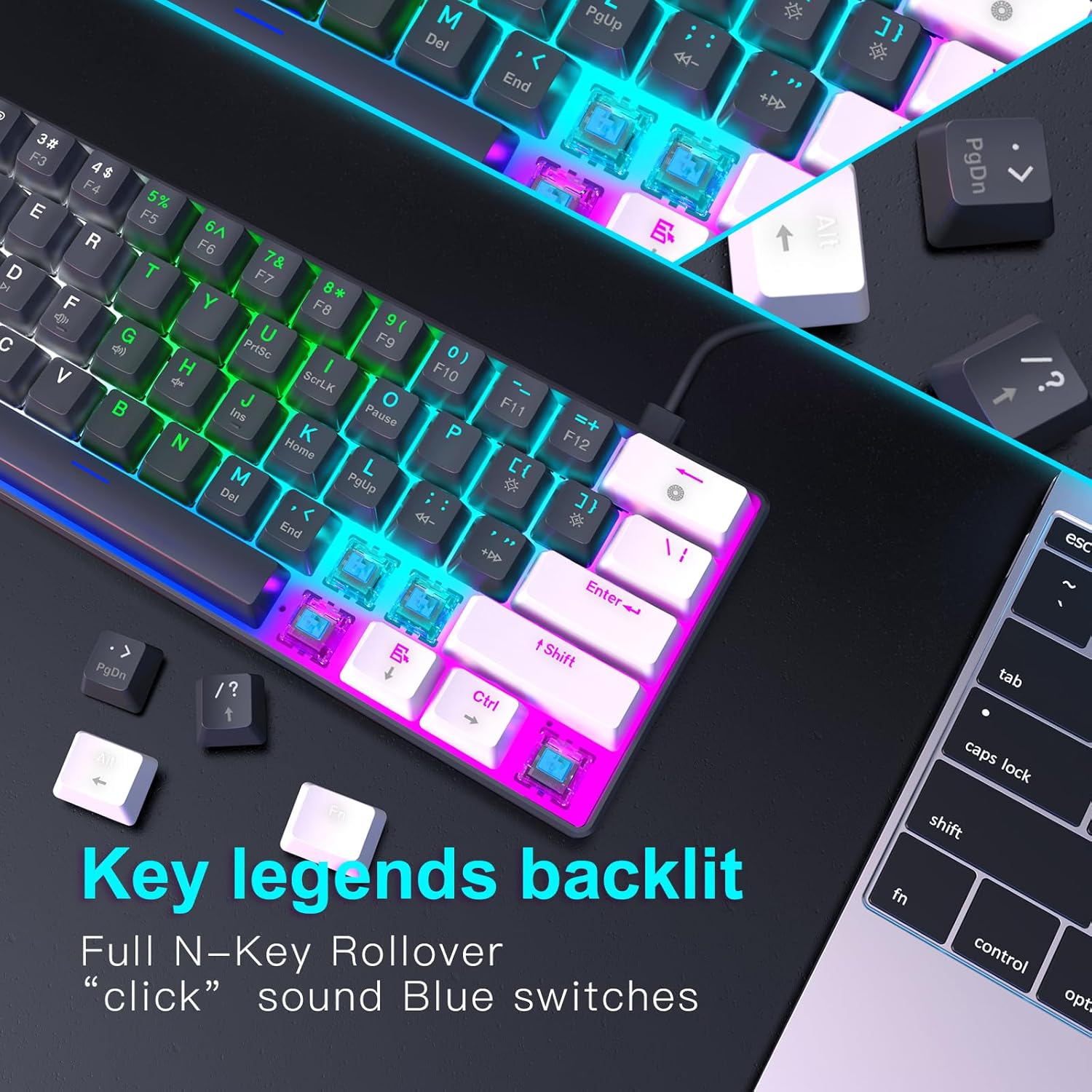
Foto 4.2: nso nso view of the keyboard's key legends with active backlighting, demonstrating the translucent keycaps and illuminated mechanical switches.
5. Nlekọta
Ndozi nke ọma na-achọpụta ogologo ndụ yana ezigbo arụmọrụ nke ahụigodo gị.
- Nhicha: Use a soft, dry cloth to wipe the surface of the keyboard. For dust and debris between keys, use compressed air. Avoid liquid cleaners directly on the keyboard.
- Keycap Removal (Optional): If necessary, keycaps can be carefully removed for deeper cleaning using a keycap puller (not included). Reinstall them by aligning and pressing down gently.
- Nchekwa: Mgbe ị na-ejighị ya, debe ahụigodo ahụ n'ebe dị ọcha ma kpọọ nkụ, ebe anwụ na-anaghị apụta kpọmkwem ma ọ bụ oke okpomọkụ.
- Nlekọta USB: Avoid bending or twisting the USB-C cable excessively to prevent damage.
6. Nchọpụta nsogbu
If you encounter issues with your RAZEAK keyboard, please refer to the following common solutions:
| Nsogbu | Ihe kpatara/ Ngwọta nwere ike ime |
|---|---|
| Ahụigodo anaghị aza |
|
| Ìhè azụ anaghị arụ ọrụ ma ọ bụ na-ebelata |
|
| Ụfọdụ igodo anaghị arụ ọrụ |
|
7. Nkọwapụta
| Njirimara | Nkọwa |
|---|---|
| Aha Nlereanya | X44-WTBK-BS_B |
| Ụdị | RAZEAK |
| Ụdị ahụigodo | Igwe eji egwu igwe |
| Nhazi | 60% (Igodo 61) |
| Ngbanwe Ụdị | Blue Switch (Clicky) |
| Njikọta | USB-C (Eriri a na-ewepụ ewepụ) |
| Ìhè azụ | Colorful LED (19 modes) |
| igodo Rollover | N-Key Rollover |
| Isi okwu | Dual Colour Translucent Injection Moulded |
| Akụkụ ngwaahịa | 11.5 x 4.02 x 1.57 sentimita asatọ |
| Ibu Ibu | 1.34 pound |
| Ngwa dakọtara | Windows devices (PC/Mac) |
| Ngwa gụnyere | eriri USB |

Image 7.1: Dimensional diagram of the RAZEAK Portable 60% Mechanical Keyboard, indicating its compact size.
8. Akwụkwọ ikike na nkwado
RAZEAK products are designed for reliability and performance. For specific warranty details, please refer to the warranty card included with your product or visit the official RAZEAK website. If you require technical assistance or have questions regarding your keyboard, please contact RAZEAK customer support through their official channels.
For further information and support, you may visit the RAZEAK Store on Amazon.