1. Okwu mmalite
Thank you for choosing the SETTY Wireless Rechargeable Mouse. This manual provides essential information for setting up, operating, and maintaining your new mouse. Please read these instructions carefully before use to ensure optimal performance and longevity of your device.
2. Ihe ngwugwu
- 1 x SETTY Wireless Rechargeable Mouse
- 1 x 2.4 GHz USB Receiver
- 1 x USB Charging Cable (25 cm)

Image 1: SETTY Wireless Rechargeable Mouse and its retail packaging.
3. Ngwaahịa gafereview
The SETTY Wireless Rechargeable Mouse is designed for comfort and efficiency in both office and home environments. It features a slim, ergonomic design, adjustable DPI settings, RGB lighting, and dual-mode connectivity (2.4 GHz and Bluetooth).
Akụkụ ndị bụ isi:
- Njikọta ụdị abụọ: Supports 2.4 GHz wireless via USB receiver and Bluetooth 5.1.
- DPI nwere ike imeghari: Three sensitivity levels (800, 1200, 1600 DPI) for precise control.
- Nhazi Ergonomic: Comfortable for extended use.
- Batrị enwere ike ịchaji: Built-in 500 mAh lithium battery.
- RGB ọkụ: Dynamic LED lighting for enhanced aesthetics.
- 6 bọtịnụ: Including left, right, scroll wheel, DPI switch, and two side buttons.
- One-Click Desktop Function: Quickly minimize all windows.
- Silent Click Design: Na-ebelata mkpọtụ arụ ọrụ.

Image 2: The ergonomic shape of the mouse designed for comfortable hand placement.
4. Nhazi
4.1. Ịchaji òké
Before first use, it is recommended to fully charge the mouse. Connect the provided USB charging cable to the charging port on the front of the mouse and the other end to a USB power source (e.g., computer USB port, USB wall adapter). The RGB lighting will indicate charging status and turn off when fully charged.
- Oge nchaji: Ihe dị ka awa 2.
- Oge ọrụ: Ruo awa 150 na ụgwọ zuru ezu.

Image 3: The mouse being charged via its USB cable.
4.2. Ijikọ òké
The SETTY mouse offers two connection methods: 2.4 GHz wireless via USB receiver or Bluetooth 5.1.
4.2.1. 2.4 GHz Njikọ ikuku
- Chọta ebe nnata USB, nke a na-echekwakarị n'ime akụkụ dị n'okpuru òké.
- Tinye eriri USB n'ọdụ ụgbọ mmiri dị na kọmputa gị.
- Gbanye òké ahụ site na iji ihe mgba ọkụ dị n'okpuru ya.
- Òké kwesịrị jikọọ na kọmputa gị ozugbo.
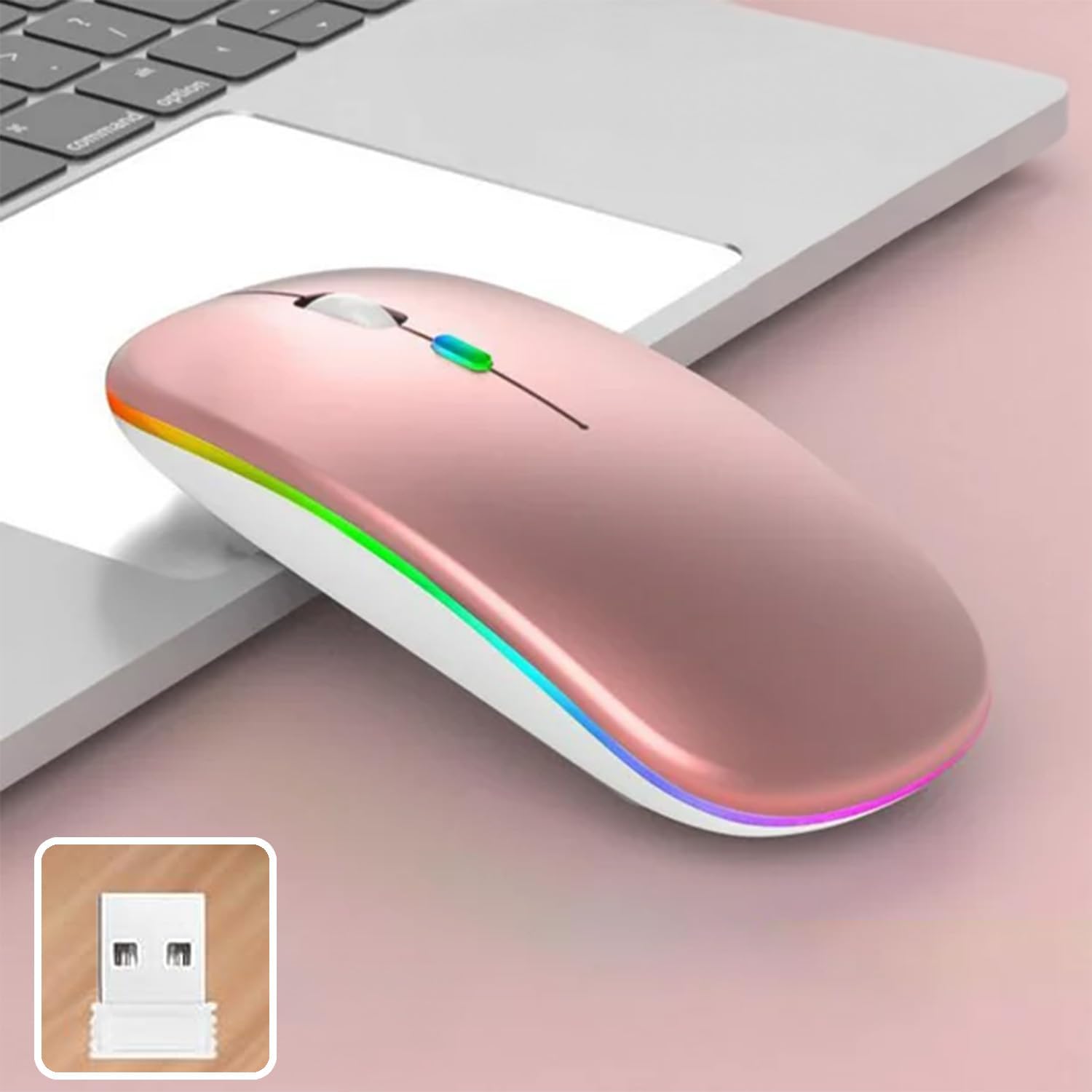
Image 4: The mouse and its 2.4 GHz USB receiver.
4.2.2. Njikọ Bluetooth 5.1
- Gbanwee òké site na iji mgba ọkụ.
- Press and hold the Bluetooth pairing button (often located on the underside or a dedicated button) until the indicator light starts flashing, indicating pairing mode.
- On your device (Windows, Mac OS, Android), go to Bluetooth settings and search for new devices.
- Select "SETTY Mouse" or a similar name from the list of available devices to pair.
- Once paired, the indicator light on the mouse will stop flashing.
4.3. Ndakọrịta
The SETTY Wireless Rechargeable Mouse is compatible with a wide range of operating systems and devices:
- Sistemụ arụmọrụ Windows
- Mac OS
- Ngwa gam akporo
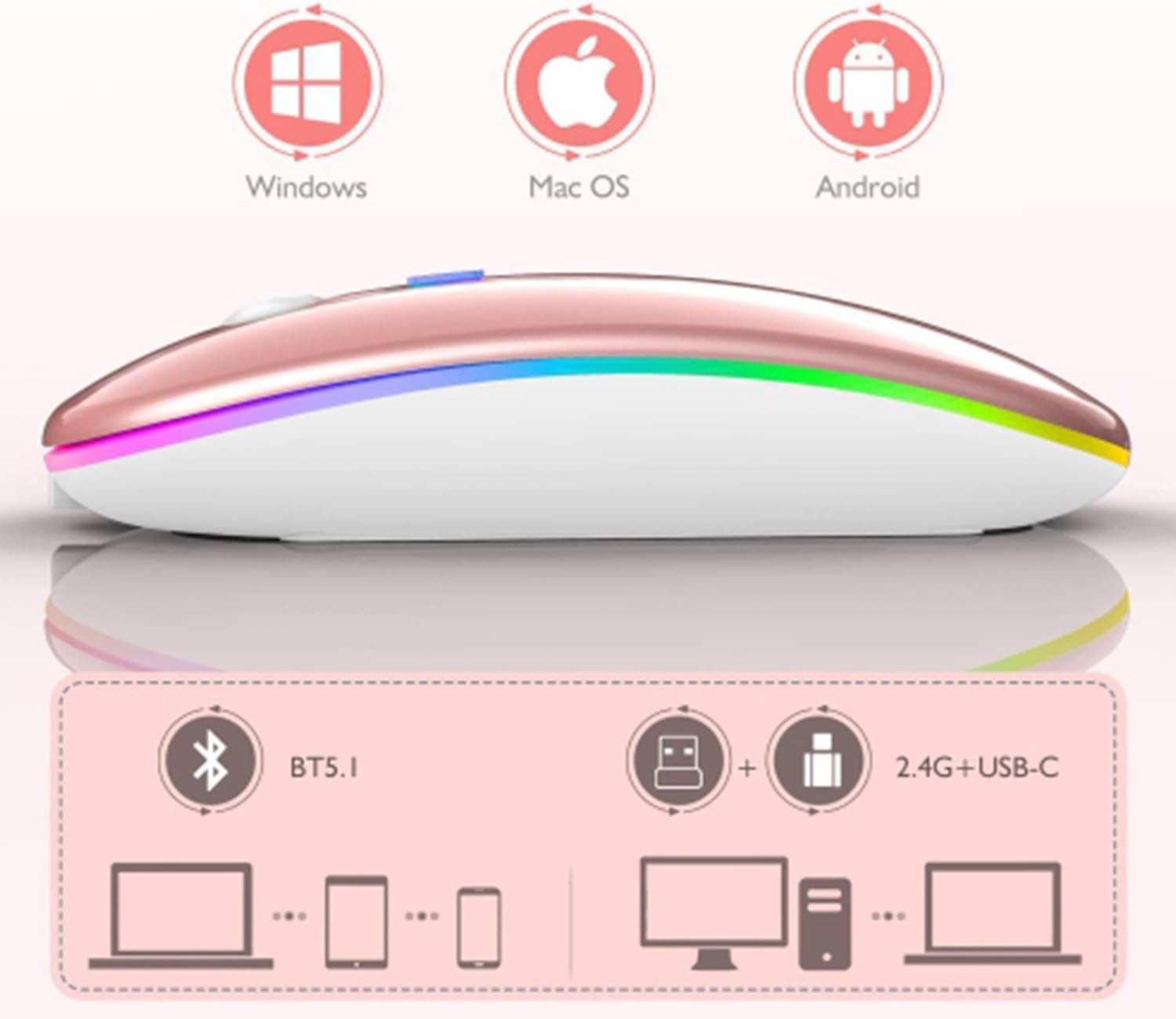
Image 5: Visual representation of the mouse's compatibility with various operating systems and connection types.
5. Ntuziaka ọrụ
5.1. DPI mmezi
The mouse features three adjustable DPI (Dots Per Inch) settings to suit your preference for cursor speed and precision. Press the DPI button (usually located behind the scroll wheel) to cycle through the settings:
- 800 DPI: Lower sensitivity for precise tasks.
- 1200 DPI: Standard sensitivity (default setting).
- 1600 DPI: Higher sensitivity for faster cursor movement.
5.2. RGB ọkụ
The mouse is equipped with dynamic RGB LED lighting. The lighting activates when the mouse is in use and enters power-saving modes when idle.
5.3. Power Saving Modes
To conserve battery life, the mouse implements a three-level power-saving system:
- Ụra 1: After 3 seconds of inactivity, the mouse enters a light sleep mode, indicated by a continuously flashing light.
- Ụra 2: After approximately 1 minute of inactivity, the mouse enters a deeper sleep mode, indicated by intermittently flashing lights.
- Ụra 3: After 8 minutes of inactivity, the mouse enters its deepest sleep mode, and the lights turn off completely. To wake the mouse, simply move it or click any button.
5.4. One-Click Desktop Function
The mouse includes a dedicated button (often a side button) that, when pressed, instantly minimizes all open windows, allowing you to quickly access your desktop.
6. Nlekọta
To ensure the longevity and optimal performance of your SETTY Wireless Rechargeable Mouse, follow these maintenance guidelines:
- Nhicha: Jiri akwa dị nro, kpọrọ nkụ hichapụ elu òké ahụ. Maka unyi isi ike, ntakịrị dampen akwa na mmiri ma ọ bụ a nwayọọ ihicha ngwọta. Zere iji kemịkalụ siri ike ma ọ bụ ihe na-emebi emebi.
- Nchekwa: Mgbe a naghị eji ya ruo ogologo oge, debe òké ahụ n'ebe dị jụụ ma kpọọ nkụ.
- Nlekọta batrị: Avoid fully discharging the battery frequently. Charge the mouse when the low battery indicator appears.
- Zere Oke Ọnọdụ: Ekwela ka òké ahụ nọrọ n'ọnọdụ okpomọkụ dị oke njọ, anwụ kpọmkwem, ma ọ bụ oke mmiri mmiri.
7. Nchọpụta nsogbu
If you encounter issues with your SETTY Wireless Rechargeable Mouse, please refer to the following common solutions:
- Òké anaghị aza:
- Gbaa mbọ hụ na agbanyere òké ahụ.
- Lelee ọkwa batrị wee chajịa òké ma ọ dị mkpa.
- For 2.4 GHz connection, ensure the USB receiver is securely plugged into a working USB port. Try a different USB port.
- Maka njikọ Bluetooth, hụ na Bluetooth na-arụ ọrụ na ngwaọrụ gị nakwa na òké ahụ jikọtara nke ọma. Gbalịa ijikọ òké ahụ ọzọ.
- Move the mouse closer to the receiver/device to ensure it's within the 15m wireless range.
- Mmegharị cursor adịghị agbanwe agbanwe ma ọ bụ dị nwayọ:
- Hichaa ihe mmetụta anya dị n'okpuru òké ahụ.
- Ensure you are using the mouse on a suitable surface (non-reflective, opaque).
- Adjust the DPI setting to a higher value if the cursor is too slow.
- RGB ọkụ anaghị arụ ọrụ:
- The lighting may be off due to power-saving mode. Move or click the mouse to wake it up.
- Ensure the mouse is sufficiently charged.
8. Nkọwapụta
| Njirimara | Nkọwapụta |
|---|---|
| Nlereanya | Ahịhịa GSM111404 |
| Teknụzụ Njikọta | 2.4 GHz Wireless, Bluetooth 5.1 |
| Ikuku iche | Ruo mita 15 |
| Ntọala DPI | 800 / 1200 / 1600 DPI (Default: 1200 DPI) |
| Ọnụọgụ bọtịnụ | 6 |
| Teknụzụ Nchọpụta Motion | Ngwa anya |
| Ụdị batrị | Built-in 500 mAh Lithium-ion Rechargeable Battery |
| Oge Nchaji | Ihe ruru. awa 2 |
| Oge ọrụ | Ihe ruru. awa 150 |
| Ogo Voltage / Ugbu a | 3.7V / 18 MA |
| Ndụ isi | 5 nde pịa |
| Ihe onwunwe | ABS + Metal parts |
| Akụkụ ngwaahịa (L x W x H) | 11.3 x 5.7 x 2.5 cm |
| Ịchaji Ogologo Ogologo | 25 cm |
| Sistemu eji arụ ọrụ dakọtara | Windows, Mac OS, Android |
9. Akwụkwọ ikike na nkwado
For warranty information or technical support, please refer to the documentation provided at the point of purchase or contact SETTY customer service. Keep your proof of purchase for warranty claims.


