1. Okwu mmalite
Daalụ maka ịzụrụasing the TOPTRO X2 Mini Portable Projector. This manual provides essential information for setting up, operating, and maintaining your projector. Please read it thoroughly before use to ensure optimal performance and safety.

Image 1.1: TOPTRO X2 Projector, carrying bag, and screen projection.

Image 1.2: Key features of the TOPTRO X2 Projector.
2. Ntuziaka nchekwa
- Elela anya ozugbo na oghere projector mgbe lamp dị na.
- Gbaa mbọ hụ na ikuku ikuku dị n'akụkụ ihe nrụpụta iji gbochie ikpo oke ọkụ.
- Debe ihe ngosi ahụ ka ọ ghara ịnọ n'ebe mmiri, mmiri, na ihe ndị nwere ike ire ọkụ nọ.
- Use only the power adapter provided with the projector.
- Do not attempt to disassemble or repair the projector yourself. Contact professional support if needed.
- Debe ebe ụmụaka na-apụghị iru.
3. Ihe ngwugwu
Biko lelee ngwungwu maka ihe ndị a:
- TOPTRO X2 Mini Portable Projector
- Ihe nkwụnye ọkụ
- Njikwa anya
- HDMI USB
- Igwe AV
- Akwụkwọ ntuziaka onye ọrụ
- Akpa na-ebu
4. Ngwaahịa gafereview
Mara ihe ndị dị na ihe ndị e ji arụ ọrụ projector na njikwa ha.

Image 4.1: Projector controls and ports.
4.1 N'ihu View
- Okirikiri anya: Emits the image.
- Mgbado aka mgbanaka: Na-edozi nchapụta onyonyo.
4.2 kacha View
- Ogwe njikwa: Power button, navigation buttons, OK button.
4.3 Rear/Side View
- Ntinye ike: Jikọọ na nkwụnye ọkụ.
- ọdụ ụgbọ mmiri HDMI: Connect to HDMI-enabled devices (laptops, game consoles).
- ọdụ ụgbọ mmiri USB: Jikọọ draịva USB maka ịkpọghachi mgbasa ozi.
- Ọdụ ụgbọ mmiri AV: Connect to older devices using the AV cable.
- Mwepụ Ọdịyo (3.5mm): Jikọọ igwe okwu ma ọ bụ ekweisi mpụga.
- Onye nnata IR: Maka akara njikwa dị anya.
5. Nhazi
5.1 Ntinye
Position the projector on a stable, flat surface or mount it. Ensure the projection path is clear.

Image 5.1: Multiple installation options.
5.2 Njikọ ike
- Connect the power adapter to the projector's power input.
- Tinye nkwụnye ọkụ n'ime oghere ọkụ.
5.3 Ndozi anya
Rotate the focus ring on the projector lens until the projected image is clear and sharp.
5.4 Ndozi isi okwu
If the projected image appears trapezoidal, use the manual keystone correction feature to adjust the vertical angle. This projector supports ±15° vertical keystone correction.

Image 5.2: Manual keystone correction.
6. Ọrụ
6.1 Gbanyụọ ma ọ bụ gbanyụọ
Pịa bọtịnụ ike dị na projector ma ọ bụ njikwa remote iji gbanye ma ọ bụ gbanyụọ unit ahụ.
6.2 Nhọrọ Isi mmalite ntinye
Use the 'Source' button on the remote or projector to select your desired input (HDMI1, HDMI2, USB, AV, Screen Mirroring).

Image 6.1: Projector ports and compatible devices.
6.3 Wireless Connection (WiFi Screen Mirroring)
The TOPTRO X2 supports wireless screen mirroring for iOS, Android, Windows 10, and Mac devices. No additional adapters or cables are needed.
- Select 'Screen Mirroring' as the input source.
- Follow the on-screen instructions to connect your device via WiFi.

Image 6.2: Wireless WiFi connection in use.
6.4 Njikọ Bluetooth
Connect external Bluetooth speakers or headphones for an enhanced audio experience.
- Gaa na ntọala Bluetooth dị na menu nke projector.
- Kwado Bluetooth wee chọọ ngwaọrụ dị.
- Select your Bluetooth speaker or headphones to pair.

Image 6.3: Bluetooth 5.0 connectivity.
6.5 Adjusting Projection Size (Zoom)
The projector features a zoom function to adjust the screen size from 75% to 100% without moving the projector.

Image 6.4: Zoom function (75%-100%).
6.6 Ijikọ ngwaọrụ mpụga
Connect various devices such as TV sticks, laptops, game consoles, or USB drives to the projector's HDMI or USB ports.
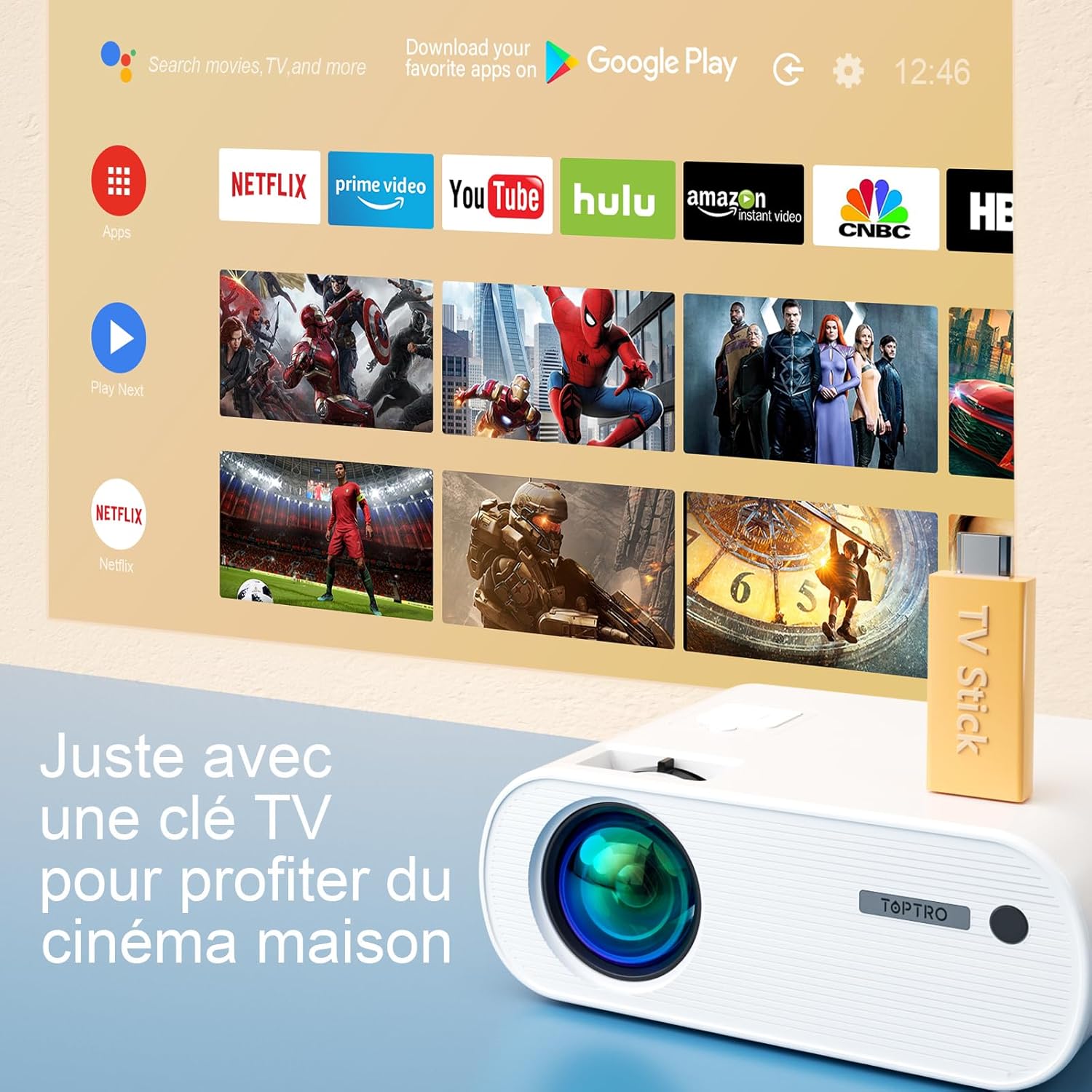
Image 6.5: Enjoying home cinema with a TV stick.
7. Nlekọta
7.1 Nhicha
- Use a soft, dry cloth to clean the projector's exterior.
- For the lens, use a professional lens cleaning cloth and solution. Avoid harsh chemicals.
- Regularly clean the ventilation vents to prevent dust buildup.
7.2 Nchekwa
When not in use, store the projector in its carrying bag in a cool, dry place, away from direct sunlight and extreme temperatures.
7.3 Lamp Nlekọta
The projector features an LED lamp with an extended lifespan of up to 90,000 hours, ensuring long-term use without frequent lamp nnọchi.

Image 7.1: Projector features including 90,000 hours LED lamp ndu.
8. Nchọpụta nsogbu
- Enweghị ike: Ensure the power adapter is securely connected to both the projector and the power outlet.
- Enweghị onyonyo: Check the input source selection. Ensure the connected device is powered on and sending a signal. Adjust focus.
- Onyonyo na-adịghị ahụkebe: Adjust the focus ring. Ensure the projection surface is flat.
- Enweghị ụda: Check the volume settings on both the projector and the connected device. Ensure external speakers are properly connected or paired via Bluetooth.
- Njikwa anya anaghị arụ ọrụ: Replace the batteries. Ensure there are no obstructions between the remote and the projector's IR receiver.
- Okwu njikọ WiFi: Ensure your device and projector are within range of the WiFi network. Restart both devices.
9. Nkọwapụta
Detailed technical specifications for the TOPTRO X2 Projector:

Image 9.1: Brightness and contrast comparison.
| Njirimara | Nkọwapụta |
|---|---|
| Ụdị | TOPTRO |
| Ihe Nlere nke Model | X2 |
| Ụdị ngosi | LCD |
| Mkpebi obodo | 1280 x 720 pikselụ |
| Mkpebi akwadoro | HD zuru ezu 1080P |
| Icha ọkụ | 12000 Lumen |
| Ọnụọgụ ọdịiche | 20000:1 |
| Teknụzụ Njikọta | Wi-Fi, Bluetooth |
| Ngwaọrụ Akụrụngwa | HDMI, USB, AV |
| Keystone Ndozi | Manual ±15° (Vertical) |
| Ọrụ Mbugharị | 75% - 100% |
| Lamp Ndụ | Ruo awa iri abụọ |
| Akụkụ ngwaahịa (L x W x H) | 21.2 x 17.2 x 8 cm |
| Ụdị Ihe | Enwere ike ibugharị |
| Ụdị nkwụnye | N'elu tebụl |
10. Akwụkwọ ikike na nkwado
TOPTRO is committed to providing high-quality products and professional technical support. While specific warranty details may vary by region or retailer, TOPTRO ensures quality control before delivery.
If you encounter any issues or have questions regarding your TOPTRO X2 projector, please do not hesitate to contact TOPTRO customer support. Our team is available to assist you.
For support, please refer to the contact information provided with your purchase or visit the official TOPTRO websaịtị.


