Okwu mmalite
This manual provides detailed instructions for the installation, operation, and maintenance of your PLZ 7" Wireless Double Din Car Stereo. This advanced car audio receiver features wireless Apple CarPlay and Android Auto, Bluetooth 5.3 connectivity, a high-fidelity sound system with built-in DSP, an immersive IPS touchscreen, and support for a backup camera. Please read this manual thoroughly before use to ensure proper functionality and safety.
Kedu ihe dị na Igbe ahụ
- Nkeji stereo
- Igwefoto ndabere
- Njikwa anya
- Nessgba Harị
Ntọala na nwụnye
Proper installation is crucial for optimal performance and safety. It is highly recommended to have the unit installed by a professional car audio technician.
Ndụmọdụ nwụnye dị mkpa
- Ensure your dashboard opening size is compatible with the car stereo. An additional dash kit may be required if the stereo size does not match.
- Some car models may require a wire harness adapter and a radio antenna adapter specific to your car model for complete installation.
- Verify all connections (power, ground, speakers, accessories) are secure and correctly wired according to the diagram.
Eserese waya

Figure 1: Detailed wiring instructions for connecting the stereo to your vehicle's dashboard, including power, speaker, and steering wheel control connections.
Ntuziaka ọrụ
Ikuku CarPlay na gam akporo Auto
Connect your smartphone wirelessly to access navigation, music, calls, and voice commands (Siri/Google Assistant). The system connects automatically upon car startup after initial pairing.

Figure 2: Wireless CarPlay and Android Auto functionality with voice control for navigation and media playback.
Njikọ Bluetooth 5.3
The independent Bluetooth 5.3 module and extra antenna ensure stable, high-quality hands-free calling and audio streaming. The built-in microphone and external microphone interface provide clear communication.

Figure 3: Enhanced Bluetooth connectivity for calls and music streaming.
High Fidelity Sound with DSP
Experience superior sound quality with the built-in DSP, 4.2 channels pre-amplifier (max 240W output), and two subwoofer outputs. The 10-band EQ allows for personalized audio adjustments.

Figure 4: Audio output configuration and equalizer settings for optimized sound.
Immersive IPS Touchscreen & Mirror Link
The 7-inch IPS HD touchscreen (1024x600 resolution) provides stunning clarity and vivid colors. Wired Mirror Link allows you to display compatible device content directly on the screen.

Figure 5: High-resolution display with adjustable brightness for day and night driving.
Njikwa wiilụ steering (SWC)
Control various functions directly from your steering wheel, including volume adjustment, track changes, and voice commands, enhancing convenience and safety.
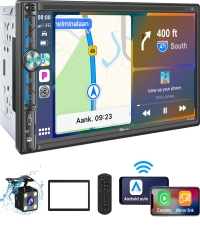
Figure 6: Steering Wheel Control integration for safe and convenient operation.
Nkwado igwefoto ndabere
The stereo supports a backup camera, providing a clear view of the area behind your vehicle for safer parking and reversing. A rear camera is included in the package.

Figure 7: Backup camera view with parking guidelines for enhanced safety.
Radio and Media Playback
Enjoy FM/AM radio and playback media from USB drives or auxiliary input. The system supports various audio and video formats.
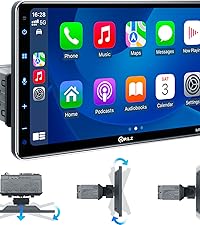
Figure 8: Multiple media playback options including radio, Bluetooth, USB, and AUX.
Nlekọta
To ensure the longevity and optimal performance of your PLZ car stereo, follow these simple maintenance guidelines:
- Nhicha: Use a soft, dry cloth to clean the touchscreen and unit exterior. Avoid abrasive cleaners or solvents.
- Okpomọkụ: Avoid exposing the unit to extreme temperatures. The built-in heat sink helps dissipate heat, but prolonged exposure to direct sunlight or extreme cold can affect performance.
- Mmelite ngwanrọ: Lelee onye nrụpụta website periodically for any available software or firmware updates to ensure the best performance and compatibility.
Nchọpụta nsogbu
If you encounter issues with your PLZ car stereo, refer to the following common problems and solutions:
Head Unit Powers On for a Few Seconds and Then Shuts Down Automatically
Some cars have ACC wires controlled by Canbus or feature a "delayed shut off" for radios. In such cases, the car may not output stable 12V power. Ensure the Red wire of your harness receives switched 12V power (car key must be turned on), the Yellow wire receives 12V power, and the Black ground wire is properly connected. If the ACC line (Red wire) and the B+ line (Yellow wire) are reversed, the product will lose its memory function after power is turned off.

Figure 9: Common power-on issues and their solutions.
How to Turn Off CarPlay Automatic Connection
If you wish to disable the automatic connection for Apple CarPlay:
- Usoro 1: In your iPhone's settings menu, find the car stereo Bluetooth (CAR-KIT) and turn off CarPlay.
- Usoro 2: Enter the Bluetooth interface of your iPhone, select "Forget Device". On the car stereo, select "PhoneLink" and shift "Auto Connect" to "off".

Figure 10: Steps to manage CarPlay automatic connection settings.
How to Turn Off Android Auto Automatic Connection
If you wish to disable the automatic connection for Android Auto:
- Turn off Wi-Fi on your Android phone.
- Select "PhoneLink" on the car stereo.
- On the car stereo, shift "Auto Connect" to "off".
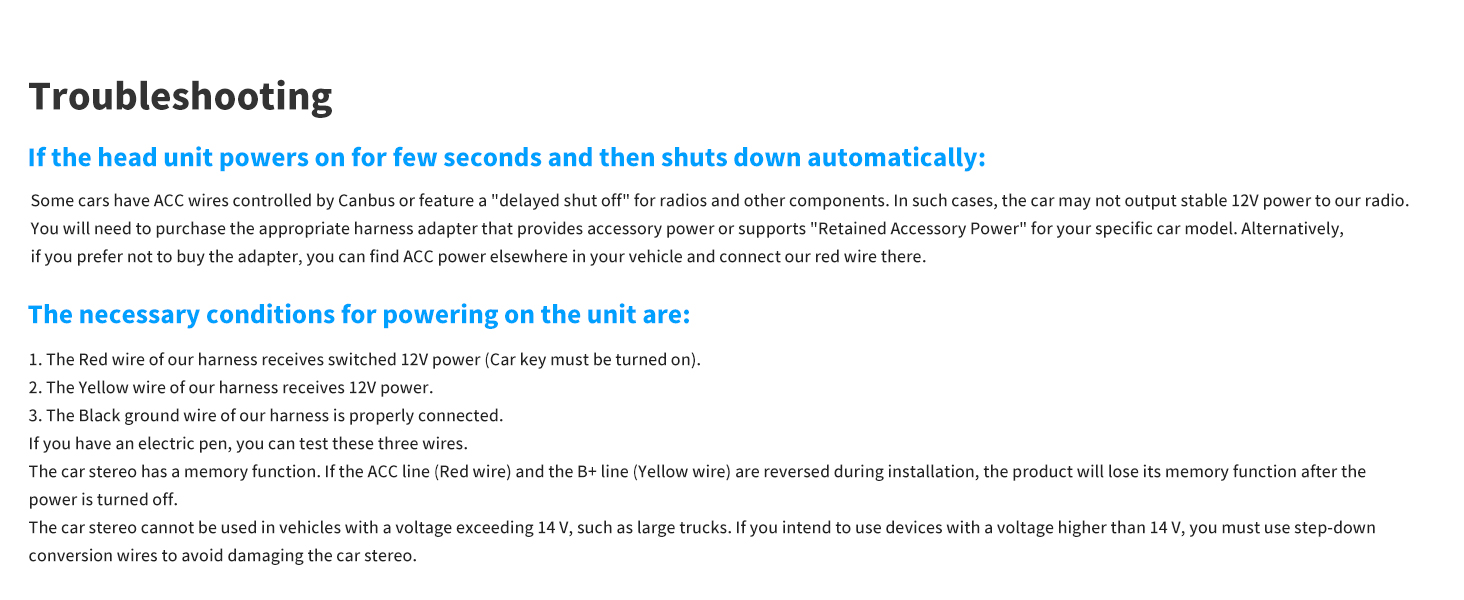
Figure 11: Steps to manage Android Auto automatic connection settings.
Nkọwapụta
| Njirimara | Nkọwa |
|---|
| Nọmba nlereanya | MP-902W |
| Nha ihuenyo | 7 sentimita asatọ |
| Ụdị ngosi | IPS Touchscreen |
| Mkpebi | 1024x600 |
| Teknụzụ Njikọta | Bluetooth, inyeaka, USB |
| Ụdị Bluetooth | 5.3 |
| Ụdị njikwa | Android Auto, Apple Carplay |
| Atụmatụ pụrụ iche | DSP, Built-In Bluetooth, Android Auto, Apple CarPlay, Screen Mirroring |
| Ọnọdụ mmepụta ọdịyo | Stereo |
| Nhazi ọwa ụda gburugburu | 4.2 |
| Ike mmepụta | 240 Watt |
| Ibu Ibu | 2.7 pound |
| Akụkụ ngwugwu | 9.17 x 6.54 x 5.94 sentimita asatọ |
| Onye nrụpụta | PLZ |
| Mba onye si | China |
Akwụkwọ ikike na nkwado
For warranty information and technical support, please refer to the documentation included with your product or contact PLZ customer service directly. Keep your purchase receipt for warranty claims.


